The problem with a running total
Most live players keep their results somewhere: a notes app, a spreadsheet filled in the next morning, photos of the chip stack, or plain memory. A running total tells you whether you are up. It does not tell you how close an ordinary bad stretch could take you to zero, and that depends on three things at once: how fast you win, how widely your sessions swing, and how much money you have set aside for poker.
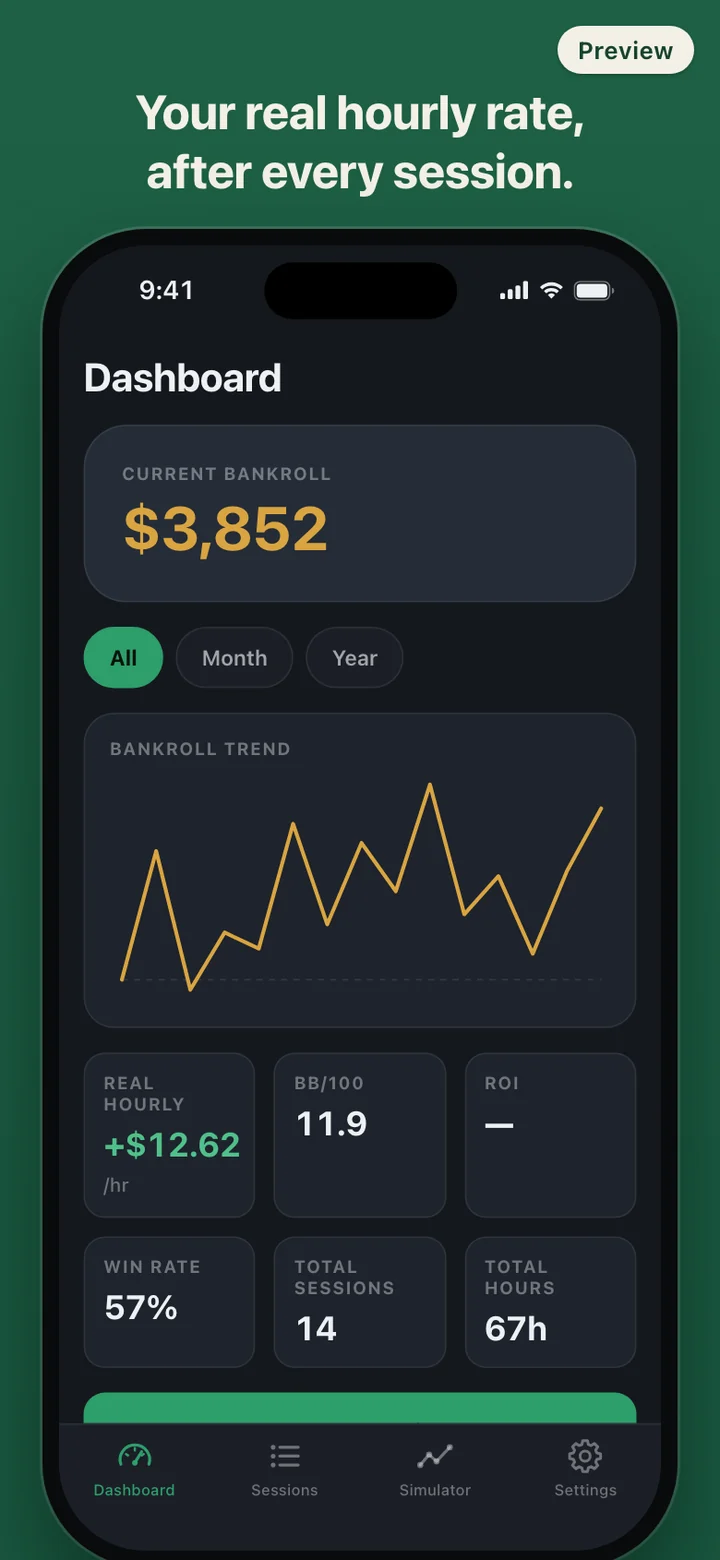
The same $4,000 can be a comfortable cushion at one stake and a thin one at the next. Live samples are small, too. Fourteen sessions can be a full month of live play and is still very little evidence, so a hot or cold start can make your pace look quite different from what it really is. RollGauge puts those inputs side by side every time you save a session, instead of leaving the arithmetic for later.
Where the gauge number comes from
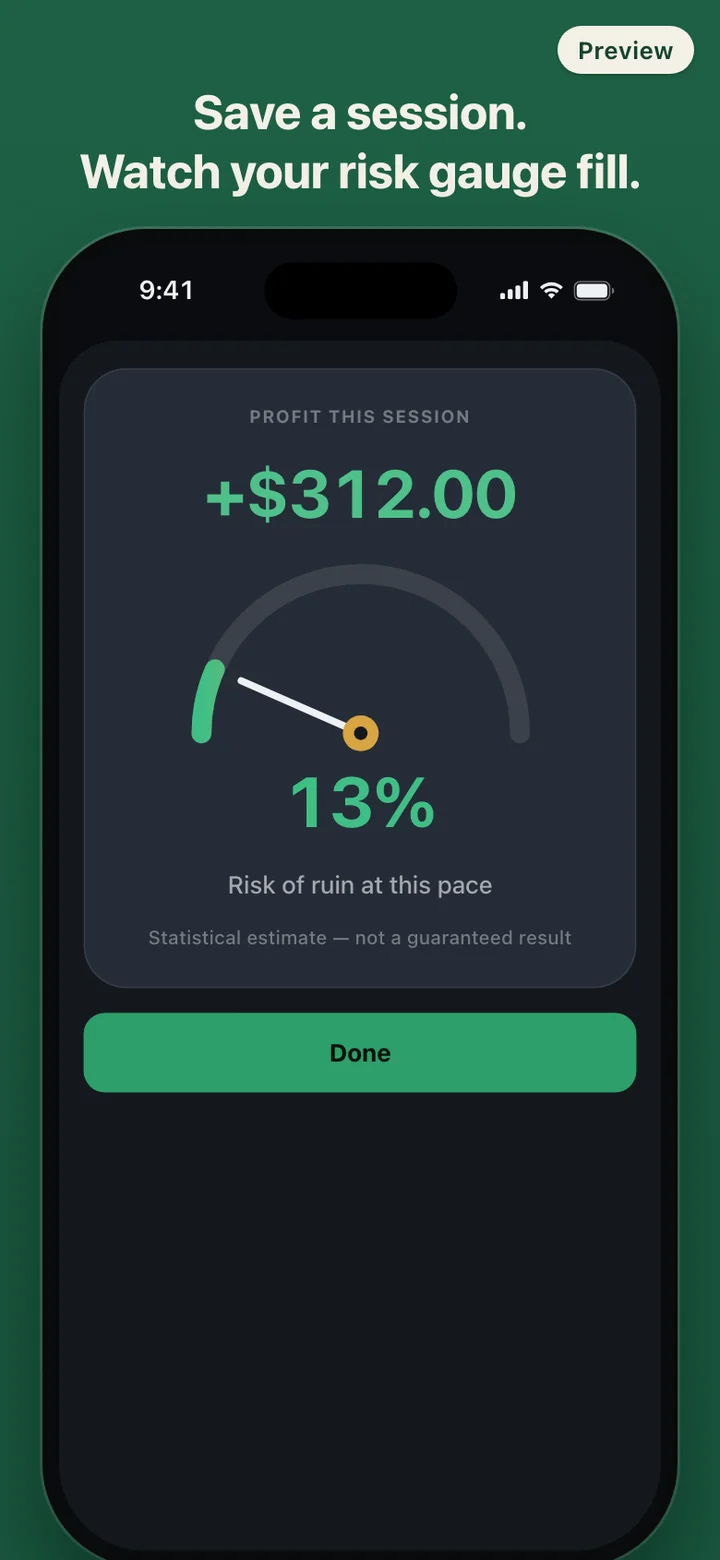
The gauge uses the classic risk of ruin formula for a bankroll that drifts with a steady win rate and random swings: e raised to minus two times win rate times bankroll, divided by the variance. RollGauge estimates your hourly win rate from total profit over total hours, and the hourly variance from how far each session landed from that pace, adjusted for its length. The bankroll is your starting amount plus every session result plus any deposits or withdrawals you record.
Under ten sessions there is not enough data to trust the swing estimate, so the app blends your own spread with a typical figure for the game you just played, scaled to your buy-in, and marks the reading Early estimate. Your own data carries more weight with every session. If your pace is break-even or losing, the formula has only one answer, 100 percent, and the card adds roughly how many sessions your bankroll would last at that average loss. If you have not set a bankroll, there is no number at all, only a prompt to set one.
Logging at the table
A session is one form: game (NLH cash, PLO cash or tournament), stake from a preset list or typed in, buy-in including rebuys, cash-out, hours and minutes, and optionally the venue and a note. Your last session's game, stake and venue are filled in, so a regular game takes a few taps. The fields are large and the number fields open a numeric keypad, because the phone usually sits next to a stack of chips.
If you prefer, start the Live timer when you sit down. It counts from the clock time you started, so switching apps or locking the phone does not lose time, and when you leave the table you enter the buy-in and cash-out and save.
The Sessions tab lists everything newest first, with filters for game, period and venue. Each filter shows the hourly rate and BB/100 for just that slice, which is the quickest way to see whether your results come from the Thursday home game or the card room. Tap a session to fix a typo; editing does not replay the gauge. Tap the trash icon to delete a session, with a confirmation first.
Private by design
Poker results are about as personal as financial records get. RollGauge has no account and no server, makes no network requests and carries no analytics or advertising SDK. Sessions, bankroll records and settings live in the app's storage on your phone. The only way data leaves is when you choose CSV export, which hands a file with date, game, stake, buy-in, cash-out, profit, hours, venue, note and currency to the share sheet.
You can put the app behind Face ID or your device passcode, so whoever borrows the phone does not see last weekend. Delete all data in Settings wipes sessions, bankroll records and settings in one step and returns the app to its first screen. Pick the currency you play in from USD, EUR, GBP, JPY, KRW, CAD and AUD; it changes how amounts are shown, with no exchange-rate conversion.
What it deliberately does not do
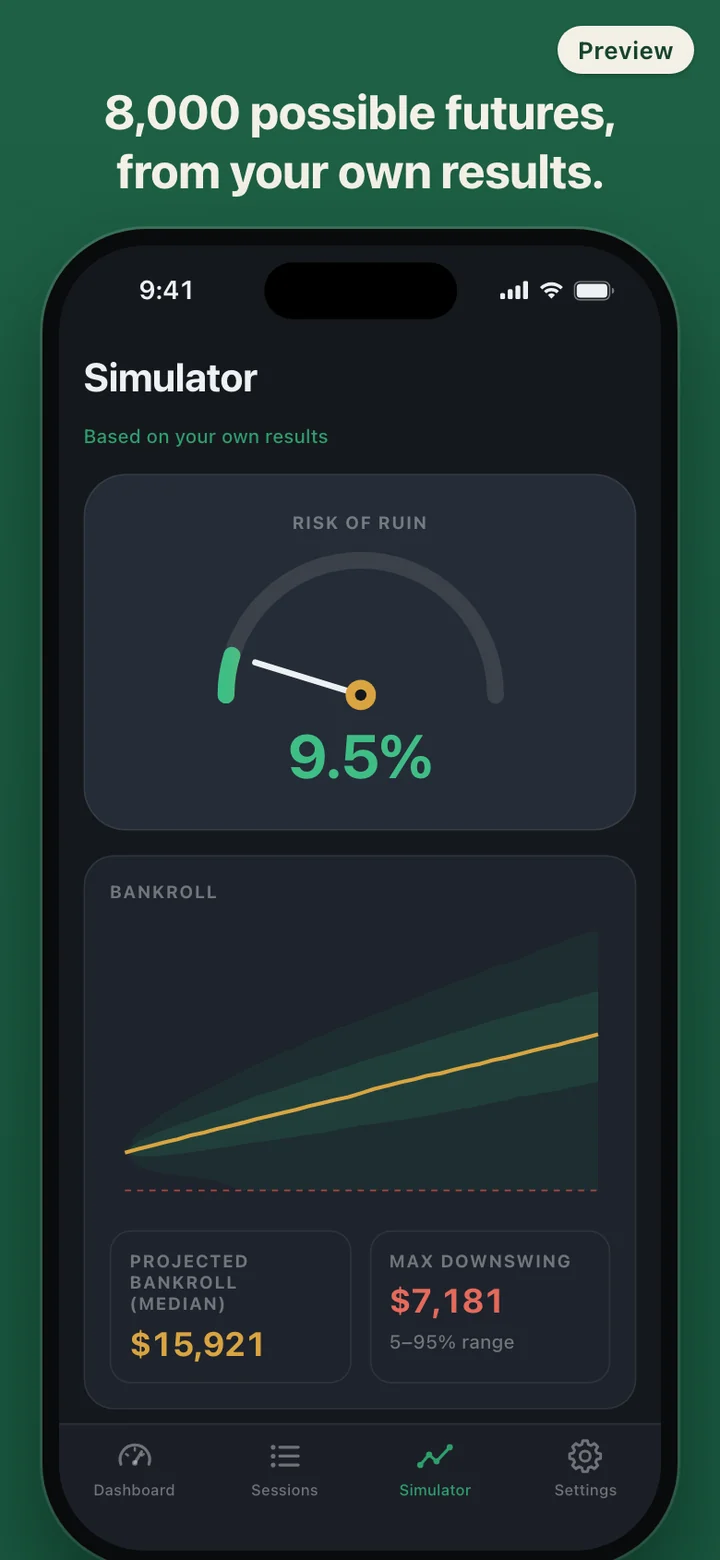
RollGauge records sessions that already happened and runs statistics on them. There are no card games, no betting, no money movement and no links to casinos, card rooms or poker sites; the venue field is plain text you type. It does not read hand histories, show a HUD or give strategy advice. The Simulator's stake buttons show what the same results would look like at a bigger game; whether to sit in one is your decision, and the app never suggests it.
RollGauge is a record-keeping and statistics tool. It does not offer or promote real-money gambling and is not financial advice. Risk of ruin and simulator results are estimates based only on the sessions you enter and the assumption that your past pace continues; real results can be better or worse. If gambling stops feeling like a choice, the National Council on Problem Gambling's helpline, 1-800-MY-RESET (1-800-697-3738), is confidential and open 24/7 by call, text or chat.