Hours, months, and one season a year
A boat has no odometer. Its engine keeps time instead, on an hour meter at the helm or in a digital display, and most service on an outboard, sterndrive, or inboard is scheduled against those hours, with a calendar limit for the years the boat barely leaves the dock. On top of that sits a job most car owners never think about: getting the water out of the engine before the first hard freeze, then putting the boat back in commission in spring.
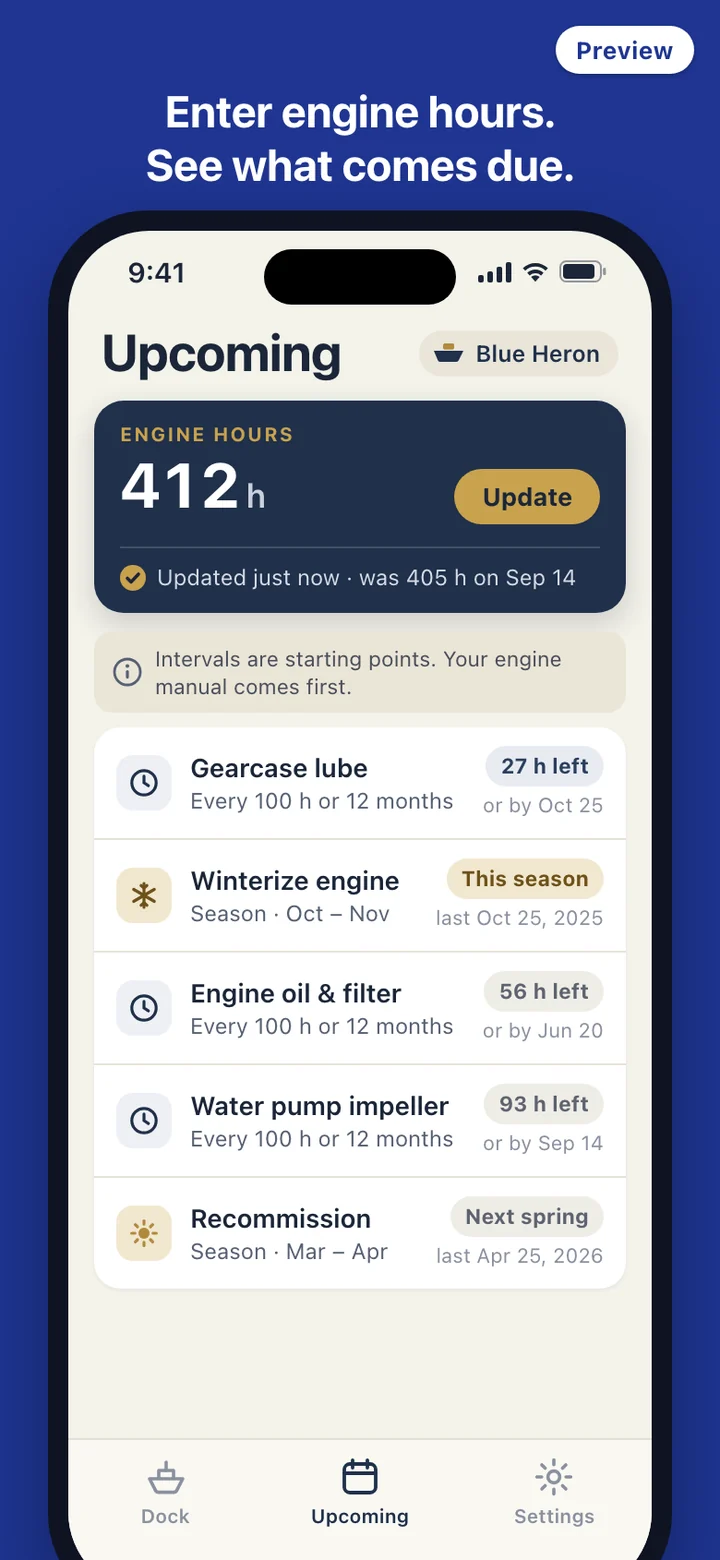
HullLedger keeps all three clocks in one list. Engine and drive items count hours and months, hull and trailer items count months, and winterizing counts the season. If your boat has no hour meter, skip the reading when you add the boat; the hours line disappears and everything runs on months and seasons. The list also shows when you last updated the hours, because a phone cannot see the meter and any estimate is only as fresh as your last reading.
Where the record usually lives
Ask a boat owner when the impeller was last replaced and the answer is often in a console drawer full of dealer invoices, on a piece of tape inside the engine cover, or in the memory of the yard that did the work three winters ago. Oil changes done in the driveway leave nothing behind at all. Winterizing is the hardest to prove: it happens once a year, often by someone else, and the only evidence is that the engine started in May.
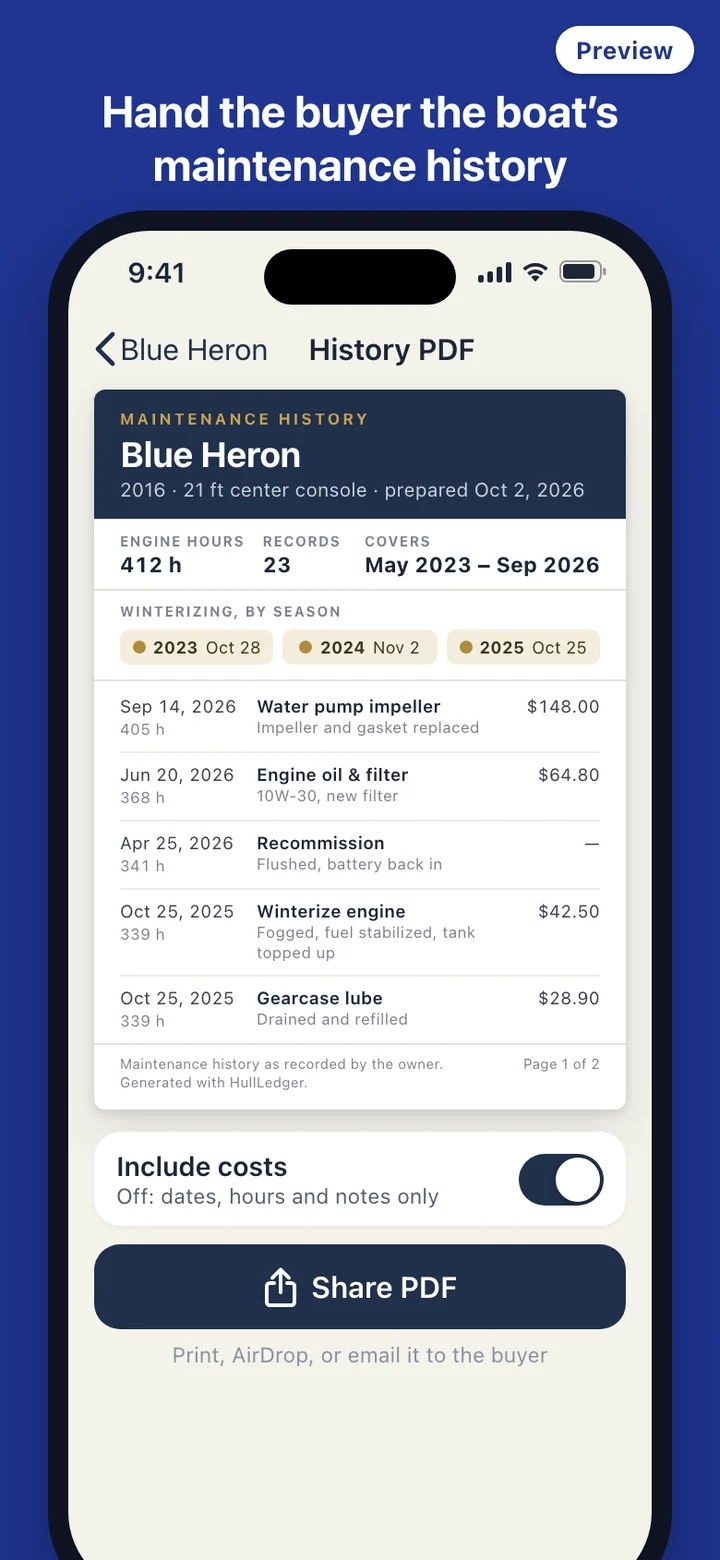
That gap shows up when the boat goes up for sale. A buyer can read the hour meter, but the meter cannot say whether the gearcase oil was changed at 300 hours or never. HullLedger writes the hours down at the moment of each job, so the record answers that question with dates and numbers you entered yourself.
A season with HullLedger
April: the recommissioning card is up. You flush the engine, put the battery back, and log it. June: the hour meter reads 368, the oil and filter come due, and you change them on the trailer and save the record with a photo of the receipt. The gauge fills a little, and the next oil change moves out to 468 hours or next June.
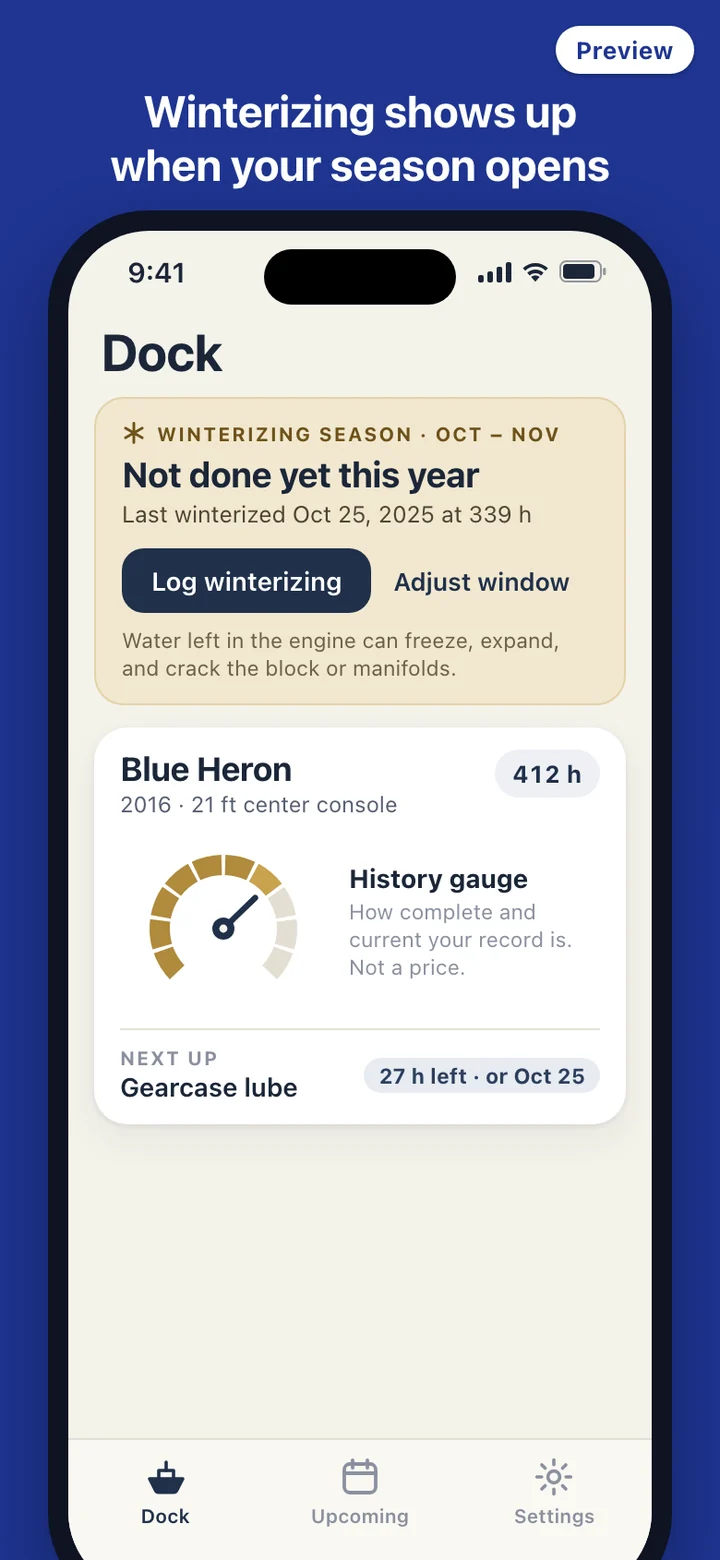
Through the summer you update the hours after a weekend on the water, a single number on the boat card. If you mistype, edit or delete the record later. A reading lower than the last one gets a warning rather than a block, since hour meters do get replaced. In October the winterizing window opens, the card asks whether this year is done, and the weekly digest, if you turn it on, mentions it along with the one to three items closest to due. Reminders on the lock screen never show the boat's name or what you spent.
Your engine manual outranks the presets
Each preset item arrives with a starting interval taken from engine makers' published schedules, which commonly pair a number of hours with a yearly limit, and every interval can be changed. Outboards, sterndrives, and diesels differ, so a note at the top of the list says the engine manual comes first. The winterizing window works the same way: move it earlier for a northern lake, later for a southern coast, shift it for the Southern Hemisphere, or switch the item off if the water never freezes where you keep the boat.
HullLedger is a record-keeping tool. It does not inspect your boat or tell you it is safe to run. Follow your engine manual and a qualified marine technician for intervals, winterizing procedures, and repairs.
What the gauge and the PDF will not claim
The history gauge shows how complete and current your record is: whether the core items are covered, whether recent work was on time, and whether there are long gaps. It never shows a dollar figure, a market price, or a guess at what the boat would sell for, and it does not appear on the PDF.
The PDF prints the records exactly as you entered them. It does not fill in a missing season, mark unlogged work as done, or present itself as an inspection report. A line on every copy says the history was recorded by the owner, which is exactly what it is.
Left out on purpose
HullLedger is about maintenance and nothing else. It does not record where you went, draw charts, or show weather and tides; other apps already do that, and mixing the two would bury the service record. There is no account, no server, and no analytics, and the app makes no network requests, so there is no price lookup and no cloud sync. Your record can be backed up to a file and restored on a new phone, and Settings has one control that erases everything.