Where the care notes live today
Most families start with whatever is nearby: a spiral notebook on the kitchen counter, a whiteboard on the fridge, a notes app, or a group chat where a sister, a brother and a part-time aide post updates. Each of them works fine until someone needs an answer that spans several days.
That question usually comes in the exam room. How has she been sleeping? Is she eating? When did the knee start bothering her? The notebook is at home, the whiteboard was wiped on Tuesday, and the chat holds two hundred messages mixed with photos and pharmacy pickup times. Software made for home care agencies keeps tidier records, but it is built around staff schedules, billing and visit verification, not around a daughter and an aide sharing one parent's week.
A day of entries, one tap at a time
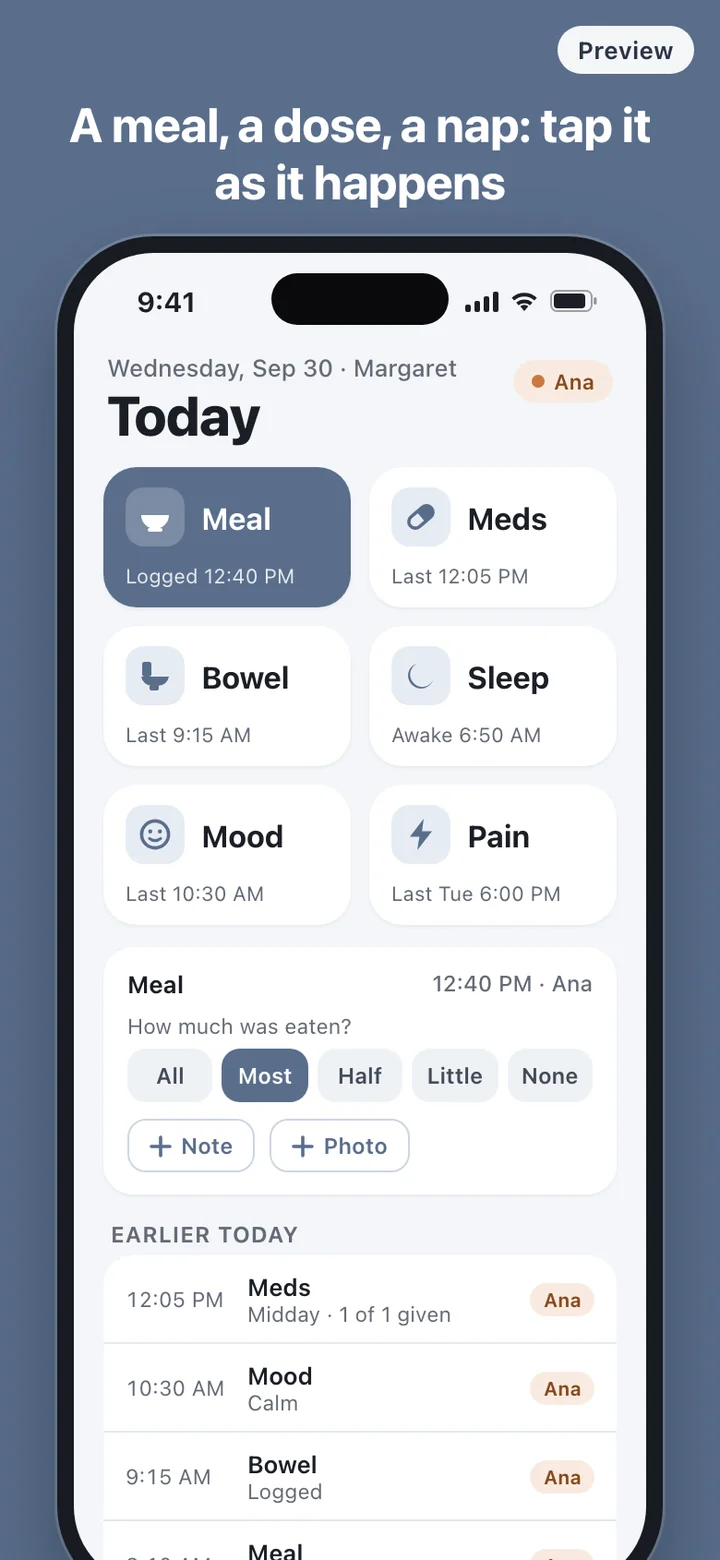
The buttons on the Today screen are sized for a hurried thumb. After breakfast, tap Meal and pick how much was eaten. After the morning medications, tap Meds and tick them off your list. Most entries take a couple of seconds and do not pull you away from the care itself.
Sleep is two taps, asleep and awake, which is enough to show how each night went. Mood is a short word you choose, and Pain is a score from 0 to 10 with room for a note about where it hurts. A note or photo is there for the thing you would otherwise forget by evening, like a new bruise or a lunch that came back untouched.
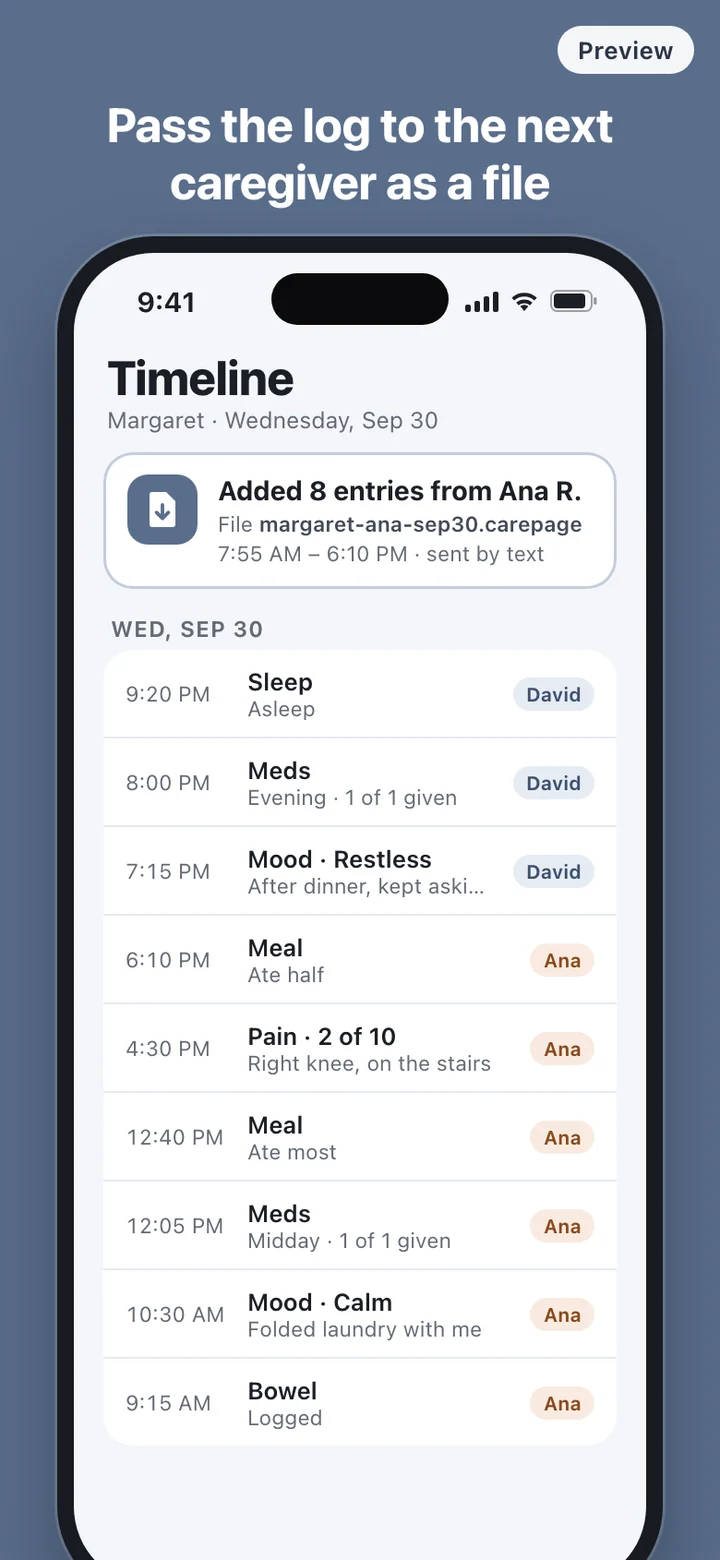
The timeline keeps every entry in order with the caregiver's name beside it, so yesterday afternoon or last Sunday night is a scroll away instead of a phone call.
The page you bring to the appointment
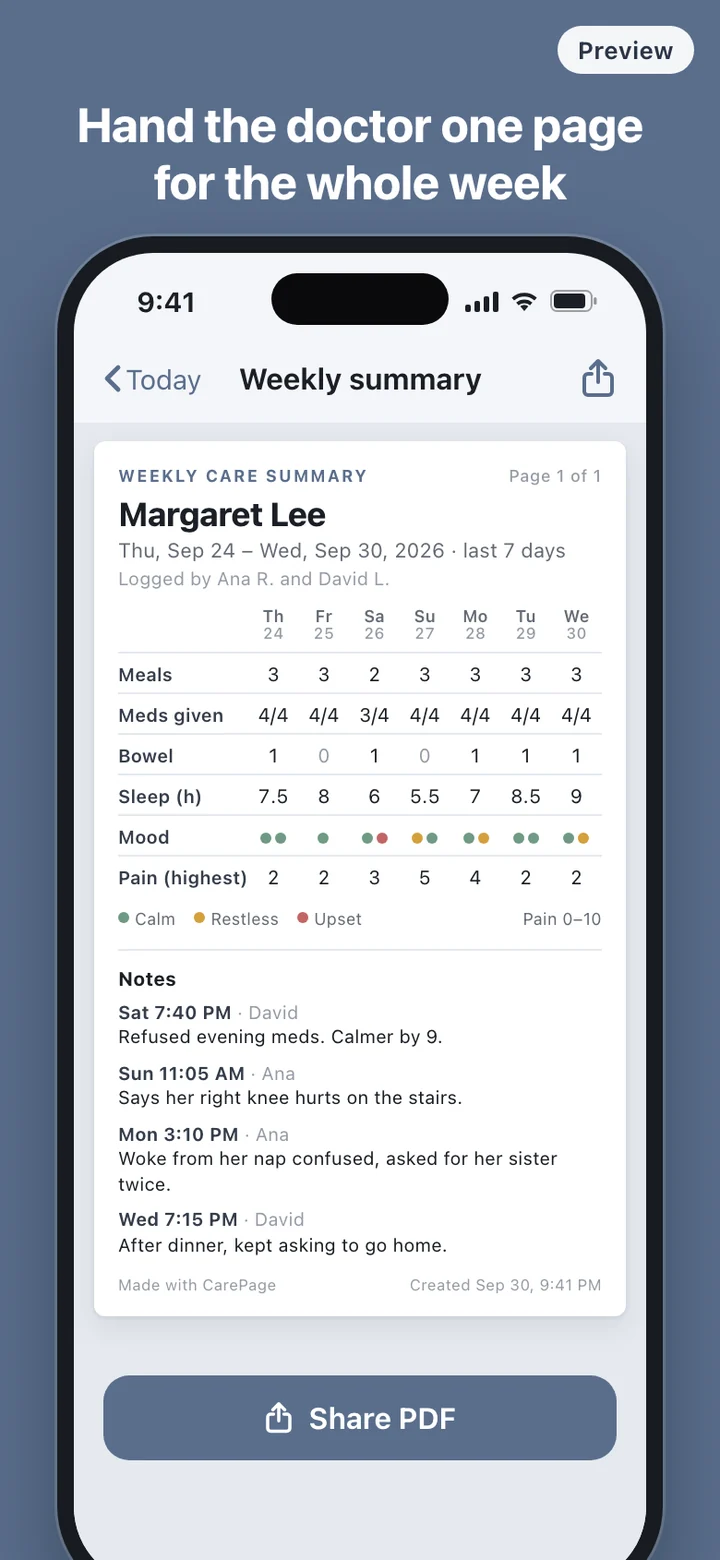
The weekly summary covers the last seven days. Each day is a column and each kind of entry is a row: meals logged, medications given out of those scheduled, bowel movements, hours between asleep and awake, the moods recorded, and the highest pain score. Under the grid come that week's notes, with the day, the time and who wrote them.
Preview the page on your phone, then share it as a PDF or print it. You can hand it to the nurse at check-in or attach it to a message before the visit. The summary reports what was recorded and nothing more. It does not score the week, label anything as normal or abnormal, or suggest what to change; that conversation belongs with the doctor.
Handing off between caregivers
Care rarely sits with one person. A daughter covers evenings, an aide covers weekdays, a brother takes the weekend. CarePage handles the handoff with a file. The person finishing a shift exports their entries and sends the file through the share sheet, and the person starting the next shift imports it. Those entries then appear on their timeline under the original author's name.
It is a file, not a live connection. Two phones do not update each other on their own, and nothing is combined until someone sends a file and opens it. That is the trade for having no server and no account: the log travels only when you send it, and only to the people you send it to. Set your own name in Settings once, and every entry you make carries it.
What CarePage leaves out on purpose
There is no login, no cloud copy and no account, so there is no password to share with an aide. Records stay on the phone that made them and on any phone you send a file to. The app does not connect to medical records, pharmacies or health devices, and it does not call or alert anyone.
Medication reminders are optional and go off at the times you enter on the medication list. CarePage does not suggest doses, timing or changes; the list is a record of what the doctor or pharmacist already told you. Scheduling, payroll and visit verification for paid staff are also outside its scope. It is a log for the people doing the caring.
CarePage is a record-keeping tool. It does not give medical advice, diagnose conditions, or recommend treatment or medication changes. Talk with the person's doctor, nurse or pharmacist about any health question, and call your local emergency number in an emergency.