Months of symptoms, one statement
A lay statement asks for something memory handles badly: how often a symptom came, how bad it got and what it kept you from doing, across many months. VA.gov lists statements from you and others among the things VA reviews on a claim, and says anyone can provide lay evidence without special training or education. Often the statement still gets written at the end, from a paper notebook, a notes app or memory alone.
ClaimLog moves the writing to the day it happens. A thirty-second entry on a bad night is a dated record of that night, in your words. When the statement is needed, it is assembled from those records instead of rebuilt from what you can recall in one sitting.
What an entry holds
Opening the app goes straight to adding a symptom and logging today. There is no sign-in, and a single card, which you can skip, explains where your records live and what the app does not do. Symptoms are named in your own words, such as lower back pain, trouble sleeping or ringing in my ears. A short list of body areas and everyday phrases helps you start, but nothing asks for a medical name or code. Each symptom can carry an optional start date and a line of context, like hurt during a training exercise in 2019.
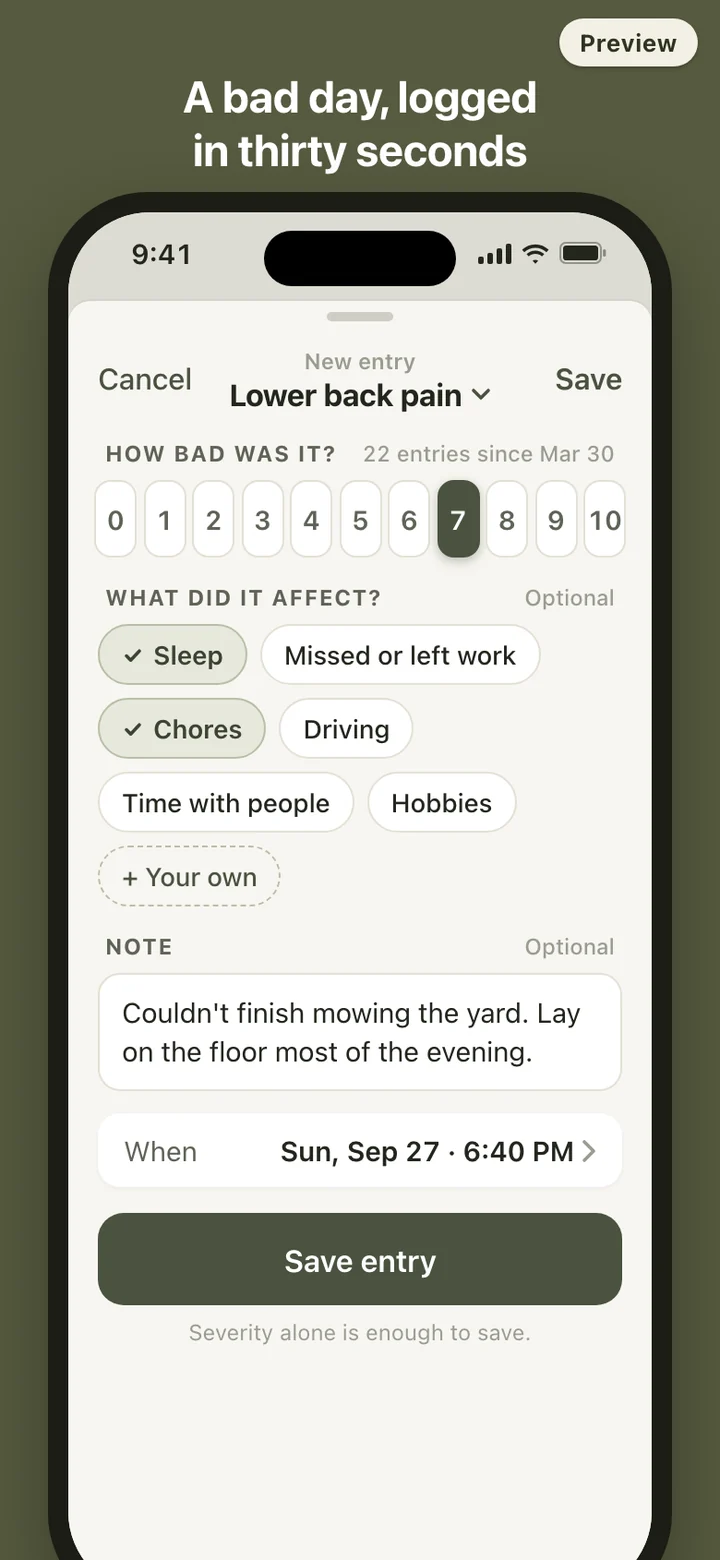
An entry is the symptom, how bad it was on one fixed scale, the parts of the day it affected, and an optional note. The time stamps itself and can be changed. Severity alone is enough to save, which matters on the days when typing is the last thing you want to do. Every entry can be corrected or deleted later, and symptoms can be renamed, archived or removed.
What goes into the PDF
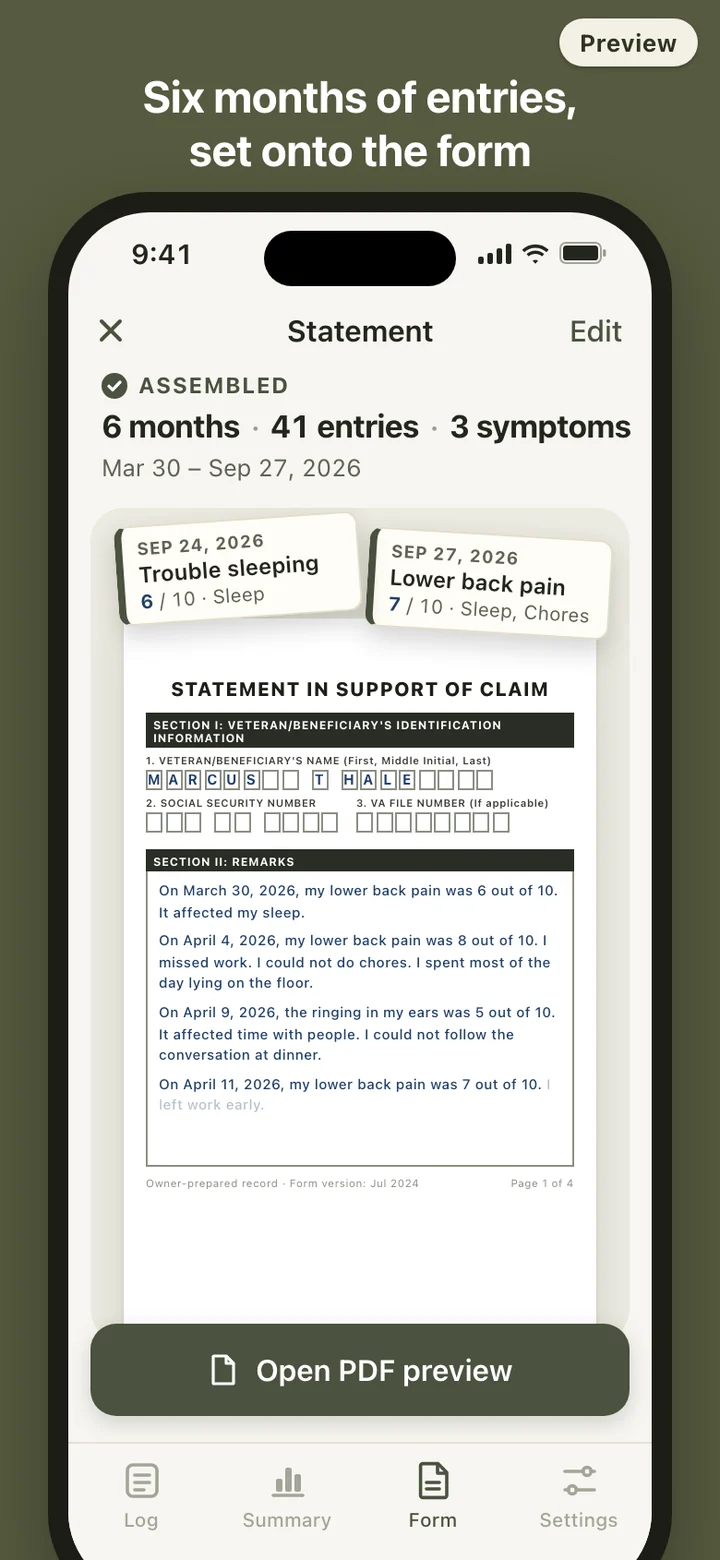
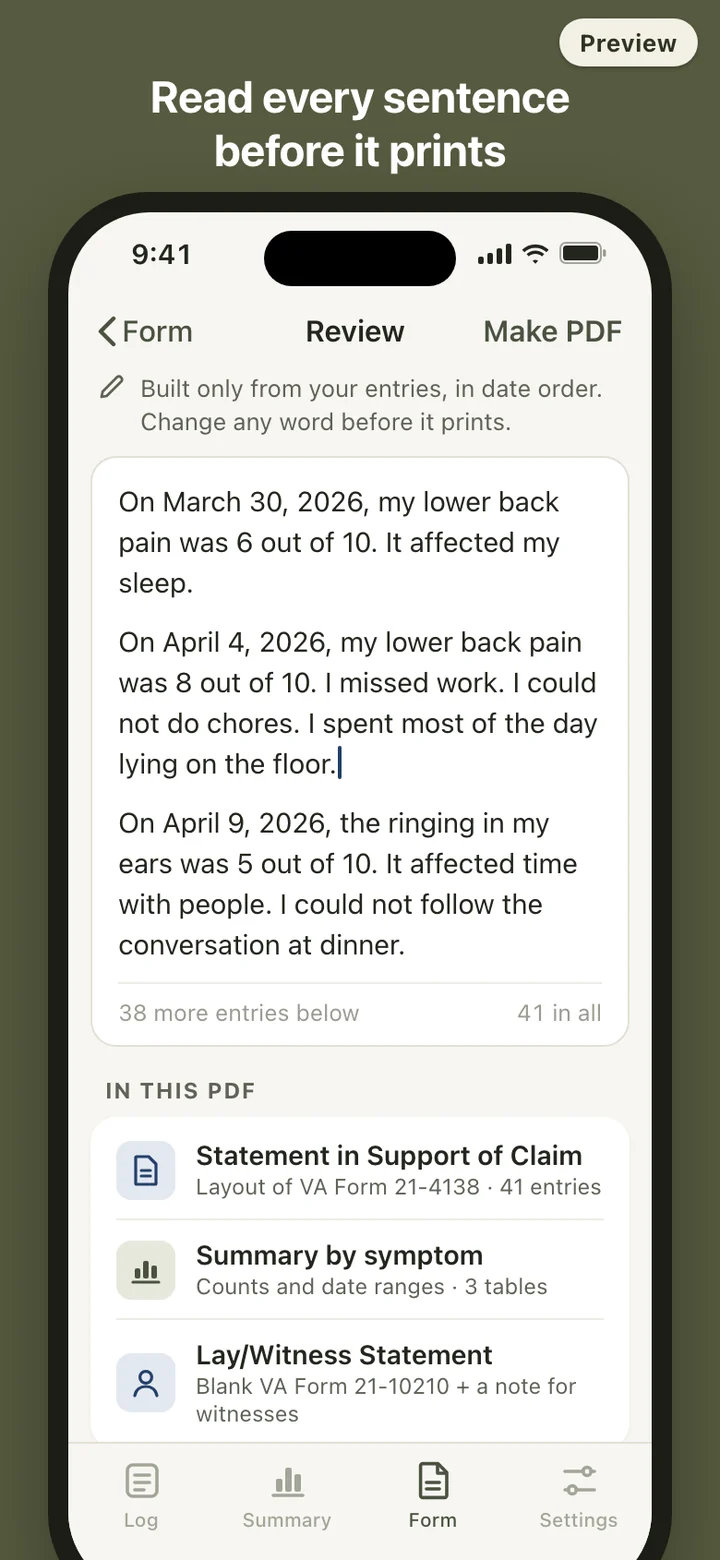
The statement follows the layout of VA Form 21-4138: its identification section, the remarks pages and the signature block, with your entries written out in date order as plain sentences. ClaimLog does not polish, strengthen or suggest wording. You read the full text in an editor before anything is generated, and what you leave there is what prints.
Next comes a summary table for each symptom: the number of entries, the date range and how the severity levels were spread, with no comment on what the numbers mean. Last is a blank VA Form 21-10210, the Lay/Witness Statement, with a one-page note asking whoever fills it in to describe what they saw for themselves. You hand that to a spouse, a friend or someone you served with.
Your name, Social Security number and VA file number are typed in when you make the PDF, and keeping them for next time is optional. The signature line prints blank so you can sign by hand. The PDF is in English on US Letter paper, and its footer notes which revision of the form the layout follows. The file is built in the phone's cache and cleared after you share or print it.
Counts, not conclusions
The Summary tab shows each symptom over a date range: how many entries, a simple bar for each week or month, the spread of severity and how often each part of daily life was ticked. That is all it shows. There are no words like worse or better, no trend arrows and nothing that turns your numbers into a judgment about your health or your claim.
The PDF summary table is computed by the same function, so the numbers on the phone and the numbers on paper always match.
Kept on the phone
Symptom records can include mental health, so ClaimLog has no account, no server and no analytics, and it makes no network requests at all. You can lock the app with Face ID, Touch ID or your passcode, and before a PDF goes to the share sheet the app reminds you that it holds sensitive records.
The daily reminder is off until you turn it on, and its lock-screen text never mentions symptoms, claims or VA. A backup is one file you export and import again on a new phone. Delete all data in Settings removes every symptom, entry, cached PDF, reminder and lock setting in one step.
What it deliberately leaves out
ClaimLog is a log and a layout. It does not predict outcomes, tell you which symptoms to stress, write or rephrase your sentences, run screening questionnaires or put you in touch with anyone. It does not submit anything to VA or link to a VA account; you send the statement yourself through VA's own channels. There is no e-signature, no photo or document scanning and no claim checklist.
ClaimLog is a record-keeping tool. It does not give medical or legal advice, and it is not affiliated with or endorsed by the U.S. Department of Veterans Affairs. Check VA.gov for the current forms and how to submit them. For help with a claim, VA's Office of General Counsel accredits three kinds of representatives: Veterans Service Organization representatives, attorneys and claims agents.