Where the egg count usually lives
Most small flocks are counted with tally marks on a calendar by the back door, a pencil notebook that lives in the coop, or a running note on someone's phone. Feed receipts end up somewhere else entirely: a drawer, a card statement, the bottom of a tote bag. The two lists rarely meet, so the question every keeper gets asked, "what do your eggs actually cost?", is usually answered from memory, and usually in the middle of winter when the hens have slowed down and the number feels worse than it is.
Farm management apps can hold all of this, but they are built around forms: a record per bird, a field for breed, tabs for health and hatching. That is a lot of typing for someone holding a basket in one hand and a feed scoop in the other. CluckLedger keeps only the three things the question needs: how many eggs, how many hens, and what you spent.
A day with CluckLedger
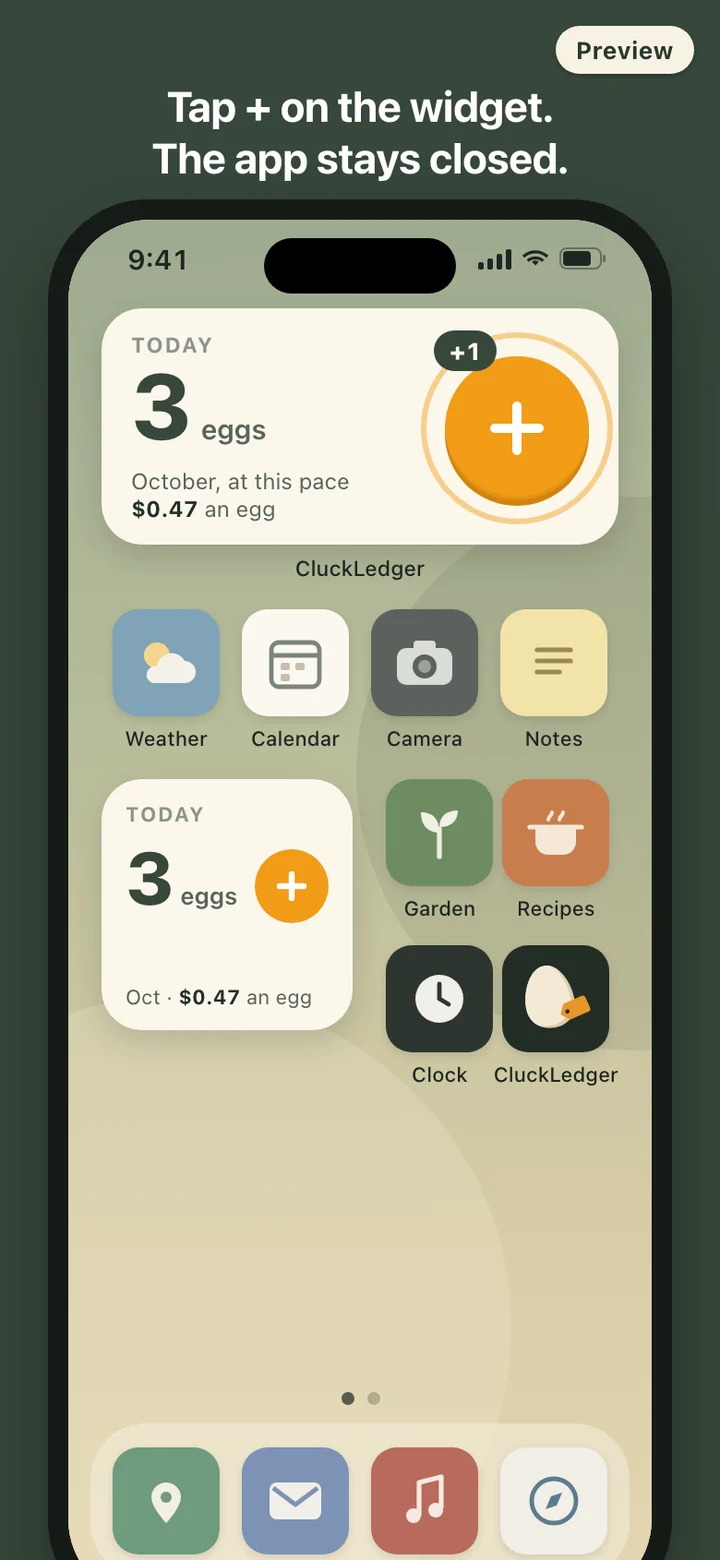
In the morning you collect eggs and tap + on the widget, once per egg. If you open the app instead, the Today screen is a large counter with + and − buttons, built to be hit with a gloved thumb. A stray tap comes off with −, a whole day's total can be typed in, and a day you forgot can be filled in from the calendar. Any day can carry a short note, such as "first egg from the pullets" or "double yolk".
When you buy a bag of layer feed, add the cost: the amount, the date, and one of three categories, Feed, Bedding or Other. Every cost can be edited or deleted later. If you want a nudge, an optional daily reminder goes off at the time you choose, evening by default, and skips itself on days you have already logged. The notification only says it is time to log eggs; it never shows counts or costs on the lock screen.
What goes into the cost per egg
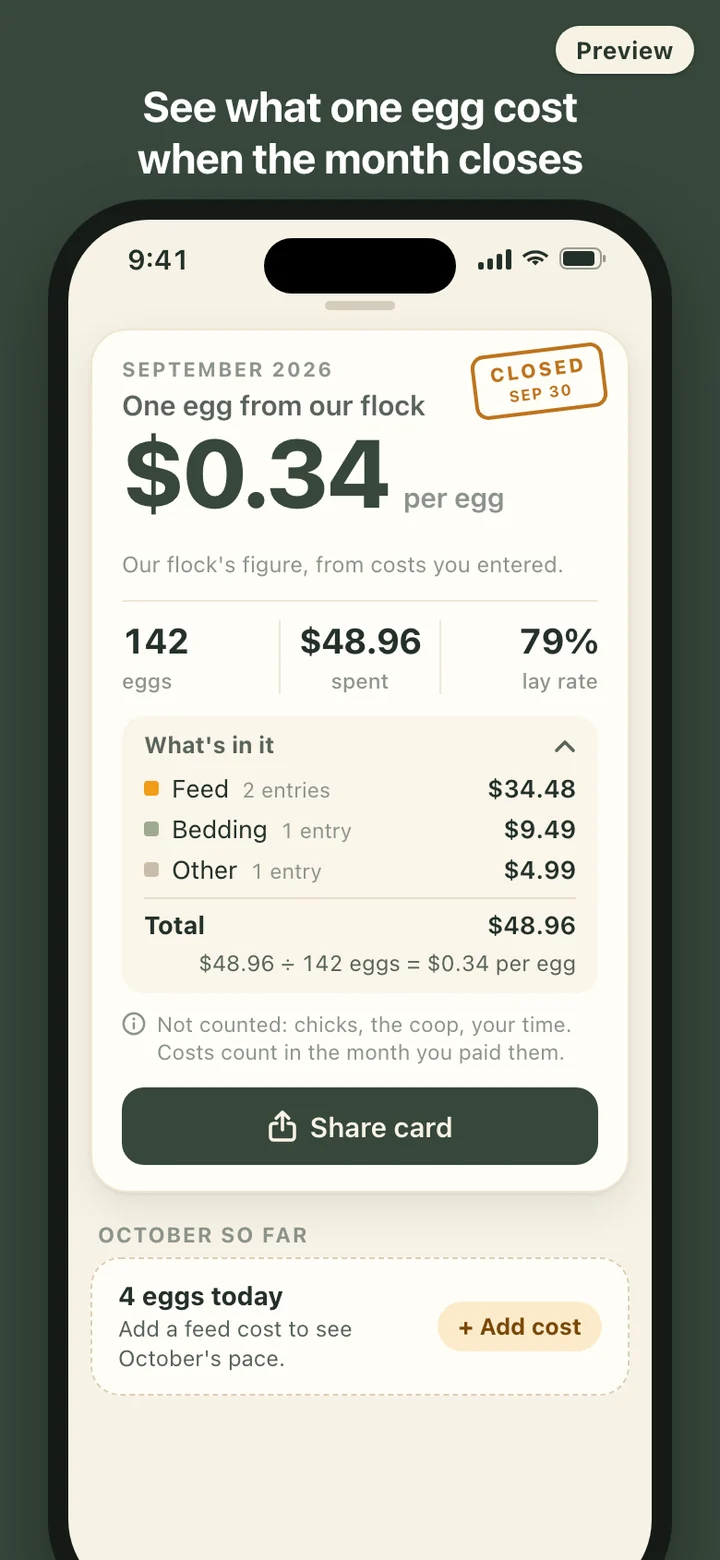
The figure is simple on purpose: the costs you entered for a month, divided by the eggs you collected that month. Nothing else is folded in. Chicks, the coop, depreciation and the value of your time are not counted. If you want the coop in the number, enter it under Other and watch the figure jump; that is your call, and the card will show it under Other.
Costs belong to the month you paid them. A bag bought on the 28th counts in that month even if the hens finish it in the next one, and nothing is spread across months behind your back. A month with no eggs shows no cost per egg at all instead of dividing by zero, and a month with eggs but no costs says "no costs entered" rather than pretending eggs were free. The card says "our flock" because it is your household's number. It is not compared with store prices, and the app never tells you whether keeping hens pays.
Lay rate, counted per hen per day
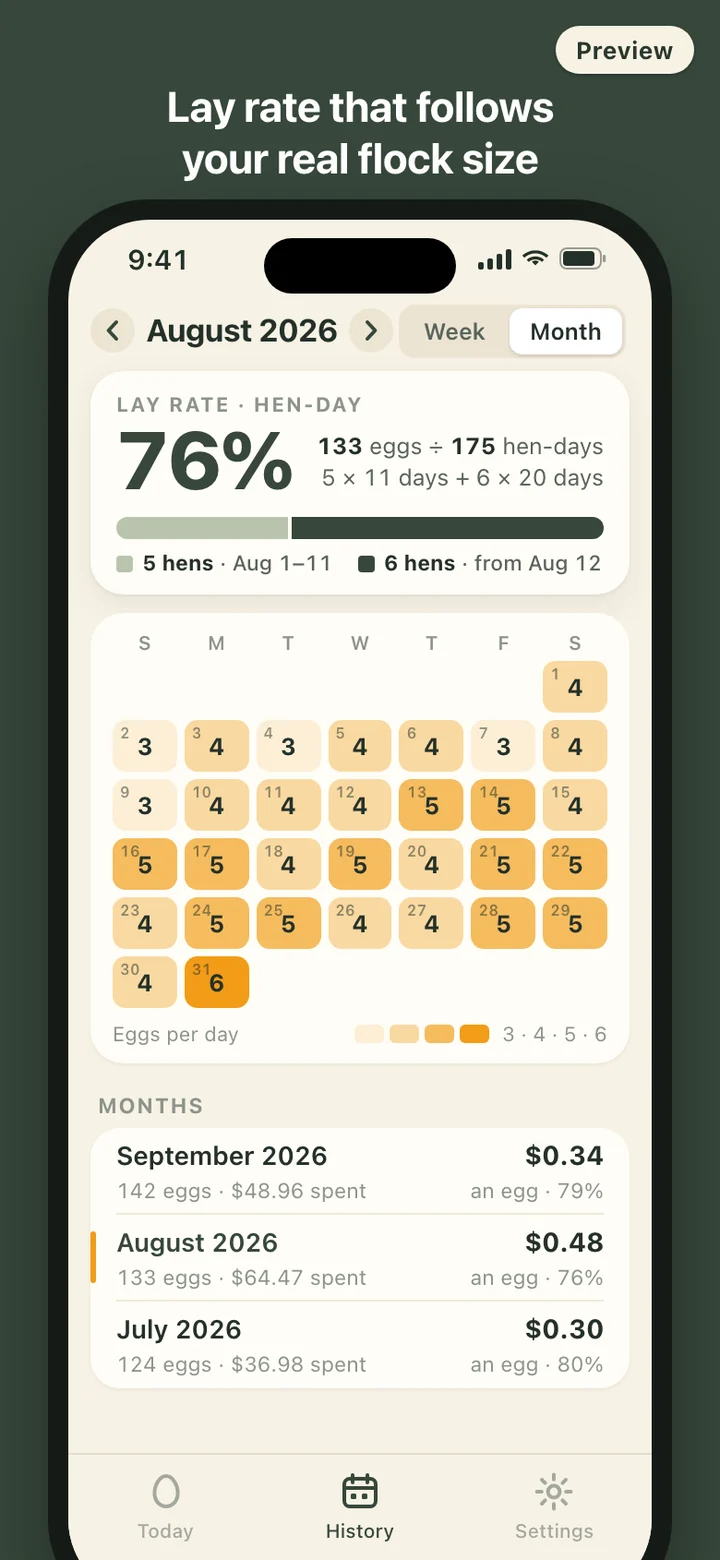
CluckLedger reports lay rate as a hen-day percentage: eggs divided by hens times days, times 100, by week or by month. When the flock size changes, you note the new number and the date. In August, five hens for eleven days and six hens for the remaining twenty make 175 hen-days; 133 eggs in that month is a 76% lay rate. Without the date of the change, the same month would look either better or worse than it was.
The number is shown as it is. If a late collection lumps two days of eggs into one, that day reads high and the rest of the month evens it out; nothing is capped or smoothed. There are no warnings when the rate drops and no suggestions about feed, light or care. The numbers are a record of your flock, and what they mean is up to you.
Your ledger stays on your phone
There is no account to create, no server, and no analytics. The app makes no network requests, and the widget reads the same ledger stored on the phone. Moving to a new phone is a backup file: export it through the share sheet, keep it wherever you like, and restore it on the new phone. If a restore fails, the records already on the phone are left as they were.
Delete all data in Settings wipes everything at once, including what the widget shows, and the app starts again at an empty counter.
What it deliberately leaves out
There are no hen profiles, breed lists, health records, hatching calendars or egg sales. Cost categories stay at three, so the card stays readable. There is no advice anywhere in the app: nothing about what to feed, how much light hens need, or why laying slowed down.
CluckLedger is a record-keeping tool. It does not give veterinary or husbandry advice, and its cost per egg is your own household figure based only on what you entered. For questions about your hens' health or laying, talk to a veterinarian or your local Cooperative Extension office.