The card file most colorists already keep
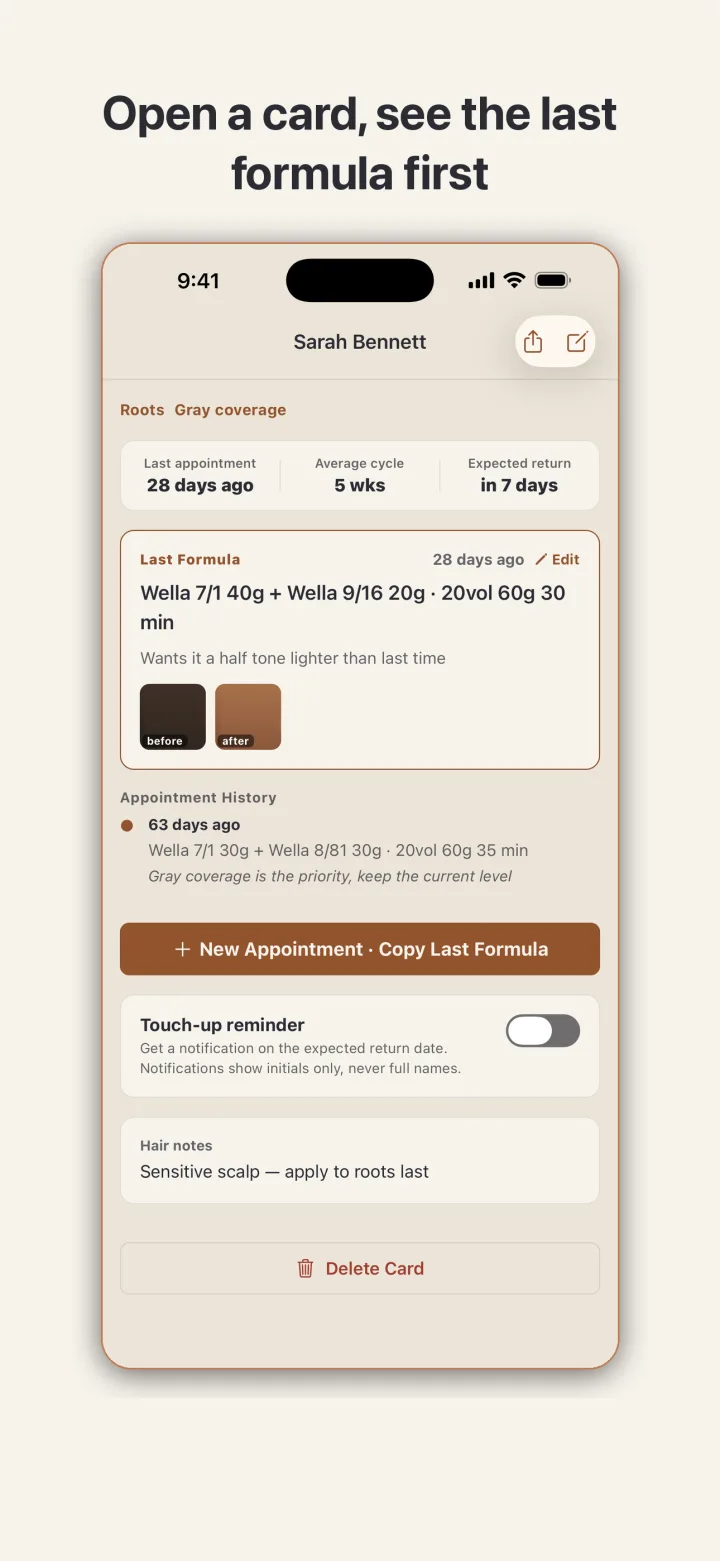
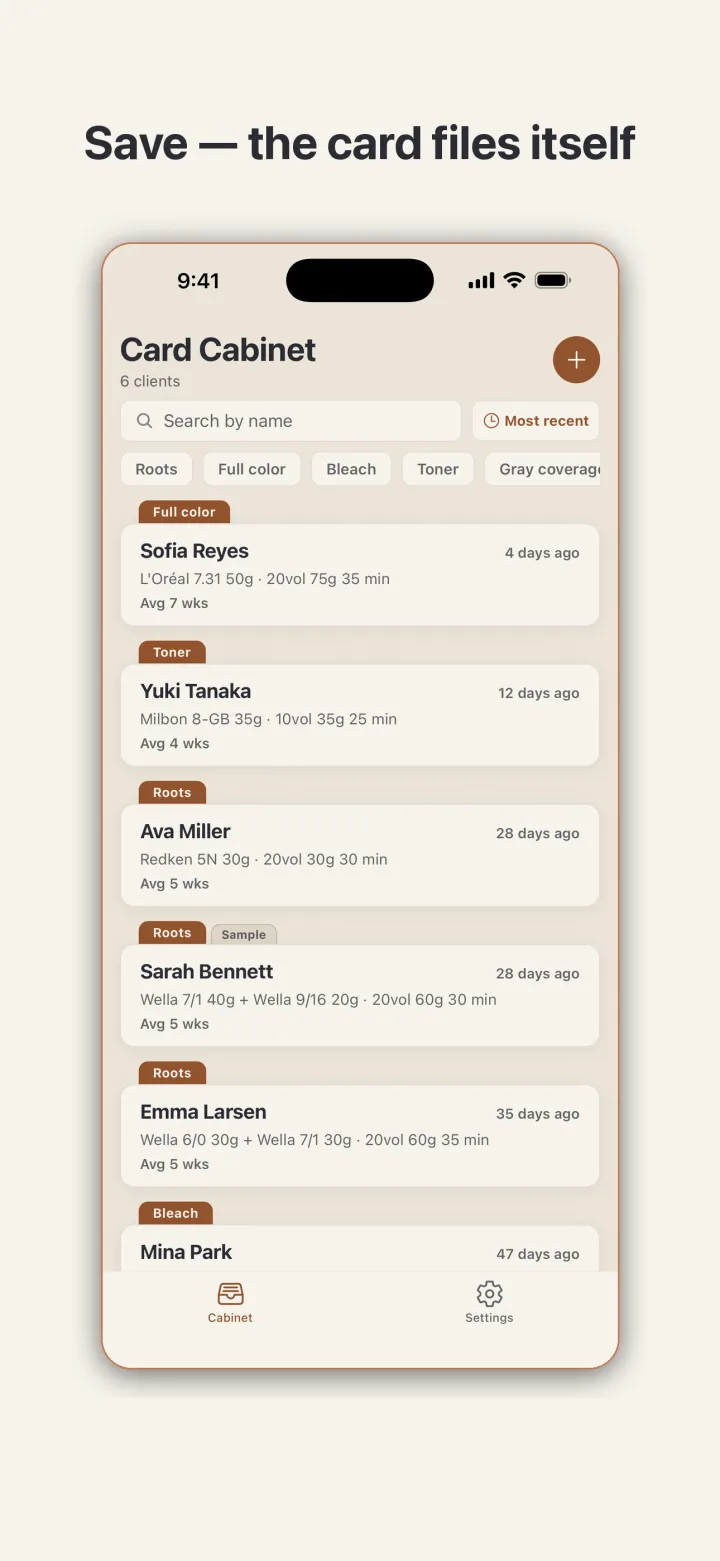
Every colorist records formulas somewhere: index cards in a drawer, a notes app, the back of a foil box. ColorCarte takes that habit and gives it a proper cabinet. Each client is one card. The card carries the last service date, the average number of weeks between visits, and the date the client is likely to walk in next, so the cabinet doubles as a quiet reminder of who is due.
The cabinet is sorted with the most recent service first by default, and a search field finds anyone by name. Tags such as Roots, Full color, Bleach, Toner, and Gray coverage sit above the list as filters, so pulling up every bleach client before a busy Saturday is one tap. When the app is opened for the first time, a single sample client with one formula and photos is already in the file, so the card layout can be tried before any real client is entered. The sample card is marked as such and can be deleted.
Formulas as lines, not paragraphs
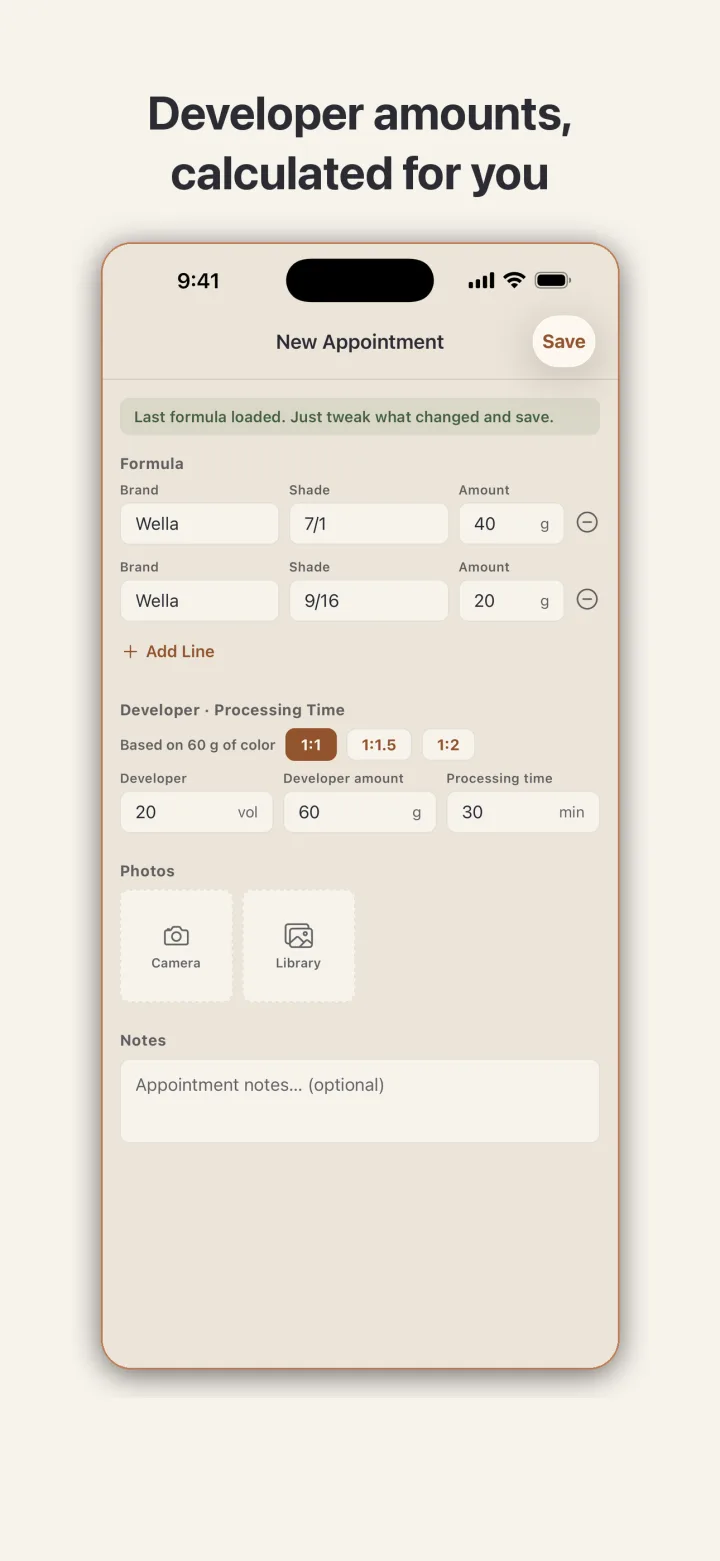
A formula in ColorCarte is a list of lines, each with a brand, a shade code, and an amount in grams. Add as many lines as the mix needs, then record the developer volume, the developer amount, and the processing time. If a service does not fit that structure, skip it and write a free note instead. A paper record never forced a format, and this one does not either.
The developer amount is calculated from the color total. Type 40 g of one shade and 20 g of another and the app shows 60 g of color, then fills in the developer at the ratio you pick: 1:1, 1:1.5, or 1:2, which are the standard mixing ratios from manufacturers' technical sheets. That removes the arithmetic at the mixing bowl, which is usually done with gloves on and a client waiting.
Returning clients in two taps
When a regular sits down, the card opens with the last formula already at the top, together with the note written at the time, for example that the client wanted it half a tone lighter. Tap the button to start a new appointment and the previous formula is loaded into the new form. Adjust a shade or a gram count if this visit calls for it, or leave it alone, then save. The record for the visit is done.
Photos taken from the chair attach to each appointment, so the next visit is compared against what actually happened rather than what anyone remembers. Hair notes such as a sensitive scalp live on the card itself and stay visible on every visit.
Reminders that never show a full name
Touch-up reminders are optional and are switched on per client. When enabled, a notification arrives on the expected return date. The notification shows initials only, never a full name, because a lock screen is visible to other people and a client list is private business information. Notification permission is requested only the first time a reminder is switched on.
Client information stays on this phone
ColorCarte has no account, no server, and no automatic upload. Client names, notes, formulas, and photos are stored on the device only, and the app makes zero network requests. There is no subscription that can lock the data away later. When data needs to leave the phone, that is a deliberate action: export one client's history as a shareable card image, or back up the whole cabinet to a single file and restore it on a new phone. A single setting deletes everything, including photos, and returns the app to its initial state.
On Android, photos are picked through the system photo picker, so the app does not request read access to the whole photo library.