The hard part of being bored is choosing
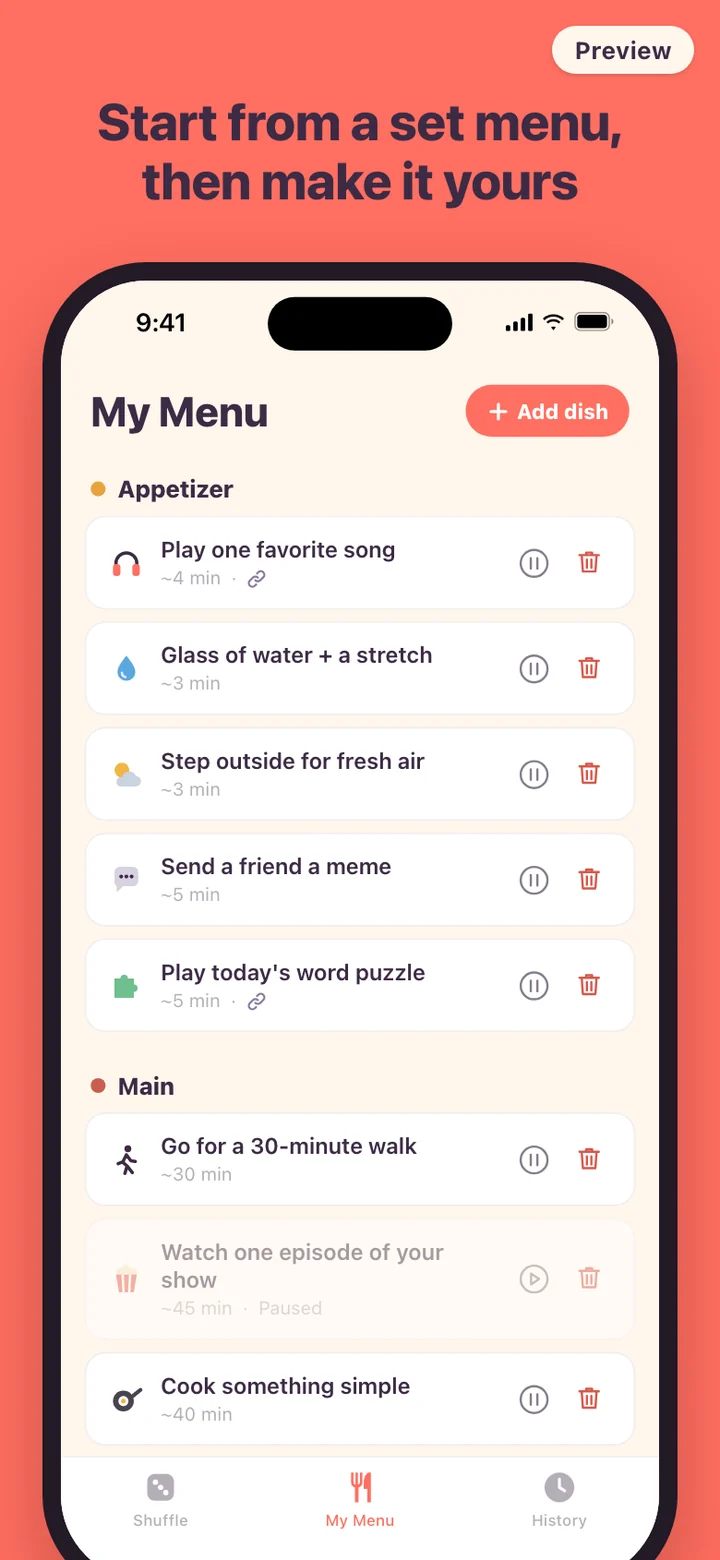
A dopamine menu is a list of things you enjoy, grouped like a restaurant menu so you can pick one when you're under-stimulated. Plenty of people keep one in a notes app or on a sticky note. The trouble shows up at the exact moment it's needed: you're bored, the list is three taps away, and reading twenty options feels like a chore of its own. The phone already in your hand needs no decision at all.
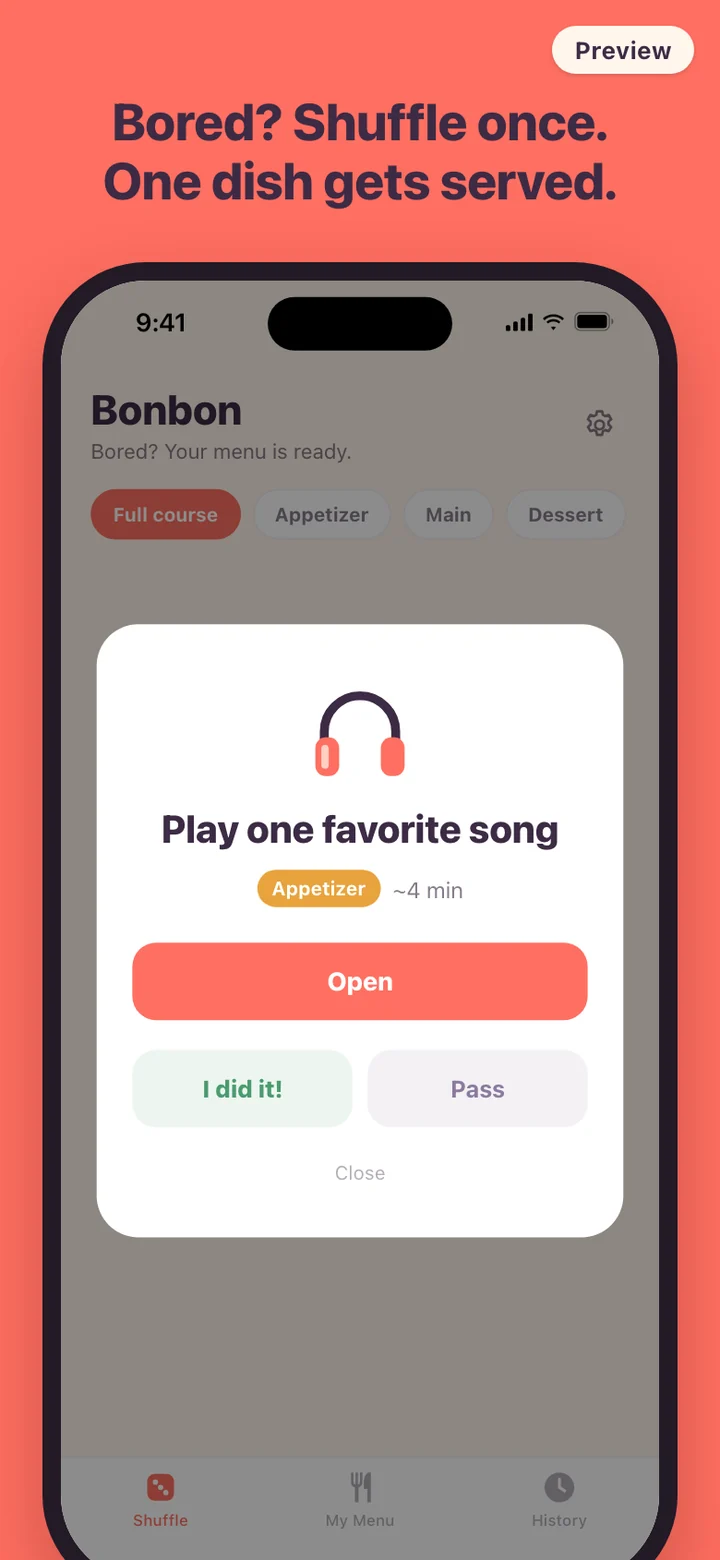
Bonbon takes the choosing out of that moment. The menu sits behind one large button on the first screen, and a tap hands you a single option instead of the whole list. When you know you only have five minutes, or you want something bigger, narrow the draw with the course chips at the top: Full course, Appetizer, Main, or Dessert.
Served first, opened only if you tap
Shuffling never jumps straight into another app. The result is always a card first: the activity in large type, a colored course tag, and an estimate such as ~4 min. That pause is the point. You see what you're about to do before you do it, and you decide whether it fits right now.
If a dish has a link, the card adds an Open button. A dish can hold an app link, like the youtube:// example in the form, and a web link. Bonbon tries the app first and falls back to the web address when the app can't be opened. Three starter dishes come with links filled in: one video, a few minutes of reels, and one favorite song.
How the shuffle picks
Only active dishes in the chosen course go into the draw. The dish you were served last is very unlikely to come straight back, and the two before it are held back a little too, so the same idea doesn't keep repeating. Pass on something and its odds drop for the rest of that round while Bonbon draws again.
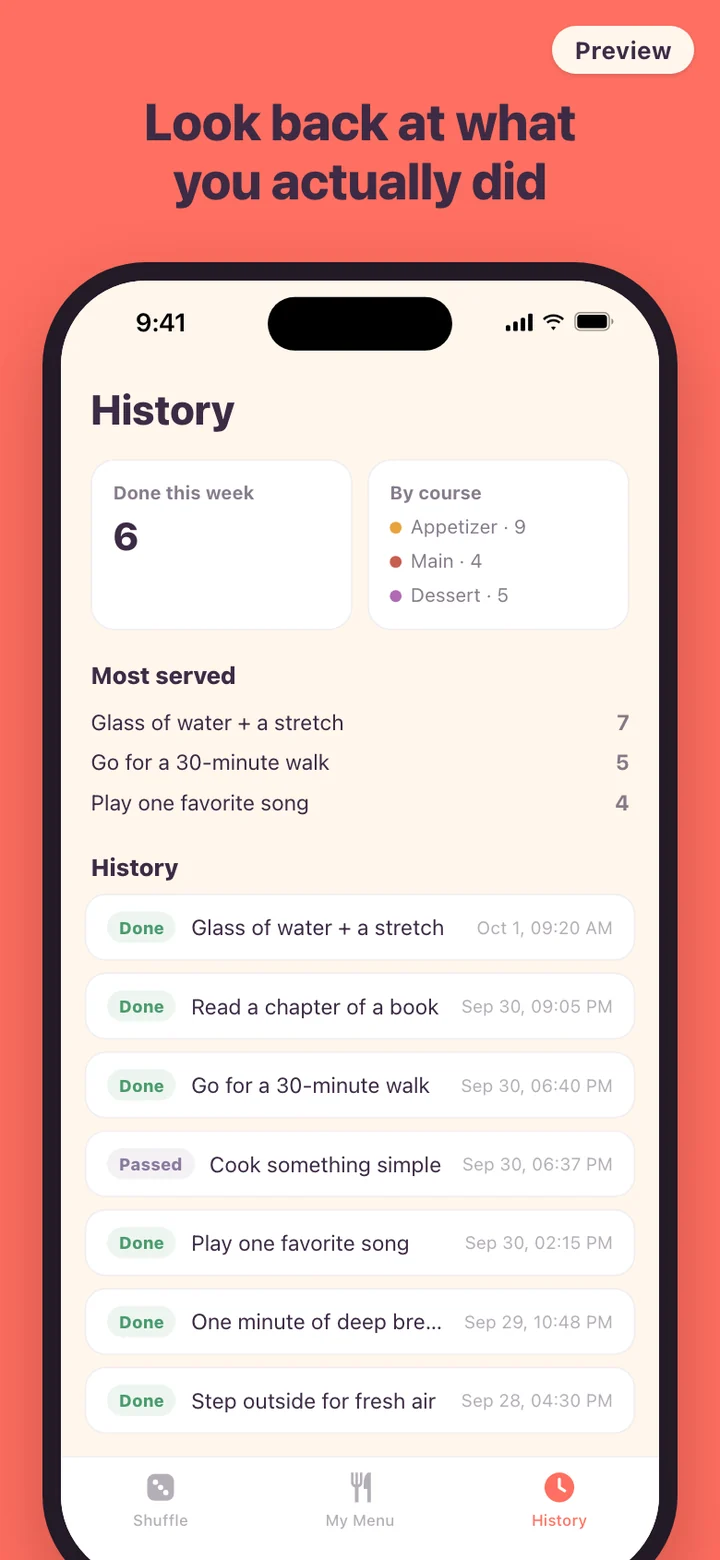
Marking a dish done records it with the time, and so does passing. Both feed the History tab. Deleting a dish later doesn't erase its past servings, because each record keeps the name the dish had when it was served.
A day with Bonbon
Mid-morning, between two tasks, you filter to Appetizer and get a glass of water and a stretch, about three minutes. After lunch the slump hits and a Main comes up instead: a 30-minute walk. At six you pass on cooking something simple because the fridge is empty, and the shuffle offers something else straight away.
If evenings are when you drift, turn on the daily reminder in Settings. It is off by default, asks for notification permission only when you switch it on, and sends one nudge at the hour you pick, 20:00 unless you change it. If you've already marked something done that day, it waits until tomorrow. On iPhone, a small Home Screen widget shows a Shuffle button and today's done count; tapping it opens Bonbon and shuffles right away.
What Bonbon leaves out on purpose
There is no sign-up, no account, and no server. The menu and history are stored on the phone, and the app makes no network requests, so it behaves the same in airplane mode. There is no analytics SDK. Settings has one Delete all data button that erases the menu and history and sets the starter menu out again.
Bonbon doesn't score your day, rank activities, or count streaks. It uses three courses, Appetizer, Main, and Dessert, and leaves out the sides course some dopamine menus include. Two themes, Cream for day and Plum for night, are the only cosmetic choice.
Bonbon is a tool for picking something to do when you're bored. "Dopamine menu" is a term from ADHD communities, used here as the name of the list. Bonbon does not diagnose, treat, or manage ADHD or any other condition, and it makes no claim about dopamine levels or mood. If attention or mood problems are affecting your life, talk to a qualified health professional.