A jar on the counter has no alarm
Most home bakers keep a starter going with a phone alarm, a sticky note on the jar, or plain memory. A fixed alarm rings at 8 a.m. whether you fed at 7 or at 10, and a fridge starter is even easier to lose track of, because a week is long enough to forget which day the last feeding was. The alarm also says nothing about the jar itself. It rings, you swipe it away, and the starter waits.
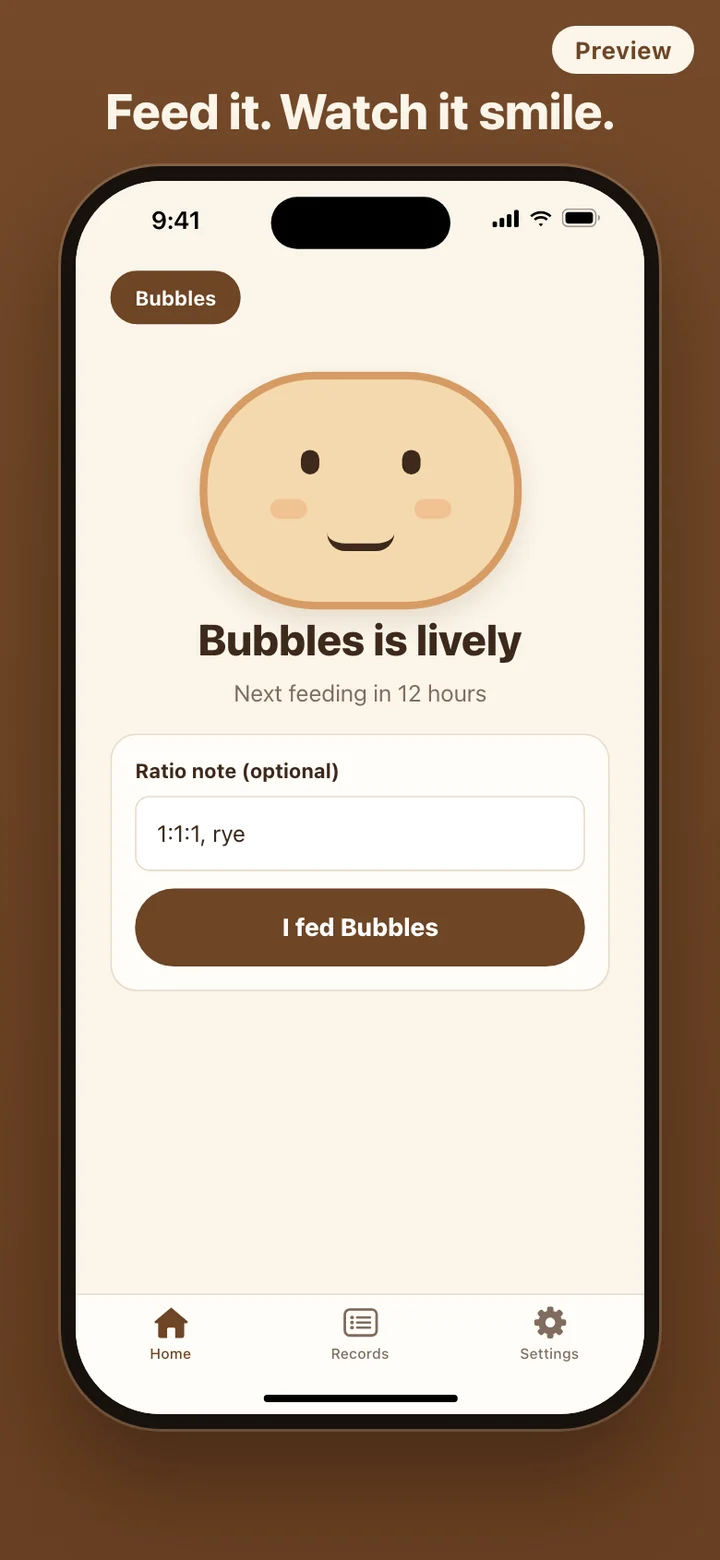
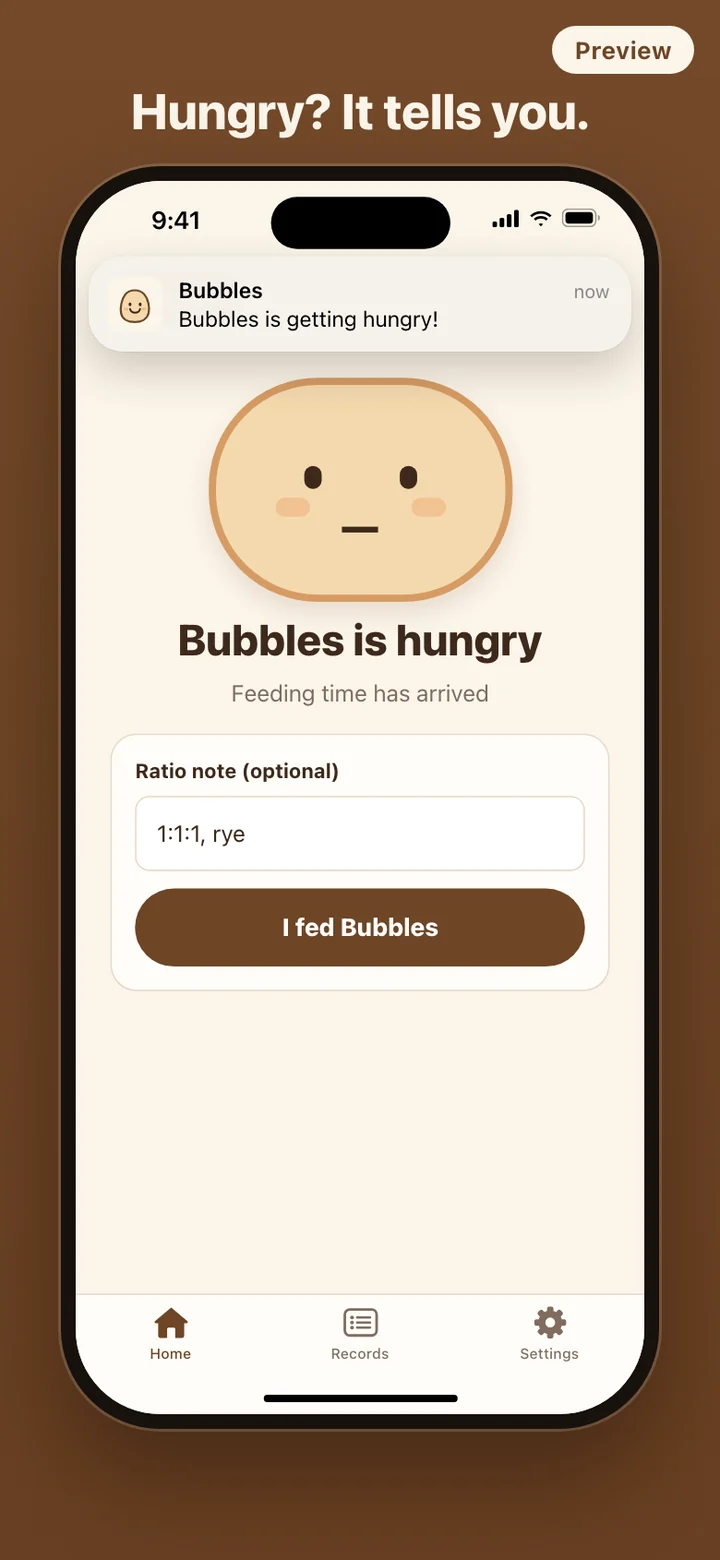
Doughmi keeps one number for each starter: the moment you last tapped that you fed it. The reminder, the next-feeding line under the character, and the face itself are all worked out from that moment and the rhythm you chose. Feed early, feed late, skip a day; the next reminder lands one full rhythm after the feeding you actually did.
Setting up takes one screen
The first screen asks for three things. A name, up to 24 characters. A face, picked from three dough characters with different eyes, mouths and cheeks. And a feeding rhythm: Counter, every 12 hours; Fridge, every 7 days; or Custom hours, where you type any whole number of hours. A Remind me switch sits under the rhythm, and Meet my starter takes you straight to its home screen.
There is no sign-in, no tutorial deck and no permission wall up front. Doughmi asks to send notifications only when it schedules a reminder, and it asks for the camera or photo library only when you add a loaf.
Four faces, worked out from the clock
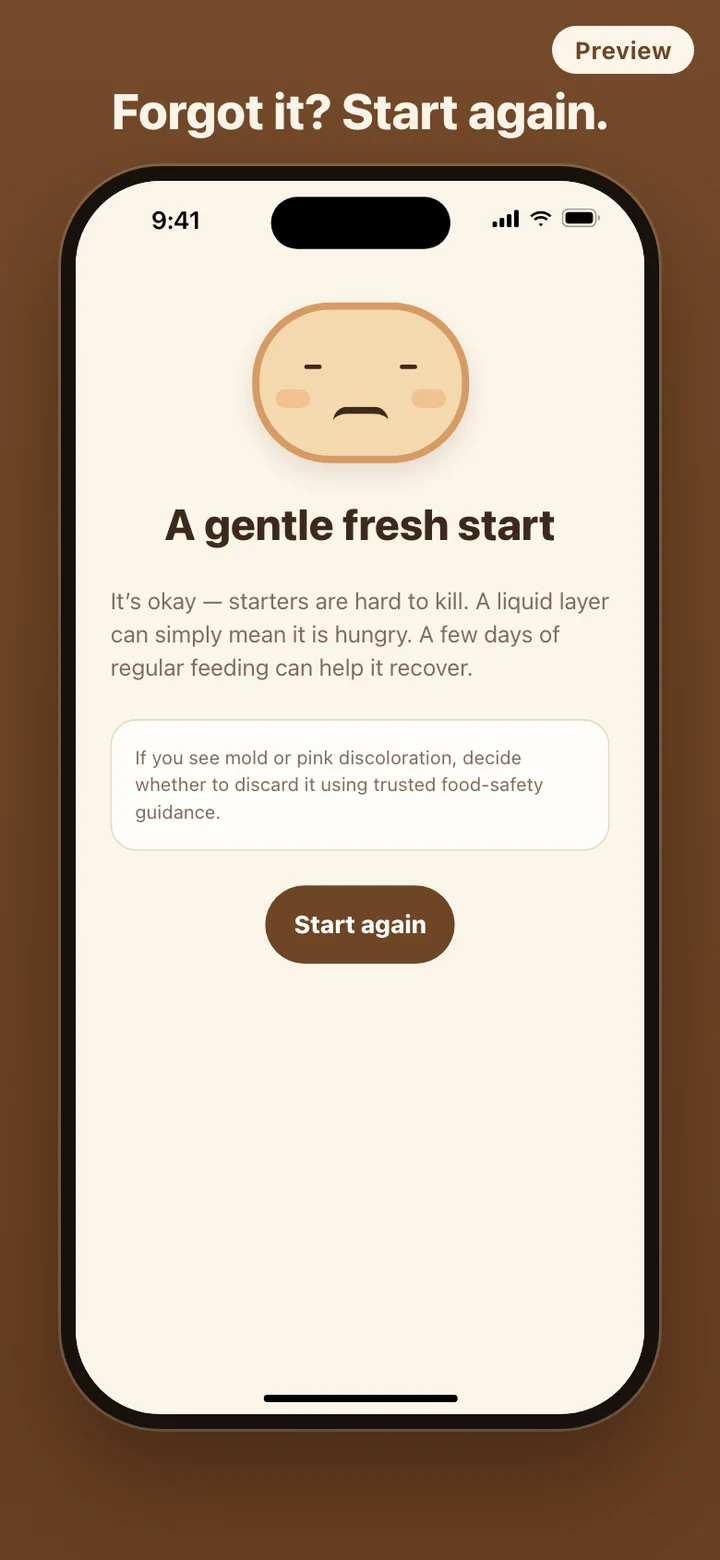
The condition is the time since the last feeding divided by the rhythm. Under one full rhythm the starter is lively and smiling. Between one and one and a half rhythms it is peckish, from one and a half to three it is hungry, and past three rhythms it is a little droopy, with closed eyes and a small frown.
On the 12-hour counter rhythm that means peckish at 12 hours, hungry at 18 and droopy at 36. On the 7-day fridge rhythm it means peckish after 7 days, hungry after ten and a half, and droopy after 21. Because the face is computed from timestamps rather than a running timer, it is right even if the phone was off or the app stayed closed for a week.
Droopy is the floor. There is no sick state, no countdown to loss, and no tally of the days you missed.
Bread made together
The Records tab keeps two lists for each starter. Bread made together is a two-column grid of loaves: take a photo or choose one from your library, crop it square, add a short note if you like, and it hangs there with the others. Feedings is the running history, each entry with its date and time, the ratio note if you wrote one, and a Fresh start badge on the feedings that brought a droopy starter back.
Photos are copied into Doughmi's own storage on your phone, so a loaf stays in the log even if you later clear your camera roll. Nothing is uploaded anywhere.
What Doughmi leaves out
Doughmi is a care reminder and a log, not a baking course. It has no recipes, no feeding calculators, no proofing timers and no tips feed. It does not measure how high your starter rises; you watch the jar, and the app keeps time. There is no account, no server and no analytics SDK, and the app makes no network requests. Settings has a Delete all data button that removes every starter, feeding, photo and note and cancels pending reminders.
Doughmi is a care reminder and record-keeping app. It does not judge whether a starter is safe to bake with. If you see mold or pink discoloration, decide what to do using trusted food-safety guidance.