From a binder of envelopes to one grid
The challenge usually starts on paper. You number 100 envelopes, keep them in a box or a ring binder, draw one at random, and put that many dollars inside. Some people print a chart and cross numbers off instead. Both work until the binder lives in a drawer at home and you are trying to remember, at the checkout or on the bus, whether 64 already came up.
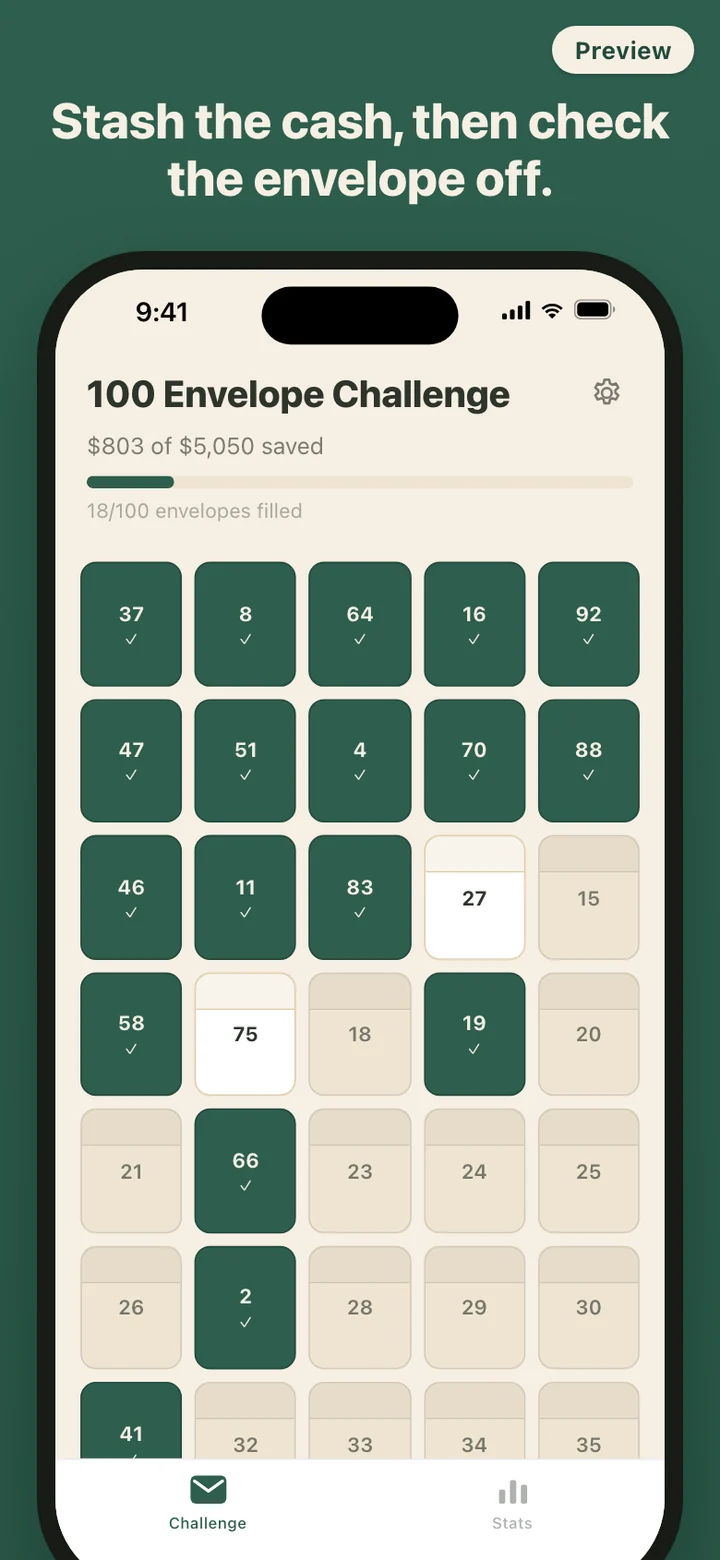
Envelo keeps the hundred envelopes as a five-column grid on your phone. Sealed envelopes show their number, opened ones show their amount, and filled ones turn deep green with a check mark. The header reads like a running receipt, for example $803 of $5,050 saved with 18/100 envelopes filled, and the bar under it grows with the money, not just with the count.
Opening and filling are two separate taps
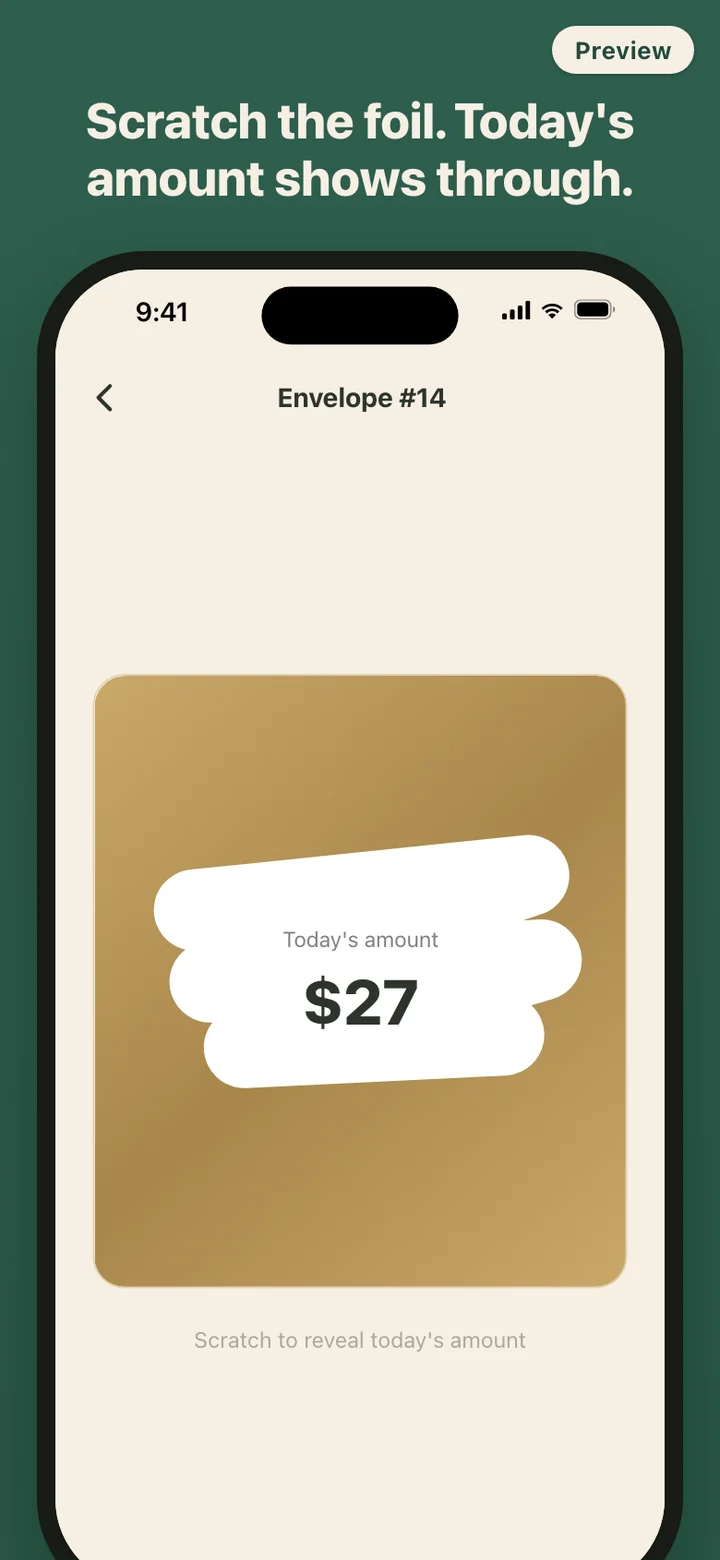
Scratching an envelope tells you what to save. It does not mean you saved it. Envelo keeps those two moments apart on purpose, because the real challenge happens between them: finding the cash, walking it to the jar, or moving it into savings. An opened envelope waits on the grid with its amount in a white card edged in gold until you come back and tap I stashed it.
You are never locked into an order. Open envelope 73 before envelope 2, open two on payday and none for the rest of the week, or skip a few days without anything breaking. If you scratched one you cannot cover this week, reseal it and its amount returns to the pool to be drawn again later.
Three ways to set up the challenge
100 Envelope Challenge. The default and the first thing you see on a fresh install. One hundred envelopes holding $1 through $100, which adds up to $5,050.
52 Week Challenge. Fifty-two envelopes from $1 to $52, for a total of $1,378. The amounts are still drawn at random as you scratch, so the largest ones are not all waiting at the end.
Custom Challenge. Choose anywhere from 1 to 365 envelopes and a minimum and maximum amount, and Envelo spreads the values evenly between them. Thirty envelopes from $1 to $100, the starting suggestion in Settings, comes to $1,515. Switching templates restarts the challenge, and Envelo asks before it replaces your grid.
Amounts follow your phone's region currency, so a phone set to euros runs the classic challenge from 1 to 100 euros. For yen and won the envelopes scale to bill sizes: ¥100 to ¥10,000, or ₩1,000 to ₩100,000.
Around the grid
A daily reminder is off until you turn it on in Settings, and only then does Envelo ask for notification permission. Pick 08:00, 12:00, 18:00, 20:00 or 21:00. If you have already opened an envelope that day, the reminder skips to tomorrow instead of nagging you.
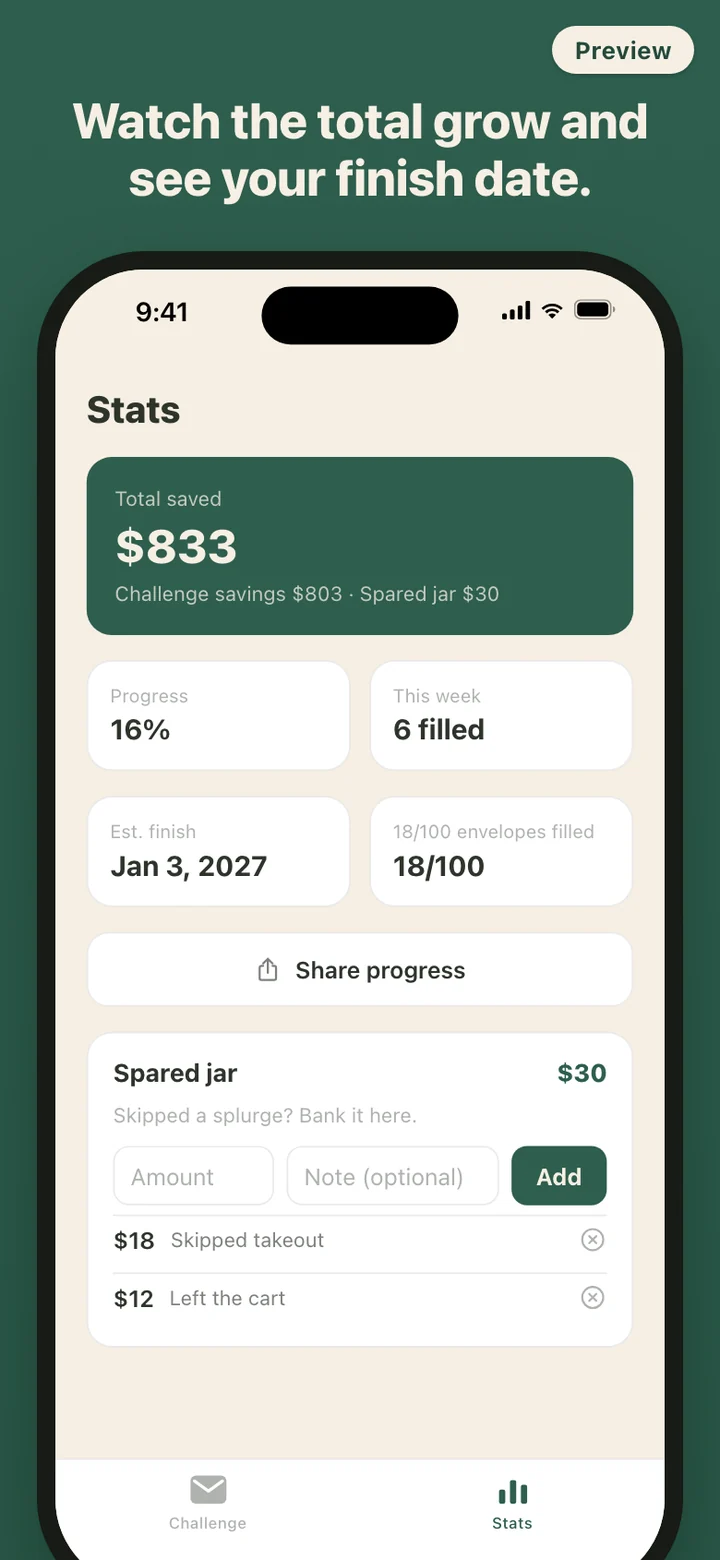
The Share screen turns your progress into a card with the total saved and a small grid of up to 100 squares, green for filled and gold for opened, ready for the share sheet. When the last envelope is filled the card switches to a Complete badge. There is also a small spared jar on the Stats tab for amounts you chose not to spend outside the challenge; it is counted in the total but kept apart from the envelopes. Kraft and Night themes change the look, and nothing else.
Where the money actually goes
Nowhere, as far as the app is concerned. Envelo does not connect to a bank, does not move or hold money, and does not pay interest. It records what you tell it you did. The cash goes wherever you put it: an envelope, a jar, or a transfer you make yourself in your own banking app.
Envelo stores the record of your challenge on the phone and sends it nowhere. There is no account to create and no analytics SDK in the app, and it makes no network requests, so it works in airplane mode the same as anywhere. Settings has a Delete all data button that erases the challenge, the spared jar, and the history in one step.
Envelo is a record-keeping tool for a savings challenge you carry out with your own money. It does not hold, transfer, or invest funds and does not give financial advice.