The months between the referral and the appointment
The wait for a child's autism or ADHD evaluation can run for months, and the things you will be asked about keep happening the whole time: the night your child was awake until two, the morning they put two words together for the first time, the hard moment at the supermarket doors. Most parents end up with a notes app, a camera roll where the clips sit between birthday photos, and a few messages to a partner. On the day, someone asks when it started and how often, and the answer is somewhere in all of that.
EvalReady keeps those moments in one place, in date order, with each photo or clip attached to the note it belongs to. It is built for the parent typing with one thumb at the end of a long day, and for the morning when you can hand a clinician something organized instead of trying to remember half a year out loud.
How a note gets written
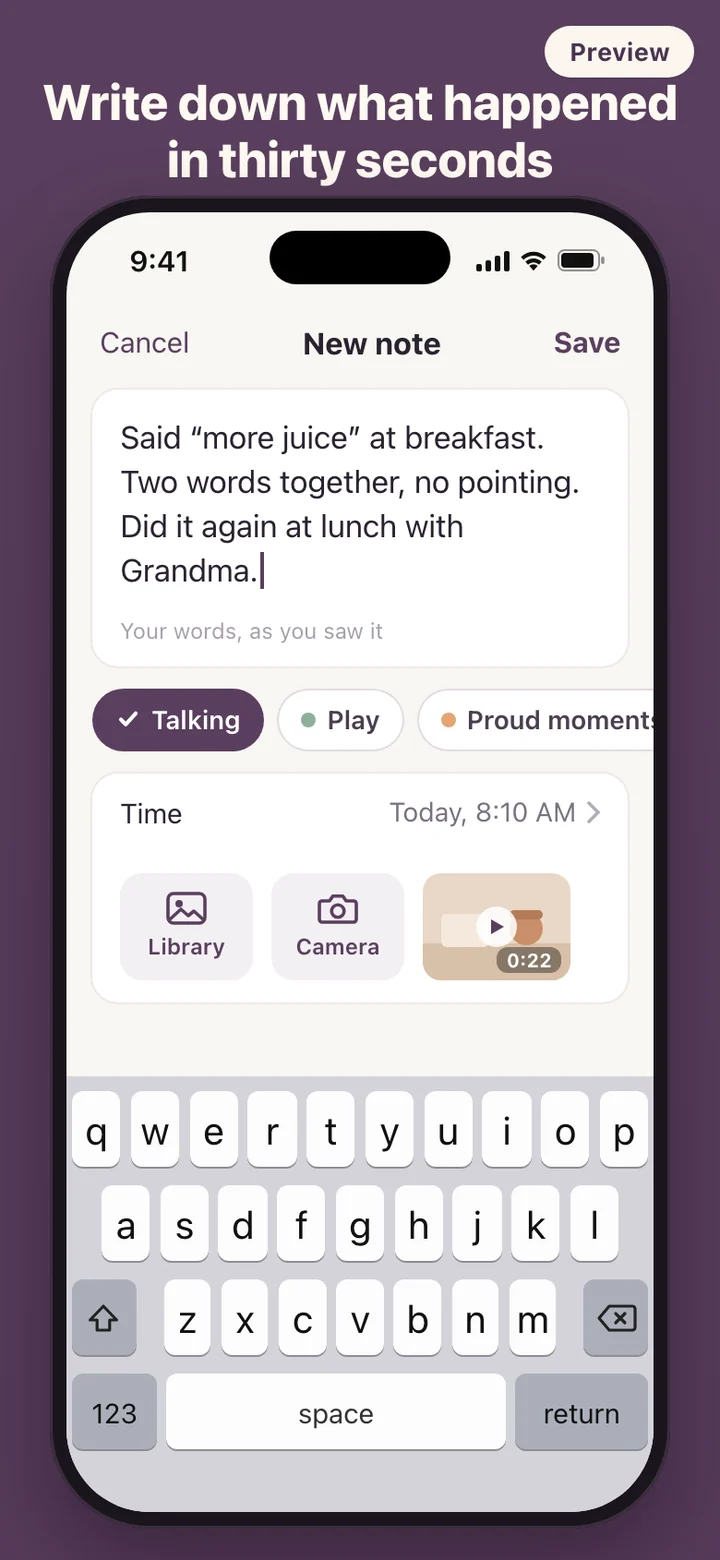
The first screen asks only what you call your child, and a nickname is fine. Birth month is optional. There is no account to create, and the evaluation date can wait until you have one. After that the app opens straight onto a new note.
Categories use everyday words: Sleep, Eating, Talking, Play, Senses, Repeated behaviors, Big feelings, Daycare and school, Proud moments, and Other, and you can add your own. They are folders for finding things later, not a list of symptoms. Proud moments is there on purpose. A record that only holds the hard days is not a full picture of your child.
Photos and videos can come from the library, several at a time, or straight from the camera. When you import a clip, its recording date becomes the time of the note, so a video from last Tuesday lands on last Tuesday.
If you want a nudge, a daily reminder can be switched on at the time you choose, usually the evening. It stays off until you turn it on, and its wording never mentions autism, ADHD, evaluations or development, so nothing private shows up on a lock screen.
What is inside the book
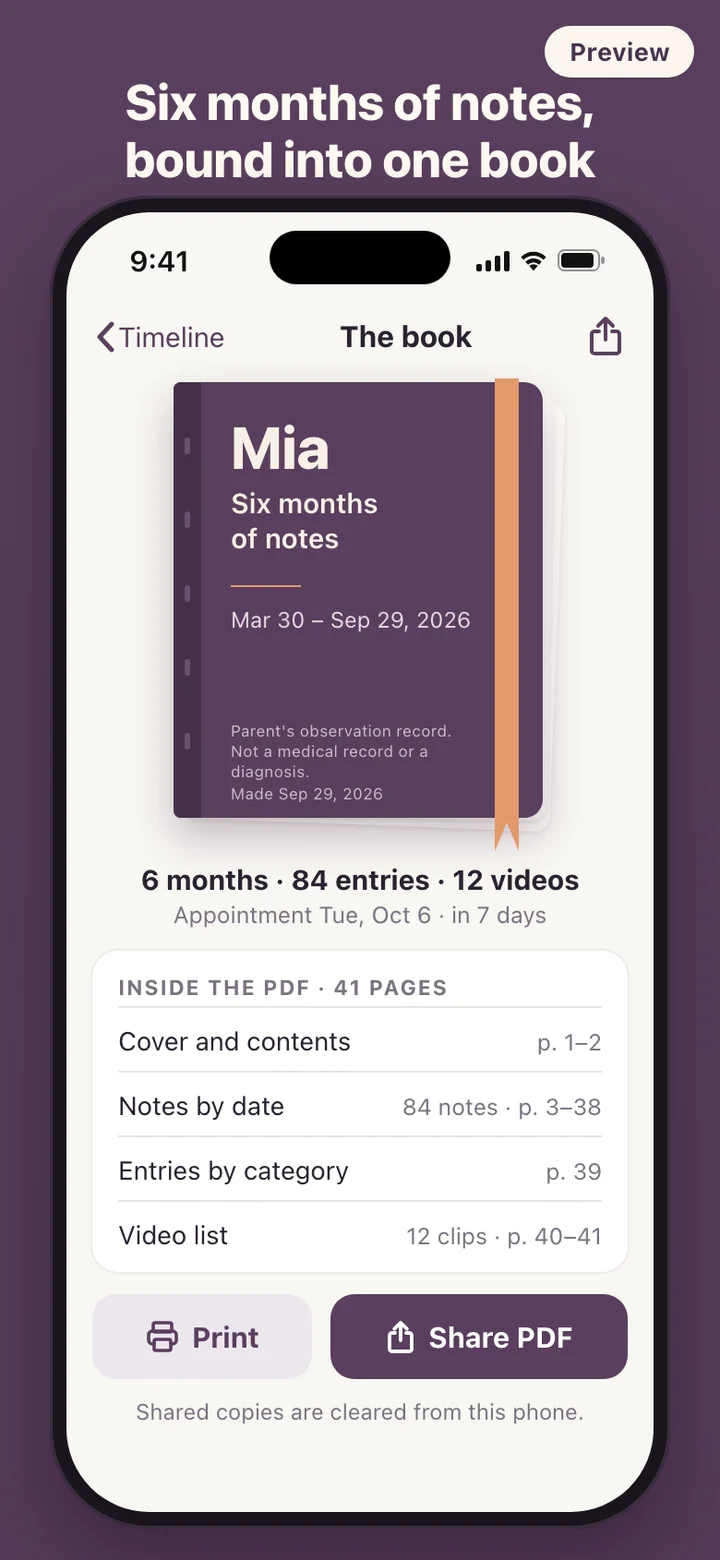
The PDF opens with a cover that carries your child's name or nickname, the dates the notes cover, the day it was made, and a footnote saying it is a parent's observation record, not a medical record or a diagnosis. A contents page follows, then every note in date order with its category, time and your words, with photos printed small beside the note they belong to.
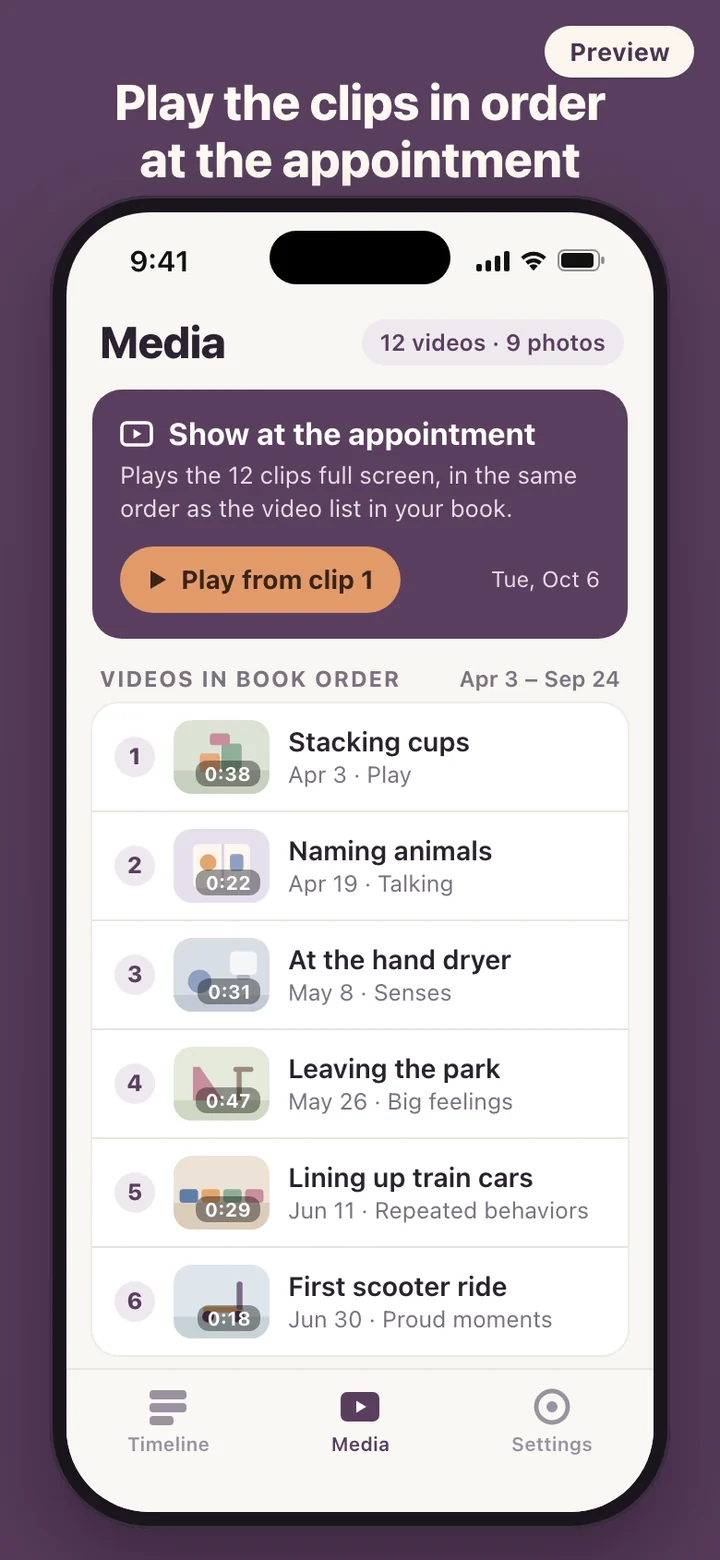
Near the back are a plain table of how many entries fall under each category and a video list with a thumbnail, recording date and caption for each clip. The table counts and nothing more; it never says anything went up, went down or got worse. Paper size follows your region, Letter or A4, and the file goes out through the share sheet or AirPrint after a one-line reminder that it contains sensitive notes.
The file is made fresh from your notes each time and cleared from the phone once it has been shared, so no stray copies are left lying around.
When the appointment date arrives
Once the clinic gives you a date, add it and a countdown card appears at the top of the timeline. Seven days before, a reminder suggests getting the book ready, and another comes the day before. The date can change as often as the clinic changes it. After the day passes the card shows it as done, and you can keep writing notes and set a new date for a follow-up visit.
The home screen shows how many notes you have and how many weeks you have been keeping them, with the Make the book button always in reach. A separate view counts entries by week and by category as simple bars, with numbers and dates only.
Private by design
Notes, photos and videos stay on your phone. EvalReady has no account and no server, makes no network requests, and carries no analytics. You can lock the app with Face ID, Touch ID or your device passcode, which matters when a phone gets passed around the family.
Delete all data in Settings removes everything in one step: the notes, the photos and videos kept by the app, thumbnails, any PDF still in the cache, and scheduled reminders. The app then starts again from the first screen.
What it deliberately leaves out
There is no screening questionnaire, no score and no milestone checklist. EvalReady never labels a note as a sign of anything, never tells you a behavior is increasing, and never suggests what to write. It does not recommend treatments, therapists or clinics. There are no intensity sliders or duration fields either. A parent's own description is the point, so the note box stays a plain text box.
EvalReady is a record-keeping tool for parents. It does not screen for, diagnose or assess autism, ADHD or any other condition, and it is not medical advice. Questions about your child's development belong with your child's doctor or evaluation team.