The question at the cutting counter
Every quilter with a few years of fabric knows the moment. You are holding a bolt at the cutting counter, it looks familiar, and you cannot say whether the same print is already folded in a bin at home, or how much of it is left. The answer is somewhere in your house: a binder of snipped swatches, a spreadsheet of collection names, a camera roll, or your memory of last spring's sale.
Each of those breaks down in the store. Binders stay home. Spreadsheets have names but no pictures, and a print is something you recognize by eye. Camera rolls have pictures but no yardage. Fabralog keeps all three together, the photo, the name and the amount left, on the phone that is already in your pocket.
Search built for the way you remember fabric
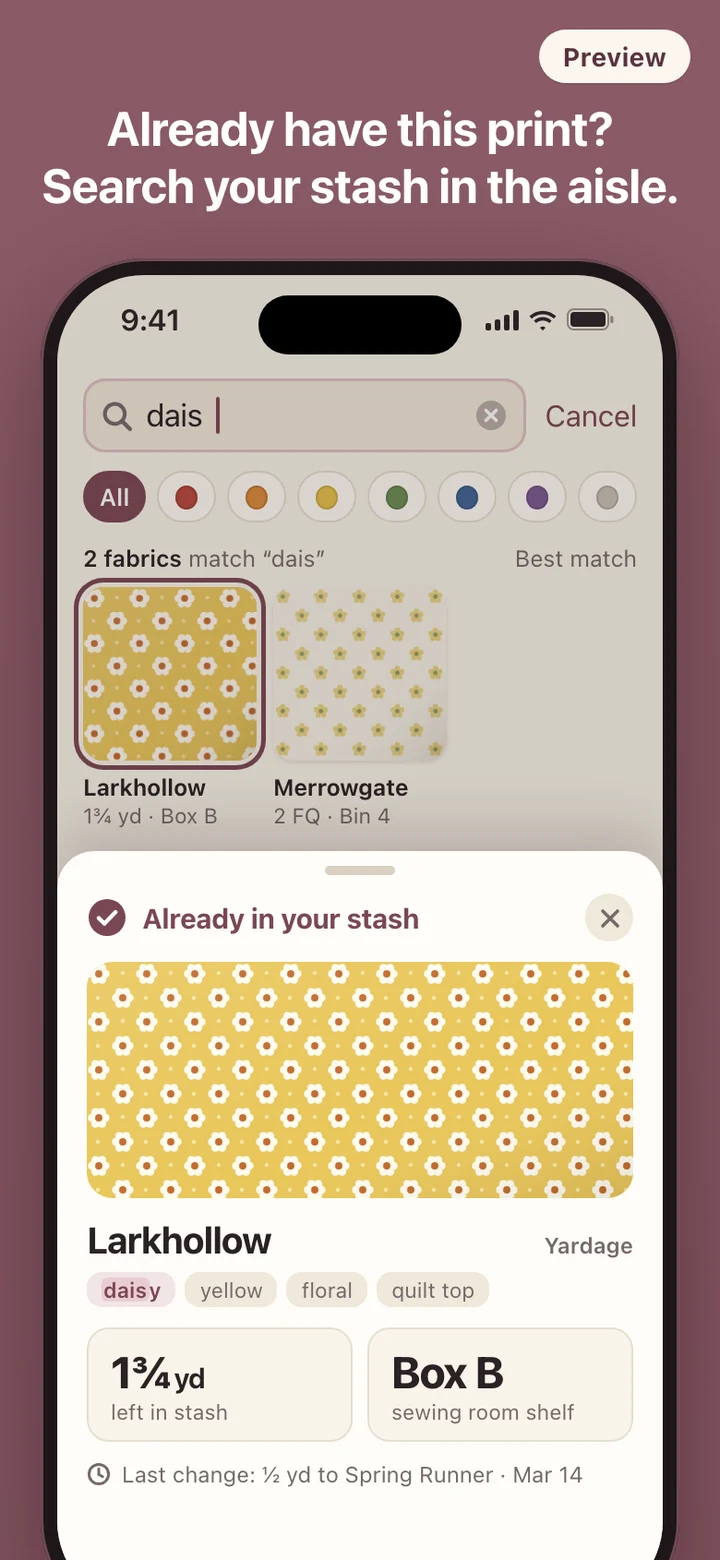
You rarely remember a print by its full name. You remember a piece of it: part of a collection name, that it had daisies, that it was the blue one. Fabralog searches the collection name, your tags and the brand field as you type, ignores capital letters, and matches partial words, so "dais" finds daisy. Two words narrow the results together, so "blue dots" shows only fabric that matches both. Collection names rank first, then tags, then brand.
When words fail, color works. Every fabric is filed under a color family, red through purple plus neutrals, and a row of color chips under the search bar narrows the grid with one tap. Results stay as swatches rather than a list of names, because you are trying to recognize a print, not read about it. Tap a swatch and one card answers the three store questions: is this it, how much is left, and which box is it in. None of it needs a signal, because the stash and its photos are on the phone.
Yardage that adds up exactly
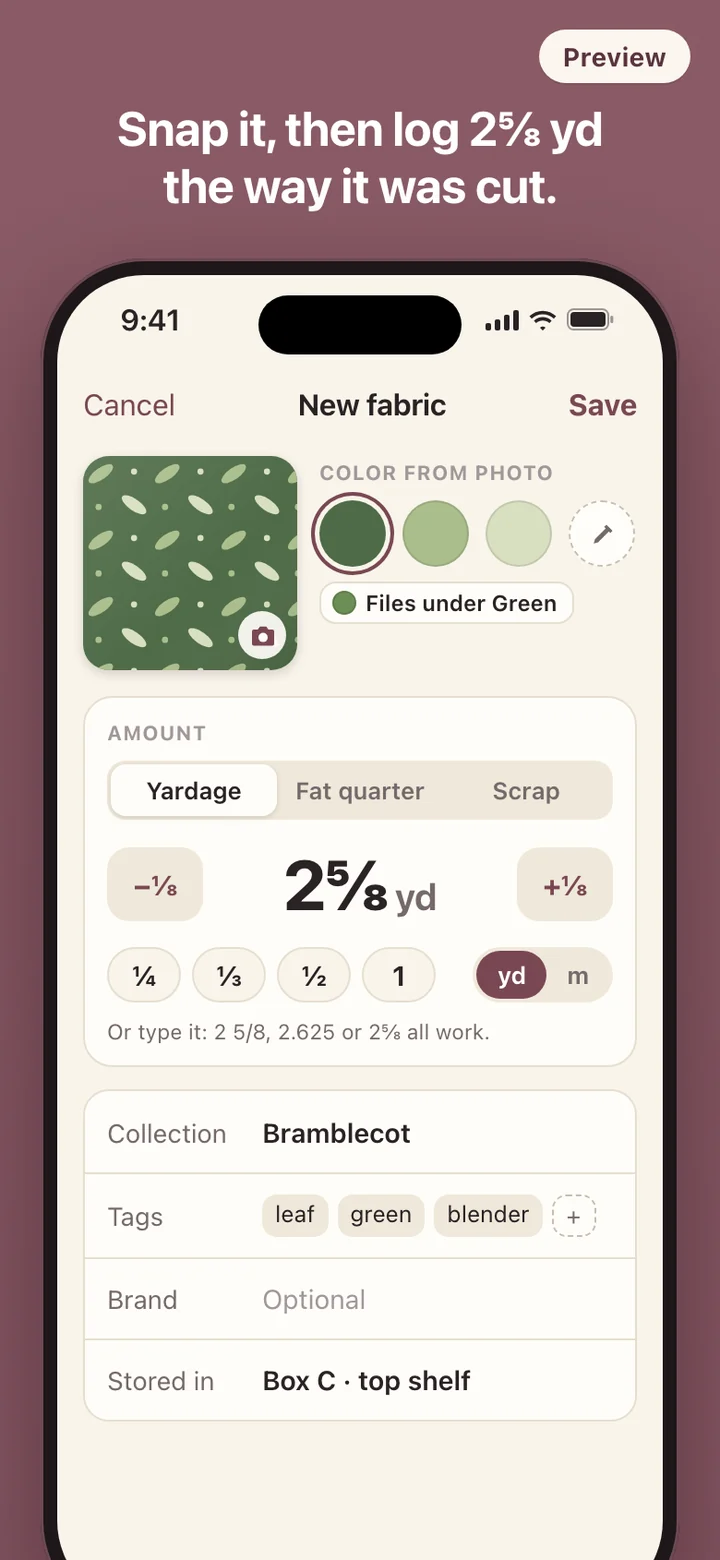
Fabric is measured, not counted, and quilters measure in fractions. Fabralog stores each fabric in the unit you bought it in. Yardage bought in yards stays in yards, fabric bought by the meter stays in meters, and nothing is quietly turned into an awkward decimal. Amounts step by eighths of a yard, a third of a yard is accepted as its own cut, and typing 2½, 2 1/2 or 2.5 gives the same result.
Behind the screen the arithmetic is exact. Adding ⅛, ⅜ and ½ yd gives 1 yd, not 0.9999, so a fabric that has been through a dozen projects still shows the exact sum of what you entered. Bought more of the same fabric? Add it. Measured the piece and found less? Correct it, no reason required.
Fat quarters are counted as pieces, because an 18 by 22 inch rectangle cuts differently from a quarter-yard strip even though the area is about the same. Scraps are simply marked as on hand, with no amount to keep up. The stash total converts everything into one figure and notes that it is approximate whenever yards, meters and fat quarters are mixed.
Projects exist to subtract
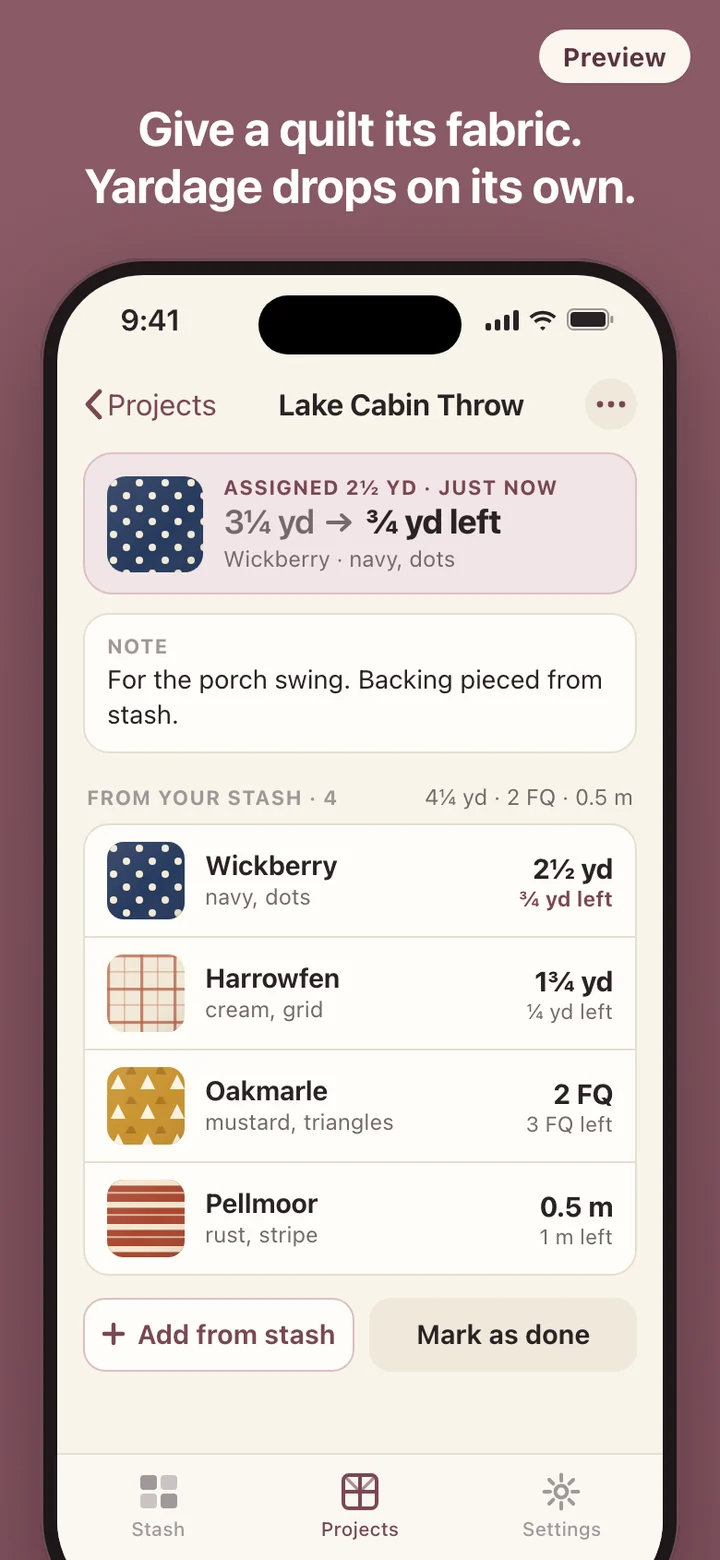
In Fabralog a project is deliberately thin: a name, one note, the fabrics assigned to it, and a done switch. Assigning fabric takes the amount out of the stash at once. Edit the amount and the stash is recalculated; remove the fabric or delete the project and it goes back where it came from.
If you assign more than is left, Fabralog asks once whether to use everything that remains, and the fabric then reads zero. It never shows a negative amount. Finished projects stay as a record, and each fabric keeps its own history of which quilt took how much, and when. Fabric that has not moved in a long time gets a quiet sleeping label based on the date it last changed. It is a fact on the card, not a nudge.
Try it on a demo stash first
You do not have to photograph your whole stash before search makes sense. A demo stash of made-up prints loads only when you tap for it, carries a Demo badge, stays out of your totals, and disappears with one tap. It uses the same search, color chips and cards as your real fabric.
What it deliberately leaves out
Fabralog keeps track of fabric. It does not plan quilts, lay out blocks, draw cutting diagrams, or follow a project's progress, deadlines or stages; projects are there to subtract yardage and nothing more. It has no prices, shopping lists or store links, and it never tells you that you are short or should buy more. The amount left is shown as a plain number.
There is no account and no server. The app makes no network requests and sends no analytics. It asks for the camera or photo library only when you add a fabric, and keeps working if you say no, showing a plain block of the fabric's color in place of a photo. There are no reminders. A backup is one zip file holding your records and swatch photos, saved wherever you choose through the share sheet and restorable on a new phone, and Settings has a single control that deletes everything.