The work nobody writes down
Most couples split housework from memory, a whiteboard on the fridge, or a shared note that stops being updated by the second week. Those tools track the visible jobs: dishes, laundry, vacuuming. What they miss is the noticing. Someone sees that the dish soap is nearly gone, remembers the dentist appointment, keeps a birthday in mind for next month, and opens the electricity bill. None of that looks like a chore on a chart, so it rarely makes anyone's list.
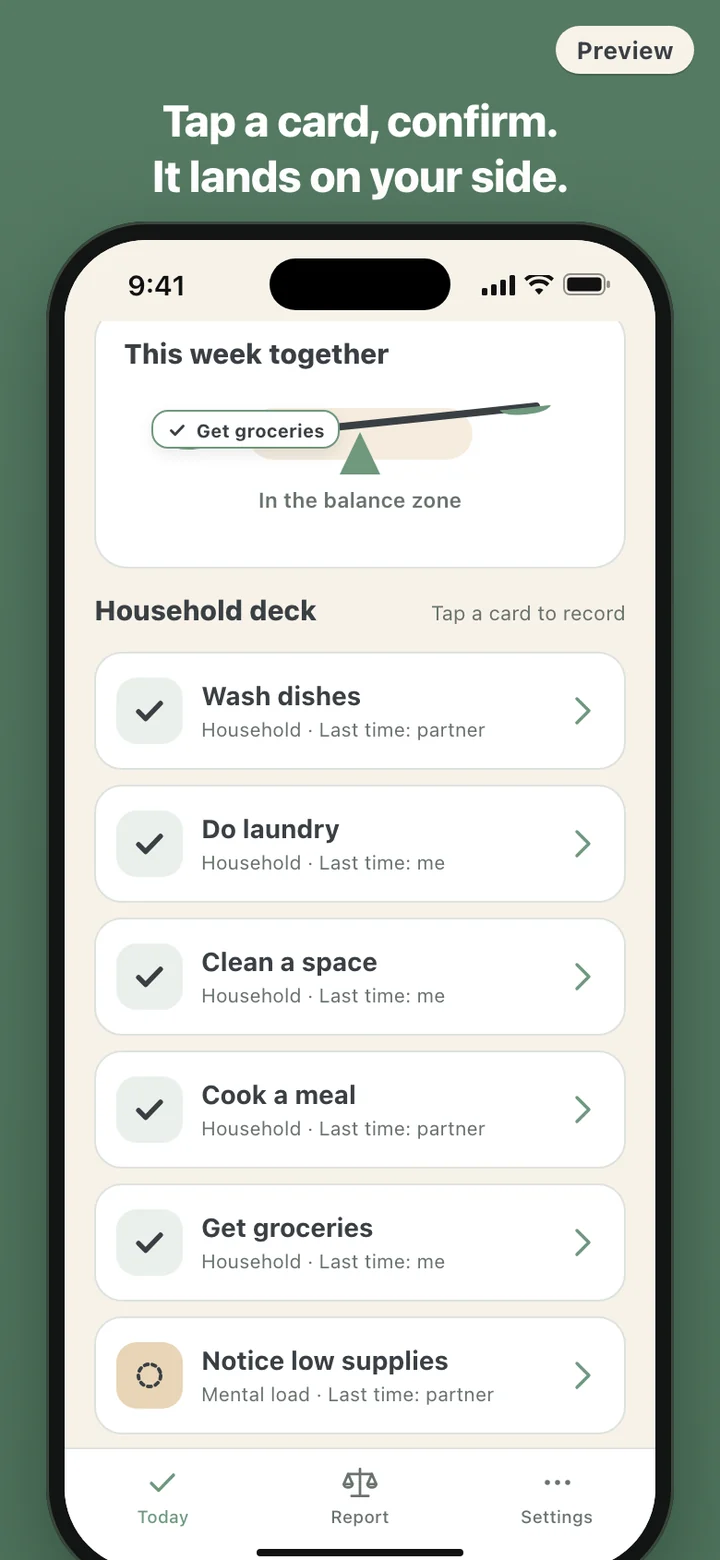
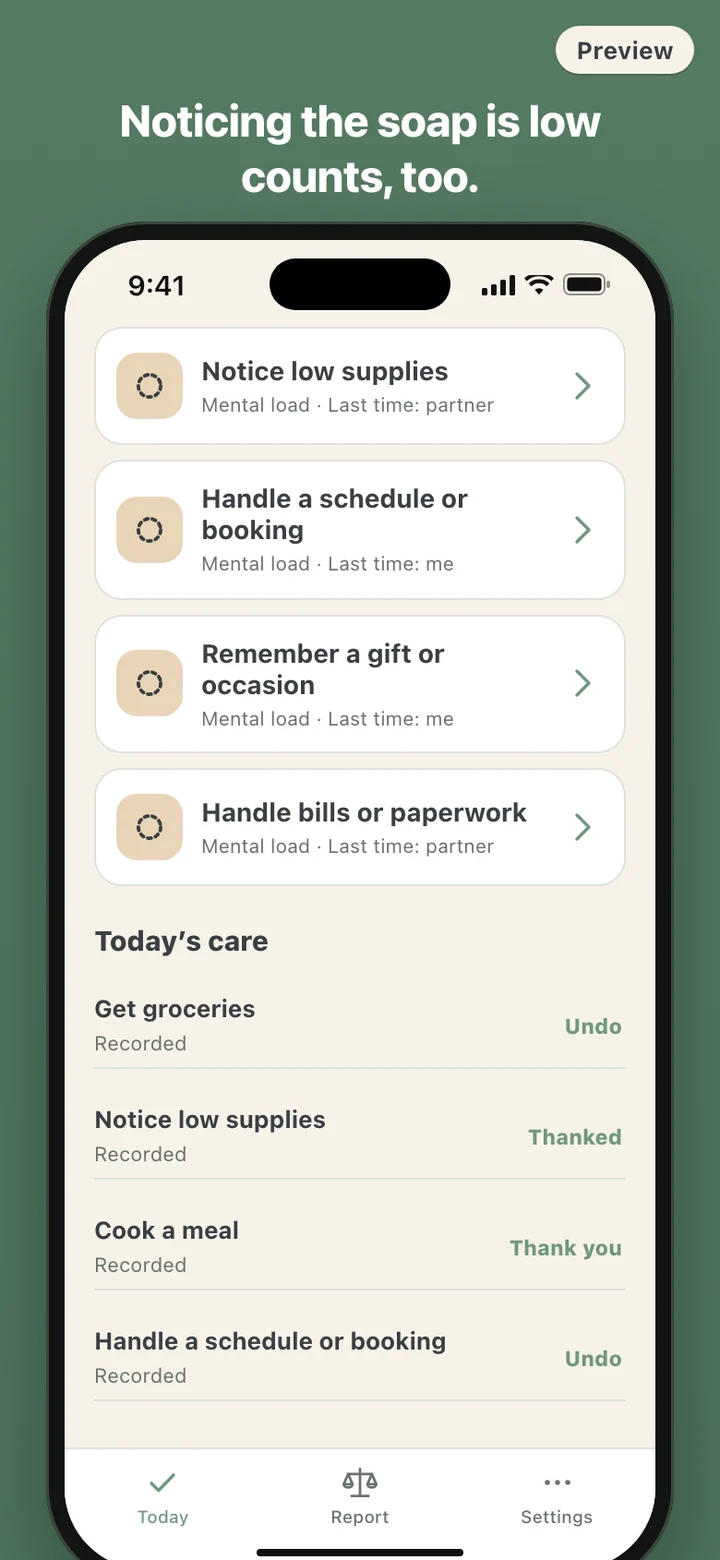
TurnFair's starting deck has nine cards. Five are household chores: wash dishes, do laundry, clean a space, cook a meal, get groceries. Four are mental load: notice low supplies, handle a schedule or booking, remember a gift or occasion, handle bills or paperwork. You can add your own with a name, a category, and an effort from 1 to 3, and archive the ones you stop using so earlier records stay intact.
A scale, not a scoreboard
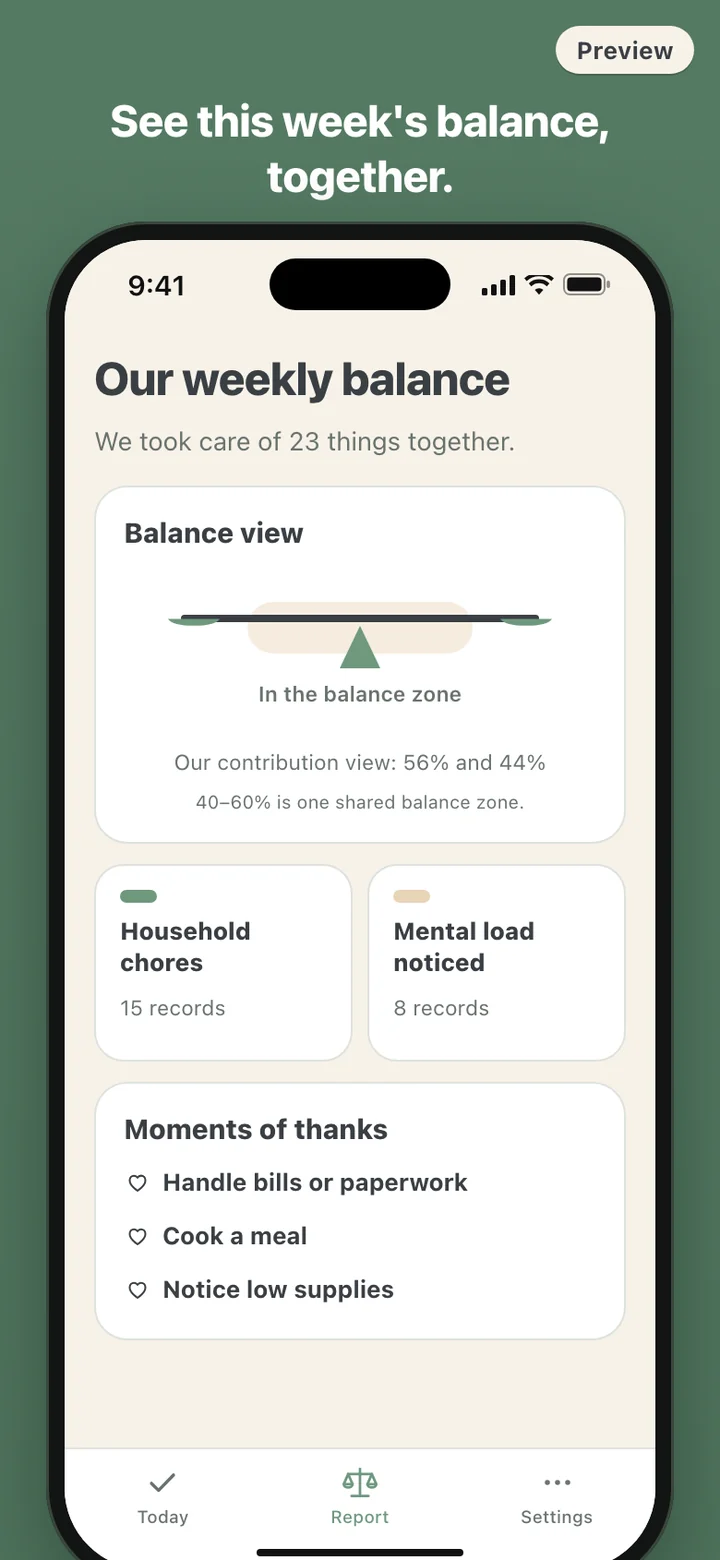
Every record counts for the effort of its card, and the week's balance adds those weights up for each of you. The Today screen never shows a number. It shows a beam on a fulcrum that stays level while the split sits anywhere from 40 to 60 percent, because a 52 to 48 week is not worth a conversation, and leans to one side only past that. The line underneath reads In the balance zone, or says the scale leans toward your care or toward your partner's.
Each card also notes who did it last: Last time: me, Last time: partner, or Ready whenever it gets done. That is the whole turn system. It is information, not an assignment. Nothing tells anyone it is their turn, and nothing happens if a card sits untouched all week.
How a week goes
The week starts on Monday in your own time zone. During the day you tap what you did: the laundry, the call to book the plumber, the birthday gift you remembered to order. Below the deck, Today's care lists everything recorded today, with an Undo on your entries and a Thank you on your partner's.
If you switch it on, an evening reminder at 8 p.m. invites you to add anything you did, and it skips itself on days you have already recorded something. It only ever reaches you. A separate opt-in reminder on Monday at 9 a.m. says the weekly report is ready. On iPhone, a home-screen widget shows a few of your cards and how many things you took care of this week, and nothing about your partner.
Solo first, together when you are ready
TurnFair opens straight to the card deck. There is no sign-up screen to get through; solo records stay on your phone, and the weekly summary works for one person as My weekly summary.
Pairing is where an account comes in. In Settings you sign in, create an invite, and send the six-digit code through the share sheet. The code is good for 72 hours, and while you wait the screen says plainly that no reminder will be sent. When your partner signs in and enters the code, the cards and records on your phone are merged into one shared household on TurnFair's server, and both phones refresh from it about every ten seconds while the app is open. From then on the report reads Our weekly balance.
What it deliberately leaves out
No points, no streaks, no levels, no winner of the week. No reminders go to a partner about chores they have not done, and the server has no route for sending one. The only message one partner can send the other is a thank-you, one per record, which arrives as a notification reading Your care was noticed. The widget shows only your own cards and count, so the home screen never turns into a list of what someone else skipped.
TurnFair is not a counselor either. The percentages are arithmetic on what the two of you tapped, weighted by the effort you chose for each card. They do not decide who is right, and a week outside the balance zone is a week, not a verdict.
Leaving is clean. Disconnect the household in Settings and shared access ends at once; if the same two people pair again within 30 days the household comes back, and after that the shared cards and records are deleted. Block and disconnect also stops that person from pairing with you again, and deleting your account removes your records and cards.