Why the magnet works, and where it stops
In a house with more than one person and one dog, "Did you feed the dog?" gets asked twice a day. That is why pet stores sell AM/PM feeding magnets, sliders, and dry-erase charts for the fridge door: one glance answers the question, and anyone can flip the sign without opening anything.
The trouble is that the magnet only answers people standing in the kitchen. The parent at work, the teenager who walks in through the garage, and the partner wondering at the grocery store whether the dog ate tonight cannot see it. Group chats scroll past, and nobody wants to text the house every evening. FedFlip keeps the magnet's one-glance simplicity and moves it to the screen everyone already checks all day: the phone's home screen.
A day with the sign
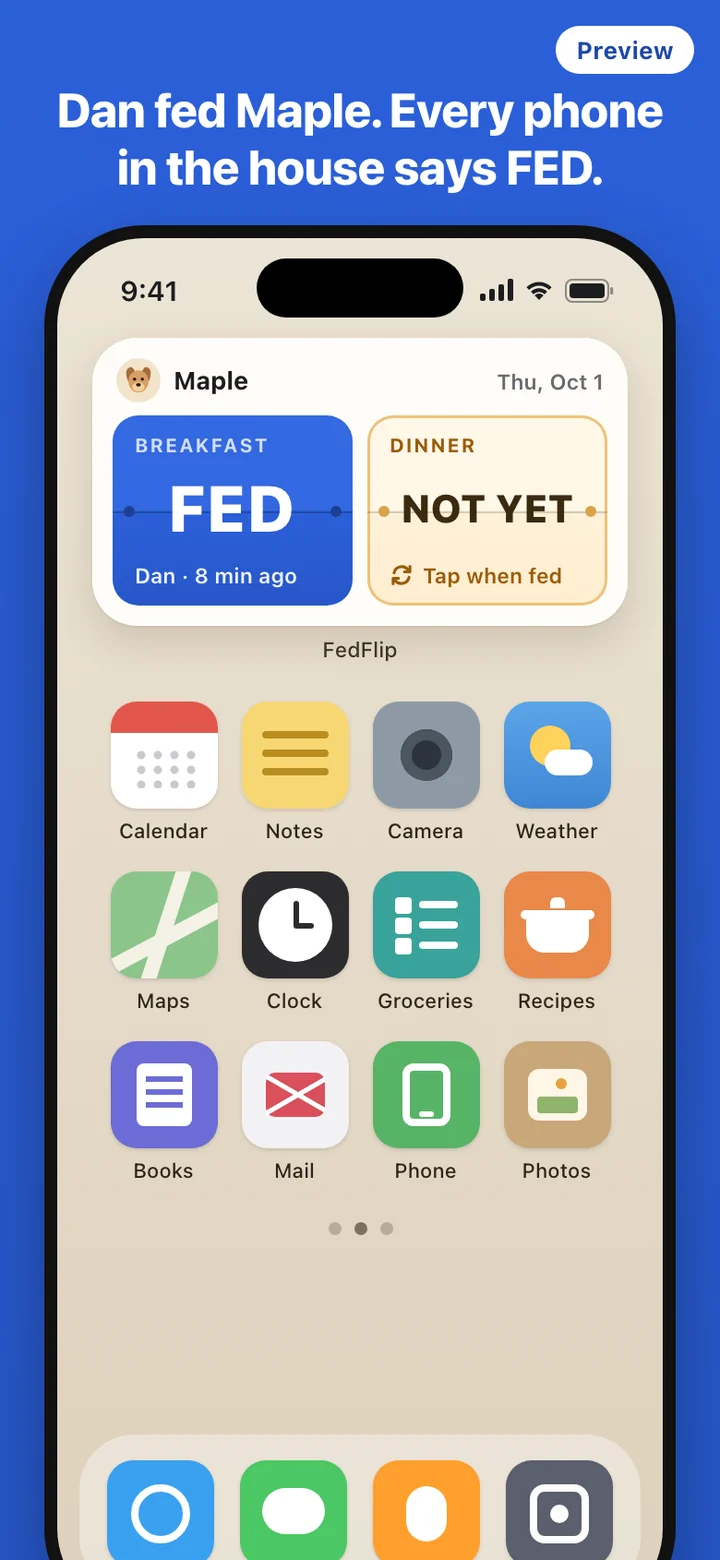
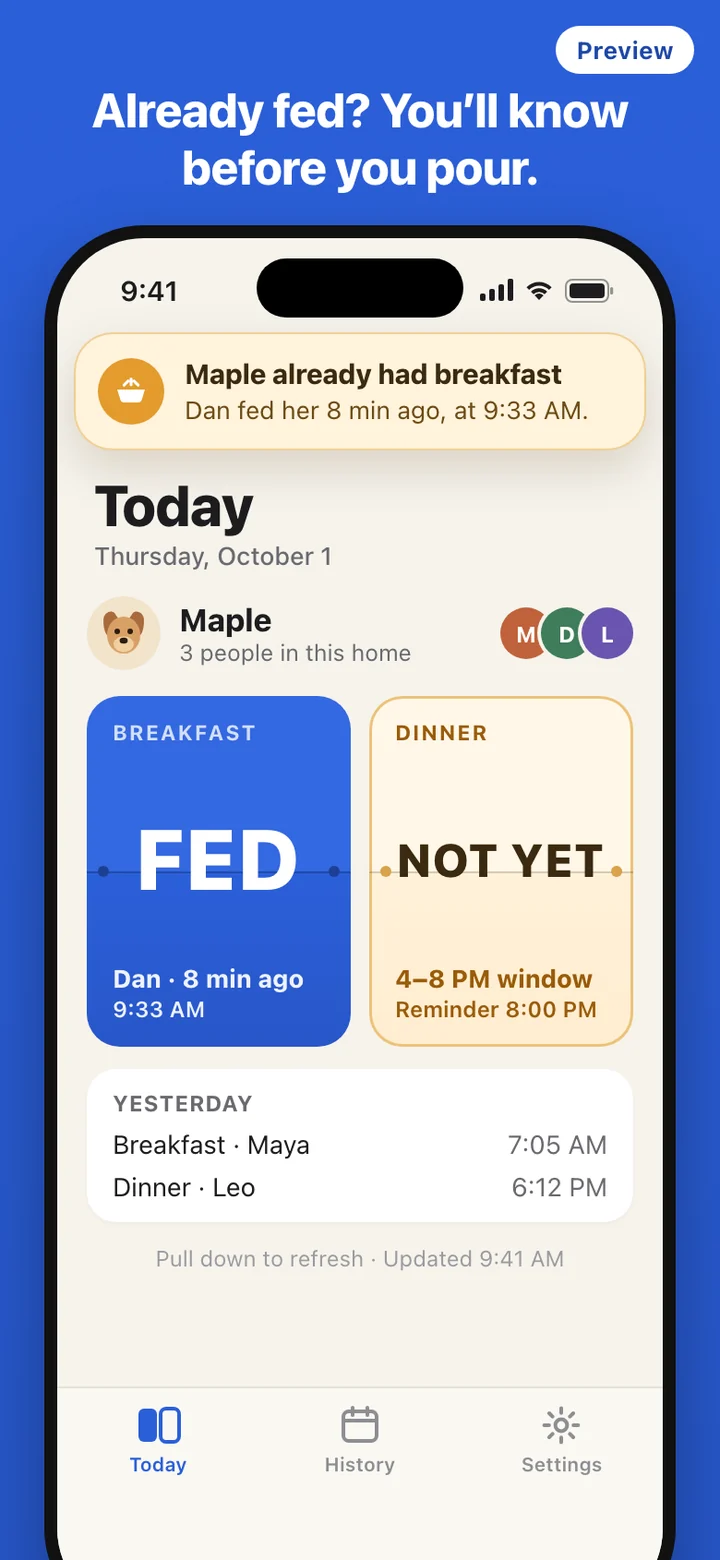
The Today tab and the widget show the same two signs, Breakfast and Dinner. Each is either Not yet or FED, and a FED sign carries the name of whoever flipped it and how long ago. The two states also differ in color, but the words are always there too, so the sign reads the same for everyone.
- Morning: whoever fills the bowl taps Breakfast on the widget. It flips to FED on their phone, and the flip goes out to the rest of the household.
- During the day: anyone who wonders glances at the widget. No app to open, nobody to text.
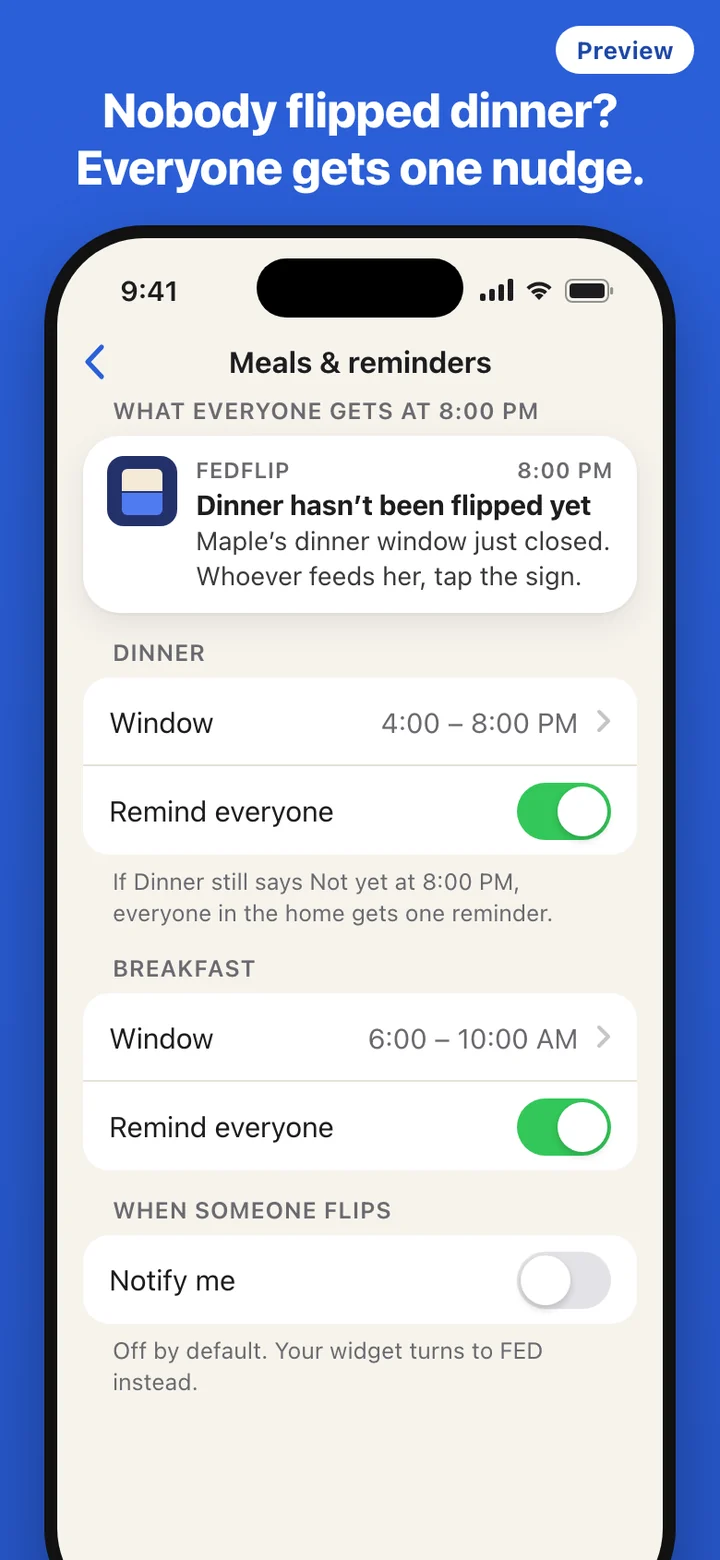
- Evening: if the dinner window closes and the Dinner sign is still Not yet, everyone gets one reminder. The first person home feeds the dog and flips it.
- Midnight: both signs return to Not yet in the household's time zone. The reset is built into the widget's own schedule, so it happens even if the phone is offline at that moment.
When two people feed at once
The double breakfast usually happens in the morning rush: one person feeds the dog on the way out, another walks in five minutes later and sees a dog acting as if it has never eaten. FedFlip treats each meal as a single slot for the day. The first flip wins. Anyone who taps the same meal afterward gets a card instead of a second entry, saying who fed the dog and how many minutes ago. That card is the point of the app, so it is never hidden or merged away.
Mistakes happen the other way too. If someone flips Dinner when they meant Breakfast, anyone in the household can flip it back. The undo is kept in the History tab next to the original flip, which lists the last 30 days of meals with who flipped each one and when.
Setting up the household
The first screen is a demo sign you can tap right away, with no account and no network, just to feel the flip. When you want to share it, you sign in with Apple or Google, create your home, and fill in the dog's card: a name, an icon from a built-in set (there is no photo upload), and the two meal windows. The household's time zone is set for you.
Then you invite everyone else with a code or a link. Invites expire and can be reissued. Each person installs FedFlip, joins with the code, and sees the current state of the sign as soon as they are in. Settings has the member list, a way to leave the home, a way for the owner to remove a member or delete the home, and account deletion. When someone leaves, their widget goes back to the demo sign.
How the flip reaches other phones
Sharing a sign between phones needs a go-between, so FedFlip runs on a small server that stores your household, its members, and the flips. When you tap, your own widget turns over right away. The server then sends a silent update to every phone in the home, and each phone redraws its widget when that update arrives. iOS decides when background updates run, so another phone can lag behind yours; opening FedFlip always pulls the current board.
If you flip with no connection, the flip waits on your phone and is retried, and the widget says it is waiting to sync rather than pretending everyone already knows. Tapping a button inside a widget without opening the app needs iOS 17 or later. Flip notifications are off by default, because the widget turning over is the signal; each person can turn on a notification for flips if they want one. Usage statistics are collected anonymously, without device identifiers or IP addresses.
What it leaves out on purpose
A fridge magnet is loved because it does one thing. FedFlip keeps that limit. There is no portion size, calorie count, diet plan, or medication schedule, and no meal wizard. Two slots a day, FED or Not yet, is the whole model. If your dog's routine needs more than that, a care tracker or your vet's plan is the right tool.
FedFlip is a feeding sign for the household. It does not give veterinary advice and does not tell you how much or how often to feed your dog. Ask your veterinarian about your dog's diet and feeding schedule.