One firing, one card
Most potters already keep some kind of firing log. It might be a printed sheet clipped to the wall beside the kiln, a column in a spreadsheet, or the back page of a sketchbook. The numbers usually make it down: the cone, the time the kiln went on, maybe the peak. What rarely survives is what the load looked like, which shelf the test tiles were on, and what actually came out.
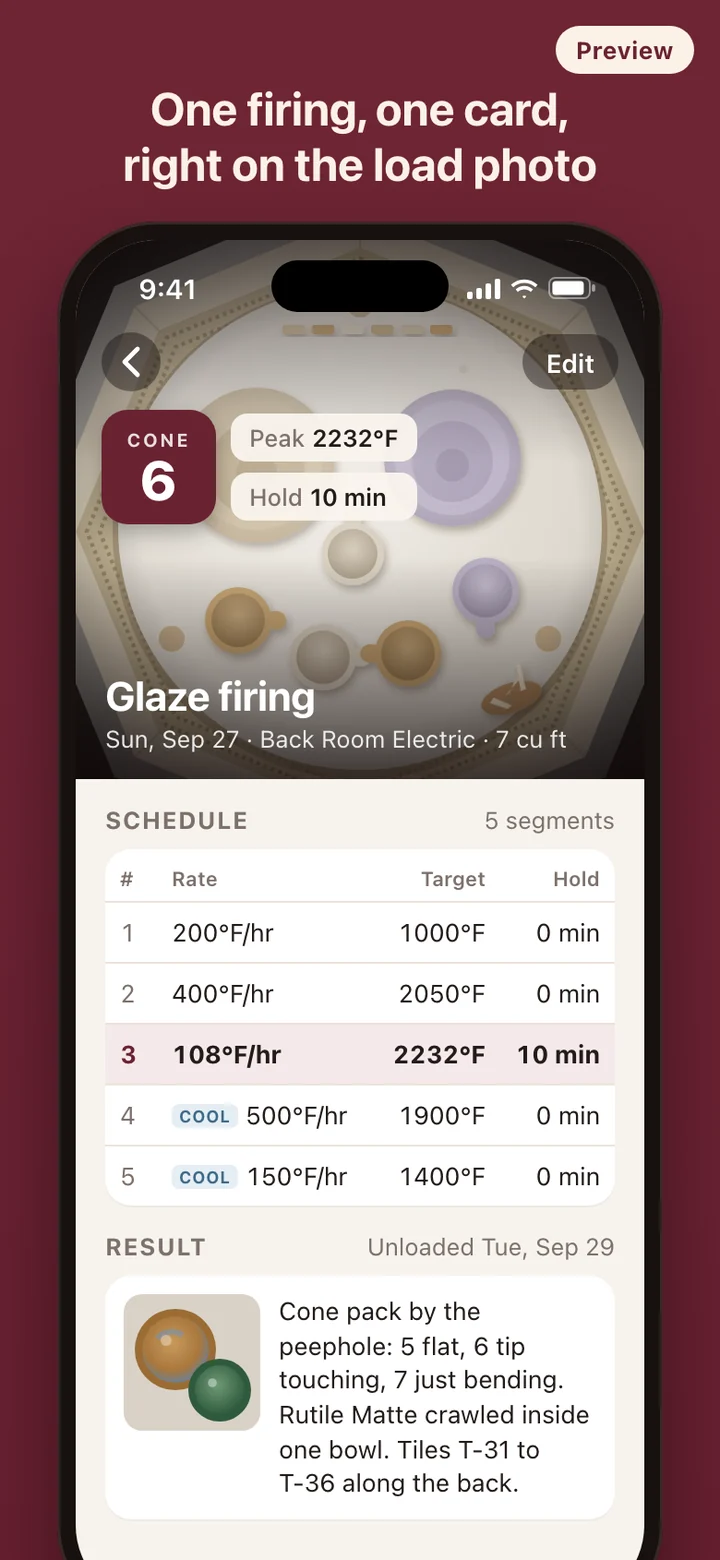
FireCard treats each firing as a single card built around photos. The load photo is the face of the card, with the cone and the peak of your schedule on it. Underneath sit the schedule segments, the kiln it ran in, the result photo, and your notes. Looking back over a season of firings becomes a matter of looking at kilns rather than reading rows.
A firing, start to finish
- Load the kiln and take a photo before you close it.
- Pick the kiln from your list and set the cone, say cone 04 for a bisque or cone 6 for a glaze firing.
- Enter the schedule as segments: a rate in degrees per hour, a target temperature, and a hold in minutes, including any slow-cool segments you programmed.
- Fire the way you always do. FireCard has no part in it while the kiln runs.
- Unload, take the result photo, and write down what you saw: how the guide, firing, and guard cones bent, which glaze crawled, which shelf ran hot.
Test tiles you can find again
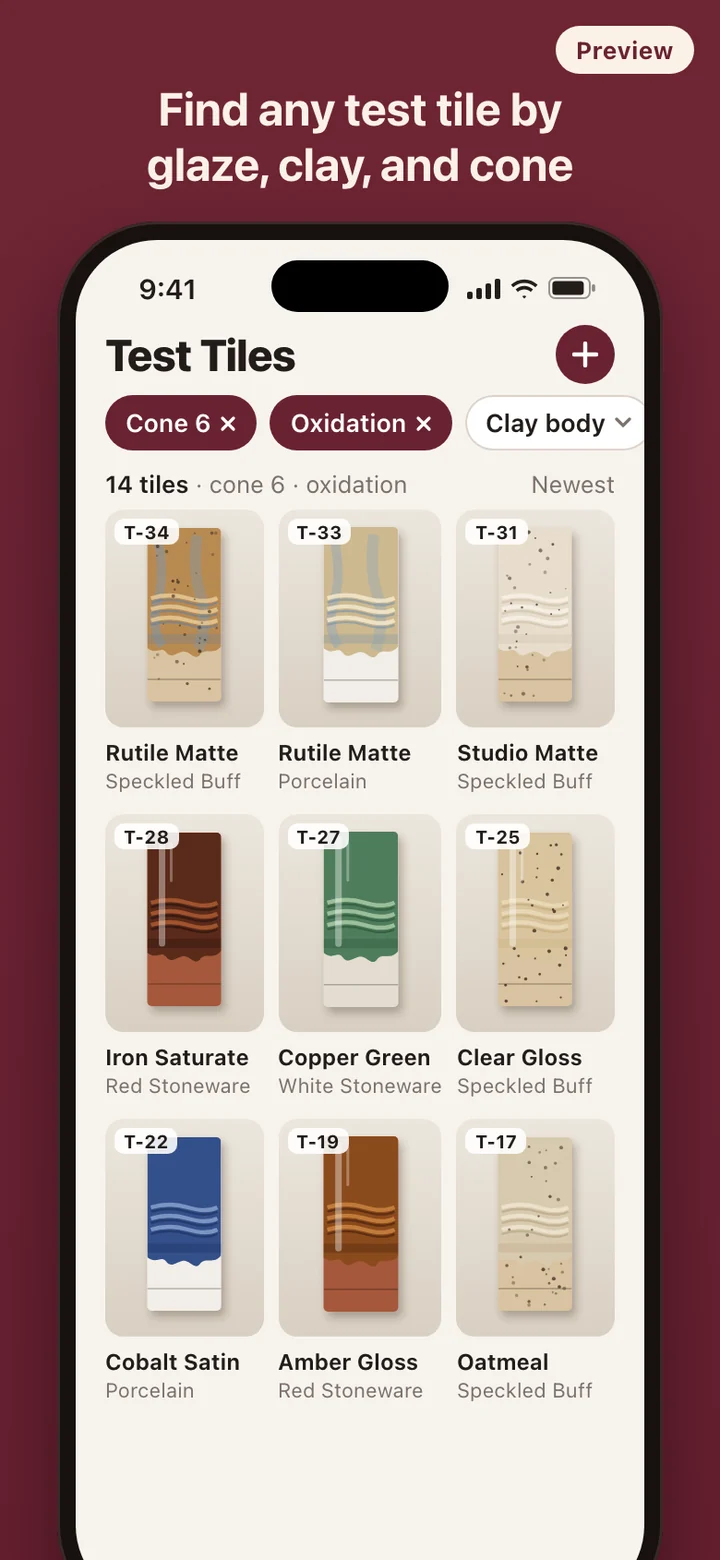
Test tiles have a way of piling up in shoeboxes, on windowsills, and in a bucket by the wheel. The details that make a tile useful, the glaze, the clay under it, the cone, and the atmosphere, are usually written on the back in iron oxide or in a notebook kept somewhere else. FireCard keeps a photo of each tile with those four details attached.
The index is a grid of tile photos. Filter by glaze, clay body, cone, or atmosphere, alone or together, and the grid narrows as you go. Comparing one glaze across three clay bodies, or pulling up every reduction tile, takes a couple of taps.
Kilns and recipes
Each kiln gets a profile: electric, gas, or wood, and its capacity. Every firing card names the kiln it ran in, so the small test kiln, the big electric, and the occasional wood firing never blur together in your notes.
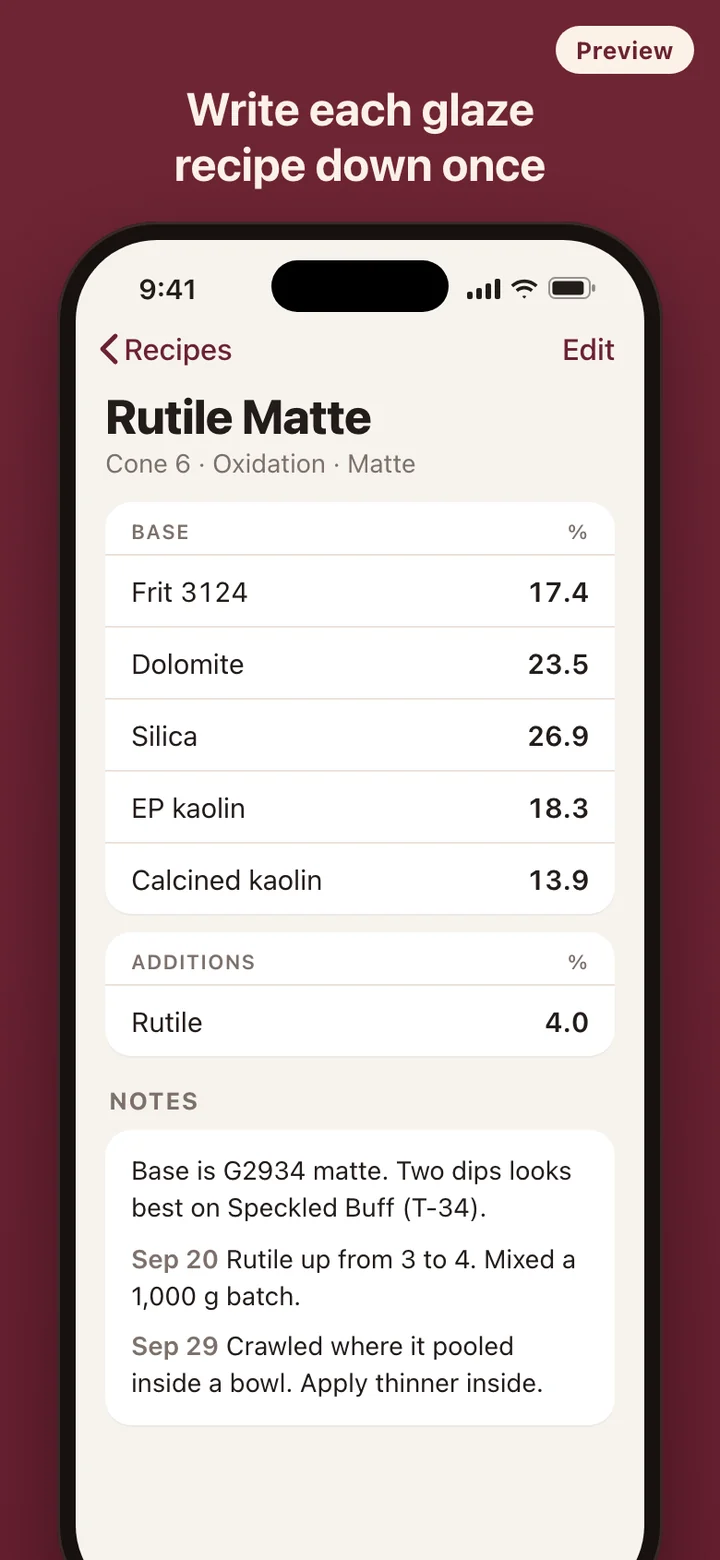
Glaze recipe notes are plain records of what you mixed. Write the materials and amounts as you weighed them, the colorant or opacifier additions, and what changed from one batch to the next. FireCard keeps the recipe exactly as you wrote it and does not rewrite or rescale it.
What it deliberately leaves out
FireCard is a log, not a kiln controller. It does not connect to the kiln, read a thermocouple, or send a program anywhere; you type the schedule you already set. It does not recommend firing schedules, and it does not do glaze chemistry such as unity formulas or batch calculations. There is no account, nothing to sync, and no tracking. The log lives on your phone and works without a connection, which matters in a garage studio with no signal.
FireCard is a record-keeping tool. It does not control or monitor a kiln, and it does not assess glaze toxicity, food safety, or firing safety. A recipe note is a record of what you mixed, not a test result. Follow your kiln manufacturer's instructions for safe operation.