Between a fireplace video and a group chat
Most short breaks end up on the phone anyway. You open a feed for a minute and come back with more on your mind than before. The calmer options sit at two ends. A crackling fireplace video is easy to look at, but you watch it alone. A group chat gives you company, but it expects you to read, react and reply.
Firepit sits in the middle. Other people are there under made-up names, and you can see them without talking to them: their logs burn next to yours, and their sparks fly across the fire. Nobody expects you to say anything. If you want to, you get one line, and it fades on its own.
Arriving, and leaving
Opening Firepit the first time takes no setup. The server quietly issues an anonymous session for your phone, hands you a nickname along the lines of Warming Raccoon, and seats you in the oldest room that still has space, or opens a new one if none do. The screen starts dark, then firelight spreads until you can see the fire, the logs already on it, and the nicknames of the others around the edge.
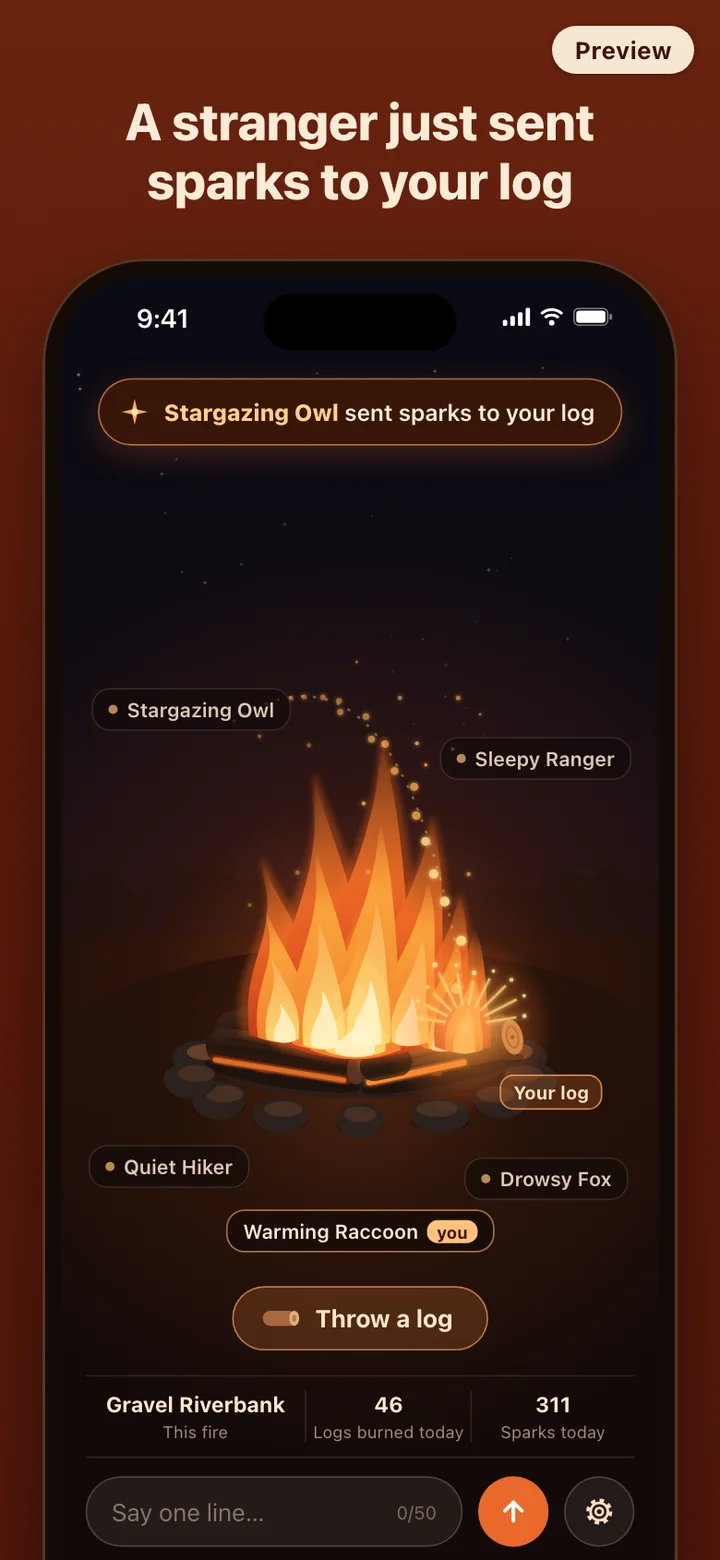
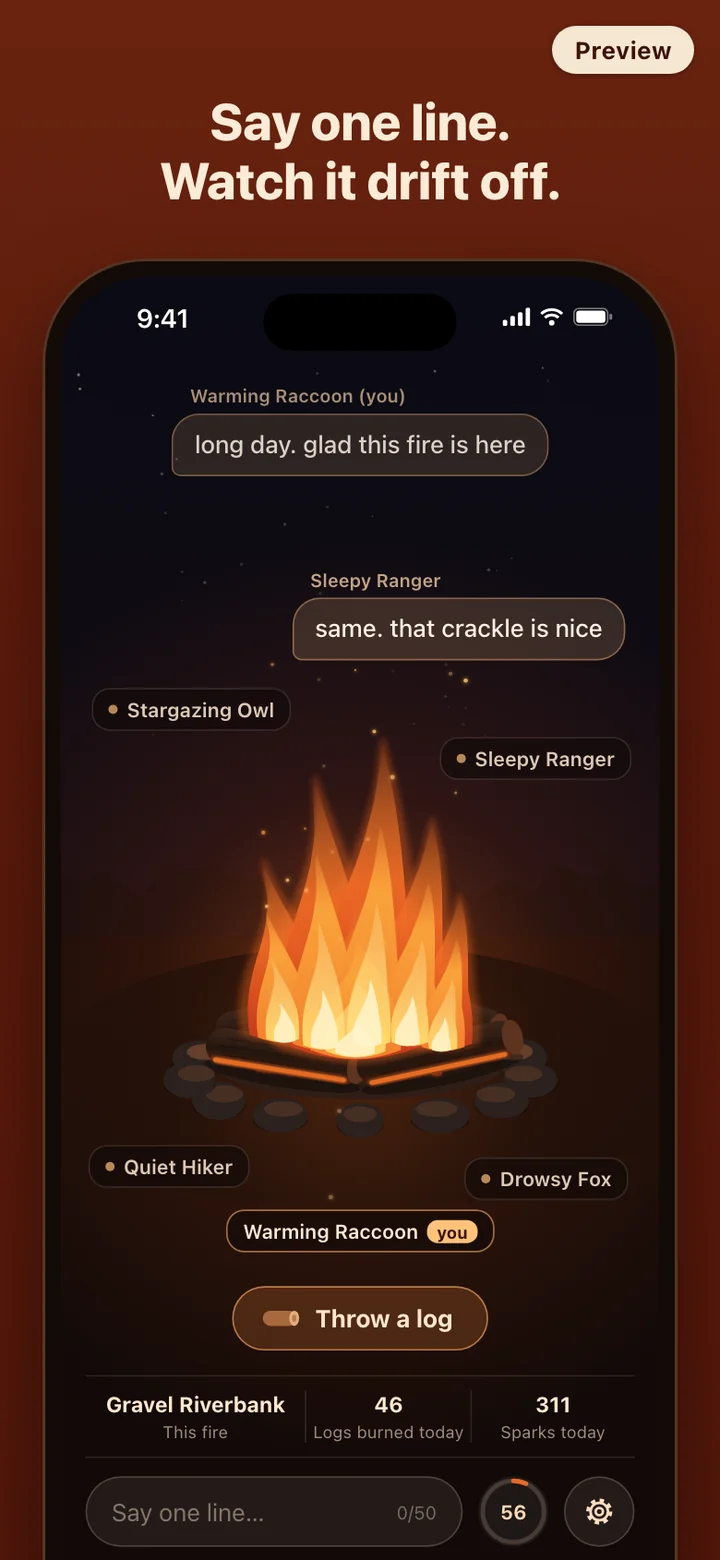
Each room has a place name, like Gravel Riverbank or Winter Breakwater. A thin bar along the bottom shows that name next to two counts for all of Firepit that day: logs burned and sparks sent. Close by sit the field for your one line, a way to throw a log, and the way into Settings. That is the whole interface. There are no tabs, no feed and no lists.
Two small hints show up on your first visit: one suggests throwing a log, and the other, once someone else's log is on the fire, mentions that a tap sends sparks. Ignore them and they are gone. To leave, you can simply close the app. If you leave on purpose, a short send-off appears with a one-line note of what you did at the fire today.
The life of a log
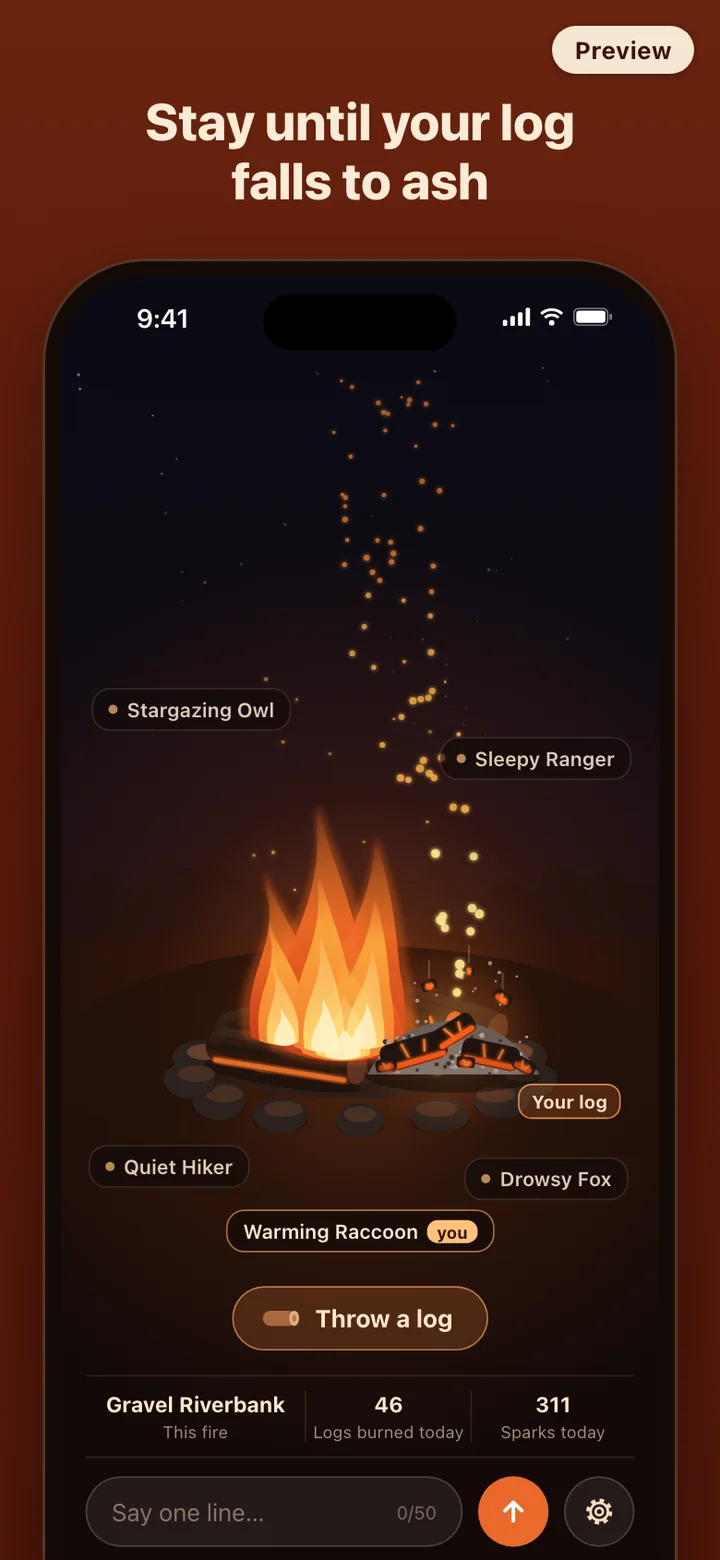
A log flies in on an arc and lands with a thump that presses the fire down and throws a low spray of sparks. It catches from the side touching the flames: an orange edge creeps along the bark, small flames spread, and then it suddenly takes. It blazes for a few minutes, flames leaning and flickering unevenly, while the wood slowly darkens. Then the flames drop away and the log glows red through its cracks.
When it finally gives way, it collapses rather than shrinking. Big chunks, small pieces and dust fall at different speeds, a last cluster of sparks floats up, and a small pile of ash sits for a while before fading. The more logs burning at once, the bigger the flames, the brighter the scene and the louder the crackle, so a room gets visibly warmer as people add to it.
Sound follows the same idea. A low burning bed runs underneath, and separate pops land at uneven gaps and pitches instead of repeating on a loop. Logs land with their own thump, sparks hiss, and a collapse has its own soft fall. There is a short wait between your logs, and the fire only holds so many at once; when it is full, Firepit says so rather than piling more on.
Sparks instead of likes
Tapping another person's log is how you say hello without words. Sparks arc from your side of the fire to theirs, so anyone watching can tell who sent them to whom. On a log that is still catching, they make it catch sooner. On one that is blazing or down to embers, they make it flare and glow brighter for a moment. They never make a log last longer, so nobody can keep one going forever.
Sparks cannot reach a log that has already collapsed, and there is a short pause between taps so nobody can flood the fire. You can tap your own log as well, which fans it a little. Every tap also adds to the day's spark count in the bottom bar.
Anonymous, and small on purpose
Because there is no sign-in, Firepit never asks for a name, an email address or a phone number. People around the fire know you by the nickname the app gave you, and that is all. You cannot post photos or send anyone a private message. If you would rather be someone else for a while, you can draw a new nickname once a day.
Messages are kept thin by design: one line of up to 50 characters, at most one a minute, gone from the screen after six seconds. Press and hold a message to report it or to mute whoever said it, and a nickname can be muted the same way. A message that collects three reports is hidden automatically. Muting removes someone's lines and nickname from your screen until you undo it, while their logs and sparks stay in the fire so the scene still makes sense.
In Settings, Delete my data removes your anonymous session, your messages and your share of the day's counts, then starts you over with a new anonymous session. Settings also holds the switches for sound and haptics, the nickname redraw, and links to the terms, privacy policy and support.
Firepit is a place to sit by a fire for a few minutes. It is not therapy, counseling or a crisis service, and it does not claim to treat stress, anxiety or any other condition. If you are in crisis in the United States, call or text 988 to reach the 988 Suicide & Crisis Lifeline at any hour. Elsewhere, contact your local emergency number.