A timer that gives you a reason to leave the phone alone
Most people who want to focus already own a timer. Starting it is easy. The hard part comes ten minutes in, when the screen lights up or another tab looks more interesting. Putting the phone in a drawer works until you need it for something, and app blockers can feel like a punishment you set for yourself. Some focus apps go further and let a plant wither when you quit.
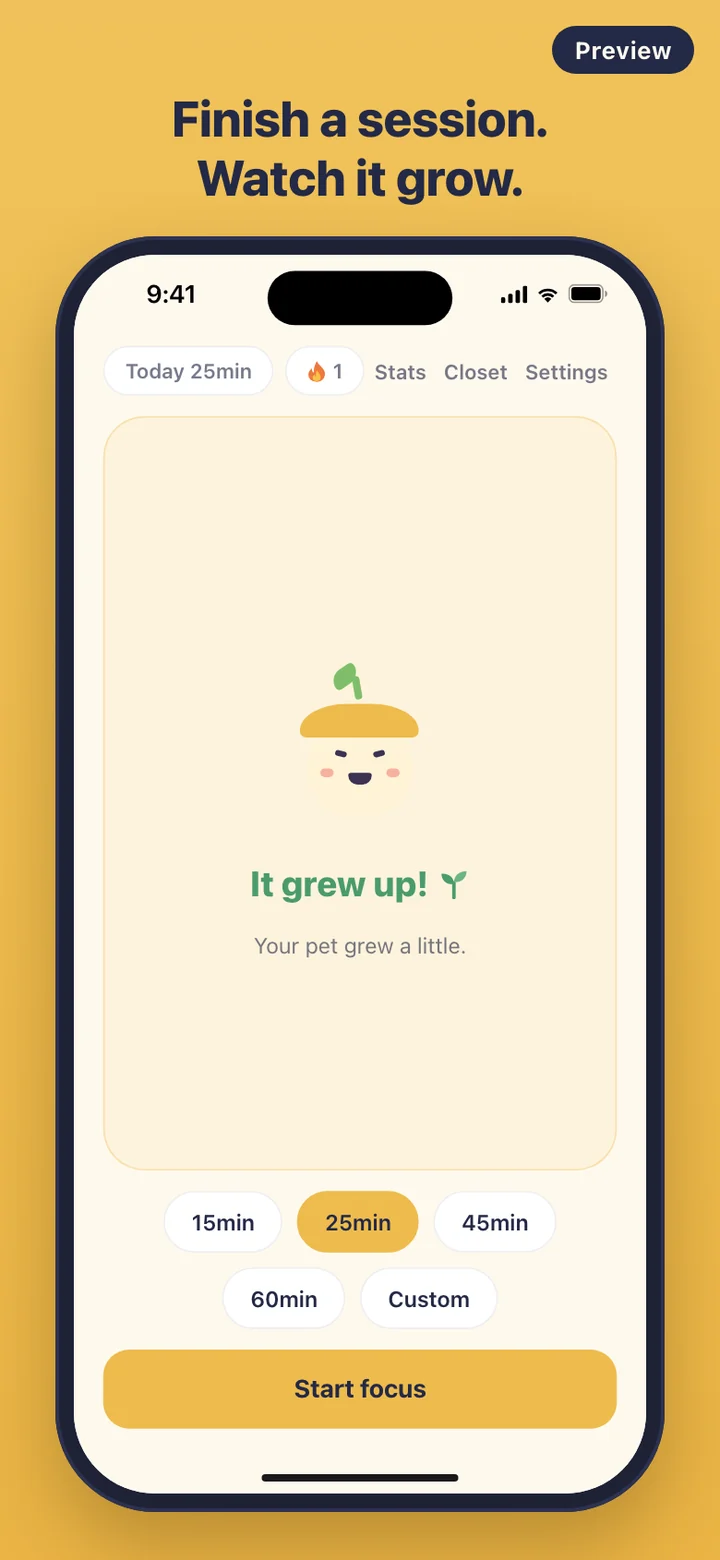
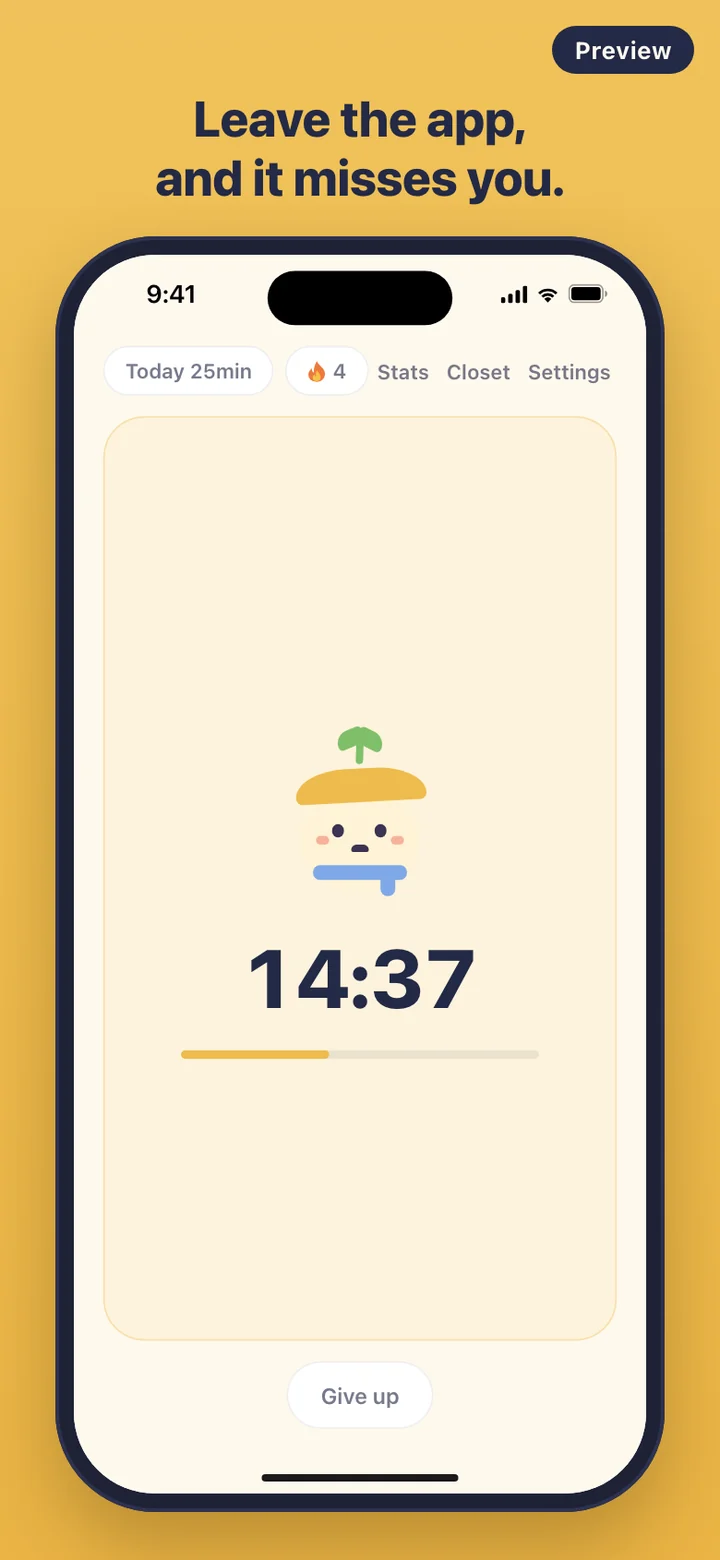
FocusPet takes a softer route. It puts a small creature next to the countdown and lets you see how it feels about what you are doing. It plays while you work, it is visibly let down when you wander off, and it grows when you see a session through. There are no penalties, and there is no way for it to die.
The one rule: stay in the app
Once a session starts, FocusPet watches a single thing: whether the app is still in front. It cannot see which other apps you open, and it does not block anything. If you leave, stay away for more than ten seconds and come back before the time is up, the pet is sad for the rest of that session. The ten-second grace is there so that pulling down a notification or flicking past the app switcher is not counted against you.
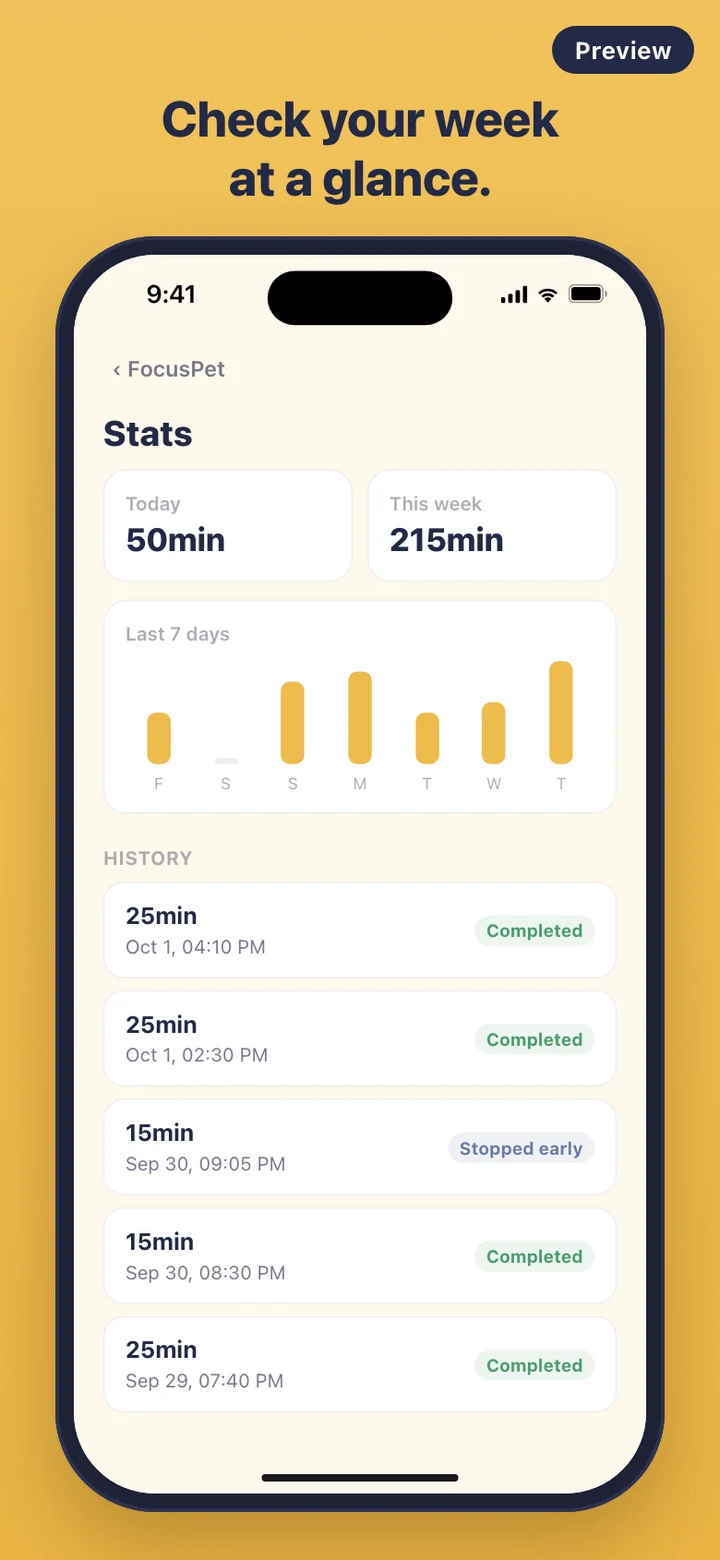
Sad is as bad as it gets. The countdown is worked out from the clock rather than the screen, so it keeps running while you are away. Finish the session and the pet switches straight to its happy face and grows. If you decide to stop, tap Give up. The app tells you your pet will be a little sad but your focus time is saved, and the minutes you actually spent still count toward its growth and your stats.
How minutes turn into growth
Growth is measured in focused minutes. The pet begins as a seed under its cap, sprouts a leaf at 15 minutes, grows a second leaf at 90, gets bigger again at 300, and flowers at 900 minutes in total. That puts the first change inside your very first session and the last one about 36 pomodoro-length sessions away, so there is always a next look ahead.
Between sessions you can open the Closet and dress it up. There are four items in two packs: a beanie and a scarf in the Cozy pack, glasses and a ribbon in the Study pack. Items that sit in the same spot swap for each other, so the beanie and the ribbon take turns on top of the cap, and whatever it wears shows on the home screen while you work.
How a study day runs
Before a study block you choose a length: 15, 25, 45 or 60 minutes, or Custom for any whole number from 5 to 180. Tap Start focus, set the phone down where you can see it, and get on with the work. When the countdown reaches zero the session is saved, and the Today badge at the top of the home screen adds the minutes.
Next to it, a flame badge counts your streak: days in a row with at least one finished session. Today does not break it until the day is over. If you want a nudge, switch on the daily reminder in Settings and pick a time such as 7:00, 12:00 or 20:00. FocusPet asks for notification permission only at that moment, sends one reminder a day in the pet's voice, and skips to tomorrow if you have already finished a session that day.
For late study sessions there are two themes, Ivory for the day and Midnight for the night, and you can switch between them in Settings at any time.
What FocusPet can't see, and doesn't try to
FocusPet is a timer with a companion, not a phone lock. It cannot stop you opening other apps, and it does not read your screen time. There are no friends lists, leaderboards or shared rooms; your focus is between you and the pet.
There is also no account and no server. Sessions, your pet's growth and your settings live only on your phone, the app makes no network requests, and no analytics service watches what you do. Settings has a Delete all data button that erases every session and resets the pet in one step. And it will not make you productive on its own. It gives the minutes you decide to focus a face.