Your weather app says 1°C. It doesn't say what that means for the tomatoes.
Most gardeners check the overnight low in a general weather app and then do the sums themselves. Is 1°C cold enough to hurt the peppers? Will the lettuce be fine? The frost warnings those apps do send cover a whole region and arrive among plenty of other notifications, so they are easy to swipe away on the one night that matters.
FrostCall joins two things for you: the forecast low for the square kilometre around your garden, and the cold limit of each crop you grow. The limits come from published horticulture guidance such as university extension services. Iowa State University Extension, for example, notes that tomatoes and peppers do not tolerate freezing temperatures and can be damaged by frost below about 36°F (2°C). Each threshold in FrostCall names the source it was taken from, and the full list sits under Data sources in Settings.
How tonight's verdict is worked out
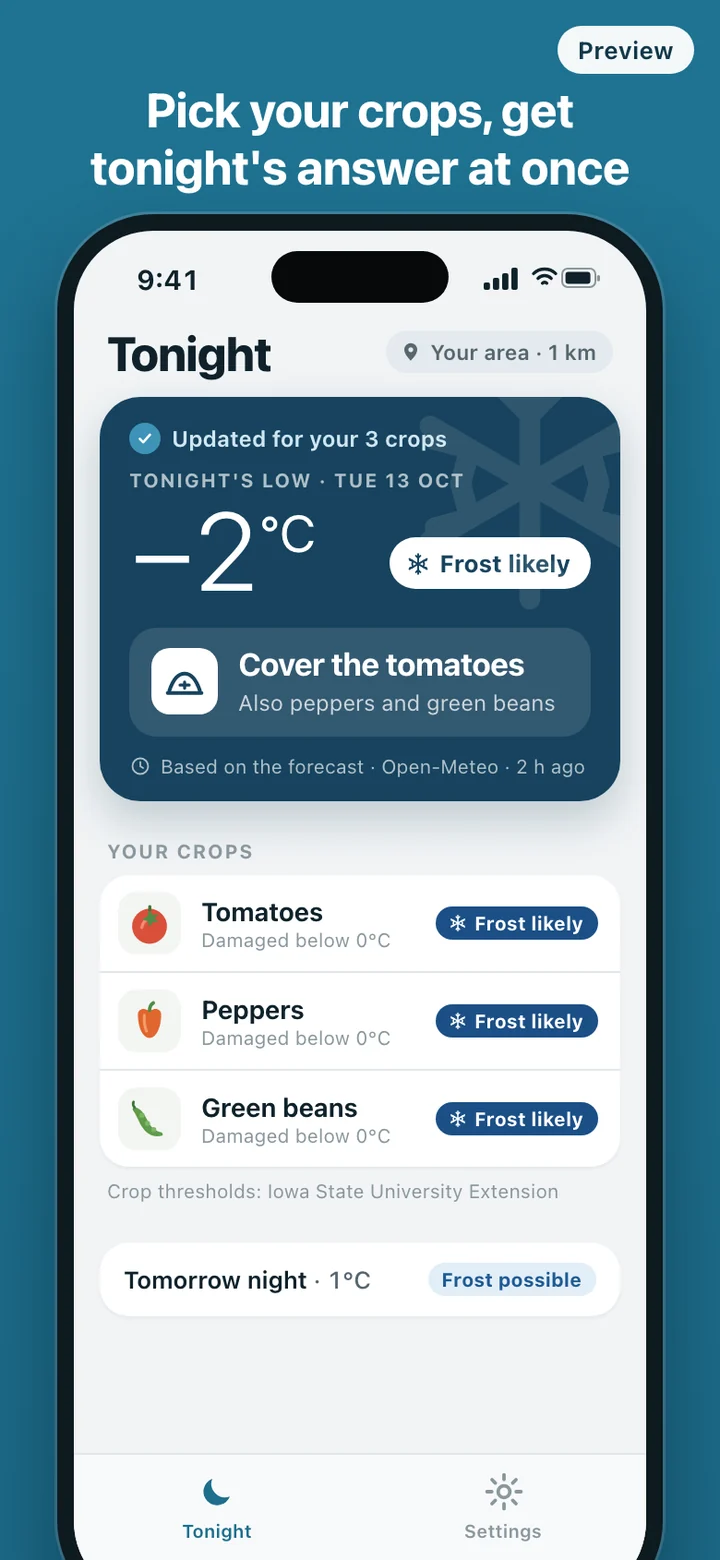
FrostCall reads tonight's forecast minimum air temperature and dew point for your grid square. A crop is marked frost likely when the forecast low is at or below its threshold, and frost possible when the low is within 2°C above it. Before you add any crops, the card uses a general line instead: frost likely at 0°C or colder, frost possible up to +3°C.
The margin exists because frost forms on leaves and on the ground before the air at thermometer height reaches freezing. The US National Weather Service notes that frost frequently occurs with a thermometer-level temperature in the mid-30s Fahrenheit. So when the forecast low is +3°C or less and the dew point falls to 0°C or below, the card treats frost as possible even though the air should stay above zero.
A forecast gives a temperature, not a frost probability, so FrostCall never prints a percentage. It uses three plain levels and labels every one of them as based on the forecast.
A frost evening, start to finish
Setup happens once. Allow location while using the app, or search for your town instead, then tap the crops you grow. The card fills in straight away with tonight's low and a verdict for each crop. Turn on notifications and you are done.
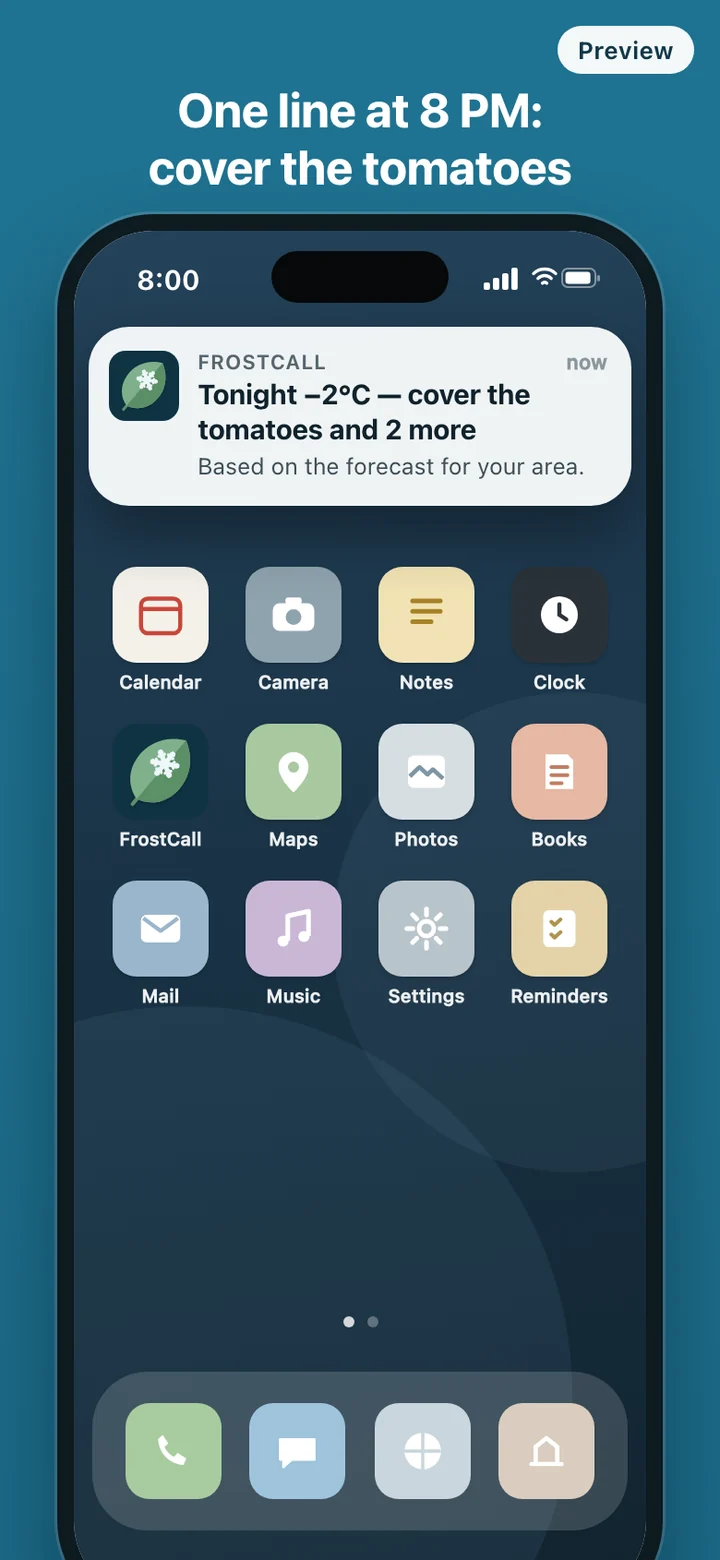
Most evenings nothing happens. Then, on the first cold night of autumn or a late night in spring, the phone lights up at 8 PM: "Tonight −2°C — cover the tomatoes and 2 more." The card names the other two, the peppers and the beans, and you go out with the old sheets. The card also shows a one-line preview of tomorrow night, so you know whether to leave the covers by the door.
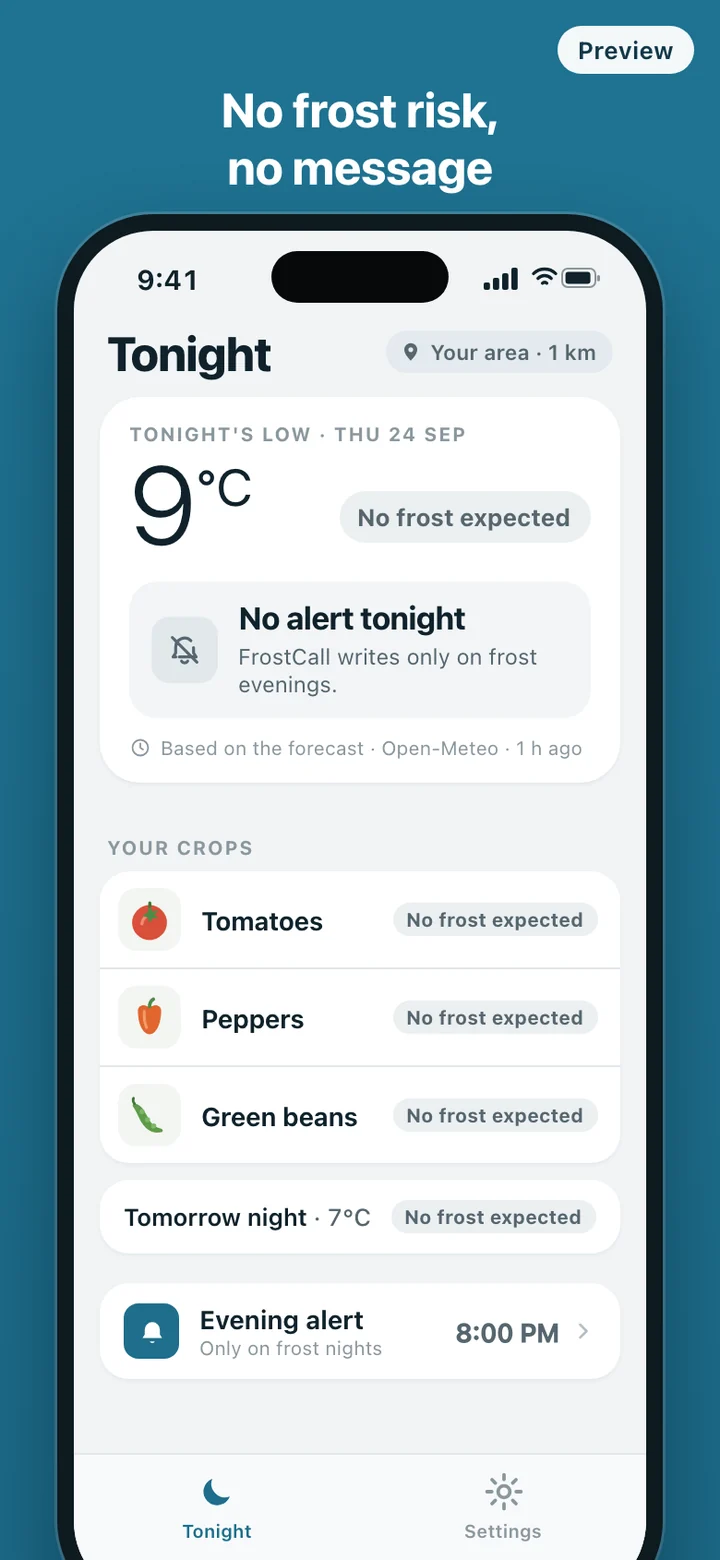
If 8 PM is too late for you, move the message anywhere between 5 and 10 PM. Add a crop, remove one or change the location, and the evening alert follows the change without any extra step.
What it keeps, and what it doesn't
There is no account and no login. Your phone rounds the coordinates to two decimal places, roughly a 1 km grid square, before anything leaves the device, and the server has no field for an exact position. To send the evening message it keeps that grid square, the crops you picked, a notification token, your send time, time zone and language, plus a note of which evenings it has already messaged you so it never sends twice. Those notes are deleted after 30 days. App usage statistics run in anonymous mode, without device identifiers or IP addresses.
Forecasts come from Open-Meteo, fetched once per grid square, and the card always shows the source and how long ago it was updated. Reset my data in Settings deletes your crops and location from the phone and removes your alert subscription from the server in the same step.
What it deliberately leaves out
FrostCall answers one question and stops. There is no week-ahead forecast dashboard, no plant encyclopedia, no watering schedule, no growing guides, no garden journal, no map and no widget. You cannot type in a plant of your own or set your own threshold either, because an invented number is exactly what this app exists to avoid. A crop without a published threshold the app can cite does not go on the list.
FrostCall works from weather forecasts, and forecasts can be wrong. Crop thresholds are guides for when to protect plants; varieties and exposed spots differ. The app does not guarantee against crop damage.