Built for bikes and RVs, not cars
Most vehicle maintenance apps are shaped around a car: one odometer, a dealer schedule, fuel economy. A motorcycle asks for different things. The chain wants cleaning and lube every few hundred miles, the valve check comes around once in a long while, and a lot of the work happens in the owner's own garage with no receipt. An RV is a vehicle and a small house at once, with generator hours, roof sealant, slide-outs, LP gas, and plumbing that has to be winterized before the first freeze.
RideLedger has two vehicle types, motorcycle and RV, and each one brings its own starter items and its own clocks. A motorcycle runs mainly on miles, with time limits for things like brake fluid. An RV adds a second meter for generator engine hours and seasonal items such as winterizing. Cars are left out on purpose.
Where the paper trail usually breaks
Owners keep their history in a notebook in the tank bag, on the record page at the back of the owner's manual, in a shoebox of shop receipts, or in a spreadsheet that stops being updated around the second summer. Each of those works until someone asks for it. Work you did yourself left no invoice, the notebook was in the old jacket, and the receipts never say what the odometer read.
That question usually comes from a buyer. A title or vehicle history report says nothing about oil changes or chain care, so the seller is the only person who can produce that history. RideLedger keeps it in one place from the first entry, with the mileage or engine hours written down at the moment you did the work.
A week with RideLedger
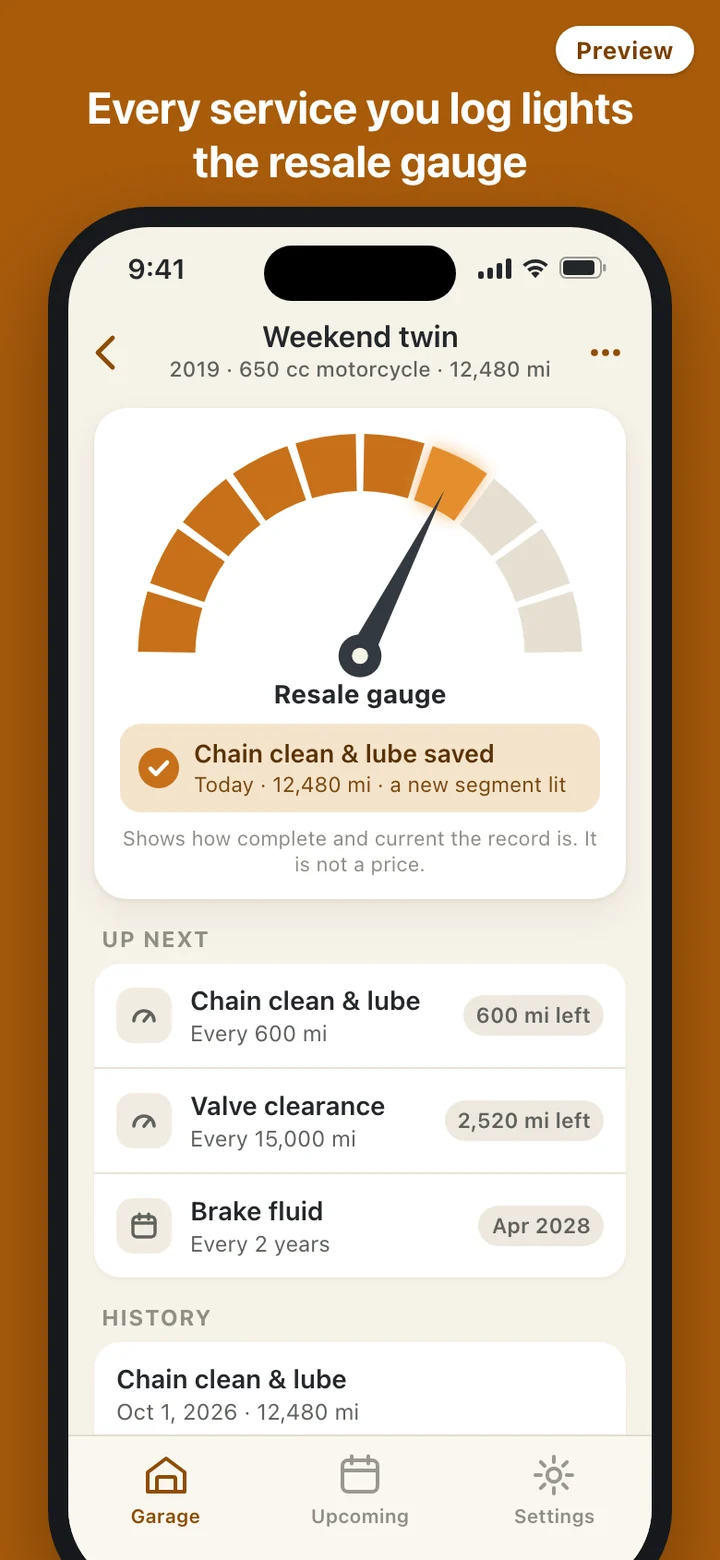
Sunday afternoon, you clean and lube the chain. Open the bike, tap the item, and the date is already today; type the odometer and save. A receipt or a photo of the work is optional. The resale gauge picks up the record on the spot, and the chain's next due point moves 600 miles further out if that is the interval you set.
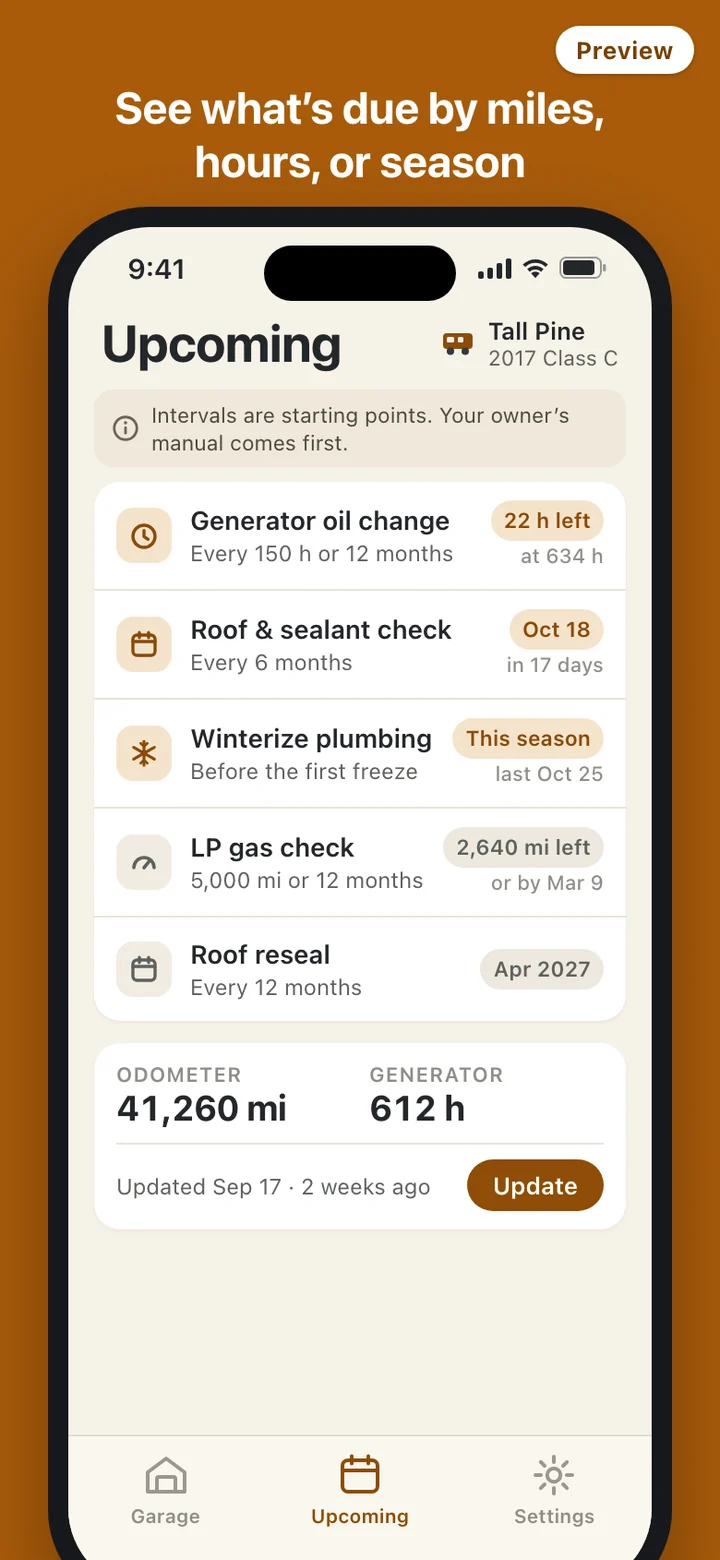
After a trip, update the odometer from the vehicle card in one tap. If you mistype it, edit or delete the record later; a reading lower than the last one gets a warning rather than a block, because gauges get replaced and typos happen. For an RV, the same card also holds generator hours.
If you want reminders, turn on a weekly digest at a time you choose. It lists the one to three items closest to due and keeps the vehicle's nickname and your costs off the lock screen. Because the phone cannot see your odometer, mileage items are estimated from your last update, and the list shows when that update was.
Presets are a starting point. Your manual comes first.
Every item arrives with a starting interval drawn from published maintenance schedules, and each one can be changed. Intervals differ by make, model, and how you ride, so a note sits at the top of the list saying the owner's manual comes first. When an item passes its interval, the app says so plainly, for example that the chain is past its interval, without red alarms or warnings about breakdowns.
RideLedger is a record-keeping tool. It does not inspect your vehicle or tell you it is safe to ride or tow. Follow your owner's manual and a qualified mechanic for intervals and repairs.
What the gauge and the PDF are, and what they are not
The resale gauge is a picture of record quality: whether the core items are covered, whether recent work is on time, and whether the history has long gaps. It rises as you log and eases down as items go past due, quietly. It is not an appraisal, and RideLedger never puts a dollar figure, market value, or price on your vehicle.
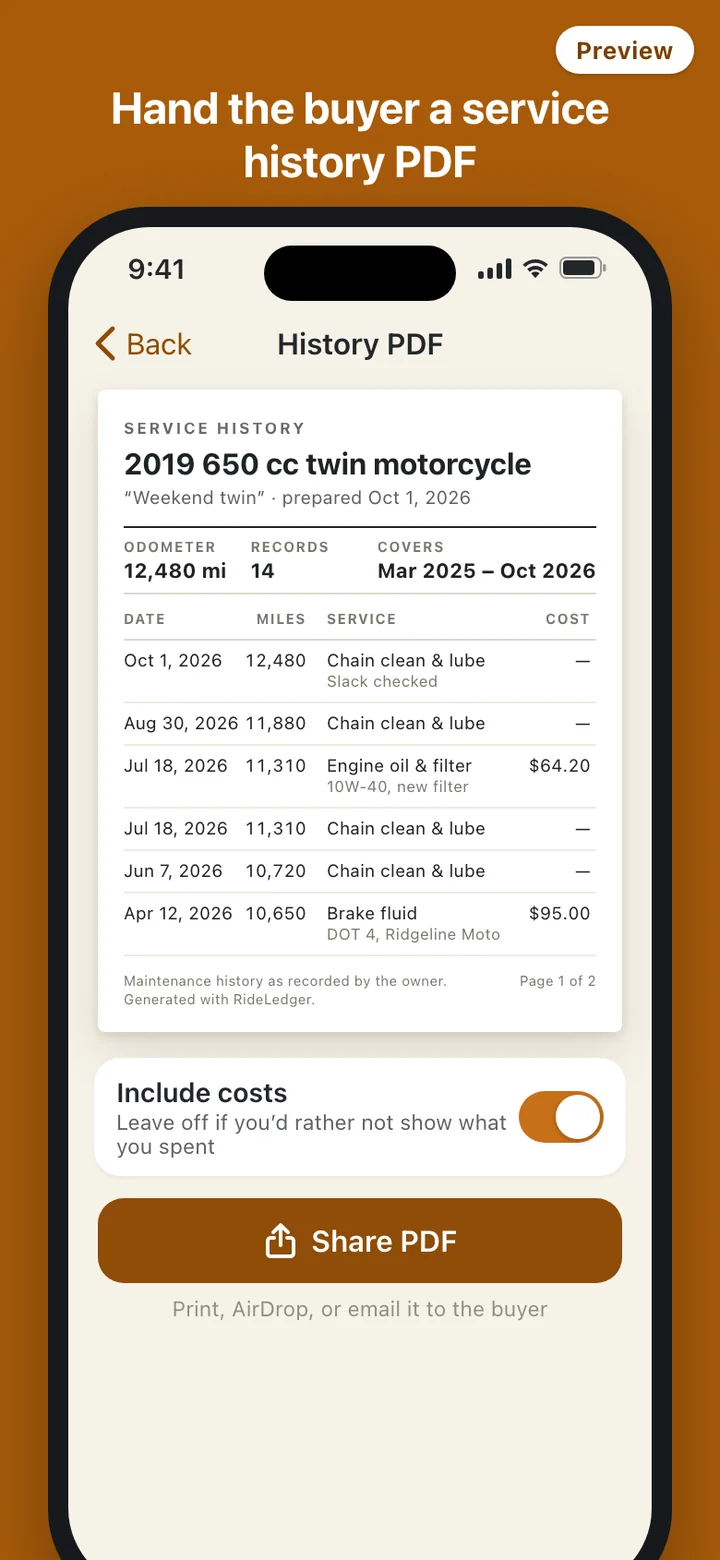
The PDF is written for a stranger. It carries the vehicle details, the current odometer or hours, and the records in date order exactly as you entered them, with a line stating that the history was recorded by the owner. It does not fill in missing months, mark unlogged work as done, include the gauge score, or call anything certified.
What it deliberately leaves out
There is no account to create and no server behind the app. RideLedger makes no network requests, so there is no VIN lookup, no price estimate, and no cloud sync, and it carries no analytics. Your log can be backed up to a file and restored from it on a new phone, and Settings has one control that deletes every record, photo, and cached PDF at once.