Zero setup on the grandparent's side
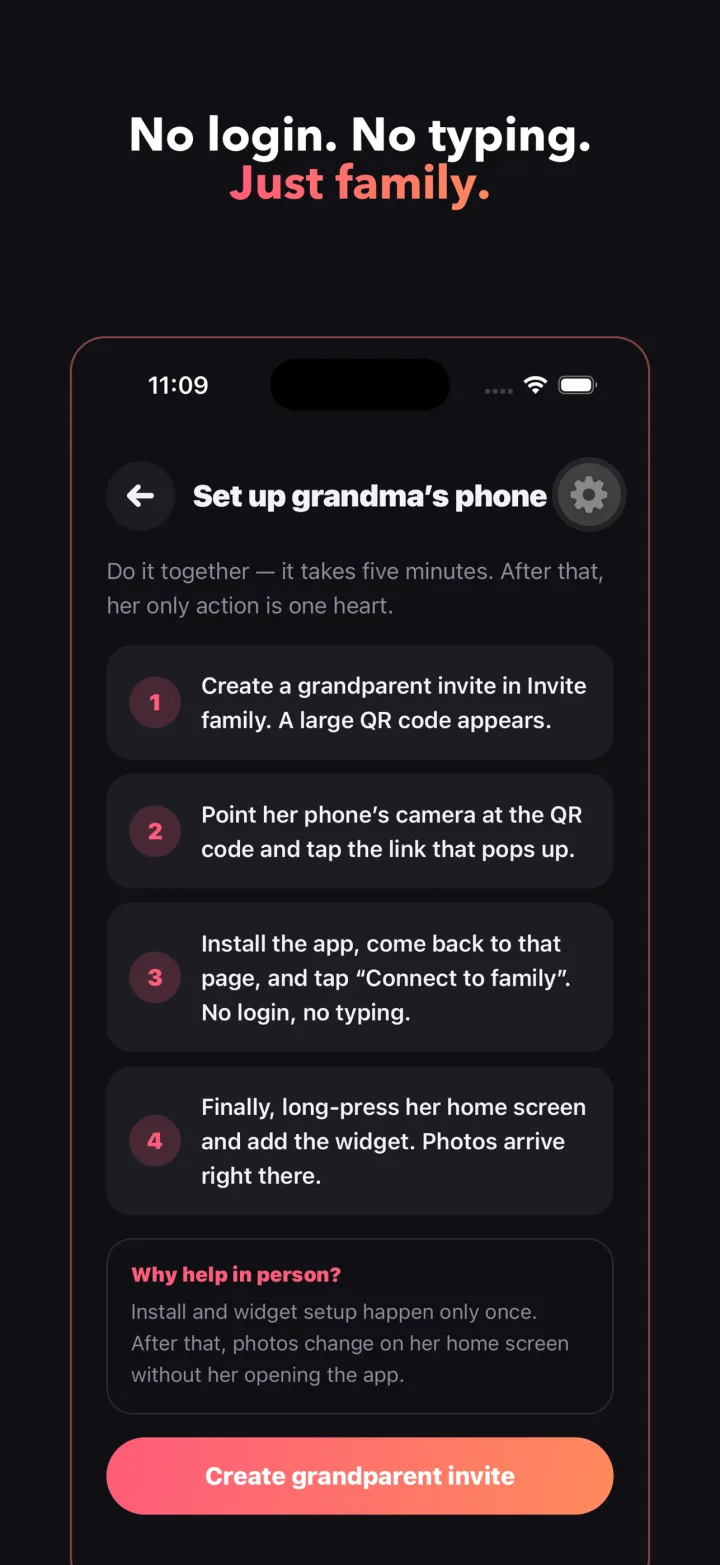
Most family sharing apps assume that every member can install an app, create an account, remember a password and find their way around a feed. The people who most want to see the grandkids are often the least willing to do any of that. NanaFrame removes the whole sequence for them. A parent creates an invitation in the family, which appears as a large QR code and a link. The grandparent's phone scans it, installs the app, and on first launch the invitation connects her automatically. There is no account for her to make, no password, and no typing, ever.
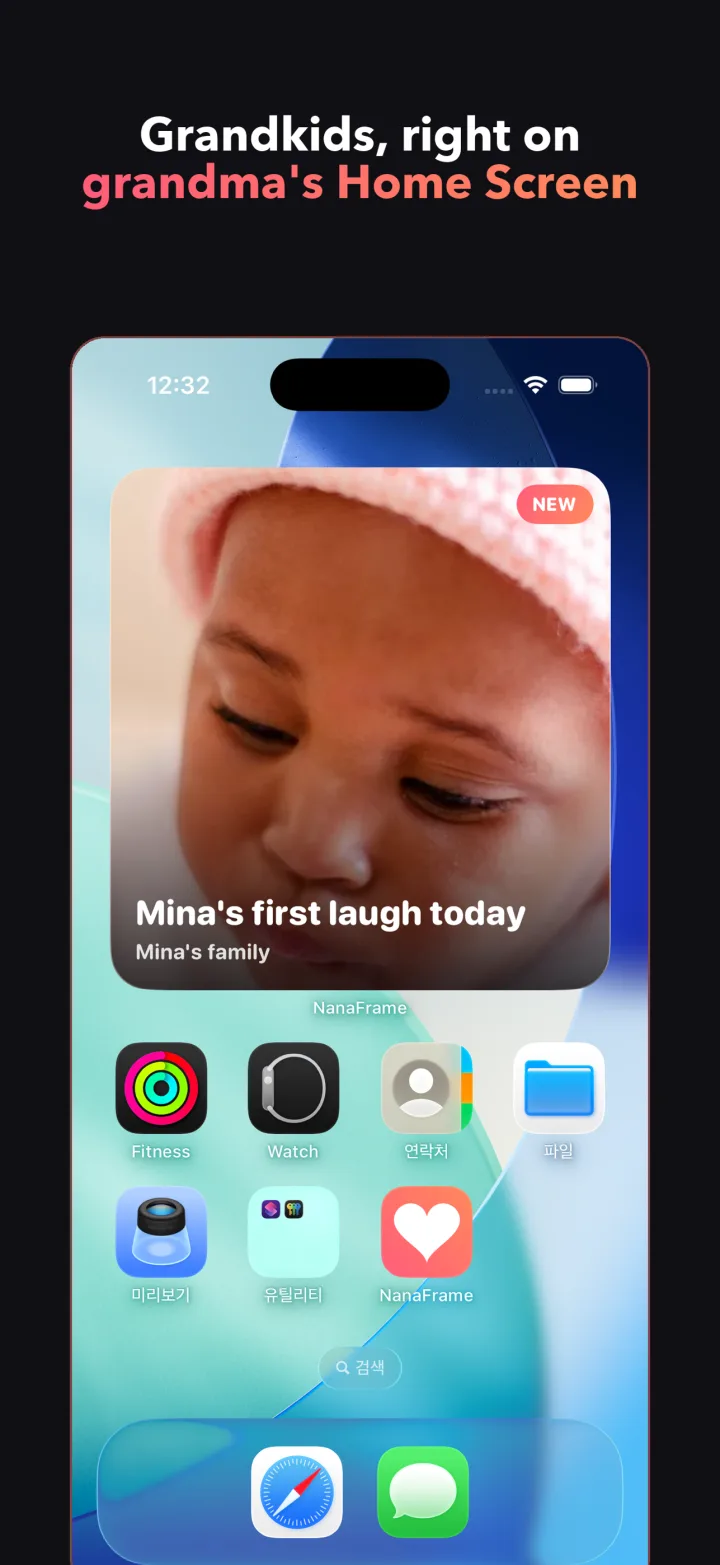
After that first day she does not need to open the app at all. The widget on her home screen shows the latest photo with a large caption and date, and it keeps showing the last photo even when the phone is offline or a notification was missed. An empty widget is not something she should ever see.
Designed for older eyes and hands
Every screen on the grandparent's side uses large type, high contrast and a heart button that is hard to miss. Touch targets are much larger than the usual minimum, and the app respects the system text size setting. Her side of the app has no text input at all, so there is never a keyboard to deal with.
The large widget is the primary format, because a small photo on a phone screen defeats the purpose. Tapping the widget opens the photo full screen. Tapping the heart is the one and only thing she can do, and it is the one thing she will want to do.
One send reaches every grandparent
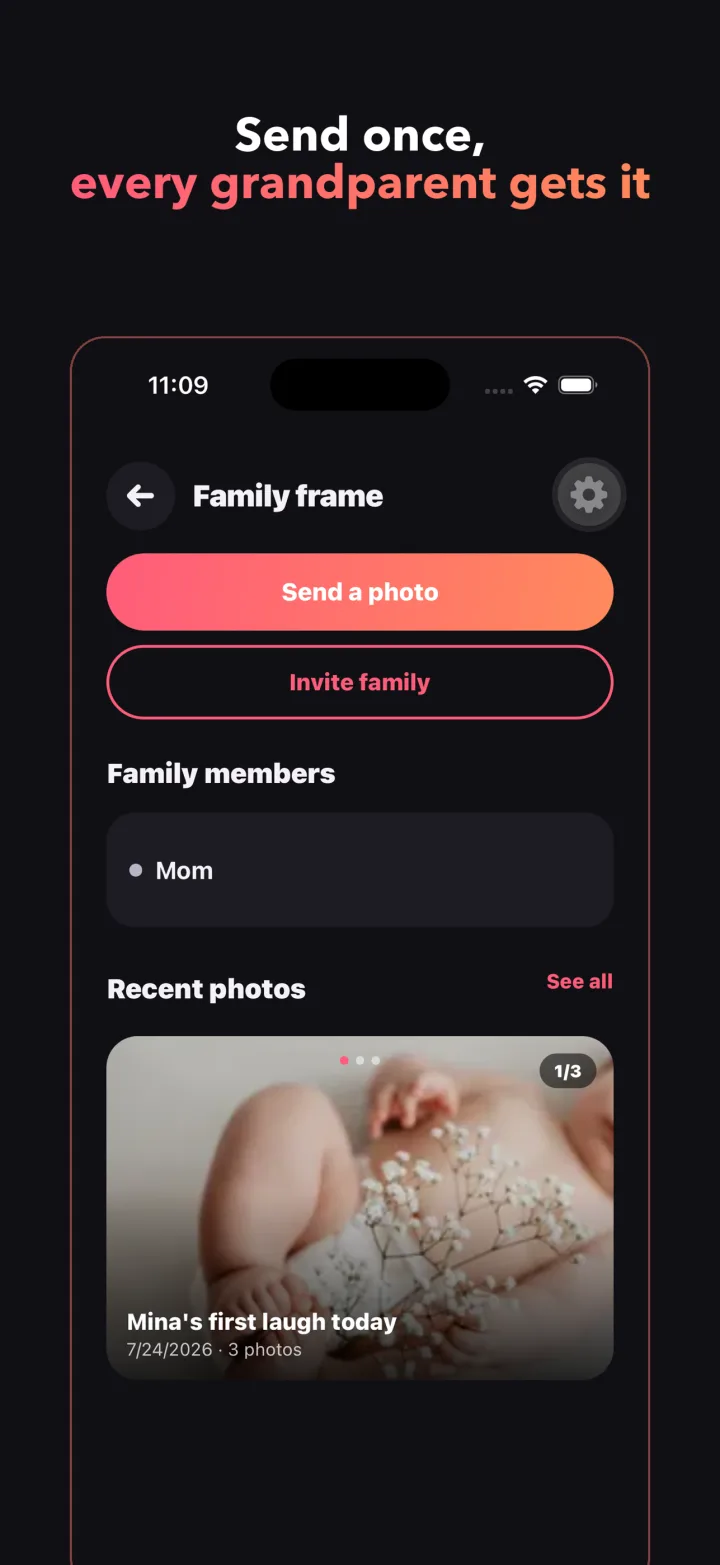
A family in NanaFrame is a group of parents who send and receivers who get the widget. You can invite both grandmothers, a grandfather and your co-parent into the same family. A photo sent once arrives on every receiver's home screen, so nobody has to send the same picture to three people in three chats.
A moment can hold up to ten photos at once, with a short caption, and it can be scheduled to arrive later. A co-parent can be invited as a second sender so that uploading is not one person's job. When your photo reaches a home screen for the first time you get a quiet note, and when a grandparent taps the heart you get another, so you know the photo was seen.
Private to the family, in concrete terms
Photos of a child are the most sensitive thing most families share, so NanaFrame has no public feed, no discovery, no share links and no profiles. Photos are visible only to the family members you invited. They are stored privately and fetched only through short lived signed links, and location metadata is stripped from every photo before anyone else sees it.
Deleting is complete. When a parent deletes a photo it is removed from storage, from delivery and from the widget on every receiver's phone. Removing a family member ends their access immediately. Parents sign in with Google or Apple and can delete their account from inside the app.
What NanaFrame is not
It is not an album app with folders, comments and a timeline to scroll. The parent's album exists so you can see what you sent and who sent a heart back, not so the grandparents can browse. It is not a chat, and grandparents are never asked to reply with anything other than the heart. It also sends no reminders to grandparents at all. If a nudge is useful, it goes to the parent, who can turn on an optional reminder when the widget has shown the same photo for a while.