For the habit you have started five times
Most habit apps are built for one person: a checklist, a streak counter, a reminder you learn to swipe away. When the streak breaks, nobody notices but you. The usual fixes bring their own problems. A group chat with friends drifts into memes or goes quiet, and telling a friend you skipped the walk again is exactly the conversation people avoid.
HabitFive takes a narrower route. Your team is up to four other people on the same habit who know you only by a nickname and a character, and who can see whether you checked in today. You never have to explain yourself to them, and they cannot lecture you. All they can do is look at your photo and tap a cheer.
How a team comes together
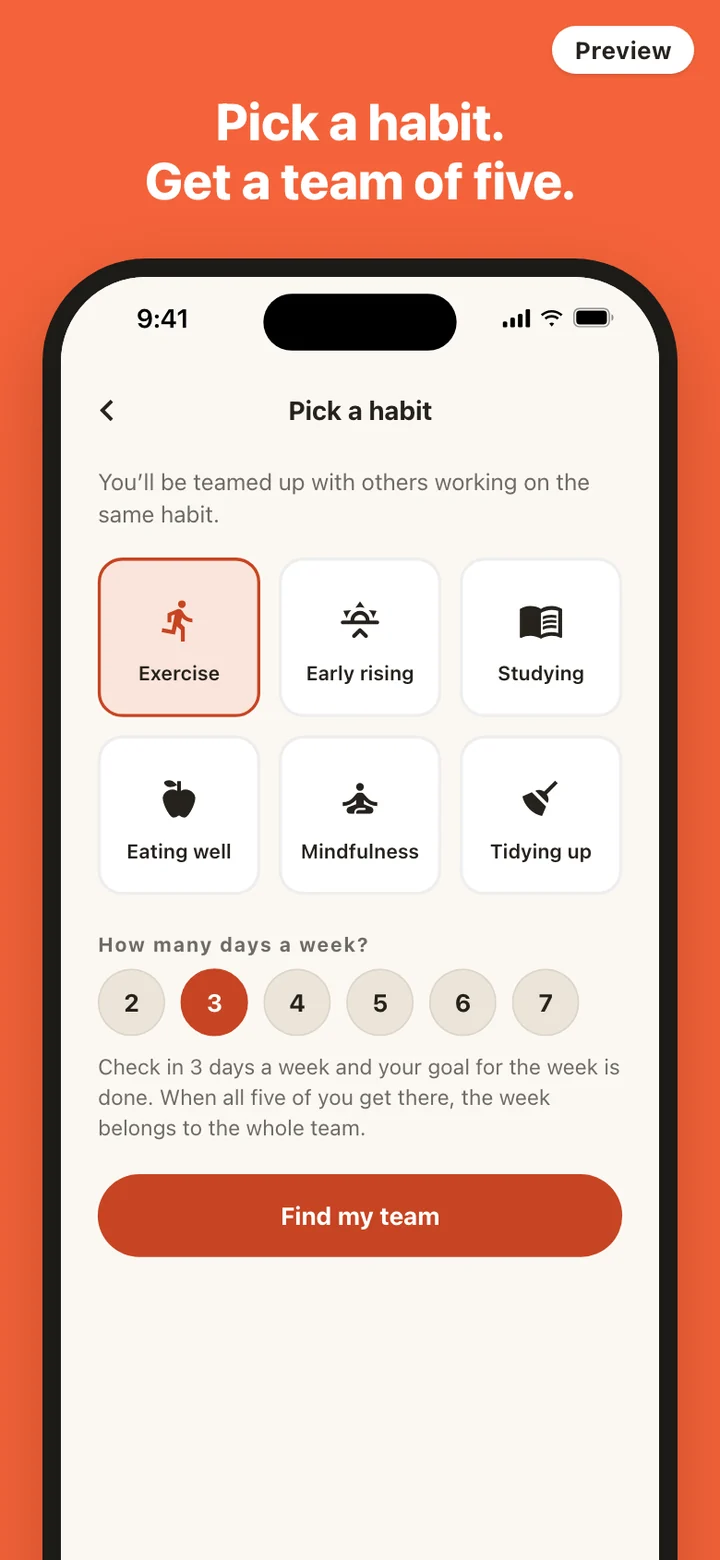
Before matching you set up a profile with a nickname and a character: one of eight silhouette figures, a color, and a background. There is no profile photo field anywhere. Then you choose a habit from six categories (Exercise, Early rising, Studying, Eating well, Mindfulness, Tidying up) and a weekly goal between two and seven days.
Matching looks for people who picked the same habit and live within a few hours of your time zone, so everyone's day starts and ends at roughly the same time. Five people make a full team. If the pool is thin, the app waits a day and then starts the team with three. Open spots are filled from the waiting pool as people arrive, and the same happens when someone leaves. Anyone you have blocked is never placed on a team with you again.
A day on the board
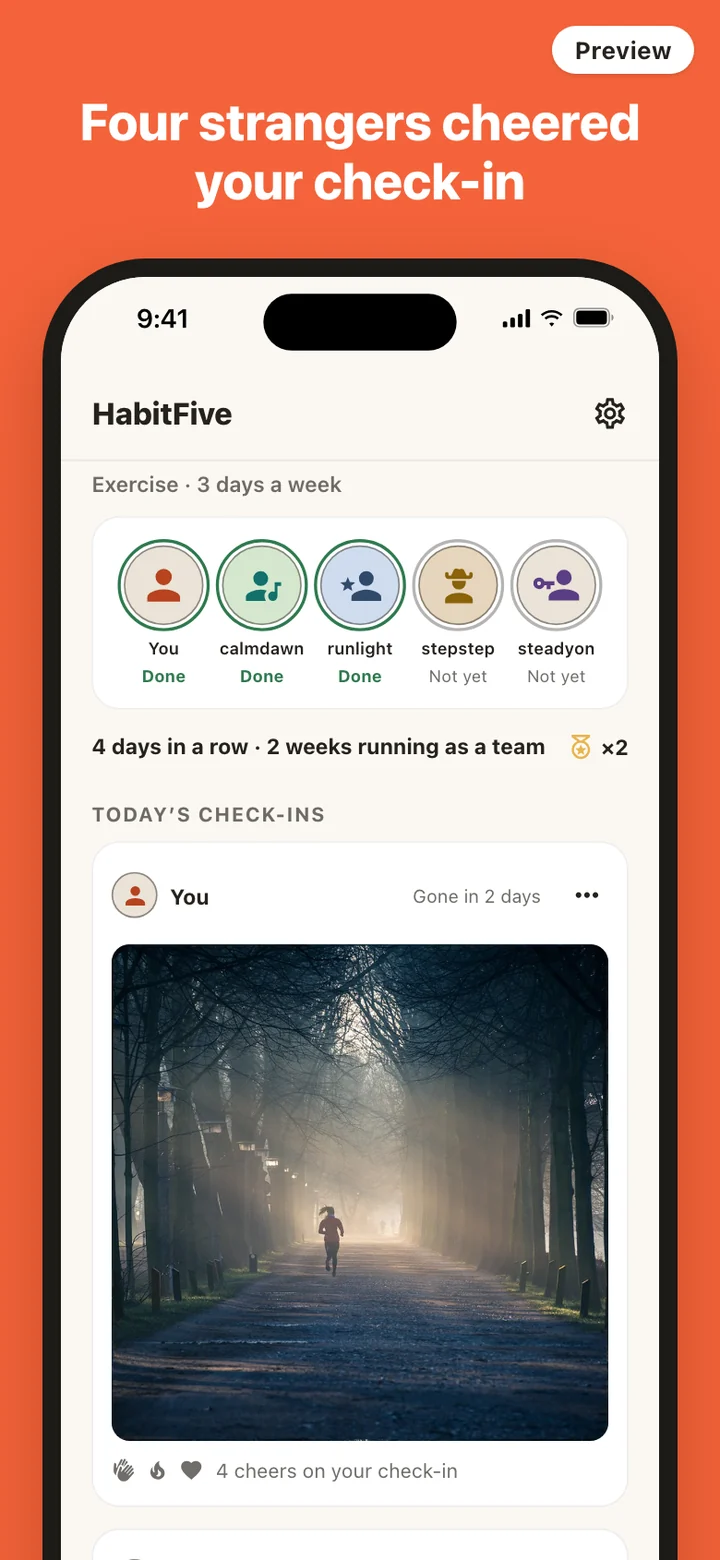
The home screen is the team board. Across the top sit five slots, one per person, each marked Done or Not yet for today. Below that you see your own streak in days and the team's streak in weeks, then today's check-in cards. Until you post, one button waits for you: Check in today.
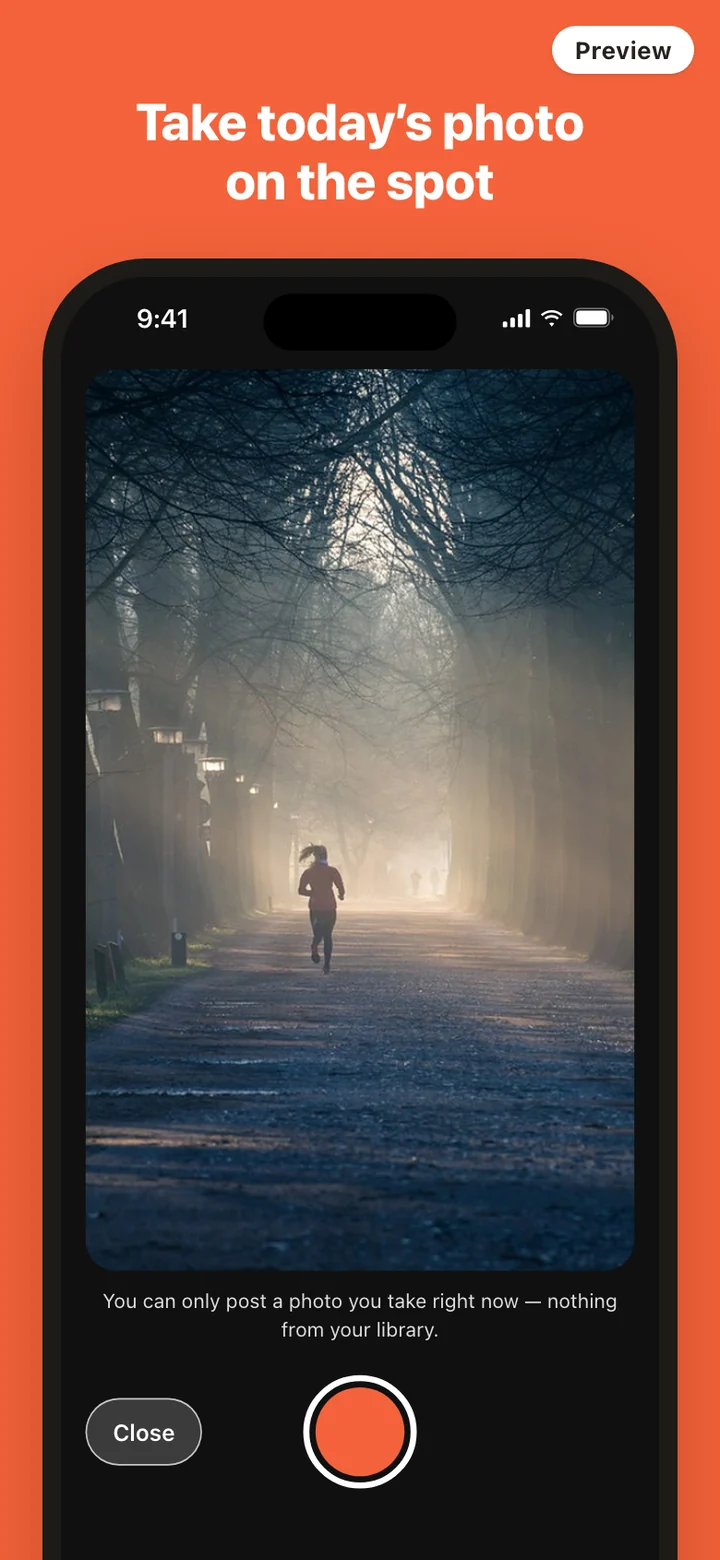
Tapping it opens the camera. Take the shot, look at it, retake it if you like, then post. Your card appears for the whole team right away. Their cards carry a row of six cheers: applause, fire, strength, a heart, a star for nailing it, and congratulations. One tap sends one. Tap it again to take it back, or tap another to switch. You cannot cheer your own check-in.
A daily reminder arrives at a time you choose (7 AM, 9 AM, noon, 7 PM, 9 PM, or another hour you set) and skips itself on days you have already checked in.
Cheers instead of chat
There is no chat, no comment box, and no caption on photos. The only thing you can type anywhere in HabitFive is your nickname, and it is filtered for slurs and for names that pretend to be staff. That is on purpose. Strangers do not need to talk to keep each other going. They need a reason to open the app each day and a way to say they saw your effort, and a preset cheer does that in one tap without giving anyone room to be unkind.
Cheers you receive collect on your own card. You see which kinds arrived and a plain count, and once your check-in has any, it moves to the top of the list so it is the first thing you see when you come back.
When the whole team makes the week
Each member has their own weekly goal. At the start of every week, counted in the team's time zone, HabitFive checks whether everyone on the team reached theirs the week before. If they did, the team streak goes up by one and the team earns a badge, and the next time you open the app the screen fills with falling color and the words You all made it! If anyone fell short, the team streak goes back to zero and the new week starts clean.
Badges stay on the board next to your streaks, so a team that has made it three weeks running can see it every morning.
Photos, safety, and what it leaves out
Check-in photos have no public feed. The server hands a photo only to members of that team, through a link that expires within minutes, and deletes the file 48 hours after it was posted. You can delete your own photo sooner from the menu on your card. If a teammate's photo is not okay, report it from the menu on theirs: it is hidden from the team immediately, and reports are reviewed within 24 hours. You can also block a teammate, which removes their photos from your board. Accounts whose photos keep getting hidden are left out of future matching.
You sign in with Apple or Google so that every team is made of real accounts, and you can look around the app before signing in. Teammates see only your nickname and character. Deleting your account in Settings removes your check-in photos right away. HabitFive does not judge whether a photo counts, does not show you to anyone outside your team, and runs one habit at a time. Switching means quitting the current habit in Settings, which leaves the team and ends that streak.