The answer is already stamped on the card
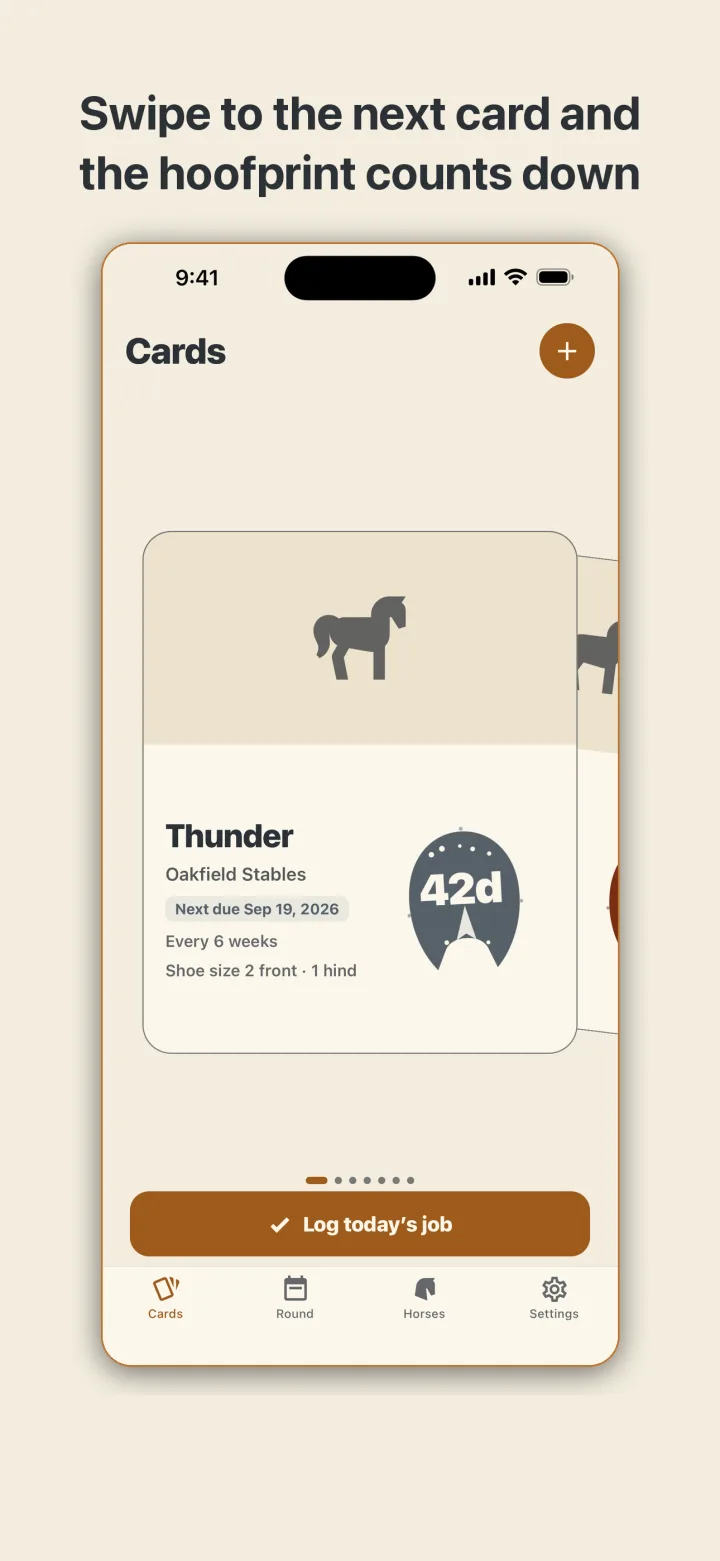
It is Tuesday, you are at the second barn of the day, and the owner asks when the grey was last done. That used to mean a notebook with a bent cover. In HoofBook you pull the grey's card and the answer is on it. Every horse has a card with a photo, the barn it lives at, front and hind sizes, and the cycle you keep it on. Flip through the deck and a hoofprint lands on each card with the number of days until the next visit inside the print. Overdue, close, or comfortable can be read from across the aisle.
Three taps at the end of a job
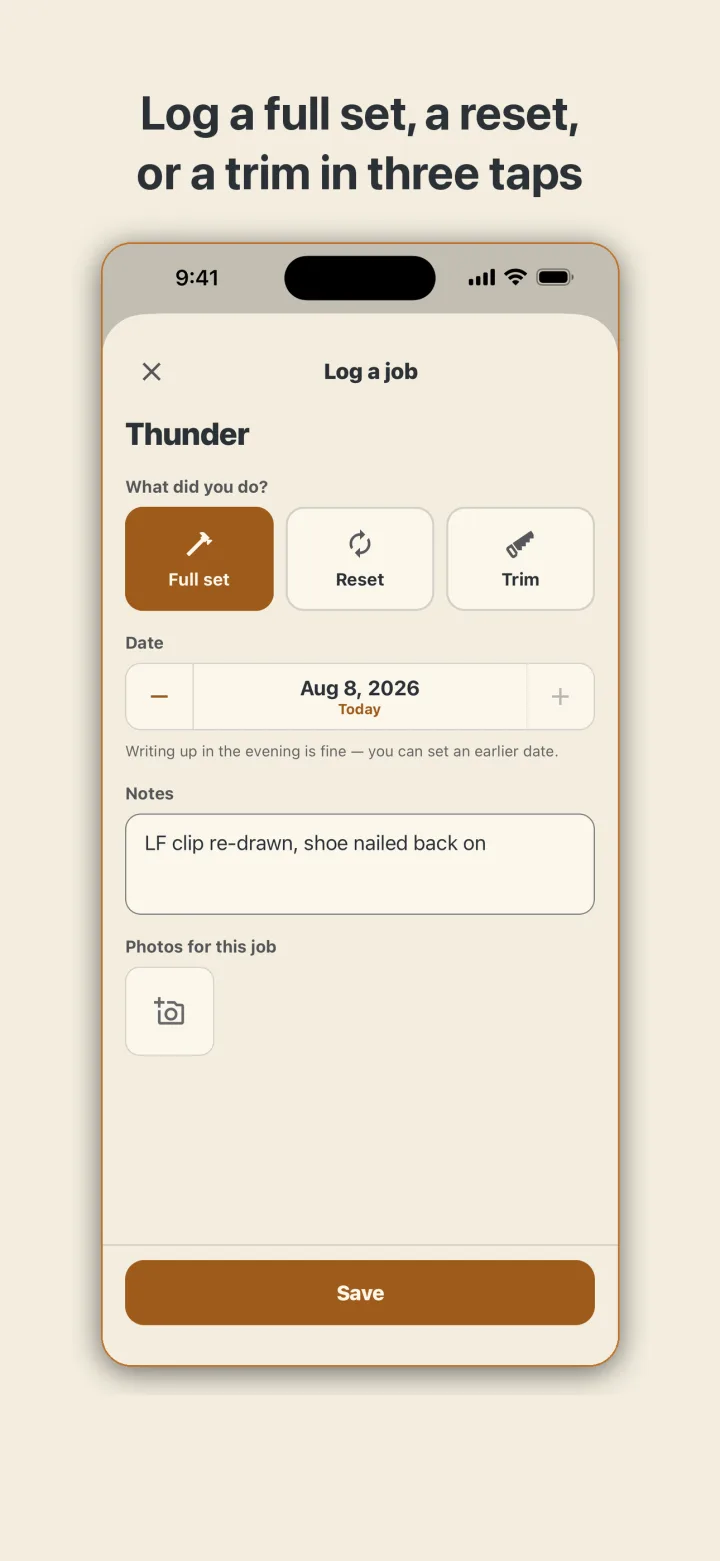
When you finish a horse, you log it the way you would say it out loud: full set, reset, or trim. Add a note if there is one and a photo or two of the feet. Save, and the next due date starts counting from today rather than from whatever the old date was. The stamp lands again with the new number.
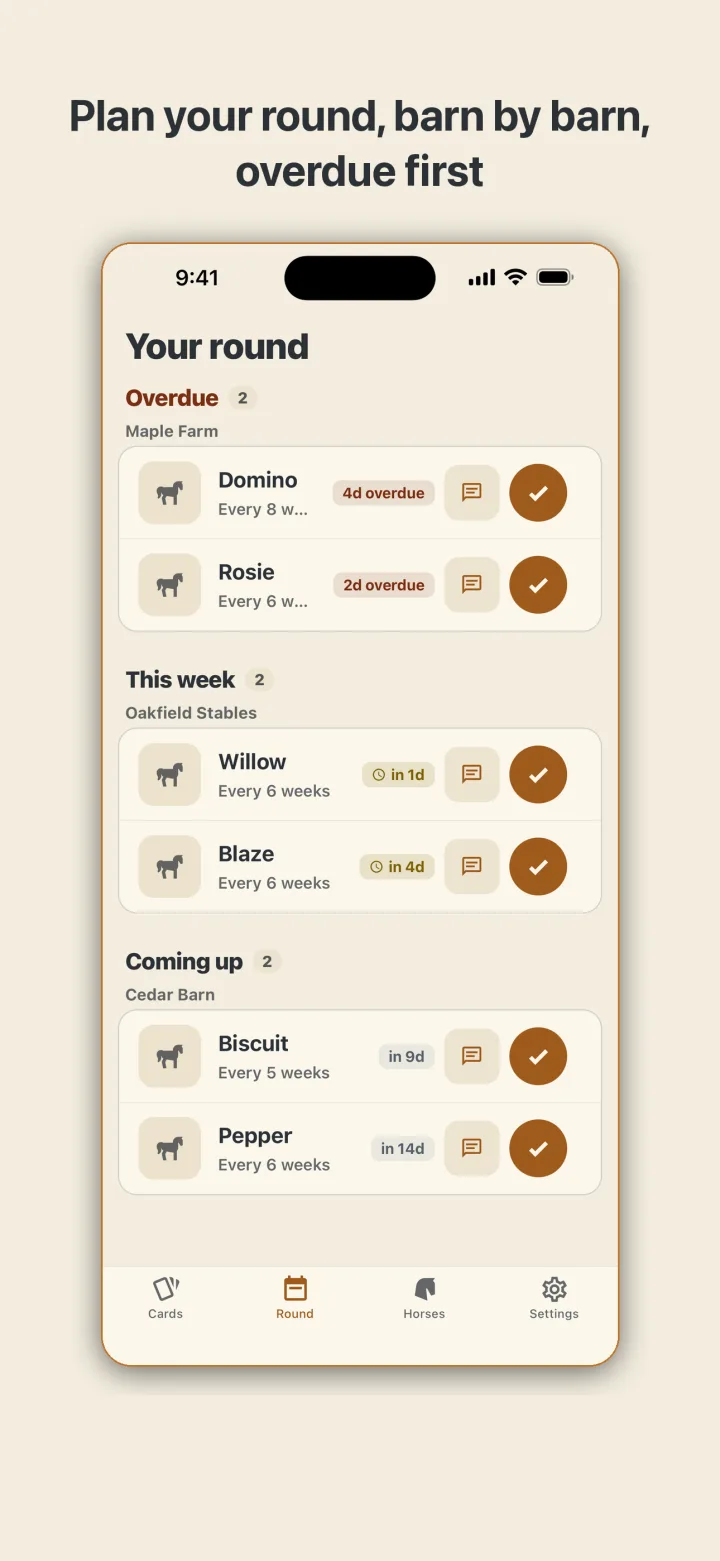
Running behind is part of the trade. Owners move dates, weather cancels a morning, a horse throws a shoe. A late horse keeps its original due date and simply shows how far past it you are. Nothing turns red, nothing pulses, and nothing scolds. The week view sorts your horses into overdue, this week, and coming up, grouped by barn, because that is how a round is planned in real life.
Photos that show an owner six months of work
The photos you take at each visit collect under the horse, oldest first. Pull any two side by side when you want to show an owner what regular work over six months looks like. HoofBook keeps the pictures and the dates. What they mean is your call, not the app's. It does not diagnose, treat, or analyze a foot.
Reaching owners without giving away the book
Reaching an owner is one tap to call or text. The text is drafted for you in the language you choose for that owner, separate from the language you run the app in, and you press send yourself. It never includes sizes or notes. The one reminder you get each morning is a count of horses due and overdue this week, with no names, no barns, and no owners, because other people can see your lock screen too.
Built for a barn with no signal
Everything lives on the phone. Barns rarely have a signal and HoofBook does not need one. There is no account to make and no server to reach. Text stays readable in direct sun, the buttons are sized for gloves, and the system Larger Text and Reduce Motion settings are honored.
Your book is yours. Export the roster and the full visit history as CSV, take a complete JSON backup, or bring in the spreadsheet you keep today. Delete everything, photos included, whenever you like. If you ever stop using HoofBook, the file you exported still opens.