Where ink records usually live
People who rotate fountain pen inks tend to keep track in three places at once: a box or ring of swatch cards, a spreadsheet or notes file listing bottles and samples, and a mental note of which pen holds which ink. Each of these works well at the desk where it lives.
The gaps show up everywhere else. You pick up a pen that has been in a case for three weeks and cannot remember what is in it or when you filled it. You stand in a shop holding a bottle of blue and cannot tell whether it would be your fourth blue or your seventh. InkRota puts the drawer, the pens and the fill dates on the phone you already carry.
A swatch that behaves like ink
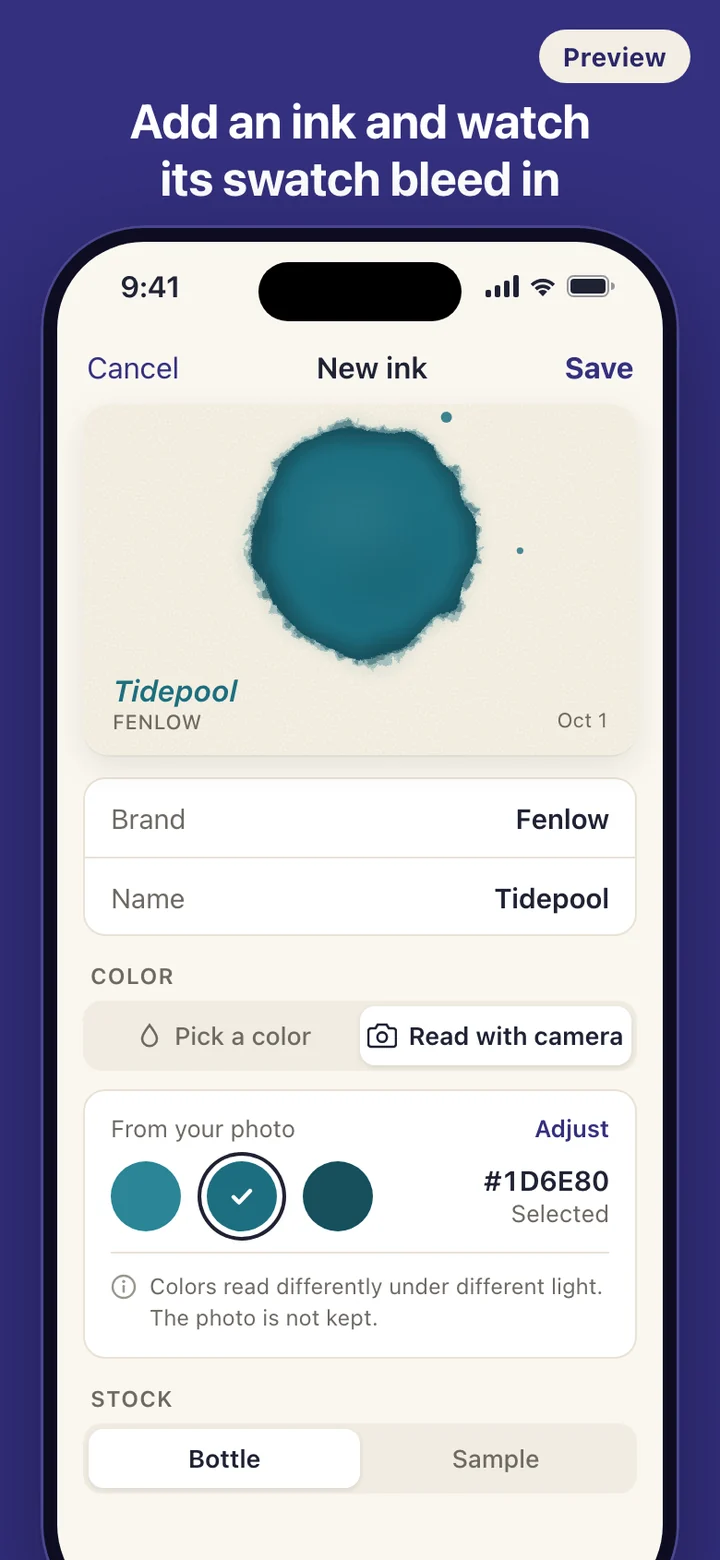
Adding an ink takes a brand, a name and a color. Brands you have used recently come back as shortcuts, so the fifth ink from the same maker is quick. For the color you can drag a picker, start from a palette of classic families such as blue-black, sepia and iron gall, or read it with the camera. The picker is a full path on its own, not a fallback.
When you confirm, a drop lands in the middle of a cream paper card and spreads outward with an uneven edge, the way ink does when paper takes it up. Fine tendrils feather out along the fibers, the spreading slows, and the rim settles a shade darker as it dries. Your very first ink gets a slightly bigger version of this.
After that the swatch stays still. There is no looping animation, no pulsing and no invented shimmer: the color is the one you chose, and the shape comes from a seed stored with that ink. The same card appears in the drawer grid, on the detail page and after you restore a backup on another phone.
Reading a color with the camera
Next to the picker sits an equal option to read the color from a photo of a bottle label, a writing sample or a swatch card you made by hand. InkRota samples the middle of the image on the phone itself, offers two or three candidate colors, and lets you tap one and fine-tune it with the picker. The photo is discarded as soon as the color is read and is never stored.
Light changes color, so a desk lamp at night and a window at noon will give different readings, and the screen says so. The camera does not identify inks or look them up anywhere; it only suggests a starting color. If you decline camera access, or the reading looks wrong, you carry on with the picker and nothing else changes.
Pens, fill dates and the drying signal
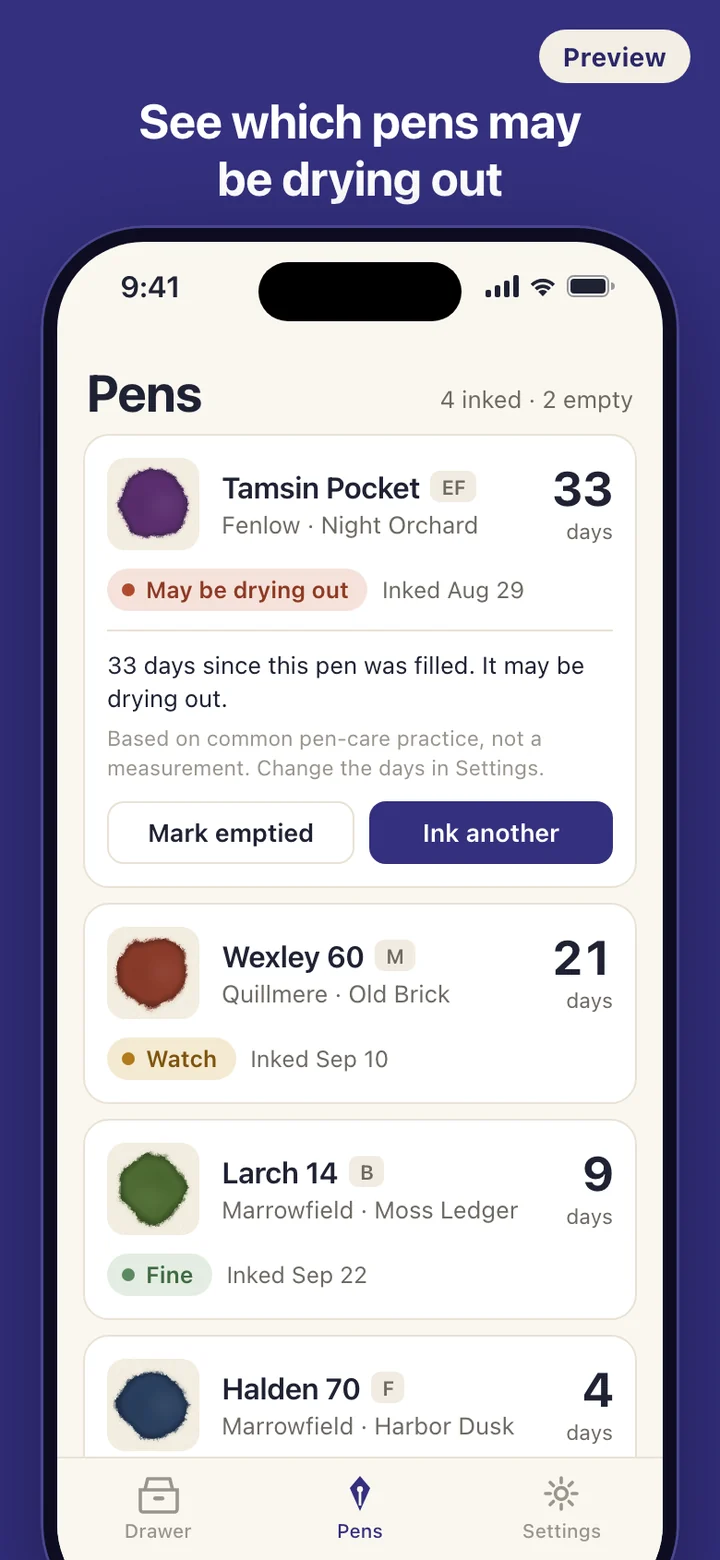
Each pen gets a model name, a nib size from EF to BB or your own label, and an optional note. To ink one, you pick a swatch from the drawer and a fill date, which defaults to today but can be any earlier day. A pen holds one ink at a time. Filling a pen that already has ink asks once, then logs the old ink as emptied and starts the new one. Emptying a pen for cleaning is its own entry with its own date.
The Pens tab opens with the pens that have ink in them: swatch, ink name, fill date and a day count. As the days add up, the signal moves from fine to watch to may be drying out. The thresholds follow common pen-care practice and can be changed in Settings, because a screw-cap piston filler and a snap-cap cartridge pen do not dry at the same rate. If you turn on reminders, the phone tells you when a pen reaches the watch stage, and the lock screen only says that a pen has been resting a while, never which pen or which ink.
Bottles, samples and the long view
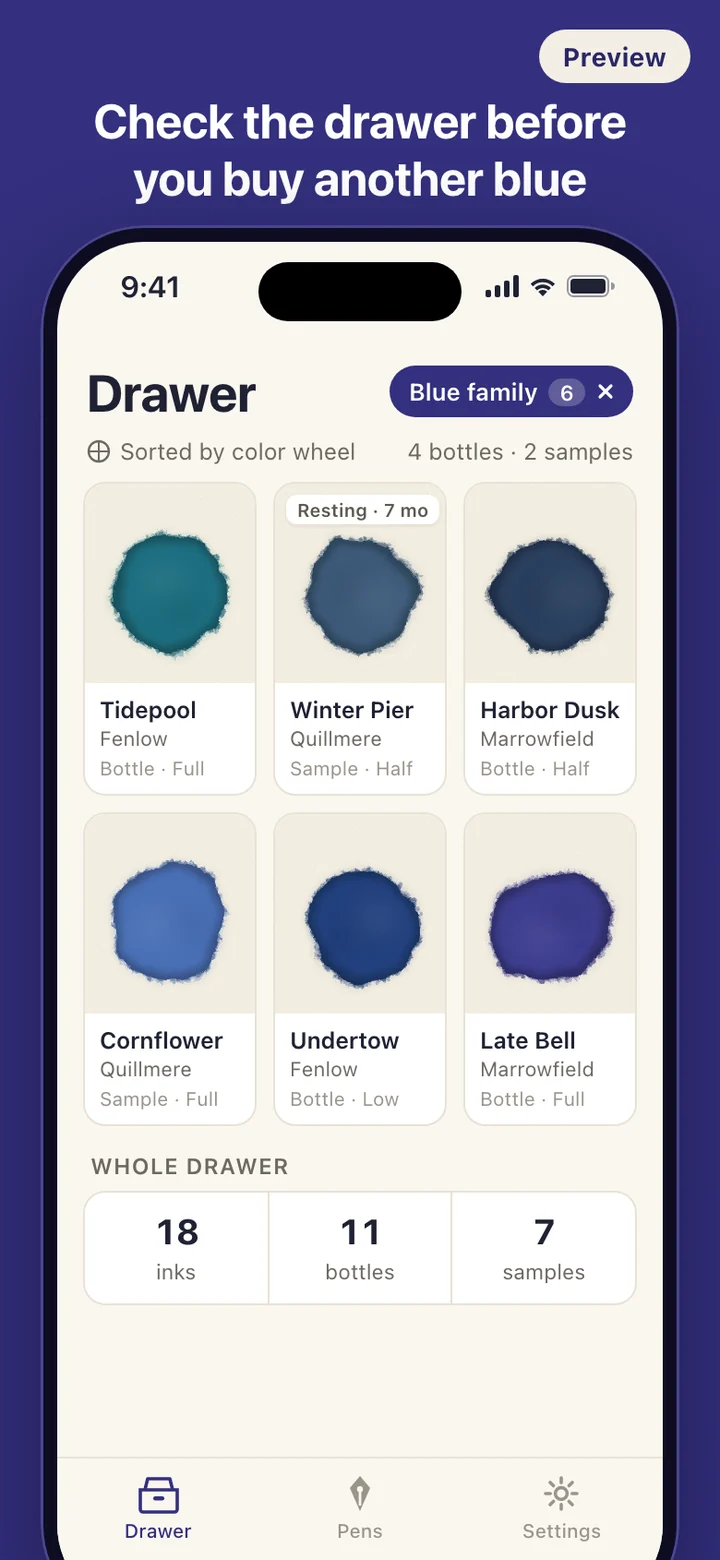
Every ink records whether you own it as a bottle or a sample, how many you have, and whether it is full, half or nearly out. The drawer shows plain counts of inks, bottles and samples. Color families are worked out from the color itself, so filtering down to your blues or browns needs no tagging.
Open any ink and you see its history: which pens it went into, when, and when it came out again. Inks that have not been in a pen for months get a Resting tag in the drawer, which is often all it takes to choose what goes into the next empty pen. There are no streaks, goals or badges, and nothing pushes you to buy more.
What InkRota leaves out
InkRota is a record of your own fountain pen inks and pens. It does not tell you which ink is in a photo, rate inks, or give cleaning instructions for iron gall or pigmented inks. There is no community feed, no public profile and no comparing collections. You add inks and pens yourself.
There is no account and no server. The app makes no network requests, and the only permissions it asks for are the camera, when you tap to read a color, and notifications, when you turn on reminders. You can export everything, including each swatch's shape, to a JSON file through the share sheet and restore it on a new phone, and Settings has one option to delete all data. Every record, from an ink's color to a fill date, can be edited later; changing an ink's color keeps its swatch shape.