A card for the week you are in
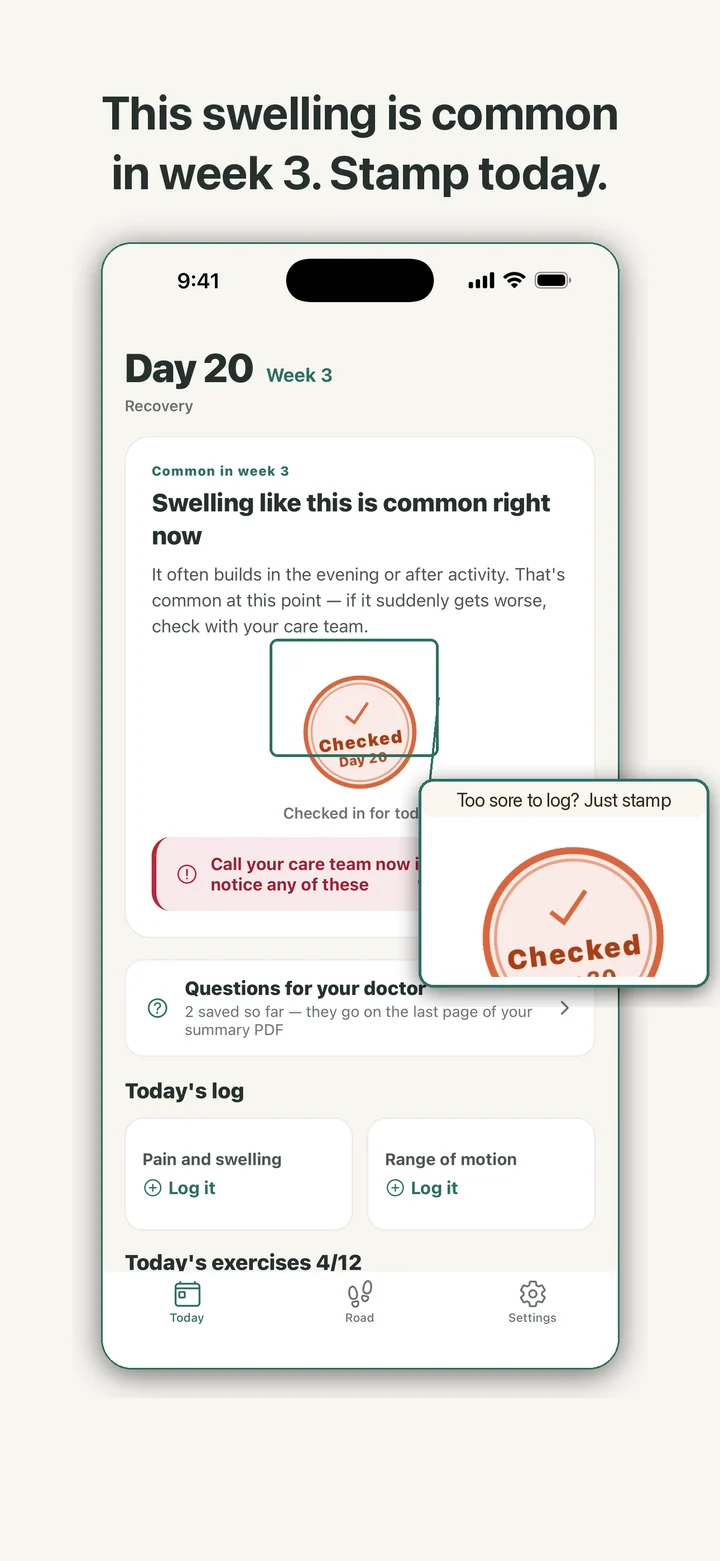
Three weeks after a joint replacement, it is easy to lie awake wondering whether the swelling is supposed to look like this. JointRoad puts a card on the home screen for that moment. It is labeled with the day and week since surgery and describes what public patient guides say is common around that point. The card changes as the weeks move on, and the knee and the hip each have their own set.
The card talks about the week, not about you. JointRoad never reads your entries to decide whether something is fine, and it has no symptom checker. Every card carries one line that opens a fixed list of warning signs worth calling your care team about, with a button that dials the emergency number for the region your phone is set to. The list is the same for everyone and says plainly that it is not a diagnosis.
The stamp is the one piece of ceremony. It lands with a press, a small spread of ink, and a haptic tap, and the very first stamp gets a bigger one. If Reduce Motion is on, it simply fades in.
Logging with one hand
Pain is a grid of numbers from 0 to 10. Swelling and bruising are None, A little, or A lot, and a note is optional. Log as many times a day as you like: the last entry counts for that day, the earlier ones stay in the history, and any entry can be deleted.
Range of motion is copied in, not measured. For a knee you enter how far it bends and how far it is from straight; for a hip, how far it bends and the walking aid you are using, from walker to crutches to cane to no aid. The app does not use the camera and does not measure anything.
Each week also brings a checklist of exercises and everyday tasks you can tick off, and you can add your own. If your physical therapist gave you a program, that comes first; the list is only for keeping track. Saving any entry stamps the day for you.
Before surgery and after week 12
If surgery is still ahead, enter the scheduled date. Home counts down the days, and from two weeks out a prep list fills in: clearing tripping hazards, moving everyday things within reach, practicing with a walking aid, lining up help, and rereading the hospital's instructions. With reminders on, the day before surgery brings a prep reminder instead of the usual one.
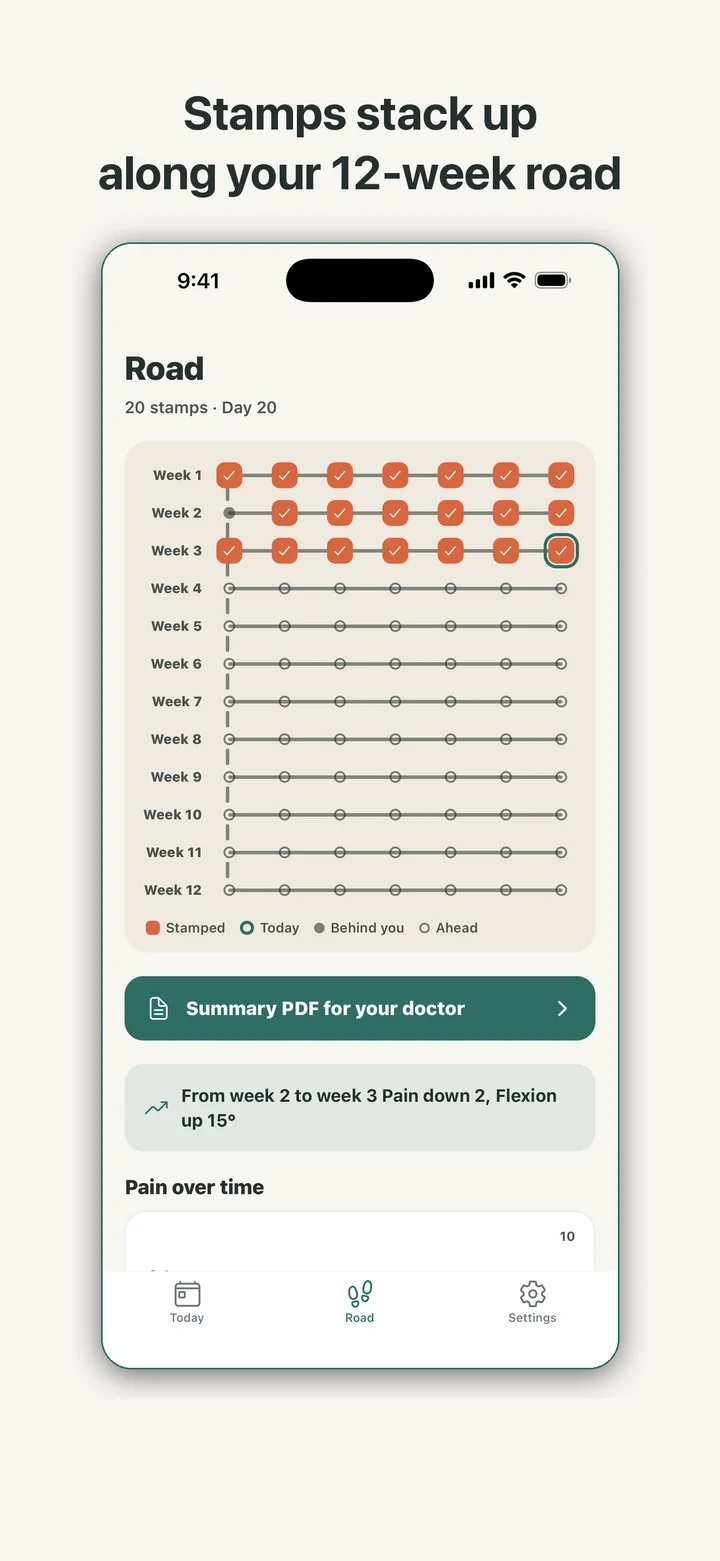
When the 84 days are up, the card says the 12 weeks are done. Logging keeps working for as long as you want it, and the summary PDF can still cover the whole stretch.
Questions for your doctor
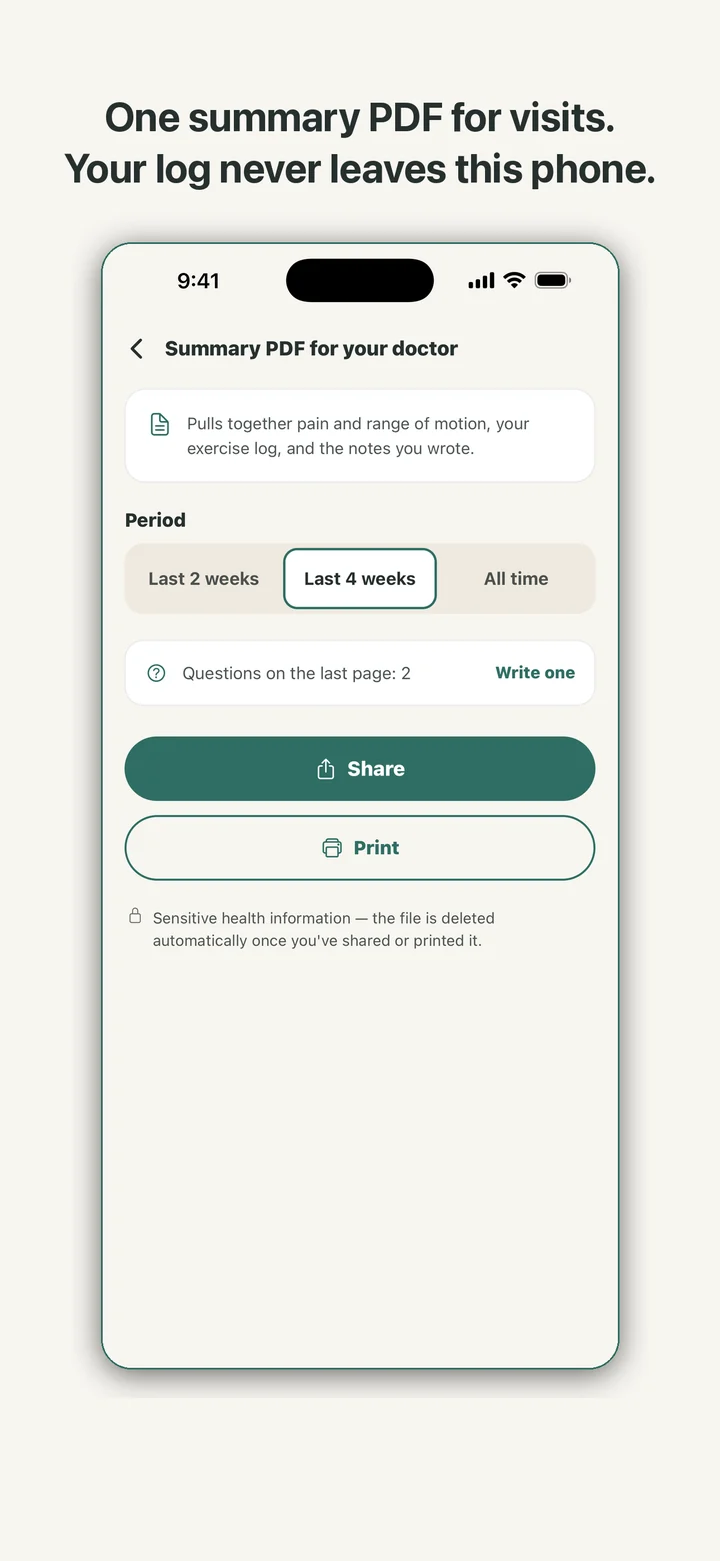
Appointments are short, and the question you had at 2 a.m. is easy to lose by the time you are in the room. JointRoad keeps a separate list for those. Write a question, up to 200 characters, and it goes onto the last page of the summary PDF with an empty checkbox beside it.
Mark one I asked this and it drops out of the next PDF; move it back if you need to, or delete it. The app does not answer any of them. The answers come from your care team, and the screen says so.
What stays on the phone
There is no account and no server. JointRoad makes no network requests and carries no analytics SDK, so your pain entries and surgery date are stored only on the device.
The PDF is built on the phone when you ask for it. Before it is shared or printed, a prompt reminds you that it holds sensitive health details, and the file is deleted afterwards. Erase everything in Settings clears every log, stamp, question, reminder setting, and your surgery details in one step, after a confirmation.
The daily reminder is optional and comes at a time you pick, 8 p.m. unless you change it. Notification permission is asked only when you switch it on, and the text never mentions surgery or pain, because a lock screen is visible to anyone nearby.
What it is not
JointRoad is a recovery journal, not medical advice. It does not diagnose, treat, or measure anything, and it does not replace your surgeon, physical therapist, or care team. If something worries you, call them.
The cover of every summary PDF says the same thing in print: the pages hold entries the patient recorded in the app, and they are not a medical record.