Legacy planning · for people writing down what their family would need to know

LastBinderFamily emergency binder

LastBinder is a family emergency binder for people who want to write down the things their family would need to know if they were not there to tell them. It asks 35 questions across 8 topics, from who to call first to where the documents are kept, and each answer adds a page to a binder that visibly thickens on the home screen. The result is one PDF with a cover, a table of contents, your answers, and a guide to what your family can take care of in the first week, month, and six months. You never enter passwords or account numbers, and nothing you write leaves the phone.

  • Free
  • No ads
  • No account
  • Works offline
  • 45 languages
  • App lock
Get it onGoogle Play

Three moments

01

Fill one page, watch the binder thicken

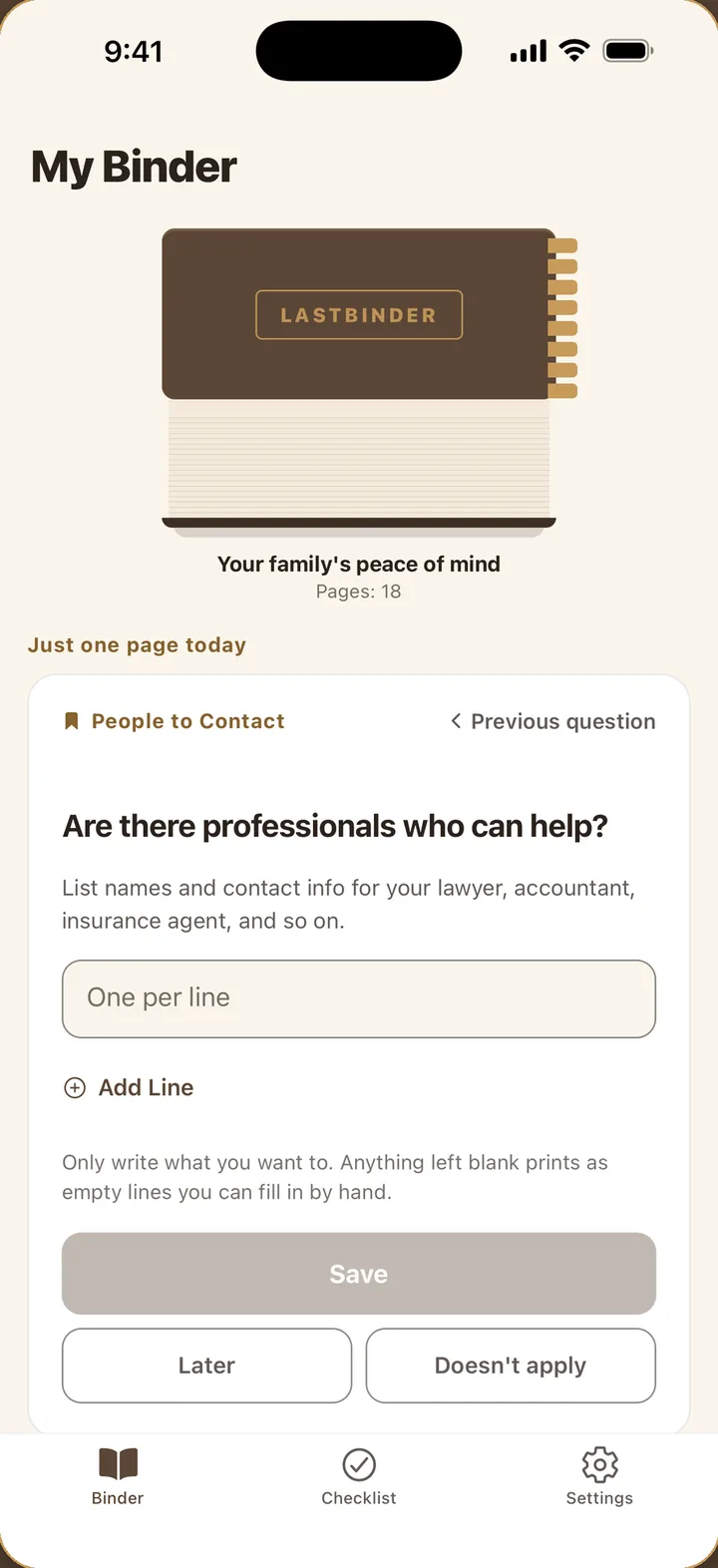
The home screen is the binder itself, with section tabs that multiply as you answer. Below it sits one question for today: who to contact, where your documents are, banks and insurance, monthly bills, phone and online accounts, care and funeral wishes, and a few words of your own. Tap Later if you are unsure, or Doesn't apply to move on.

02

A copy for each person

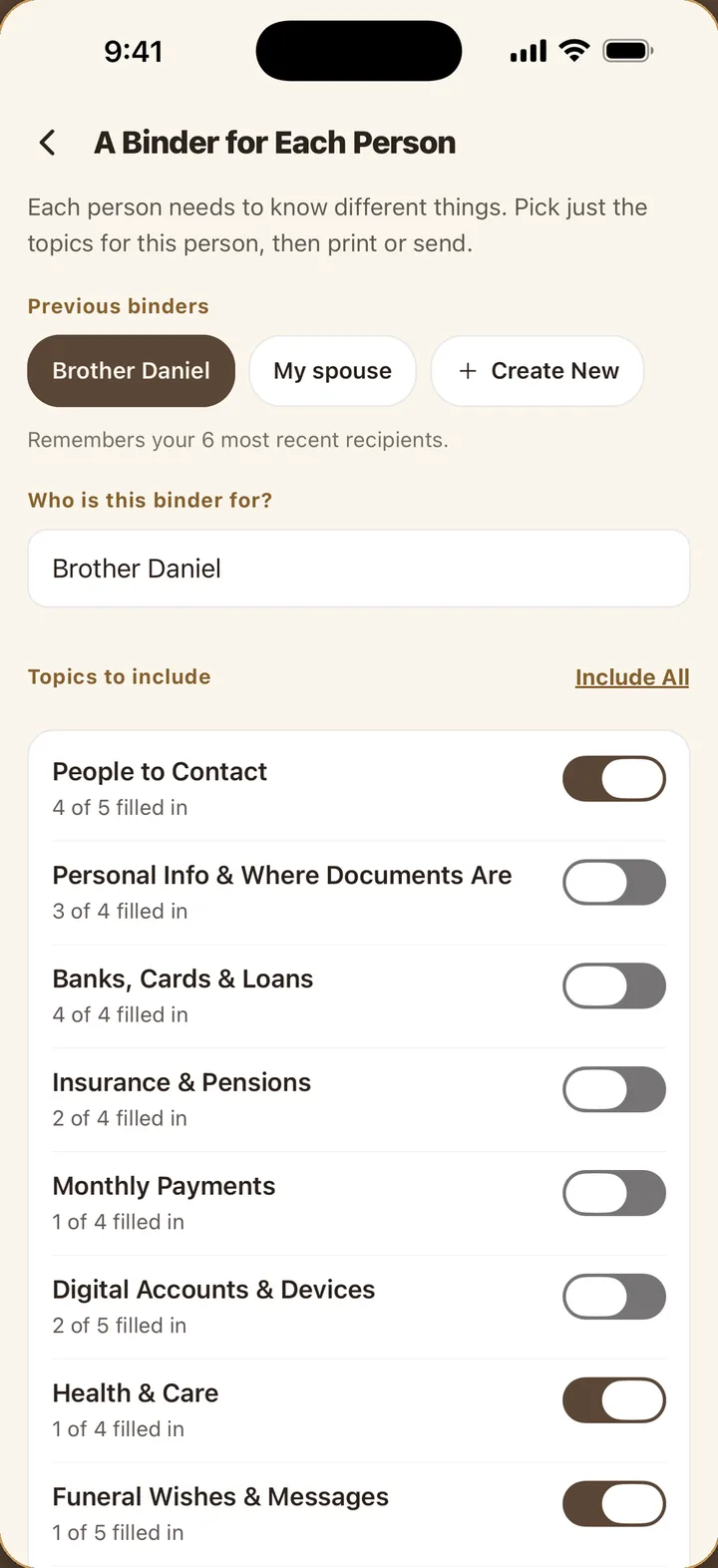
Give your spouse everything, your brother just contacts and health notes, an old friend only your funeral wishes and a message. Pick the topics for each recipient and LastBinder makes a binder with their name on the cover. Each setup is saved, so when something changes you update once and print the same set again.

03

A checklist in the right order

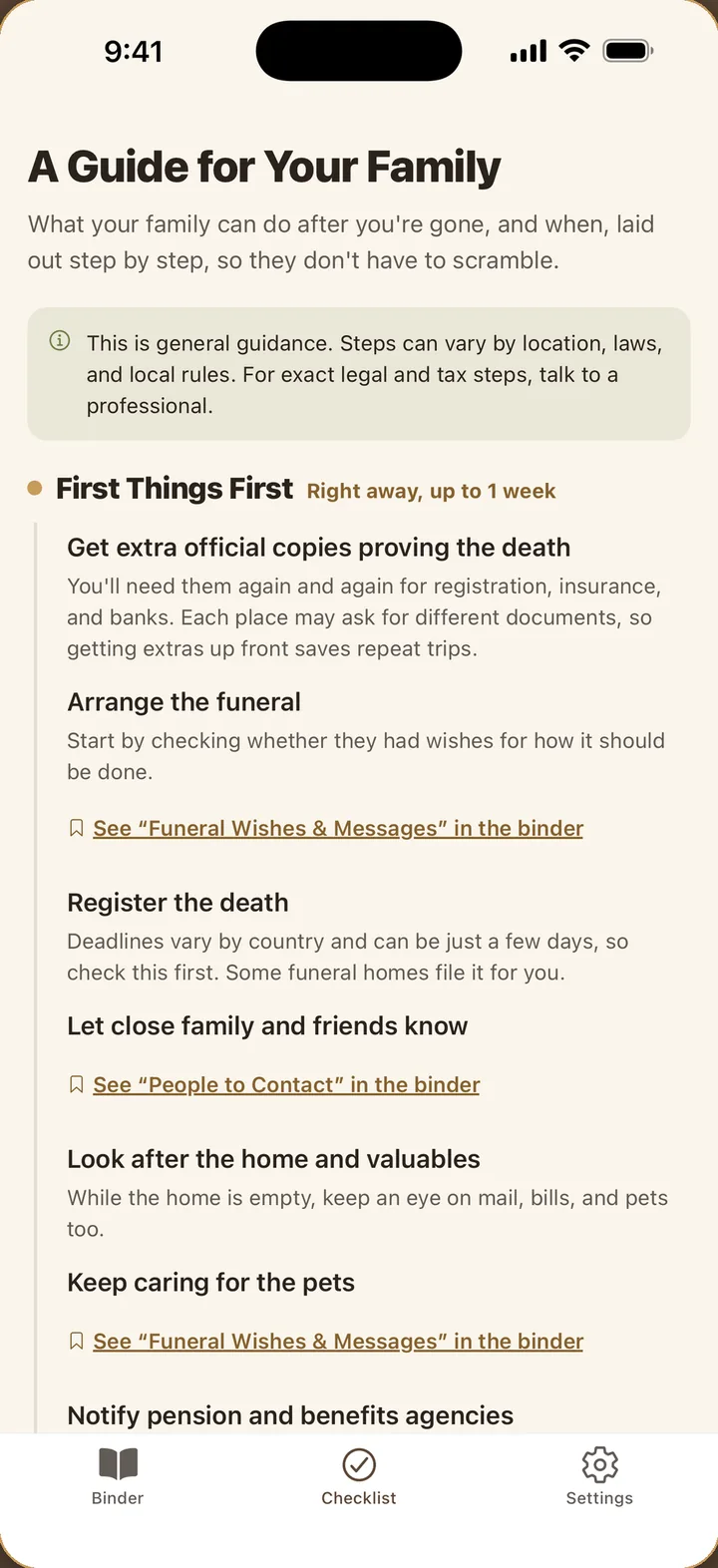
The Checklist tab is for the people you leave it to. Time-sensitive tasks come first: extra copies of the death certificate, arranging the funeral, registering the death, notifying pension and benefit offices. Each item points to the part of the binder that helps with it, and the tab is printed into the PDF as its own chapter.

Where things are, not what they unlock

The binder never asks for a password, a PIN, or a full account number, and the questions say so on the page. You note that the mortgage is with a certain bank, that the safe deposit box key is in the second drawer, that the life insurance policy is in the blue folder. That is enough for your family to find them, and it means the binder is not a document that empties an account if it is lost.

Print it before it is finished

Everything comes together as one PDF: a cover, a table of contents, the 8 topics, and the guide for the first week, month, and six months. Blank fields print as lines to fill in by hand, so you can print at any point, even after the first few answers, and hand a physical binder to someone you trust. Update it later and print the same set again.

Kept on this phone, behind your lock

There is no sign-up, no login, and no server, and LastBinder uploads nothing you write. It only leaves the phone when you print or share it yourself. Lock the app with your fingerprint, face, or screen lock. Reminders to keep writing use gentle, everyday wording, and Settings erases everything whenever you decide.

Built for the age it is written at

Many people start a binder in their fifties and sixties, often at the prompting of their children. Dark mode, larger text, reduced motion, and screen readers follow the phone's settings. The questions are short, one to a page, and there is no wrong order; the binder is as complete as the pages you have filled.

Frequently asked questions

Is this a will?

No. It is a binder of practical information for your family. It does not create or replace a will, an advance directive, or any legal document.

Should I write my passwords in it?

No, and the app tells you not to. Note where things are kept, not how to open them.

Can I print only some topics for one person?

Yes. Create a recipient, switch on the topics they should have, and the PDF carries their name. The selection is saved for reprinting.

Can I print it before I have answered everything?

Yes. Unanswered fields print as blank lines to fill in by hand.

Where is my binder stored?

Only on your phone. There is no account and no server. It leaves the device only when you print or share it.

Is it free?

Yes. No ads and no in-app purchases.

Get LastBinder

Pick the channel you use.

Get it onGoogle Play