The paperwork behind a lockout
Most mobile locksmiths keep the customer record one of three ways: a carbon-copy work order book on the passenger seat, a generic invoice app, or a photo of the customer's license in the camera roll between family pictures. Each covers part of the job. The book has a signature line but cannot be searched when someone asks about a job from last spring. The invoice app makes a tidy bill but has no place for a date of birth, an ID number or a VIN. And a driver's license photo is exactly the kind of file that should not sync to a shared family album.
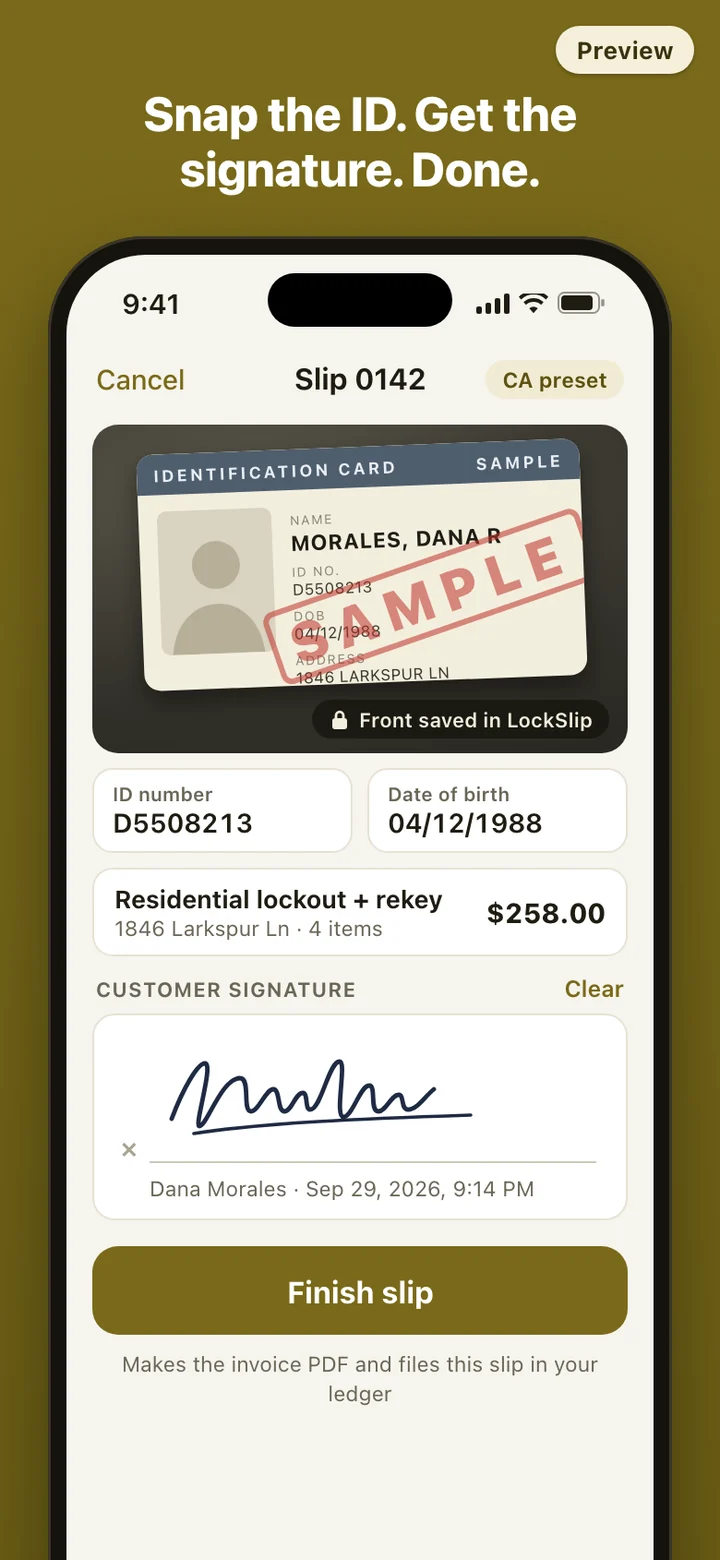
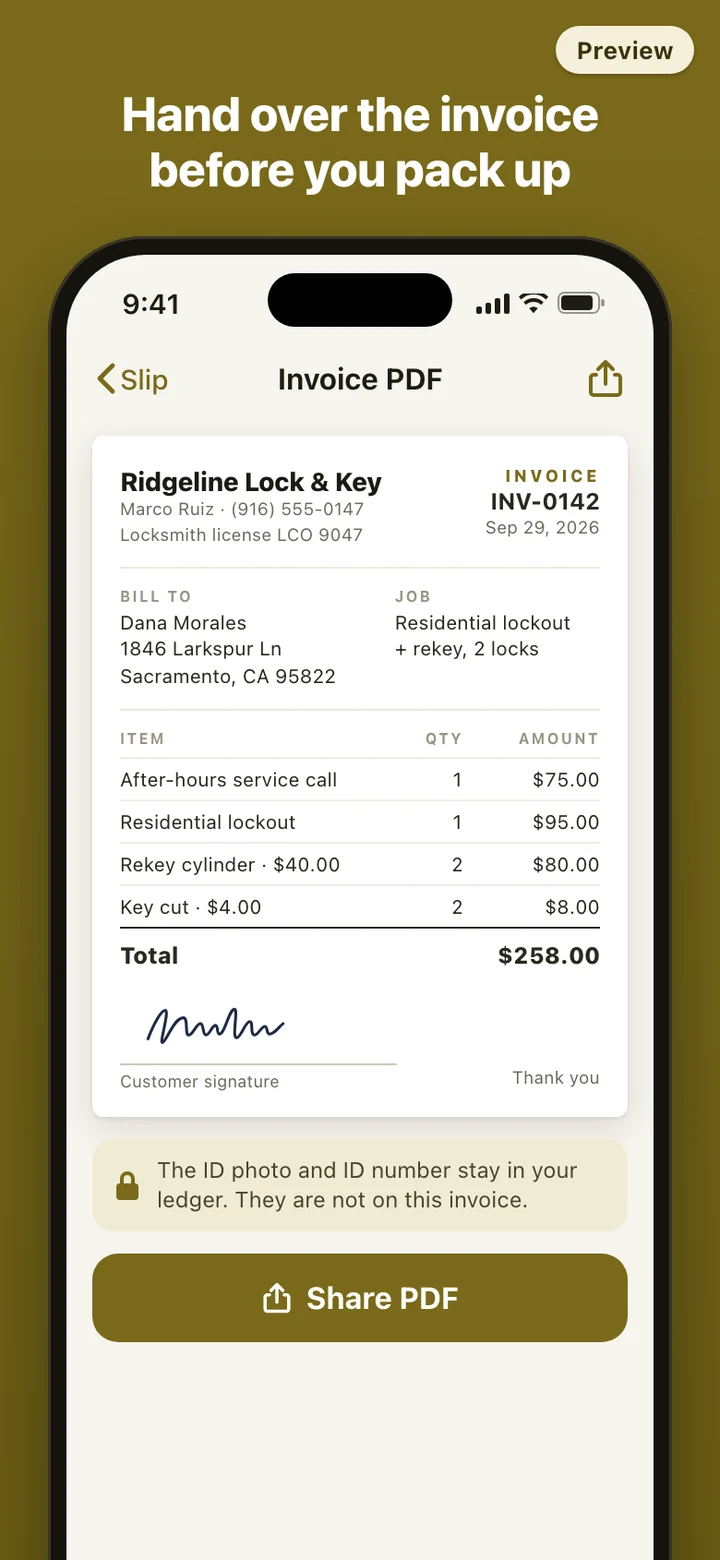
LockSlip puts those pieces on one slip. The customer details, the ID photo, the job, the price and the signature are captured together, and the same slip produces the bill the customer keeps and the record you keep.
What California and Texas ask for
California spells out the record in its statutes. Penal Code section 466.8 covers making a key to a home or business by inspecting the lock on site, and Business and Professions Code section 6980.55 covers a locksmith opening a home or business. Both ask for the customer's name, address, telephone number, date of birth and driver's license or ID number on a work order, with the street address and the customer's signature. For a key that operates a vehicle's ignition, Penal Code section 466.6 asks for the same customer details plus the registration number, plate, year, make, model, color and VIN. Each work order is kept for two years, carries the locksmith's name and license number (section 6980.53), and is open to inspection by any peace officer or the bureau during business hours, or submitted to the bureau on request.
Texas Occupations Code section 1702.2865 works differently. A locksmith may not perform services for a customer seeking entry to a structure, vehicle or other property unless, in the course of the transaction, the customer shows a government-issued ID and provides a signed authorization stating that they own the property or are otherwise entitled to legal access to it. Cases of imminent threat to a person or property are exempt.
LockSlip has a preset for each state. The California preset puts the fields above on the slip and prints your name and license number on every record. The Texas preset puts the ownership statement right above the signature box. Choose Other and you get a general work order with the same ID photo, signature and ledger, without any state wording.
A night call, start to finish
The phone rings at 9 p.m.: a homeowner is locked out and wants the locks rekeyed while you are there. You start a slip in the driveway, pick Residential lockout and Rekey, and type the address. No signal is needed, so a basement garage or a rural road does not matter.
You photograph the front of the customer's ID, type the ID number and date of birth, add the service call, the labor and two keys, and hand over the phone for a signature. Tap Finish, share the invoice by text, and the slip is in the ledger before you are back in the van.
Where the ID photos live
ID photos are taken inside the app and kept in the app's own storage on your phone. They are not saved to your photo library and not uploaded anywhere, because LockSlip has no server and no account. You can put the app behind your phone's face, fingerprint or passcode lock.
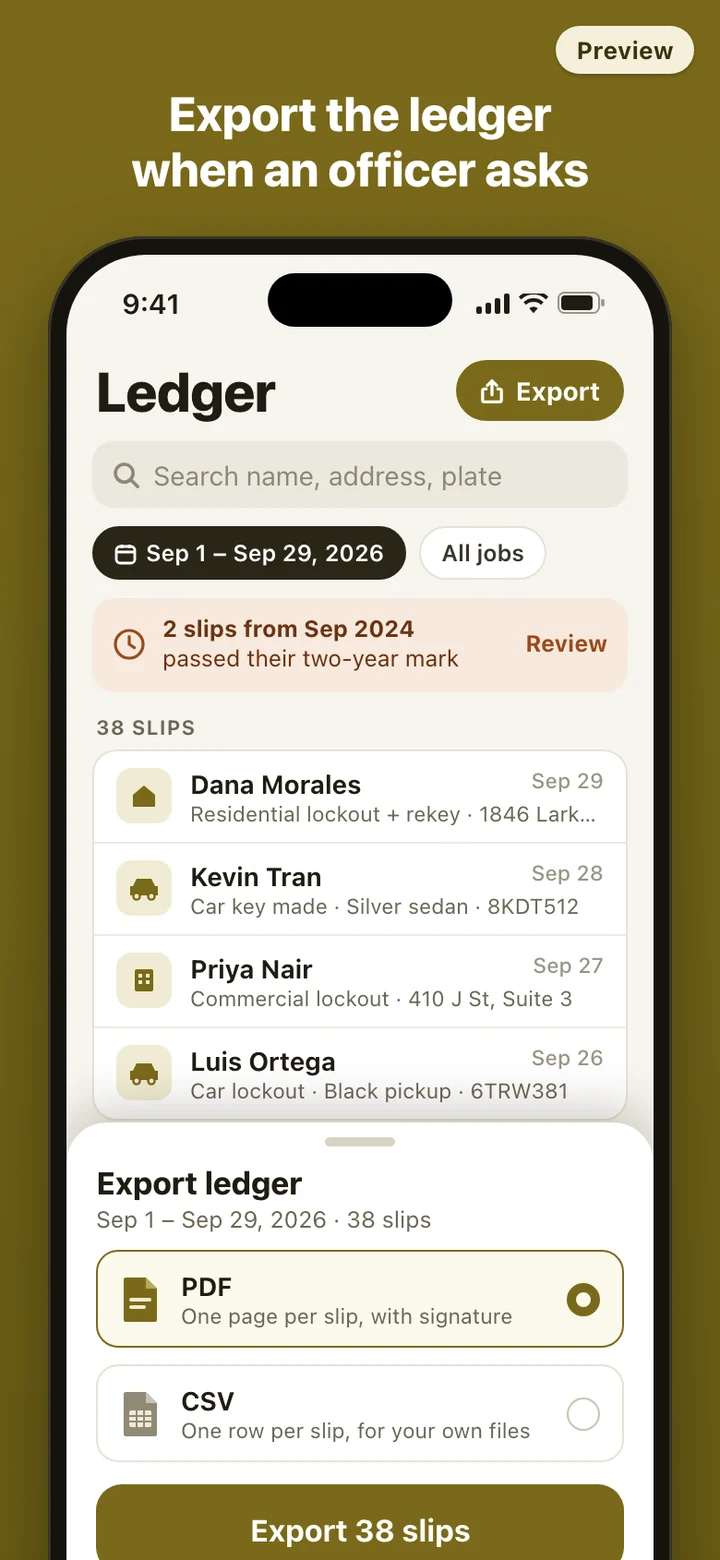
The flip side: your phone holds the only copy until you export it. Exporting the ledger to wherever you keep business records is your backup, and it is worth doing on a schedule. Each slip also carries a two-year reminder, the California retention period, so old ID photos do not pile up unnoticed.
What it deliberately leaves out
LockSlip is a work order and records tool, not a dispatch board. There is no job scheduling, no GPS tracking of technicians, no card payment processing and no customer database synced between phones. It does not read or check IDs either: the photo is a record of what the customer showed you, and judging whether the ID matches the person and the address is still your call at the door.
LockSlip is a record-keeping tool. It does not give legal advice and does not decide whether a job, a customer or an ID meets your state's requirements. Locksmith rules differ from state to state and change over time, and following them where you work is your responsibility. Check with your state licensing agency when you are unsure what you must record.