Why one page
Headache doctors ask for a diary because memory is a poor counter. The American Migraine Foundation points out that many people underestimate their headache days, because they remember the really bad ones and discount the rest. A diary fixes the count, but only if somebody can read it. The same foundation's advice is that a journal is useful when your doctor can review it quickly and understand it clearly.
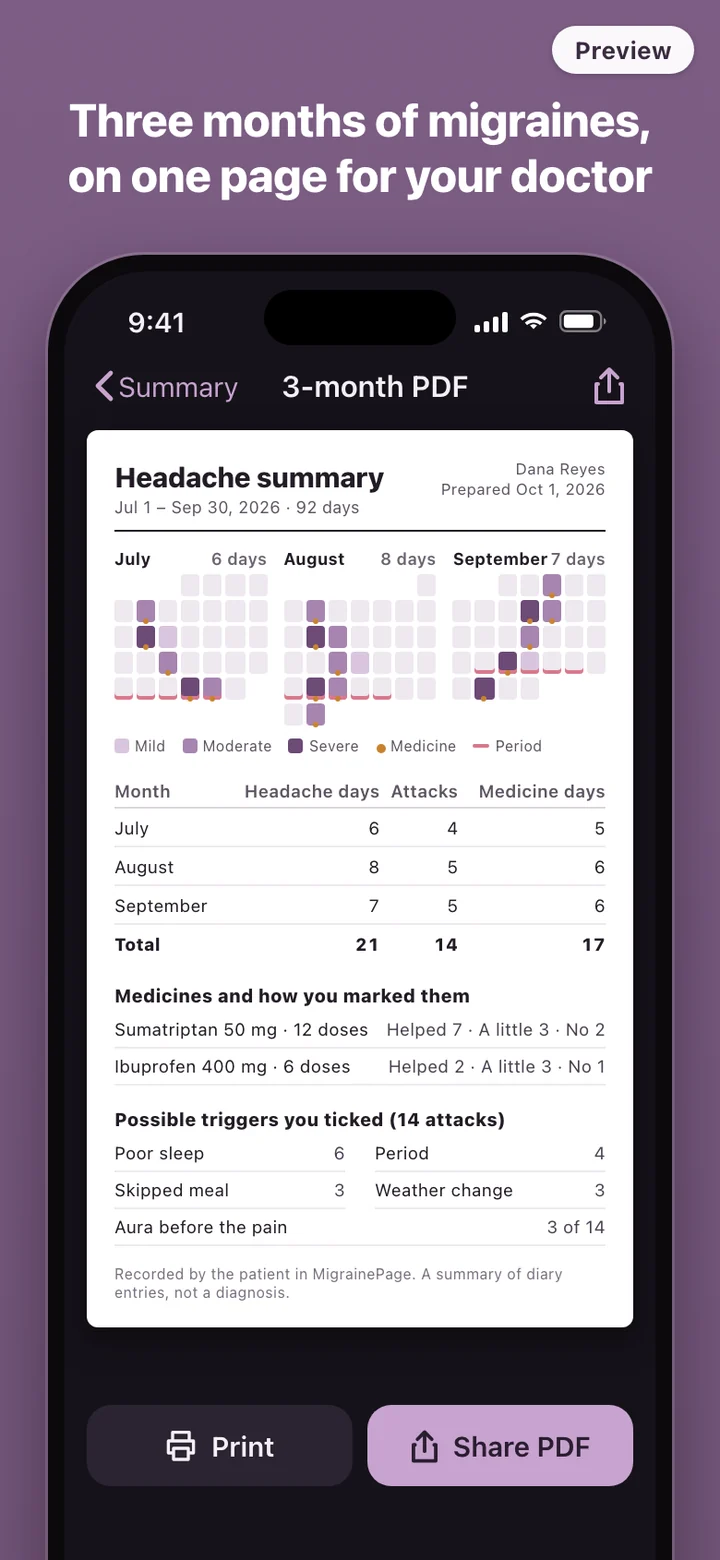
That is the whole idea behind MigrainePage. You record attacks as they happen, in as much or as little detail as you can manage, and the app does the adding up. Three months of entries become one page with the numbers in the same place every time: headache days, attacks and medicine days for each month, a small calendar of each month, and what you noted about medicines and possible triggers.
Built for the middle of an attack
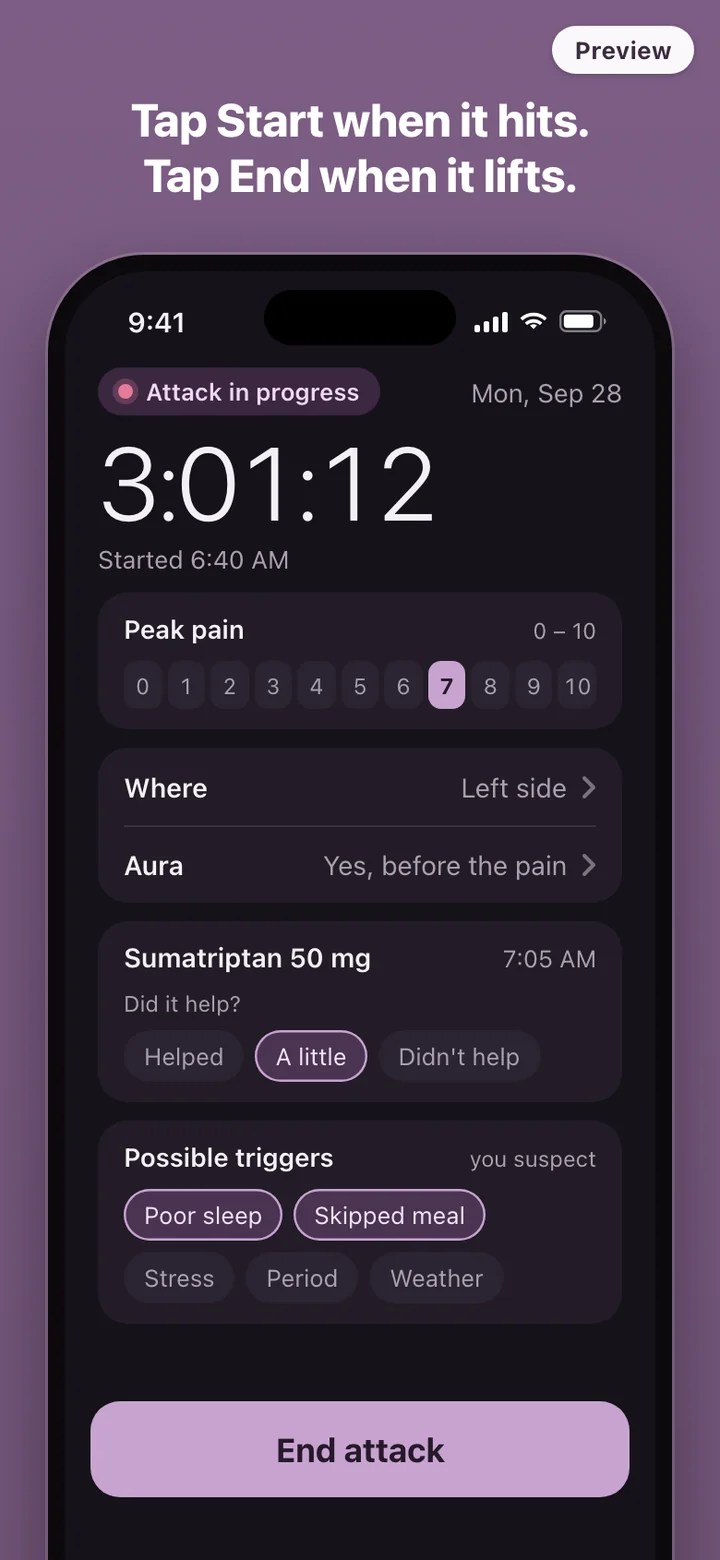
Nobody wants to fill in a form with a migraine. So logging starts with one tap on a large button, and that is all the app needs from you in the moment. The timer keeps running if you put the phone down, lie in a dark room or fall asleep. When the pain is gone, tap End. If you woke up clear and only remember hours later, you can fix the end time afterwards.
The details can wait until you feel like adding them. Each attack has room for the peak pain on a 0 to 10 scale, the side and area that hurt, whether an aura came first, each medicine with its dose and the time you took it, and whether it helped: yes, a little, or no. A short list of possible triggers, such as poor sleep, a skipped meal, stress, your period or a change in the weather, is there to tick if you suspect one of them.
Where a migraine diary usually breaks
Paper diaries work until the appointment, when a stack of loose pages has to be counted by hand in front of the doctor. A notes app holds the words but never adds anything up, so the one number that matters most, headache days per month, still has to be worked out from scratch.
Many people start with a large tracker such as Migraine Buddy, which is free to start and sells an optional premium tier. MigrainePage is not affiliated with Migraine Buddy. It takes a smaller approach: there is no account to create, nothing to sign in to, and the diary lives on your phone. The summary is a PDF, and the entries can be exported as a CSV file, so the record stays yours whatever happens to any app.
Your cycle, your sleep, your notes
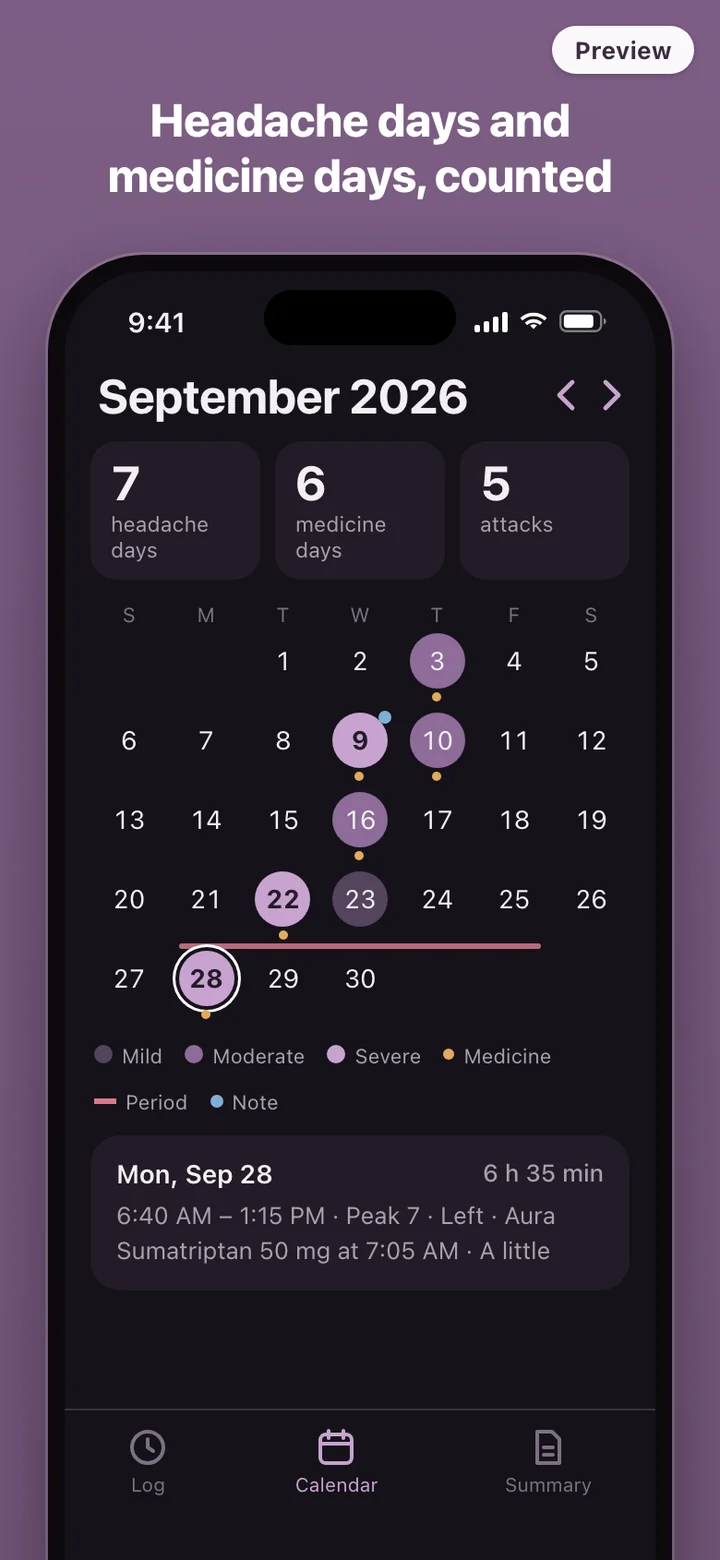
Migraine often keeps time with the menstrual cycle; the American Migraine Foundation says that among women with migraine, about two-thirds have menstrually related migraine. You can mark period days on the calendar yourself. On iPhone, you can instead choose to let MigrainePage read cycle and sleep data from Apple Health; it works fully without that permission.
Weather is a note you write, not data the app fetches. MigrainePage works offline and does not look up forecasts or air pressure. If you think a storm front or a heat wave had something to do with a bad day, write it down, or tick the weather box on that attack, and it shows up on the calendar and in the summary as your note.
What it deliberately leaves out
MigrainePage does not tell you what kind of headache you have, what causes your attacks, or which medicine to take. It does not predict attacks and it does not score your triggers. The calendar shows how many days you took medicine as a number, without warnings or advice, because what that number means for you is a conversation for your doctor. The summary repeats what you entered, and the triggers on it are labelled as the ones you ticked.
There are no streaks, badges or scores. A migraine diary should be easy to come back to after a bad week, not something that makes you feel behind.
MigrainePage is a record-keeping tool. It is not a medical device and does not diagnose, treat or give medical advice. If your headaches change, get worse or come with new symptoms, talk to a doctor. A sudden, extremely painful headache needs emergency care.