It records the moment you walk away
Most no-buy challenges are tracked on a printed calendar, a list in a notes app, or a spreadsheet of what was spent. All of those record purchases. None of them marks the decision you made at the checkout page or in the store aisle, and they ask for typing at exactly the moment your attention is on the thing you want.
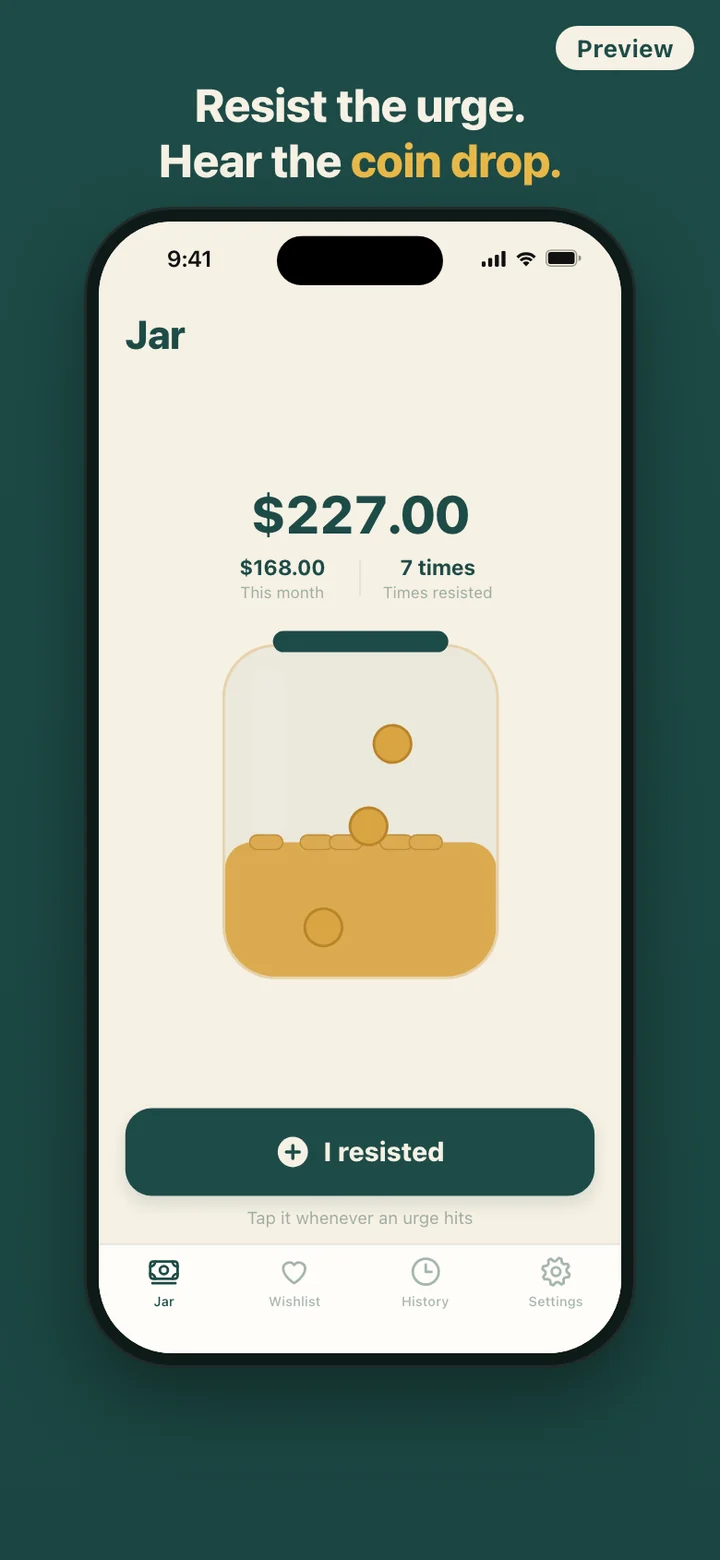
NoBuy Jar records the other side. The urge passes, you tap I resisted, pick an amount, and what you did not spend lands in the jar. The button sits on the home screen right after a one-screen welcome, so it works before you have set anything up or added a single wishlist item.
A wishlist that makes you wait
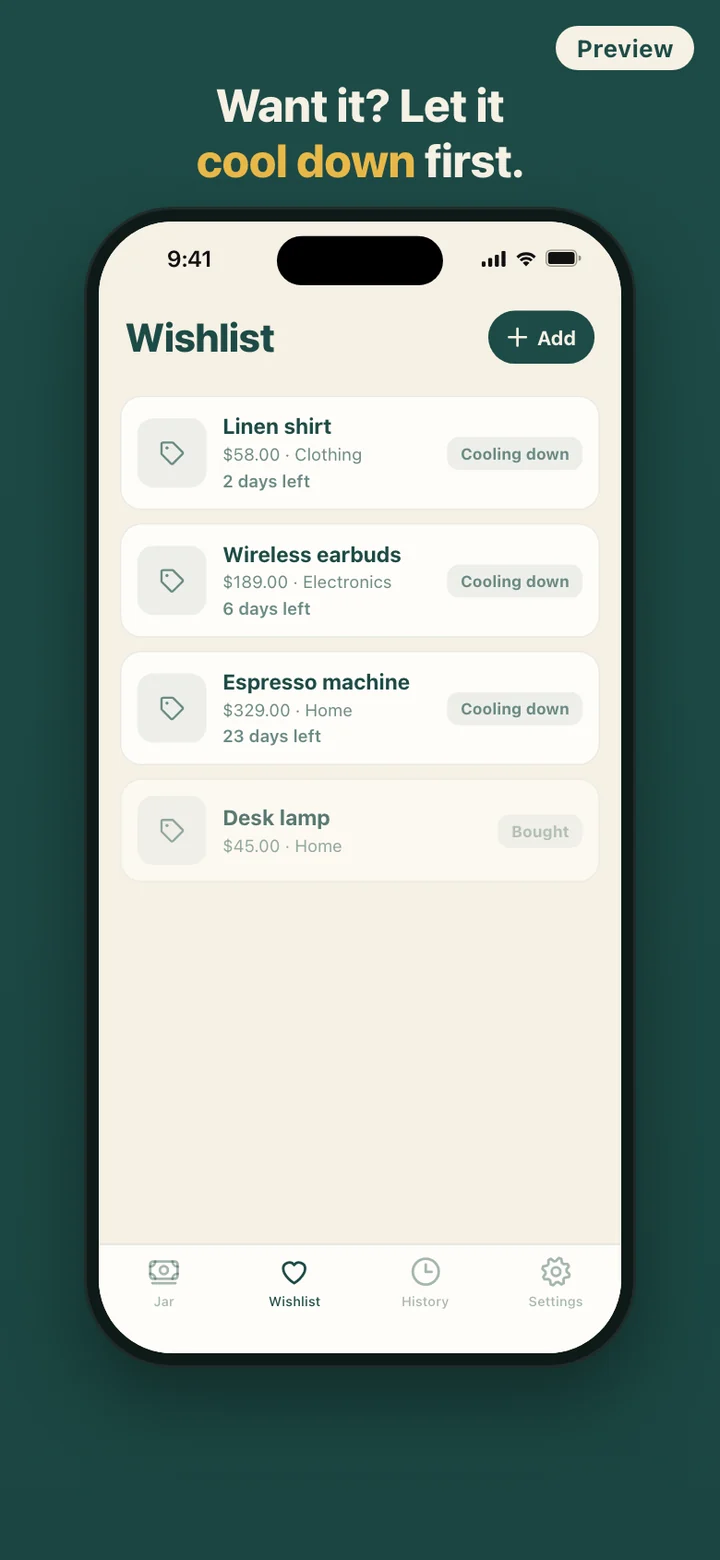
Anything you are tempted by goes on the wishlist instead of into a cart: a name, the price, one of the starter categories (Clothing, Electronics, Hobby, Beauty, Home, Other) or one you add yourself, an optional photo, and a note to your future self about why you want it. Each item gets its own cooldown. New items start at 7 days, and you can change that default in Settings.
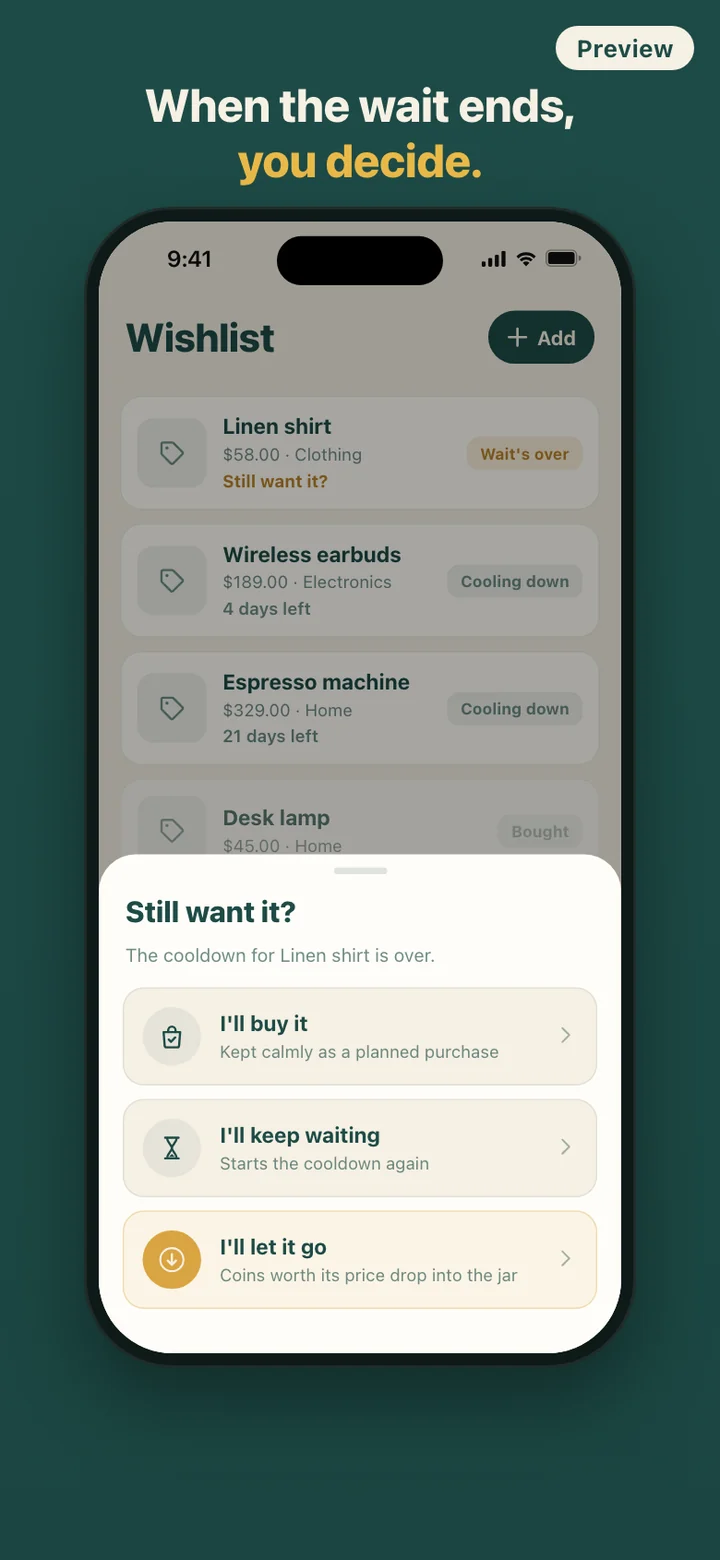
Cooldowns are worked out from the moment you add the item, by the clock rather than by a running timer, so closing the app or changing time zones does not reset them. The list keeps items whose wait is over at the top, then the ones still cooling down in order of which ends first, then the ones you have already decided on.
If you leave the reminder on, a notification arrives when a cooldown ends. The wording is neutral, and it never puts the item's name on your lock screen.
No penalty for buying
A cooldown is not a lock. You can mark an item as bought while it is still cooling down, and buying after the wait is one of three equal choices. Bought items stay on the list and in your history in a muted gray, never red. There is no streak to break and no message about willpower.
That is deliberate. The first screen you see says two things: your records stay on this phone, and it is okay to buy because there is no penalty. The jar only counts what you resisted or let go. What you bought is a neutral line in the log, and the next urge is another chance to tap the button.
Your month at a glance
The History tab opens with this month's resisted total, how many times you held off, and a breakdown by category. Below it is a timeline of every amount you resisted, every item you let go, and every planned purchase, each with its date.
When you want to show someone, Share jar turns your total and this month's amount into an image card with the jar on it. The card never includes your wishlist, so what tempted you stays private.
What it deliberately leaves out
NoBuy Jar is not a budget app. There are no savings goals, spending limits, or progress bars toward a target, and it never connects to a bank or a card. The jar is a tally of amounts you typed in, and no money moves anywhere because of it.
There is also no account, no cloud sync, no ads, and no analytics service; the app makes no network requests at all. The clink follows your phone's silent switch and can be switched off along with vibration, the animation simplifies when Reduce Motion is on, and Delete all data in Settings wipes the wishlist, history, jar and photos in one step.
NoBuy Jar is a record-keeping tool for spending less on impulse. It does not give financial advice, and the jar is a virtual tally on your phone, not an account.