Running alone, with an audience you never meet
Most people who run alone already have something that records the run. What they rarely get is what a race hands out for free: someone at the side of the road who notices. Encouragement in running apps usually comes through a follower list, a club, or a group chat, so you only hear from people you already know, and only if they happen to be looking at that moment.
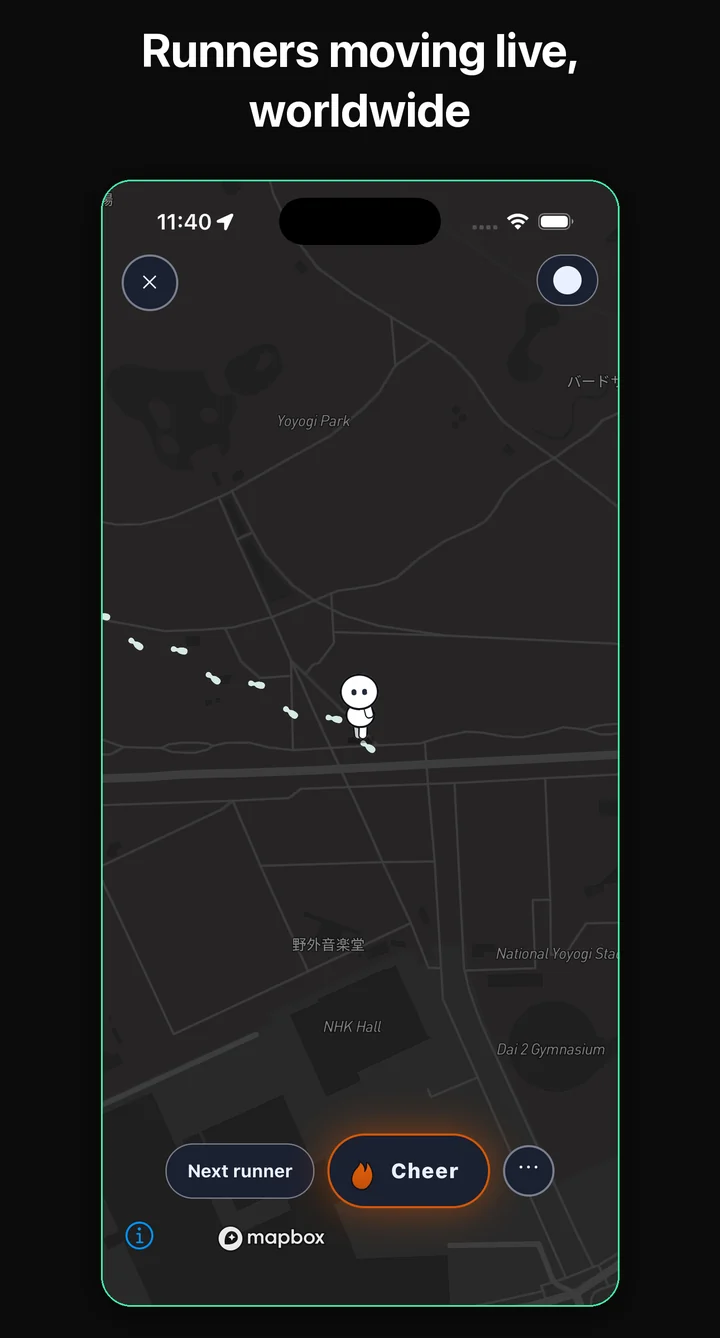
Cheerstep turns that around. Everyone who starts a run appears on one shared world map as the same small white character, running or walking, with footprints trailing behind it. The people watching are strangers in other cities and countries. They see an anonymous runner with no name or profile attached, moving through streets far from them, and the one thing they can do is send a cheer.
A run, from the first tap to the card
- Tap Run on the map. The camera flies to where you are and the button turns into Start here! This is also where you pick Show on map or Just for me for this run.
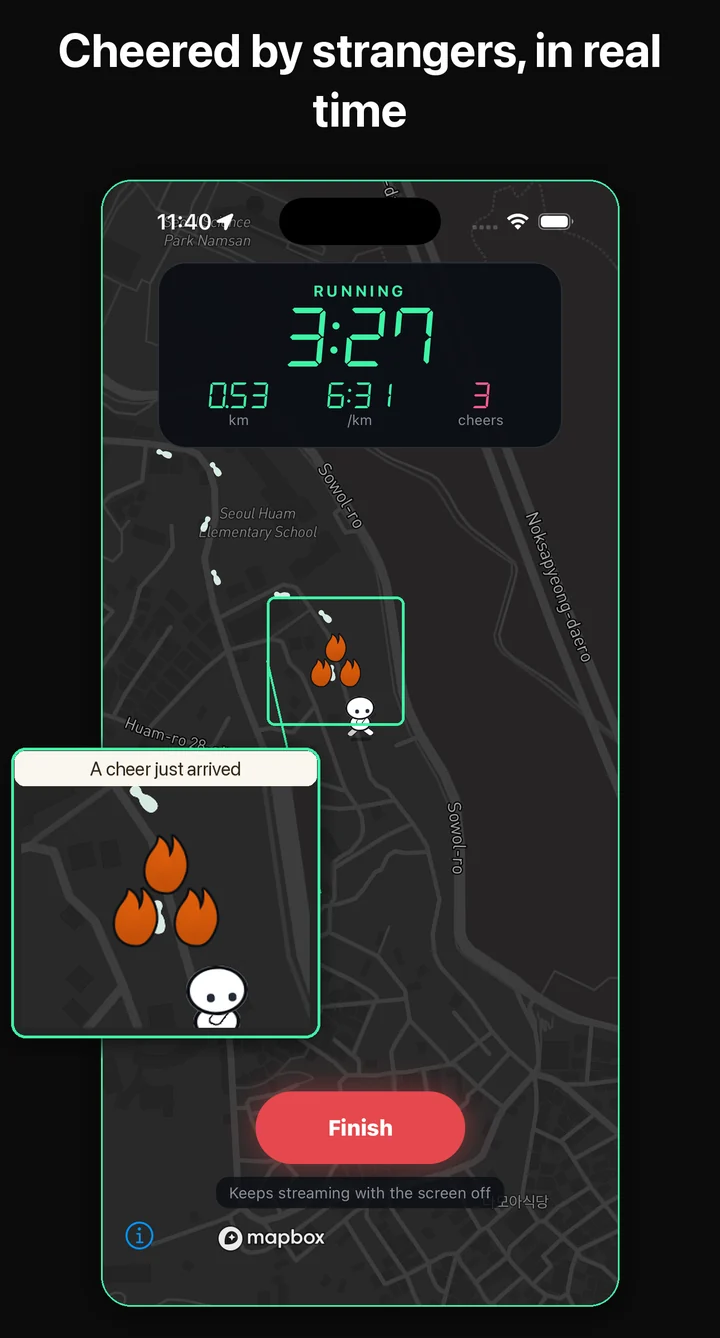
- Tap again and go. The screen becomes a scoreboard over a dark map with elapsed time, distance, pace, and cheers. If you allowed location access at all times, the run keeps streaming with the screen off; if not, the app asks you to keep the screen on.
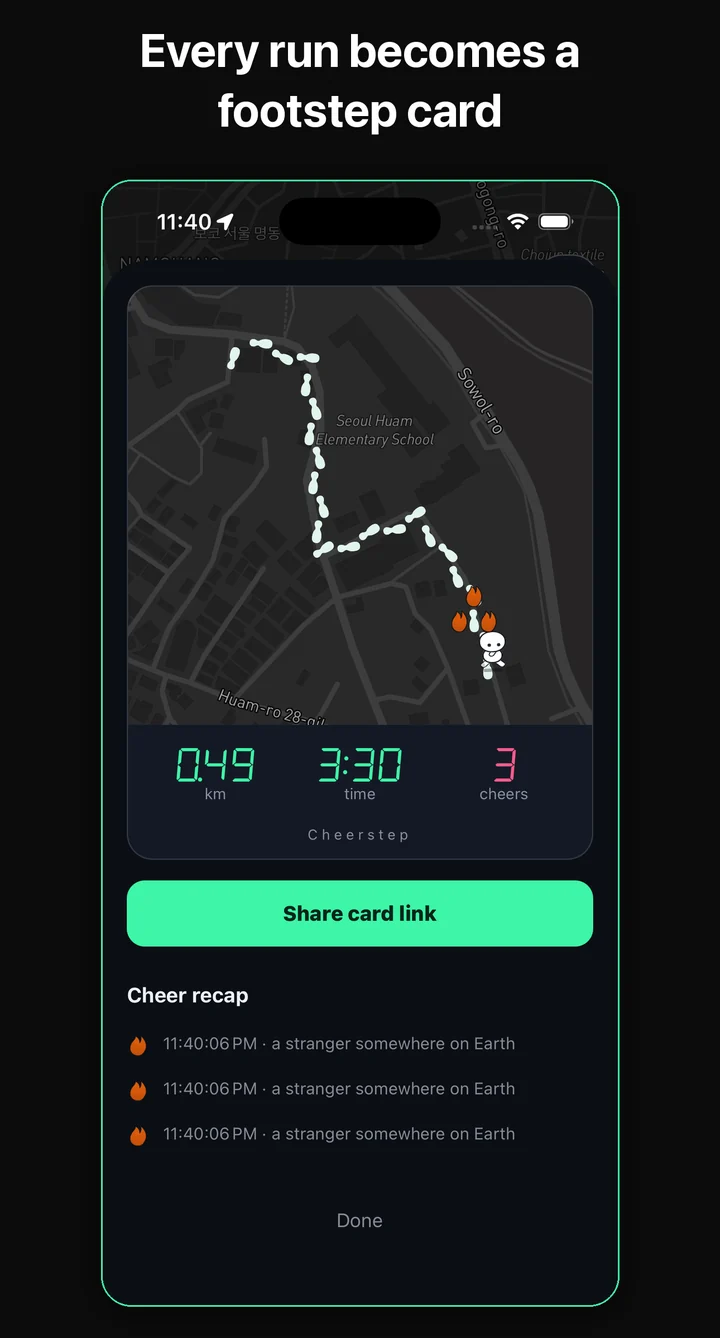
- Tap Finish and confirm. The run closes and its card opens. If you forget, any run is closed after 20 minutes without movement or after six hours, and the next time you open the app it offers to save a run that was left open.
The first time you open the app, a short tour points at the live map, the footprints, the Go cheer button, and the Run button, then shows where the safe radius lives. You can take it again from Settings.
Who can see you, and who never can
Visibility is decided on the server, not on your phone. Right after you first sign in, you choose a safe radius of 10, 30, 50, 100, or 500 km, with 30 km preselected. Anyone inside that distance does not see you on the map, cannot land on you through Go cheer, and cannot send you a cheer. A viewer whose location the app does not know is treated as too close. You can change the radius at any time in Settings.
Your doorstep gets two layers of cover. During the run, nothing is sent to spectators until you are about 250 m from where you started. Afterwards, the trail left on the map has at least the first and last 200 m cut off, and a run too short to survive that cut leaves no public trail at all. An optional 30-second delay holds your live position back, and Just for me keeps a run off the map entirely, which also means no cheers.
A finished public run stays on the map as faint footprints for 24 hours, plus an hour for every cheer it received, up to 48 hours, getting dimmer as it ages. The raw GPS points behind a run are deleted after seven days. Deleting your account from Settings removes your runs, your trails, and the cheers you sent.
Watching someone else run
Go cheer picks someone who is running right now and flies the camera to them, preferring runners who have not received a single cheer yet, so nobody finishes a whole run in silence while others collect them. You can also tap any runner you see on the map, or a cluster label showing how many people are running in that area. While you watch, the camera follows the runner.
A cheer is one preset signal with no text. Each spectator can cheer the same runner once every 30 seconds, and the button counts down until the next one. Next runner jumps to someone else. The menu beside it lets you report a runner, with a reason, or block them: a block removes you from each other's maps and stops cheers in both directions, and a run that collects three reports is hidden and its trail taken off the map.
What it deliberately leaves out
There are no followers, friends, crews, groups, comments, direct messages, or leaderboards. Cheerstep is not a training log either: it shows time, distance, and a rough pace, keeps a list of your past sessions, and stops there. No calories, no training plans, no step counting. Distances are shown in kilometers.
It is also not a safety tracker. It does not send your position to a contact you choose, and it does not alert anyone if you stop moving; it shows a moving runner to strangers who are far away. If you want someone you trust to follow your route, use a tool built for that alongside it.