Why a dog walk needs its own log
Most people who keep track of dog walks borrow a tool built for something else. Running and cycling trackers grade pace and splits, which means little when half the walk is spent sniffing one hedge. Step counters measure the person, not the route. And plenty of owners keep nothing at all, so a month of morning loops leaves no trace beyond a tired dog.
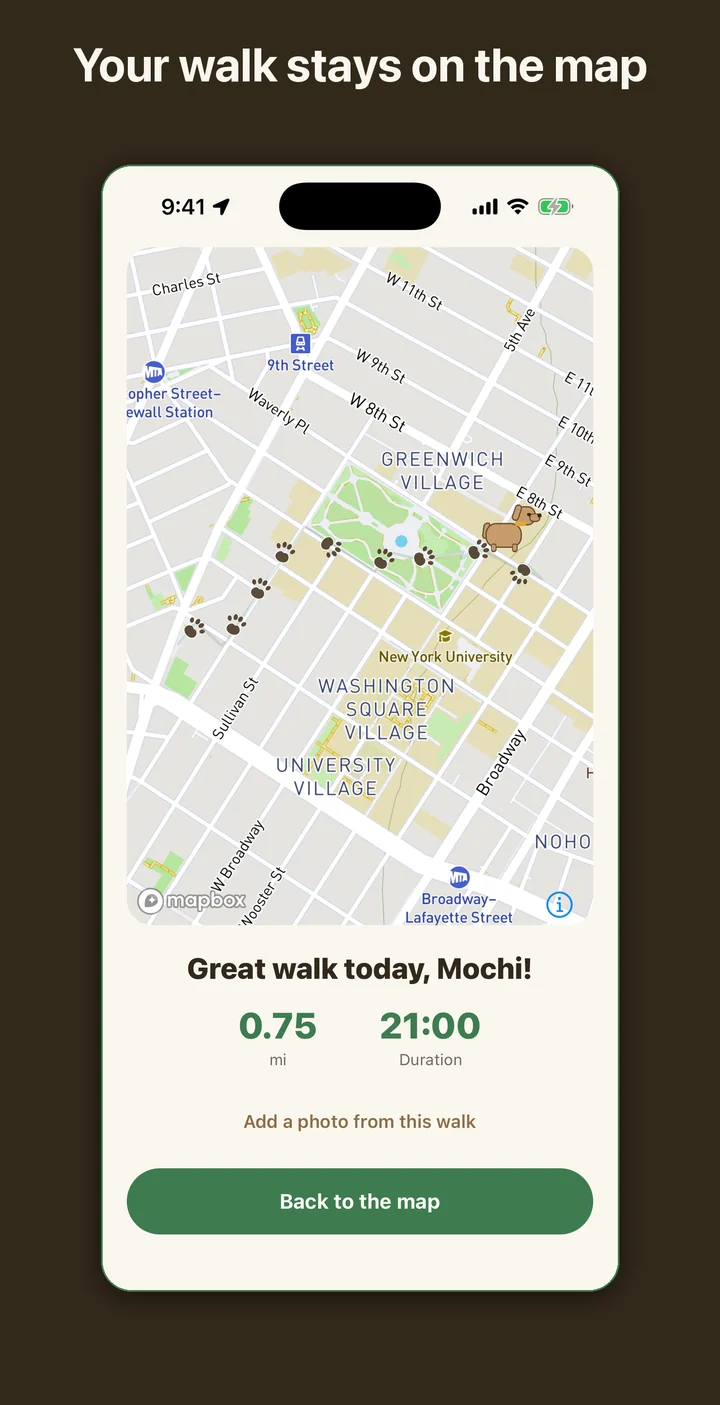
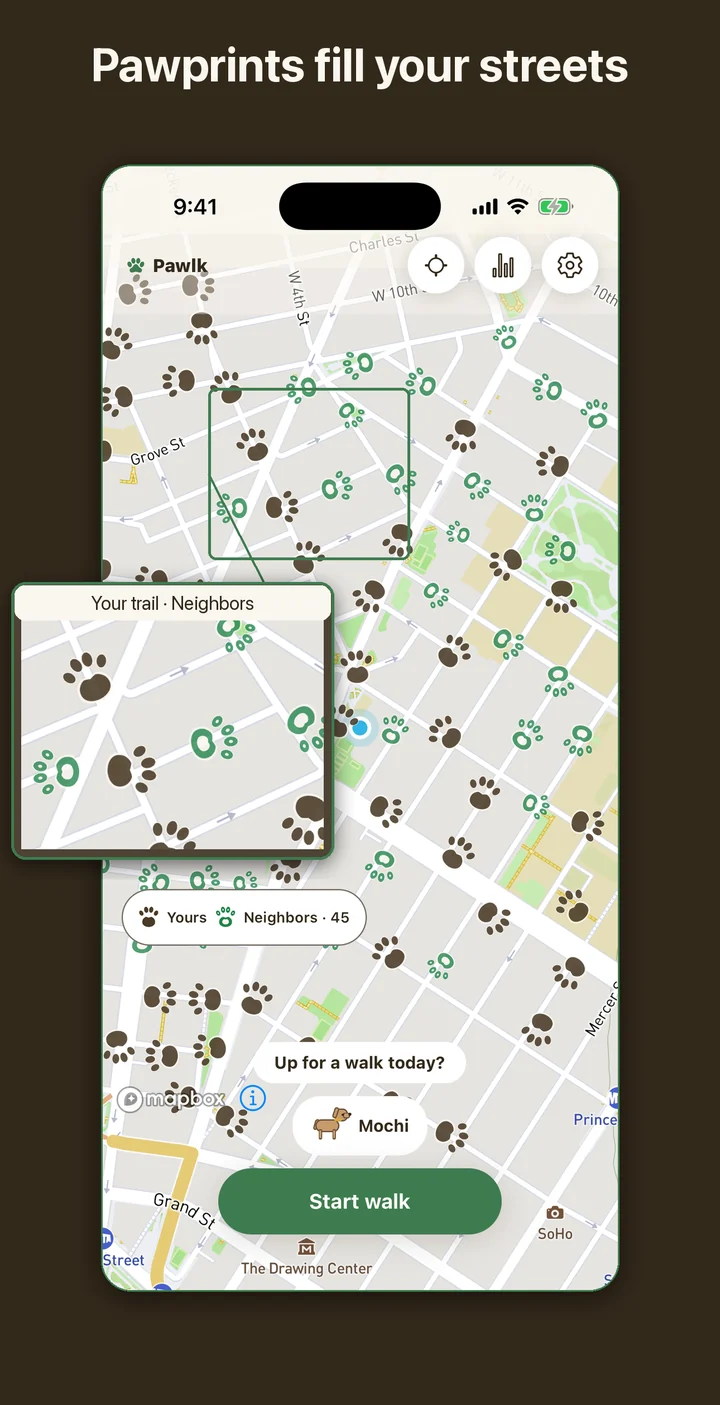
Pawlk keeps only what fits a daily dog walk: where you went, how far, how long, and whether you went today. The route is drawn as a dog's pawprints instead of a line, so after a few weeks the map of your neighborhood shows every street your dog has covered, and the ones it never has.
A walk, start to finish
You set up your dog once: a name, an optional breed, and an avatar you build from coat color, ears, tail, and collar, plus a photo if you want one. Tap Start walk, confirm who is coming, and the walking screen opens with a small map, a running timer, the distance so far, and a count of the pawprints laid down.
Location is recorded only while that walk runs. If you allow it, recording continues with the screen locked, so the phone can stay in your pocket. Points go up to Pawlk's server in small batches, and readings that are too imprecise or too fast for a dog walk are left out of the distance. End walk switches location off at once, and if the app was closed in the middle of a walk, opening it again shuts off any tracking left running.
Forget to end it and the server does it for you after 20 minutes without movement, or six hours after the start. A walk too short to leave a trail says so instead of drawing a stray dot.
What other people can and cannot see
Sharing stays off until you turn it on in Settings. With it on, each finished walk loses 200 m (about 650 feet) at both ends before anyone else sees it, and a walk shorter than 500 m in total is never shown. Anyone who opens the map over that area sees the trimmed route as faint pawprints for seven days, along with your dog's avatar, the distance, and when it happened. No name appears on a shared walk, neither yours nor your dog's.
The same switch lets people see you while you are out. Once you are more than 200 m from where you started, the map shows a single dot with your dog's avatar and name, with no route line behind it, and the dot disappears three minutes after your phone stops reporting. Signed-in neighbors can tap it to send your dog a pat, one every 10 seconds, and the count climbs on your walking screen.
Every shared walk and every live dot has Report and Block, and blocking takes that person's walks off your map. The photos you attach to walks are not part of the neighborhood map. Turning sharing off applies to the walks you take afterwards; walks already shared drop off the map once they are seven days old.
Where your walks are kept
Pawlk is a signed-in app. Recording walks takes an account through Google or Apple, and starting a walk needs a connection. Without an account you can still open the map and look at walks shared nearby. Your full, untrimmed routes are shown only to you, on your own map and in your stats.
On the server, raw GPS points are deleted after seven days. What stays is a simplified line for each walk, which draws your map and adds up your totals. Delete account in Settings removes your walks and dogs from the app and pulls every trail you shared off the neighborhood map.
A reminder that knows you already went
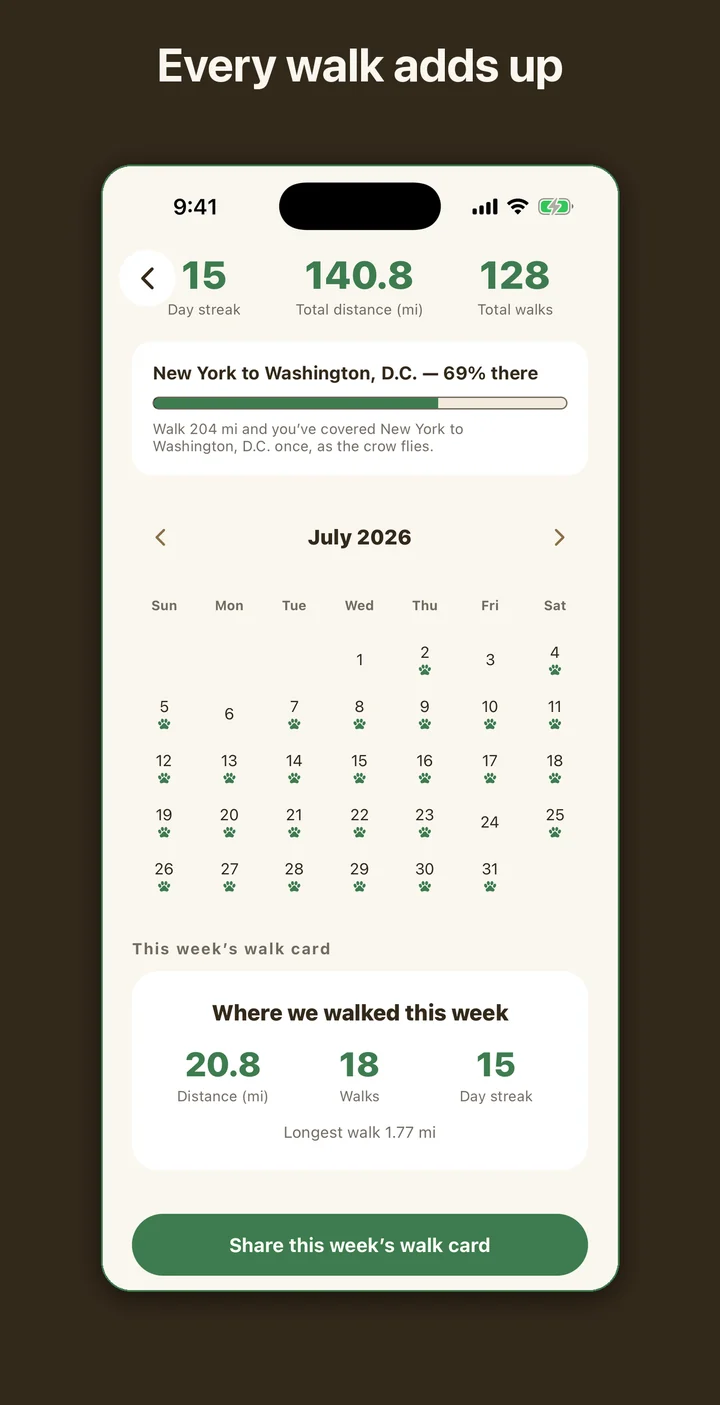
The daily reminder can go off at 7 or 9 in the morning, at 6, 7, or 8 in the evening, or not at all. On days you have already walked, it stays quiet. The day streak counts back from today, or from yesterday if you have not been out yet, so an afternoon without a walk does not zero the number before the day is over.
What Pawlk leaves out
There is no step estimate, because turning distance into steps would need a stride length nobody has measured for your dog. There are no pace splits, calories, or training plans, no chat, no follower lists, and no profiles of the people walking. Pawlk does not book or match dog walkers either. It records the walks you take with your own dog.
Pawlk is a walk log. It does not give veterinary advice, and it cannot tell you how much exercise your dog needs or whether today's weather is safe for a walk. Ask your vet about your own dog.