"Did you water it?" is a question between two people
Most homes with shared plants run on memory and messages. One person waters on Sunday, the other is fairly sure they did it on Saturday, and the snake plant gets a second soaking it did not need. Or each assumes the other one handled it, and the fern sits dry for a week. Calling across the hallway, a sticky note on the fridge and a line in the family chat all work until the day nobody reads them.
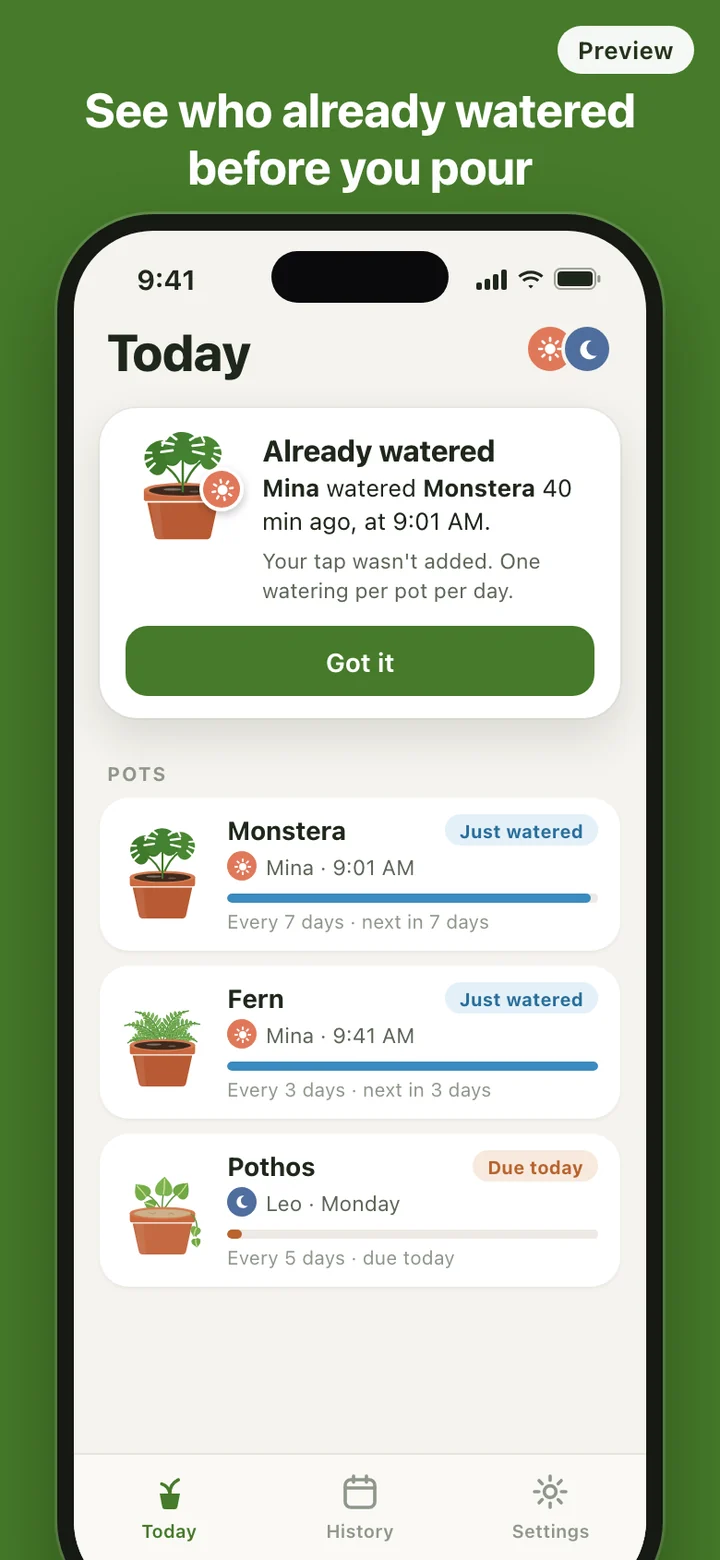
Plant apps tend to treat watering as a private schedule: one person, one phone, one list of tasks. That is fine when you live alone. When two or four people share the same pots, the useful answer is not "water every three days" but "Mina already did it at 9:01", and it needs to be somewhere everyone glances anyway. PotTap puts that answer on the home screen.
What the widget shows
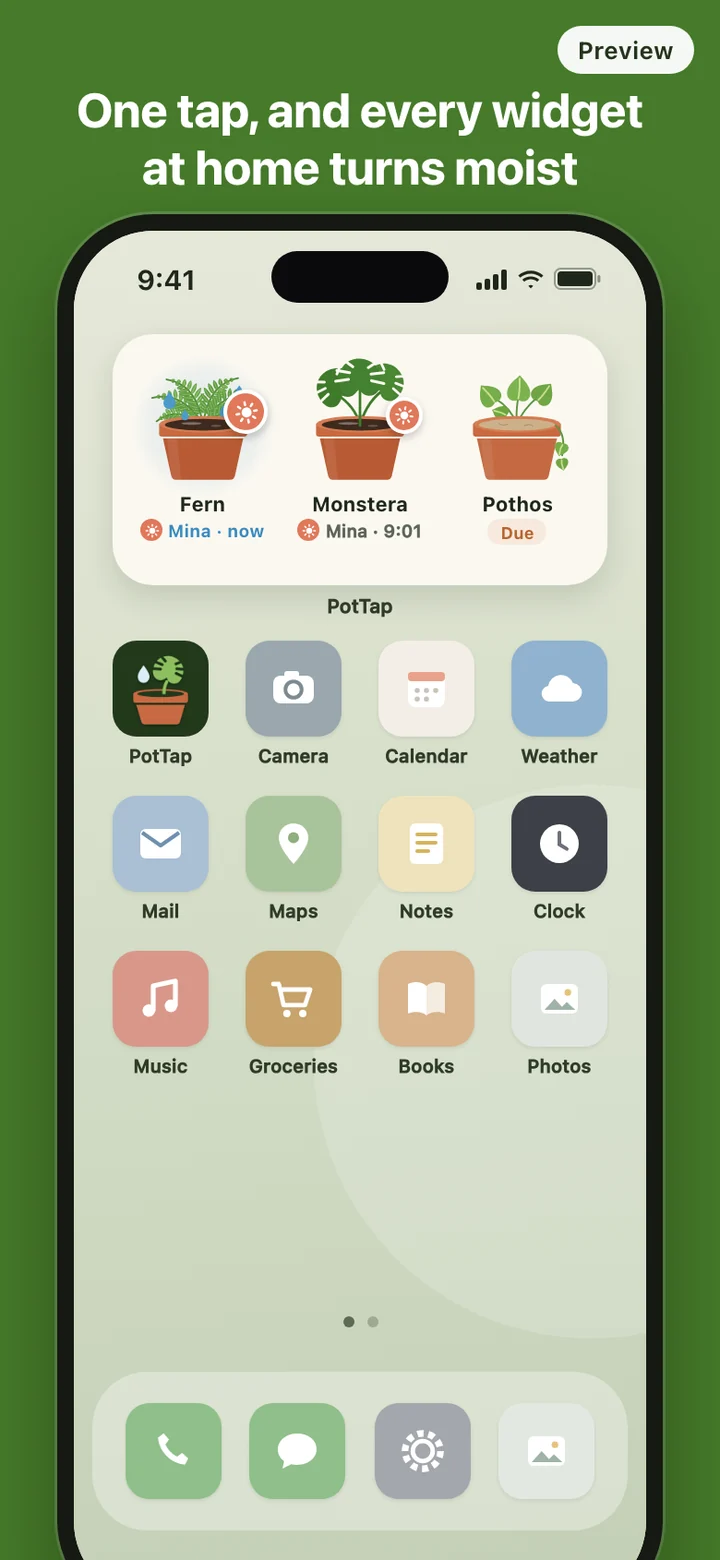
The widget is the product; the app is where you set things up and look back. A small widget holds one pot of your choice, and a medium widget shows three side by side. Each pot is drawn with its soil: dark and glossy right after a watering, lighter as the days go by. Under it sits the stamp of whoever watered last and when, or a plain "Due" once its interval has passed.
Tapping a pot on the widget records the watering on the spot, without opening the app. If the phone has no connection at that moment, the tap is kept and retried, and the widget says "Waiting to sync" instead of pretending the others already know.
How a tap reaches the other phones
Sharing runs through PotTap's own server, not through iCloud, which is why each person signs in with Apple or Google before joining a home. When you tap, the server records the watering and sends a silent update to every phone in the household, and each widget redraws itself with the moist pot and your stamp.
iOS decides when silent updates are delivered, so a widget can sometimes lag behind. Opening the app always pulls the latest board for everyone's pots. The drying itself never waits for the network: each widget carries its own timeline, so a pot keeps fading on schedule even on a phone that missed an update.
Setting up a home
- The first screen is a demo pot. Tap it and watch it turn moist with a stamp, with no sign-in and no network needed.
- Make a home: sign in, add your pots with a name, a drawn pot style and a watering interval, and pick an avatar from a set of icons and colors. There are no photos to take or upload.
- Add the widget to your home screen, then invite the others with a six-digit code or a link. The code works for 72 hours, and making a new one cancels the old one. Once someone joins, they see every pot and its state straight away.
Skipping the invite is fine. A home of one gets the same widget, drying and reminders. Anyone can leave a home, the owner can remove members or delete the home, and you can delete your account from the app; your widget then goes back to the demo pot.
What PotTap leaves out on purpose
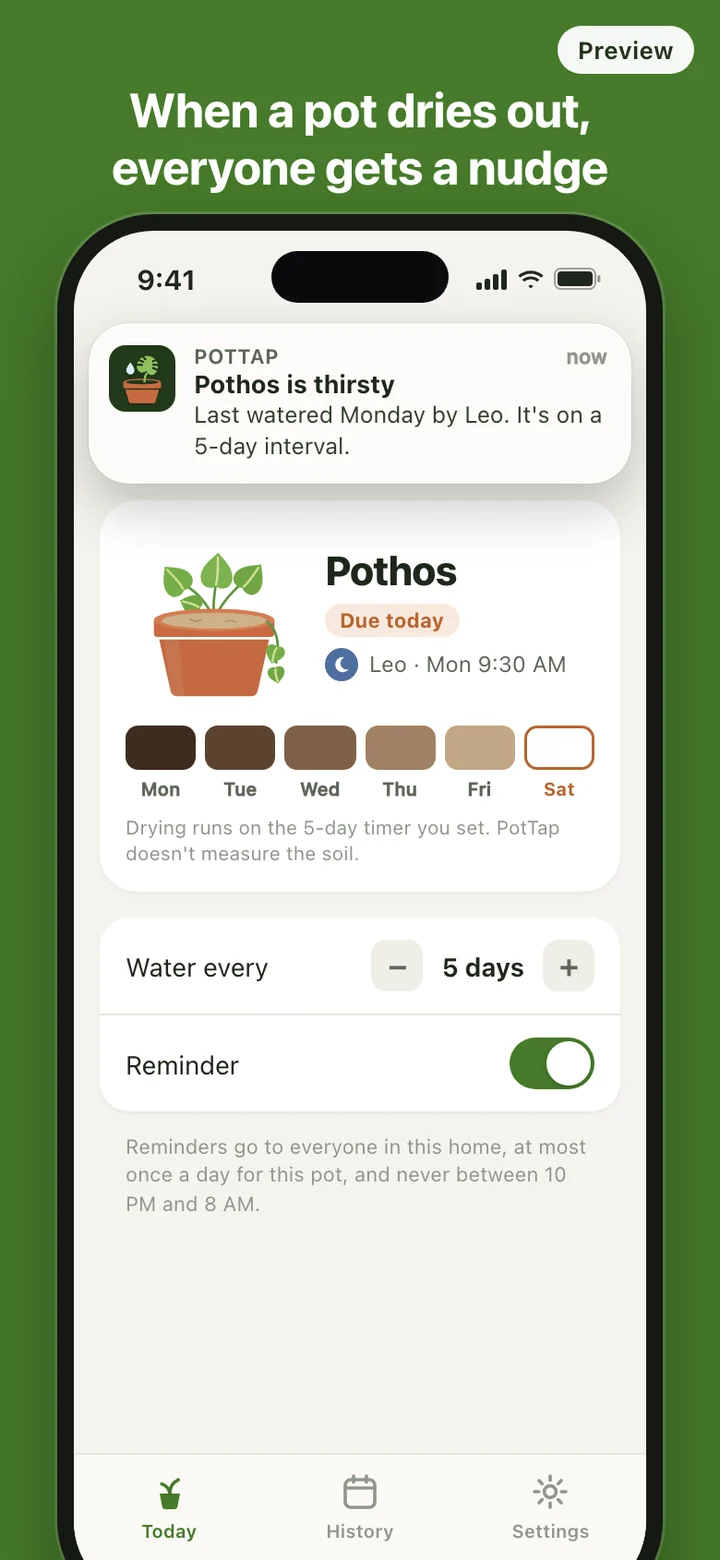
There is no plant identification, no species database, no care guide and no diagnosis. PotTap does not know whether your pothos likes to dry out between drinks, and it does not pretend to. You choose each interval from what you already know about the plant, and you can water any time; the interval only drives the drying picture and the reminder.
Alerts are kept quiet. A "watered" notification for every tap is off by default, because the moist pot on the widget is the message. Each person can turn those alerts on, and reminders can be switched off pot by pot.
PotTap is a shared record of who watered which pot and when. It does not measure soil moisture or give plant-care advice. How often a plant needs water depends on the plant, its pot, the light and the season, so check the soil and follow guidance for your plant.