Calculation, not commentary
Zenith is a utility. It calculates prayer times, sends notifications, shows widgets and points a compass. It carries no religious commentary, no lectures and no articles. The one thing it has to get right is the timetable, and the timetable comes from published methods rather than from anything the app invents.
Twenty calculation methods are built in: Muslim World League, ISNA, the Egyptian General Authority of Survey, the University of Islamic Sciences Karachi, Umm al-Qura, Dubai, the Moonsighting Committee, Kuwait, Qatar, Singapore (MUIS), Tehran, Diyanet of Turkey, Kementerian Agama Republik Indonesia (Kemenag), Jabatan Kemajuan Islam Malaysia (JAKIM), the Ministry of Awqaf of Jordan, Algeria, Tunisia, Morocco, the Union des Organisations Islamiques de France (UOIF) and the Spiritual Administration of Muslims of Russia. Each uses the angles and offsets that authority publishes. Asr can follow the standard or the Hanafi opinion, and there are three high latitude rules for places where twilight does not end. New users get the method recommended for their country, and once you have chosen a method it stays with you even when your location changes.
Why there is no ad and no server
There are no banners, no full screen ads and no ad SDK in Zenith. Checking a prayer time will never mean looking at an advertisement. There is also no account, no sign in and no server on our side. Every time is calculated on the device, so on a plane, in a basement or on a phone with no data left, the timetable still appears.
Apart from confirming a Zenith Plus purchase with the store, the app makes no network requests, and your location and your settings never leave the phone. Zenith does not collect any data, does not carry an analytics SDK, and can be used with the phone in airplane mode from the first launch to the last. If you ever want to start over, Settings has a Delete all data option that cancels notifications and clears local storage and widget state.
Silent unless you say otherwise
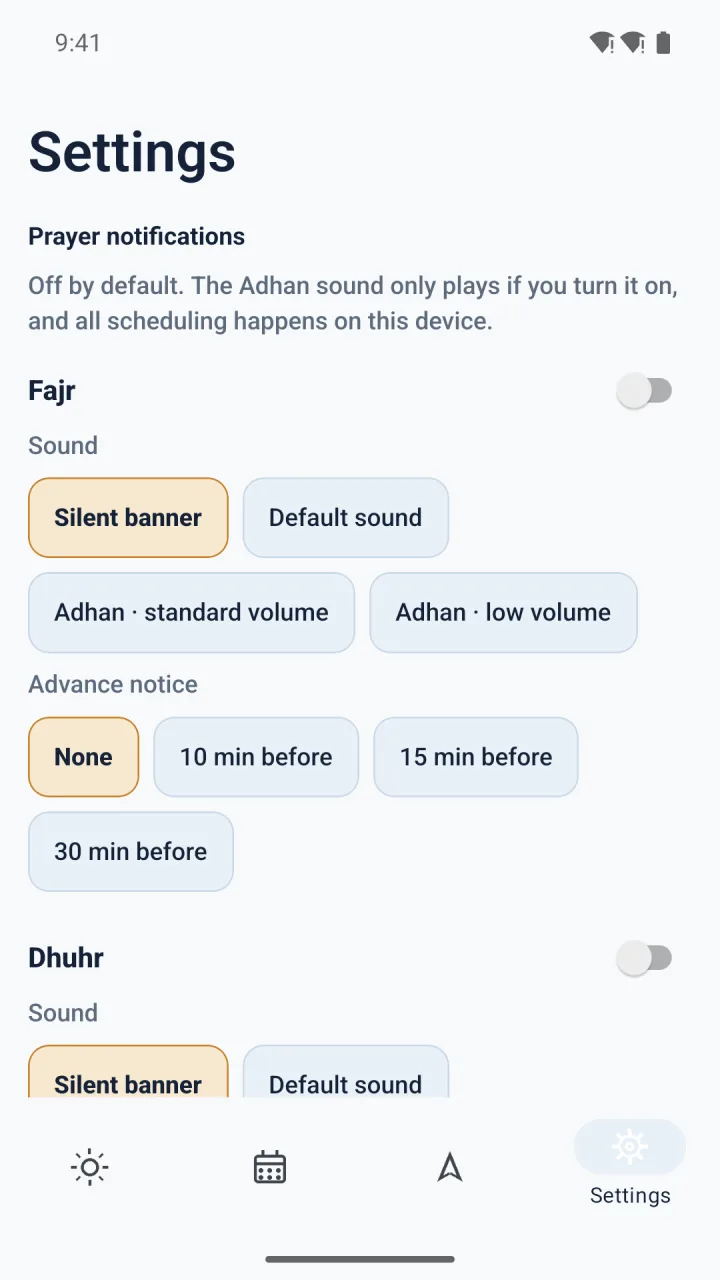
Notifications arrive as silent banners by default. The adhan sound is something you switch on, not something the app plays for you in a meeting or on a bus. Each of the five prayers has its own switch, its own choice between silent banner and sound, and its own advance notice, so you can be reminded fifteen minutes before Fajr and only at the moment of Dhuhr.
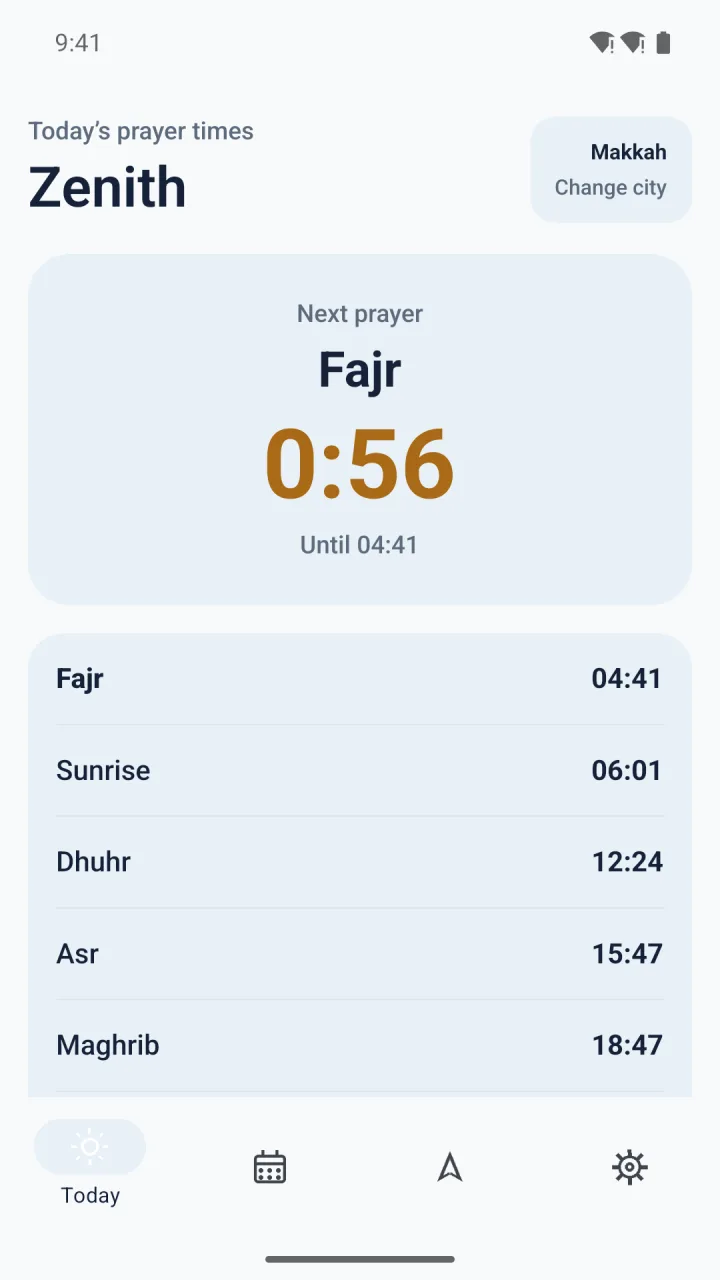
The home screen and lock screen widgets show the next prayer and the time left until it. You can glance at the widget without opening the app, which for most days is all that is needed.
The month, the Hijri date and the compass
The Month tab fits a full month of times on one screen, with the Hijri date and Ramadan shown alongside. The Hijri date comes from the arithmetic calendar, which means it can differ by a day from a local moon sighting announcement. The app says so on the screen rather than hiding it.
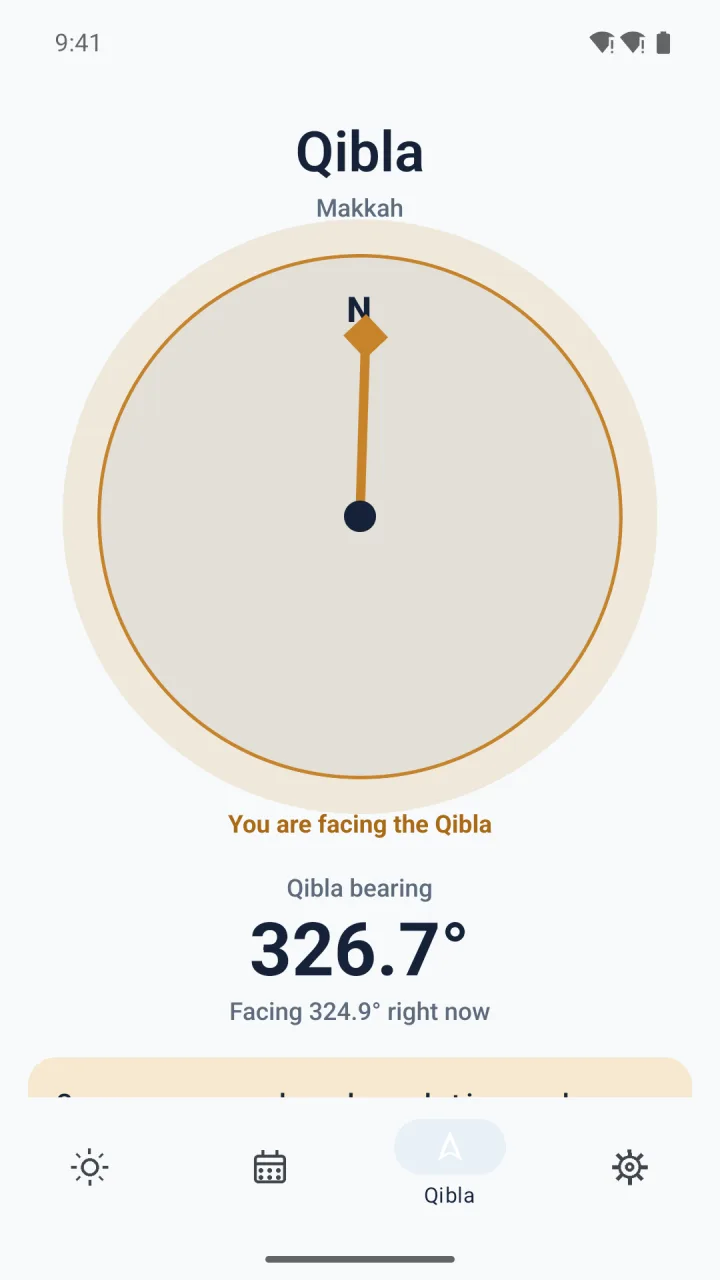
The Qibla tab points toward Makkah from where you are, shows the bearing as a number and corrects for magnetic declination. When you are lined up the screen answers with a gold glow. On a device without a magnetometer the needle stays fixed, so this tab is meant for a phone in your hand rather than a simulator.
Location is optional
If you allow location, the times follow wherever you are. If you would rather not share it, pick your city from a list of more than thirty thousand cities that is stored inside the app, so searching it needs no connection either. Denying the location prompt does not break anything: the app falls back to Makkah and offers the city picker in Settings.
The app itself is available in 45 languages, including the permission prompts, and it is offered for sale in 175 countries and regions.