The deadline is the end of a month, not a date six months on
Inheritance Tax on a death is due by the end of the sixth month after the month the person died. GOV.UK gives the example of a death in January, with the tax due by 31 July. It is easy to read that as six months from the date of death. Someone who died on 14 January has until 31 July, not 14 July, and a death on 31 August runs to the last day of February, which is the 29th in a leap year.
ProbateClock works from that month-end rule as soon as you enter the date of death. Interest begins the day after the deadline, so before then the meter shows none. It will not pretend the estate has been building up interest since the day of the death, because it has not.
Where the date tends to live today
For a lot of families the deadline ends up in someone's head, on the back of a solicitor's letter, or in a spreadsheet started on a hard evening. HMRC's own Inheritance Tax interest calculator gives a figure for one payment date, which is useful, but it does not stay with you between visits, and it does not mention that the reference number needs three weeks of lead time.
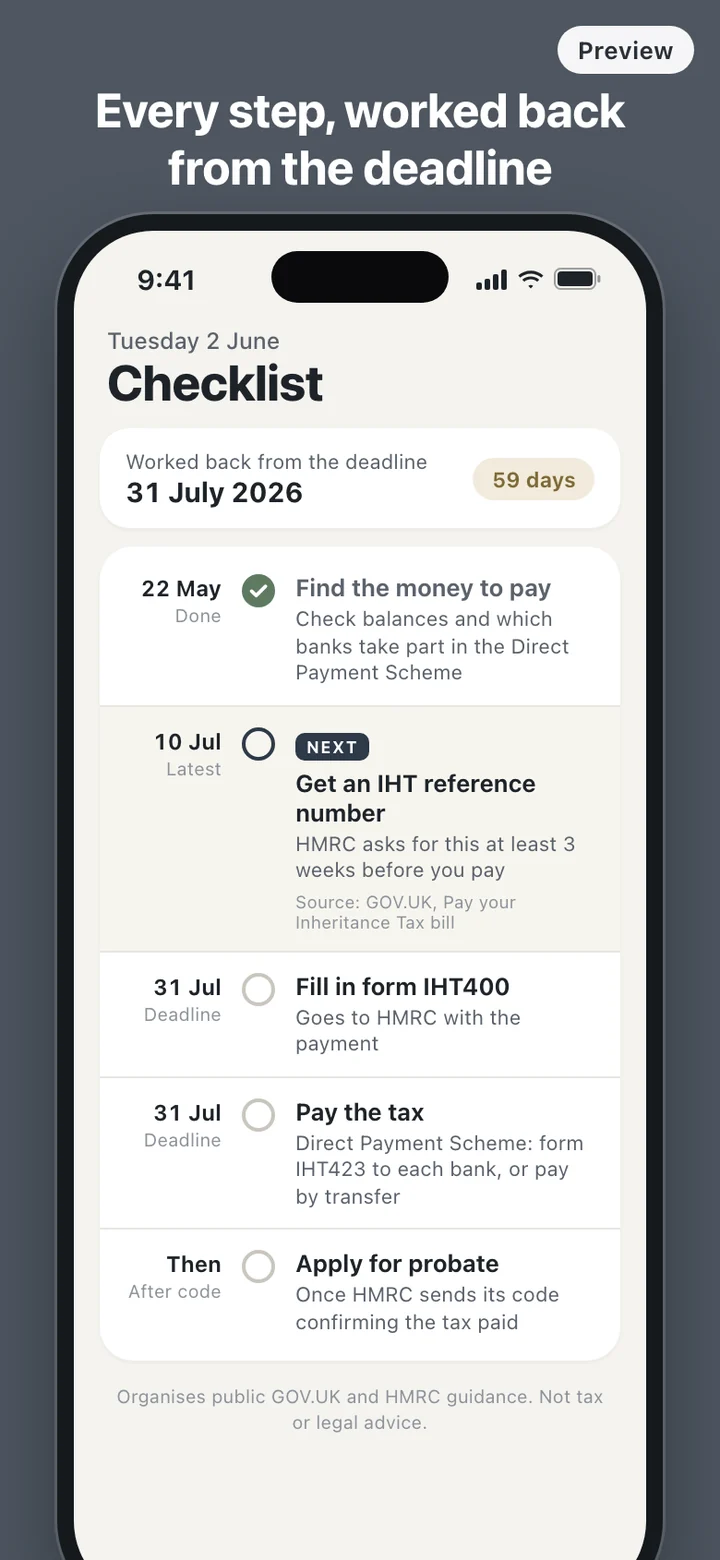
The pieces also arrive out of order. The money to pay the tax is often in the deceased's own accounts, yet GOV.UK notes that you usually have to pay some of the tax before probate is granted. The way through, the Direct Payment Scheme, lets banks pay HMRC straight from those accounts, but it sits on a different page from the deadline, and the reference number it needs is on another.
A day with ProbateClock
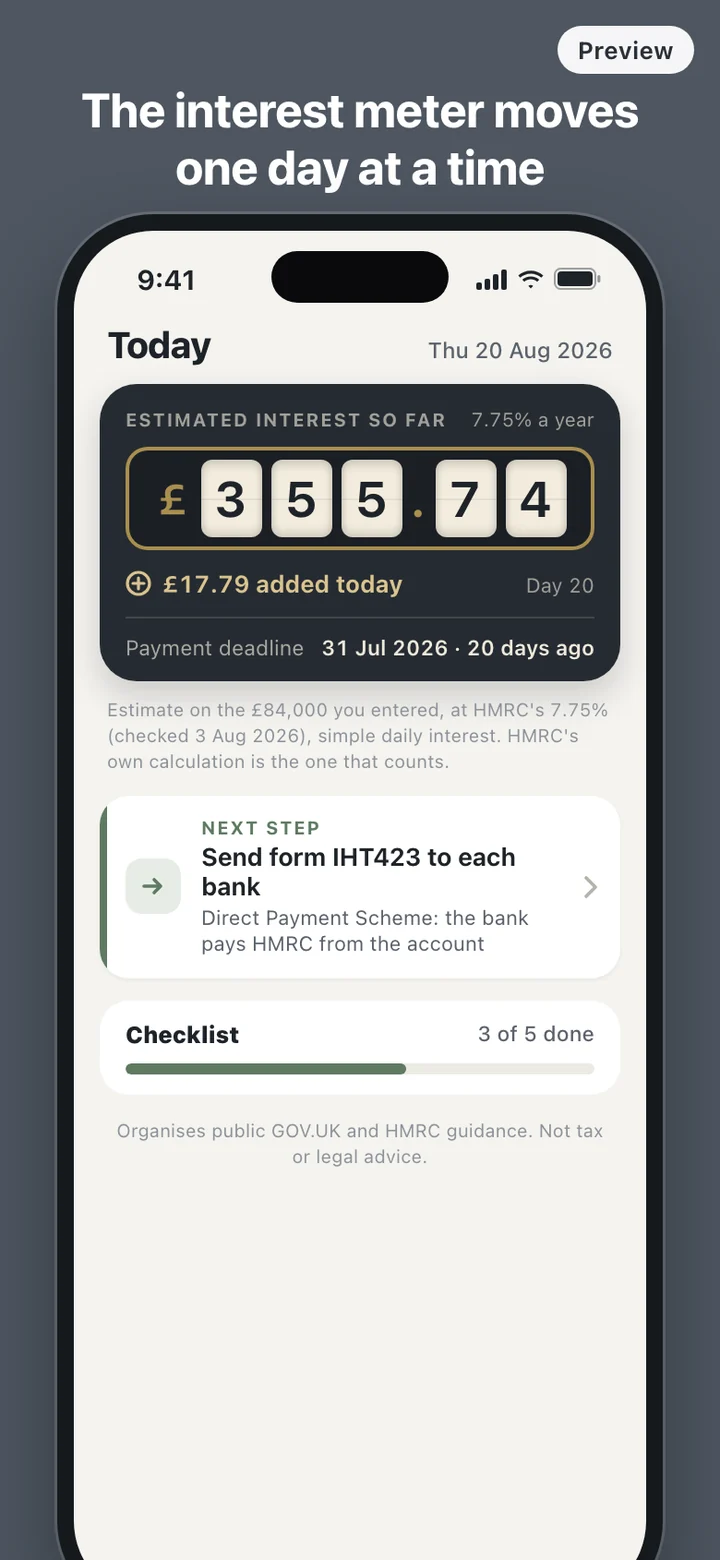
Open the app and the home screen answers two questions: how far you are from the deadline, and what comes next. Before the date, that is a count of days and the cost of one day after it. After the date, it is the interest added so far and the amount added today. Beneath either sits one card naming the next unticked step, so a number is never shown without something you can do about it.
Reminders for each step and for the deadline are local notifications, and they are switched on only if you ask. The text on the lock screen stays neutral, along the lines of a step to check today, with no mention of a death, an estate, money or interest. Anyone glancing at your phone at work sees nothing personal.
Everything you entered can be changed later: the date of death, your estimate, the rate, the ticks and the payment date. Each change recalculates the deadline, the meter and the reminders together. When you mark the tax as paid, the meter stops on that date and shows the estimated interest up to it, without any fanfare.
A rate you can check, not a number hidden in the app
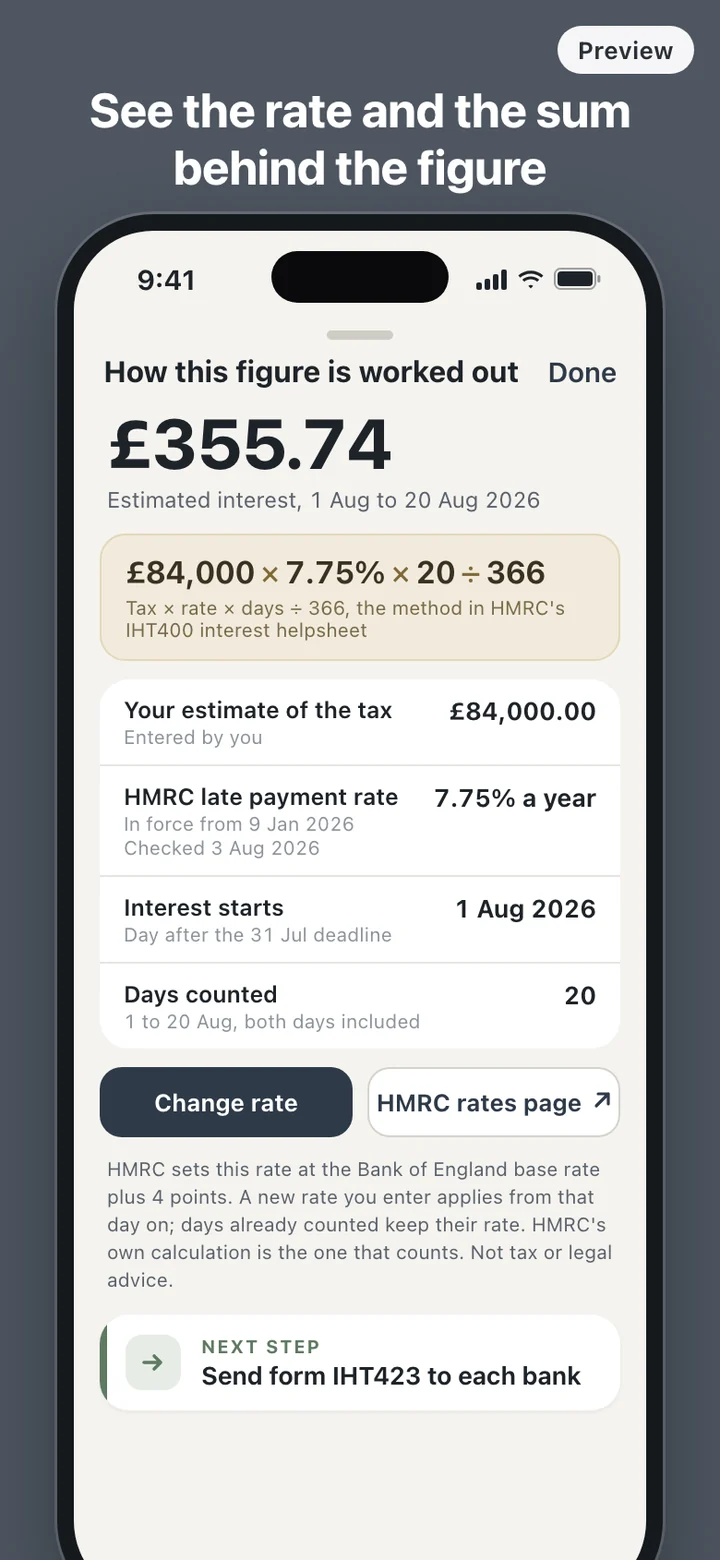
HMRC's late payment interest rate is the Bank of England base rate plus 4 percentage points, a formula in force since 6 April 2025. When we checked on 1 October 2026 it was 7.75%, the rate in force since 9 January 2026. It moved four times between April 2025 and January 2026, so treat any figure here, that one included, as a snapshot.
ProbateClock stores the rate with the date it was last checked and a note of the HMRC page it came from. It never fetches the rate itself, because the app makes no network requests at all. You can open the GOV.UK page in your browser and enter a new rate in settings, and if the stored rate has not been checked for 90 days the app says so, plainly.
What it deliberately leaves out
ProbateClock does not work out how much Inheritance Tax the estate owes. It does not value property, apply the nil-rate band, suggest ways to reduce the bill, fill in IHT400 for you, or point you to a solicitor. The figure on the meter is interest on the amount you entered, nothing more, and there is no field anywhere for contact details.
It also has no memorial pages, journal or photos. Those belong somewhere gentler. This is the practical side of the six months, kept calm: no red warnings, no countdown theatrics, no celebration when a step is done.
The tax deadline and the interest rules apply across the UK. The checklist ends with applying for probate in England and Wales. In Scotland the court step is confirmation from the sheriff court, and Northern Ireland has its own probate rules; ProbateClock does not walk you through either.
ProbateClock organises public guidance from GOV.UK and HMRC and makes an estimate from figures you enter. It is not tax or legal advice. The interest HMRC actually charges is the figure that counts, and for a complicated estate it is common to speak to a solicitor or tax adviser.