From camera roll to folders
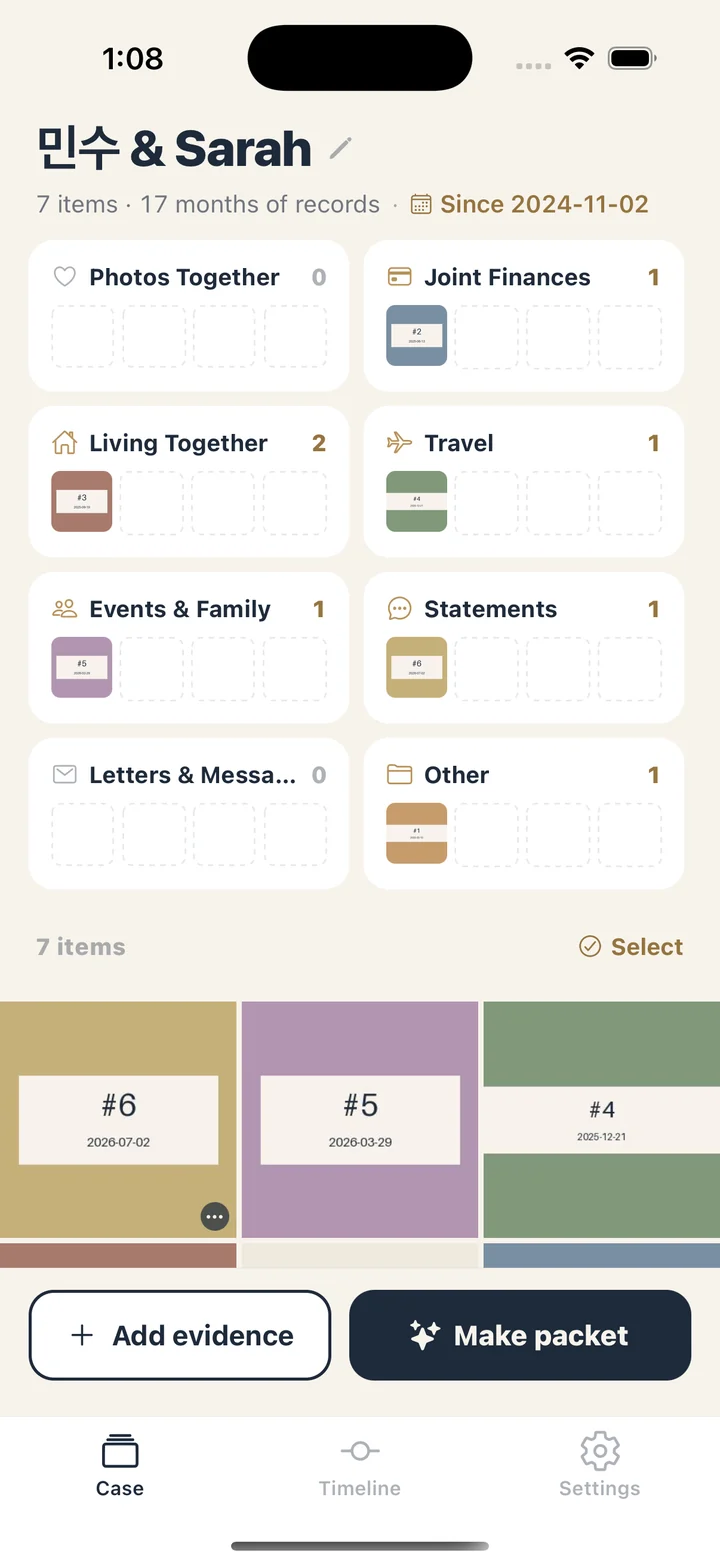
ProofPacket opens straight to your case, with no sign-up and no setup wizard. One skippable screen explains that it is an organizing tool and that your files stay on the phone. Your names and the date your relationship began are optional; tap the header to add or change them whenever you like.
Evidence comes in three ways: many photos at once through the system photo picker, a quick shot with the camera, or PDFs and images from your files. Each photo takes the date it was taken. If there is no such date, it uses the day you added it and says so, and any date you change by hand is marked as set by you. New items land in Other until you move them. Captions are optional, and items without one carry a small badge so you can find them later.
Photos larger than 2,400 pixels on the long edge are saved as copies at that size, which is still more than a printed Letter page needs. Tap any folder card on the case home to see only what is in it.
What goes into the packet
Tap Make packet and ProofPacket builds one PDF on US Letter paper, in this order:
- Cover. Your names, the date the packet was made, the date your relationship began if you entered it, the span of dates covered, and the number of exhibits.
- Table of contents. Exhibits are lettered A, B, C and on to AA and beyond, grouped by folder and in date order inside each folder, each with the page number where it starts.
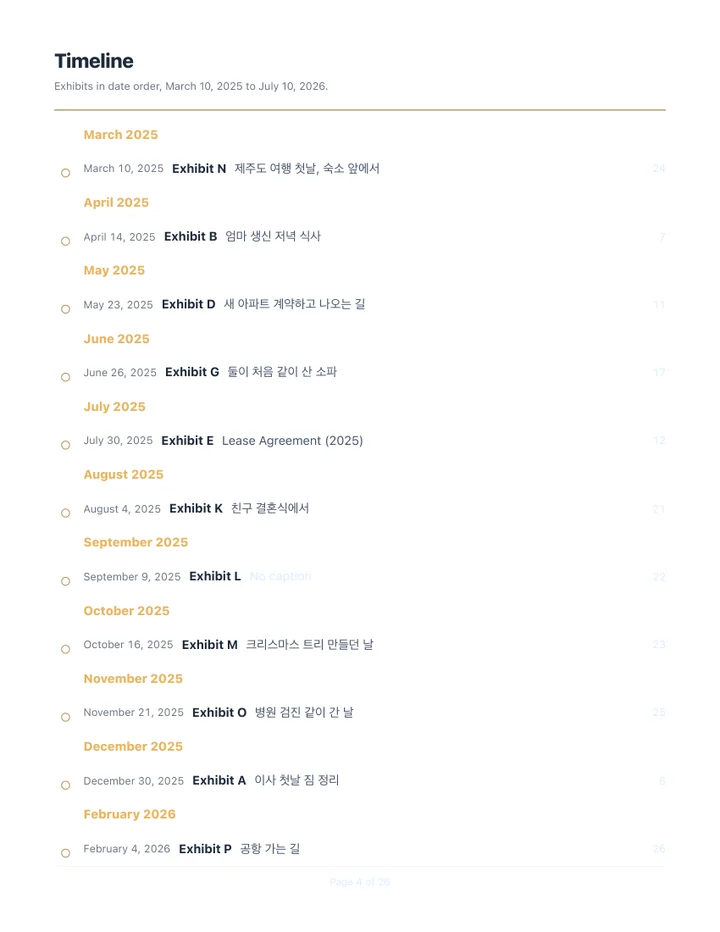
- Timeline. The same exhibits again, in date order under month headings, each pointing back to its letter and page.
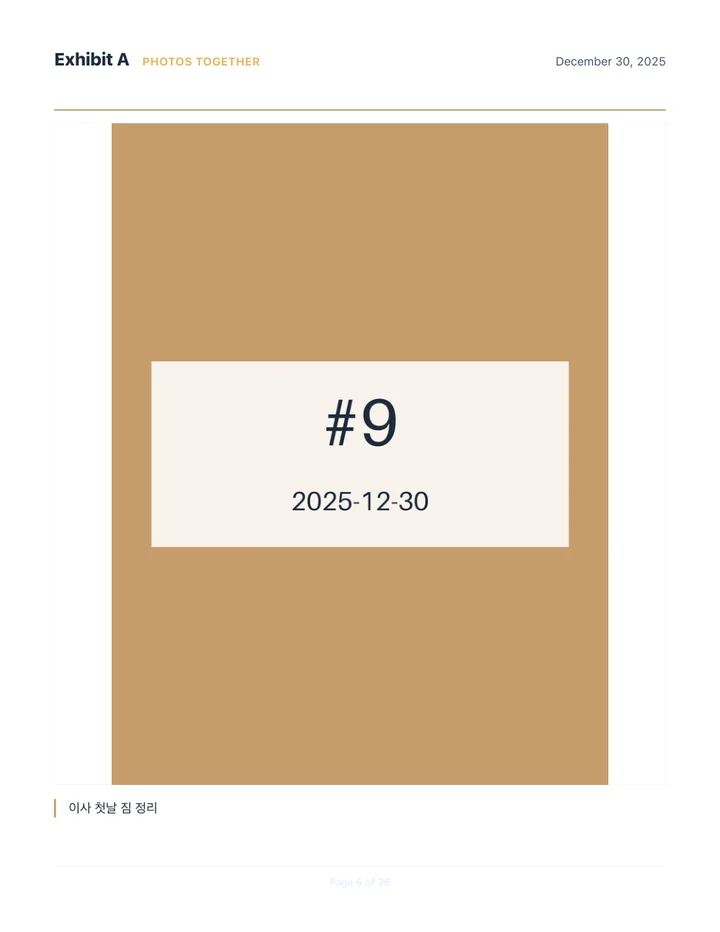
- Exhibit pages. One page per photo with its caption and date. An imported PDF gets a divider page, then its original pages merged in.
The packet's headings, labels, and dates are always in English, whatever language the app itself is set to. Captions are printed exactly as you typed them; the app does not translate or rewrite them.
The moment it comes together
When you tap Make packet, your thumbnails start out scattered across the screen. A gold line draws down the middle and the items fly onto it in date order, left and right, with month labels alongside. Then the whole thing pulls back until the full span of your records fits on one screen, and a card rises with the totals: how many months of records, how many items.
With a large collection, the scene uses up to 36 thumbnails spread evenly from first to last, and the card tells you how many were left off screen. The packet itself includes every item. The PDF is built while the scene plays, with a progress bar that moves through each step, so there is no second wait at the end.
When it finishes, share the PDF through the system share sheet, where you can also save it to your files, or send it to a printer. Before the share sheet opens, the app reminds you that the packet holds personal material.
It stays on this phone
ProofPacket has no servers and no account, and it makes no network requests. There are no analytics or advertising SDKs inside. Because nothing syncs, the copies ProofPacket keeps exist only on this device.
Two optional settings stay off until you turn them on. App lock asks for Face ID or your device passcode every time you come back to the app. A weekly reminder nudges you to add anything new, and its wording never mentions immigration, since notifications can show on the lock screen.
Delete all data in Settings erases the case, every photo and document, all captions, and any generated packets in one step, then returns you to an empty case.
Where the line is
ProofPacket organizes what you choose to put in. It does not fill out, generate, or check any USCIS form. It does not suggest what evidence to include, say whether a folder has enough in it, write captions for you, or track your case status. The folder names are only places to file things.
ProofPacket is a document organizing app. It is not a law firm, does not give legal advice, and is not affiliated with or endorsed by USCIS or any government agency. Every document, caption, and date in a packet is chosen and written by you.