Counted from two dates
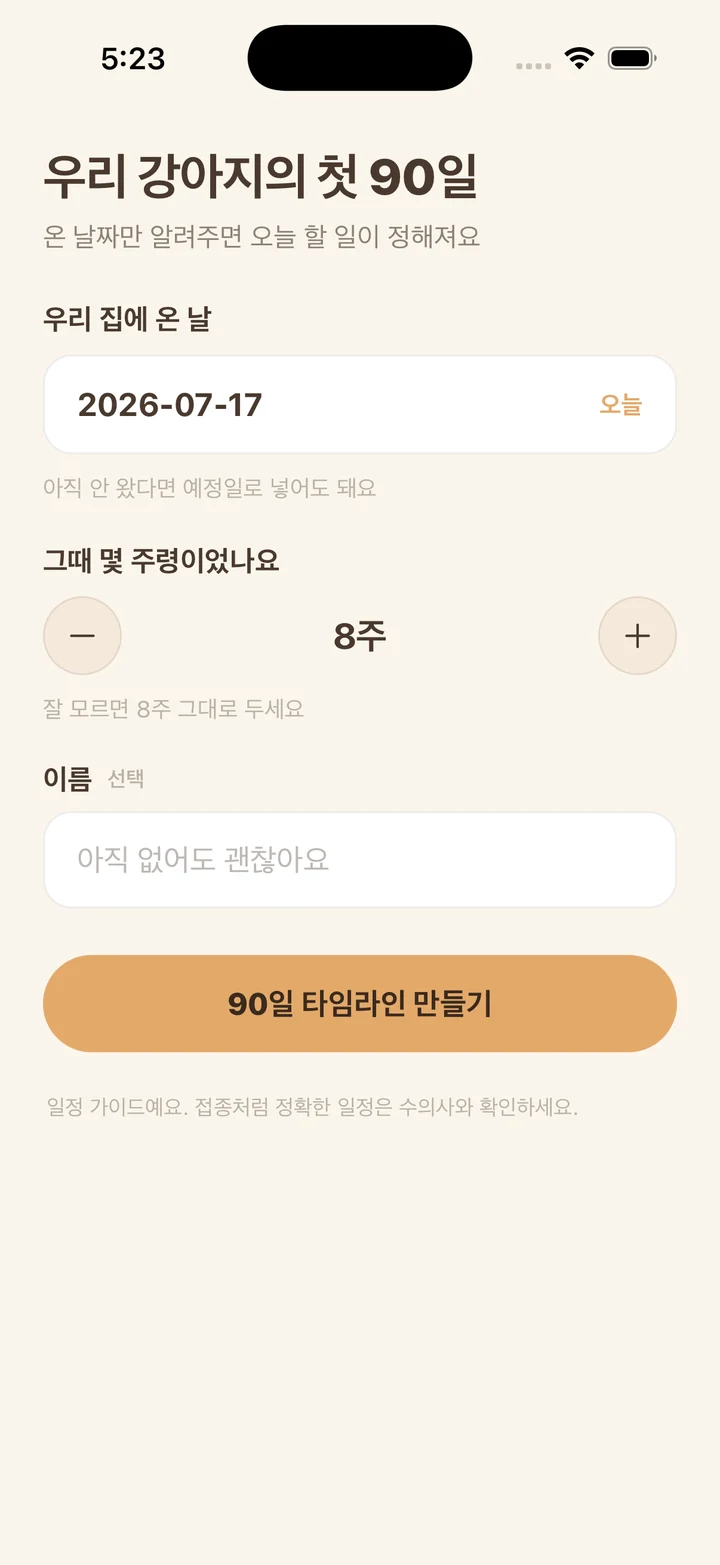
A puppy's first months run on two clocks. Vaccination rounds and the socialization period follow the puppy's age, while house training and settling in start the day the puppy walks through your door. Pup90 asks for the arrival date and the age in weeks at that moment, works out an approximate birthday from the two, and places each task against the date it belongs to.
Brought your puppy home weeks ago? Tasks whose window has already opened stay on today's list until you tick or skip them, and none of them is flagged as overdue. If the arrival date is still ahead, the header counts down the days until your puppy comes home, and getting-ready tasks such as supplies, a sleeping spot, and puppy-proofing show up in the week before.
What fills the 90 days
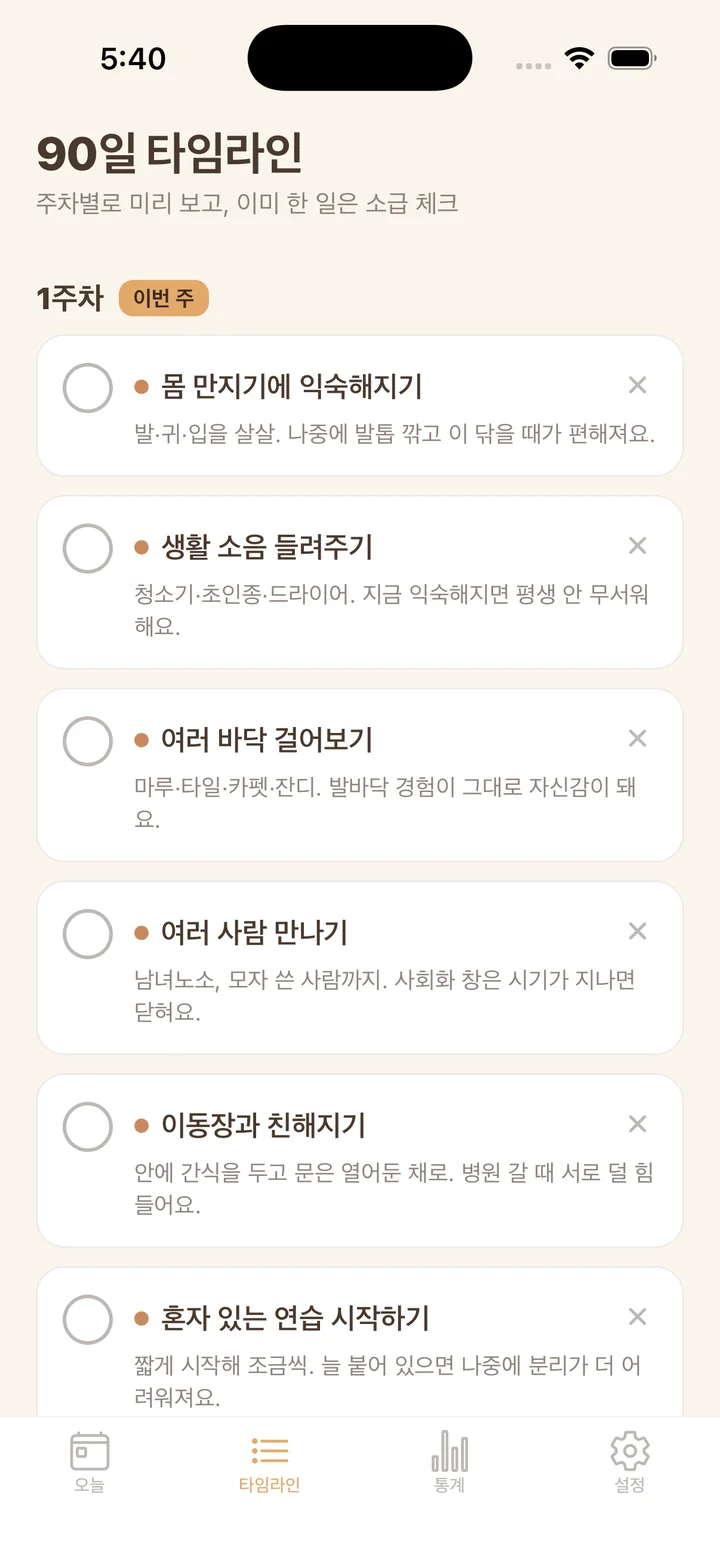
The plan draws from 30 tasks in four groups. Getting ready: basic supplies, a quiet spot, clearing hazards, finding a nearby vet clinic, and a calm first day. Vaccination timing: gathering the records you were given, talking through a schedule with your vet, and the rough windows when the first through fourth rounds usually fall. Socialization: gentle handling, household sounds, different floors, new people, the carrier, short stretches alone, grooming tools, the view outside, and a first short car ride. Training: a potty spot, responding to their name, the crate, bite control, sit, a collar or harness, longer time alone, recall, wait, and walking together.
Each task carries one line on why it sits where it does, such as the socialization window closing as a puppy grows, or a crate being a place to rest rather than a punishment. Above the list sits one of thirteen short cards, swapped in at set points across the 90 days. Each covers something new owners often worry about at that stage, like whining through the first nights or eating less after the move, and some of them suggest talking to your vet if it keeps up.
Today, and nothing else
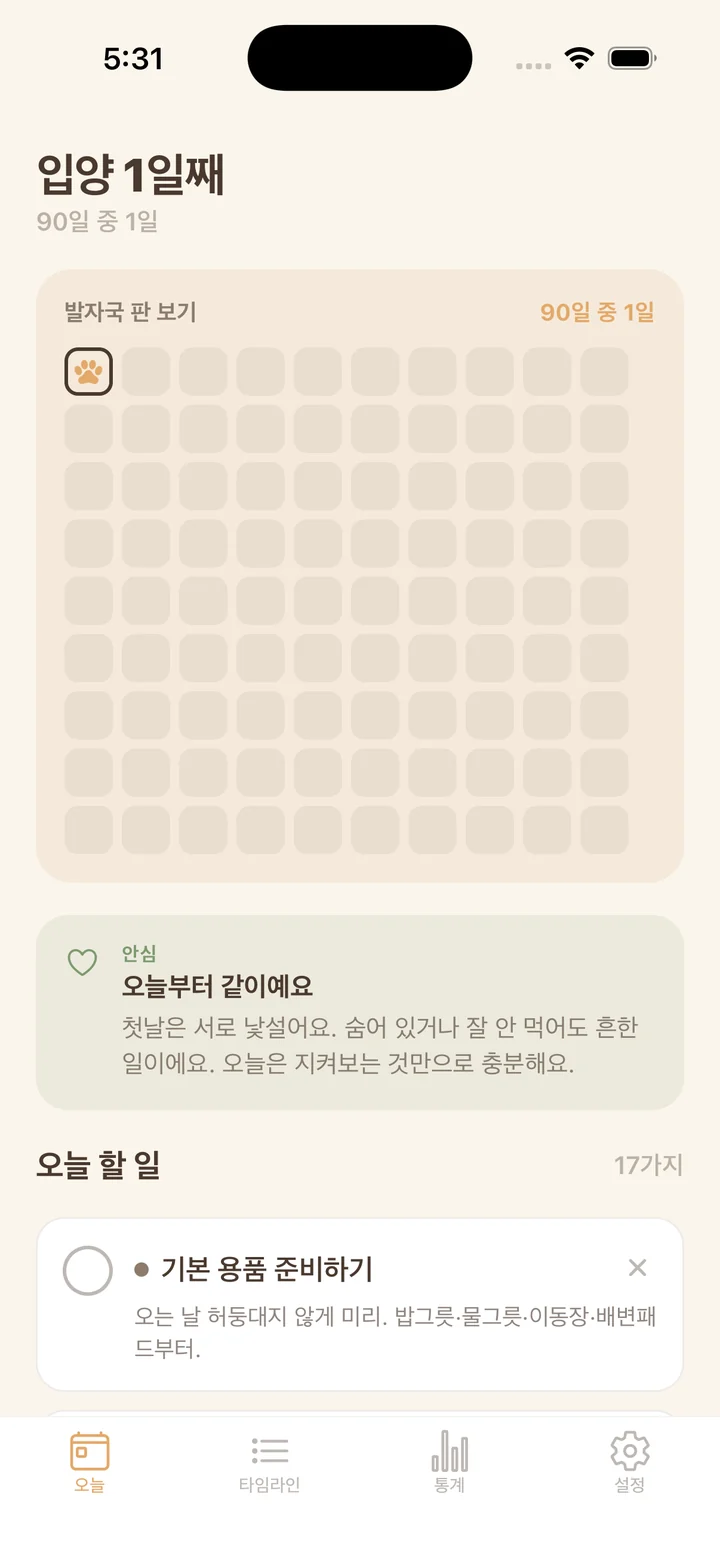
The Today tab opens on the day count, the paw-print board, and the tasks open right now, each marked with its group's color. Tick one when it is done. If a task does not apply to your puppy, for example something already taken care of before the puppy came to you, skip it. Skipped tasks drop out of the progress math entirely, and you can bring them back.
Pup90 can also send one notification a day at a time you choose, 08:00 unless you change it. It names the most pressing open task and how many others are waiting, uses your puppy's name if you gave one, and stays quiet on days with nothing open. Notifications stay off until you switch them on in Settings, and that is the only moment the app asks for a permission.
Progress you can count
The Stats tab shows overall progress as a percentage, with skipped tasks left out, and a bar for each of the four groups. Under that are two numbers: how many days have a paw print, and how many days in a row the prints have kept going. A smaller copy of the board sits at the bottom.
A paw print marks the day you did something, not the day a task was scheduled. Tick off a task early from the Timeline tab and today's square gets the print.
What Pup90 is not
Pup90 is a schedule guide, not veterinary advice. It does not diagnose or treat anything, and it does not name vaccines or doses. The timing it shows is general; confirm your puppy's actual vaccination schedule, and any health concern, with your veterinarian.
There is no account and no sign-up. The puppy's details and every tick stay on the phone, and the app makes no network requests. Entered the wrong date or age? Tap the puppy's details in Settings, fix them, and the timeline recalculates while your ticks stay put. Delete all data in Settings clears the profile, the checks, and any scheduled notifications, then returns you to the first screen.