The date that decides your next payment
The end date of a fix usually sits in the mortgage offer, an annual statement or a letter from the lender. MoneyHelper notes that introductory deals normally last between two and five years, and that once a deal ends you will probably be moved onto your lender's standard variable rate, which is usually higher than other rates you might get. The date sits in a drawer for years and then arrives all at once.
UK Finance expected around 1.8 million fixed-rate mortgages to reach the end of their fixed period in 2026. MoneyHelper's advice is to set a reminder to start shopping around at least six months before a fixed or discount deal reverts to the SVR. A calendar reminder gives you the date. It does not tell you what the SVR would cost on your balance, or what has to happen between now and then.
What the counter calculates
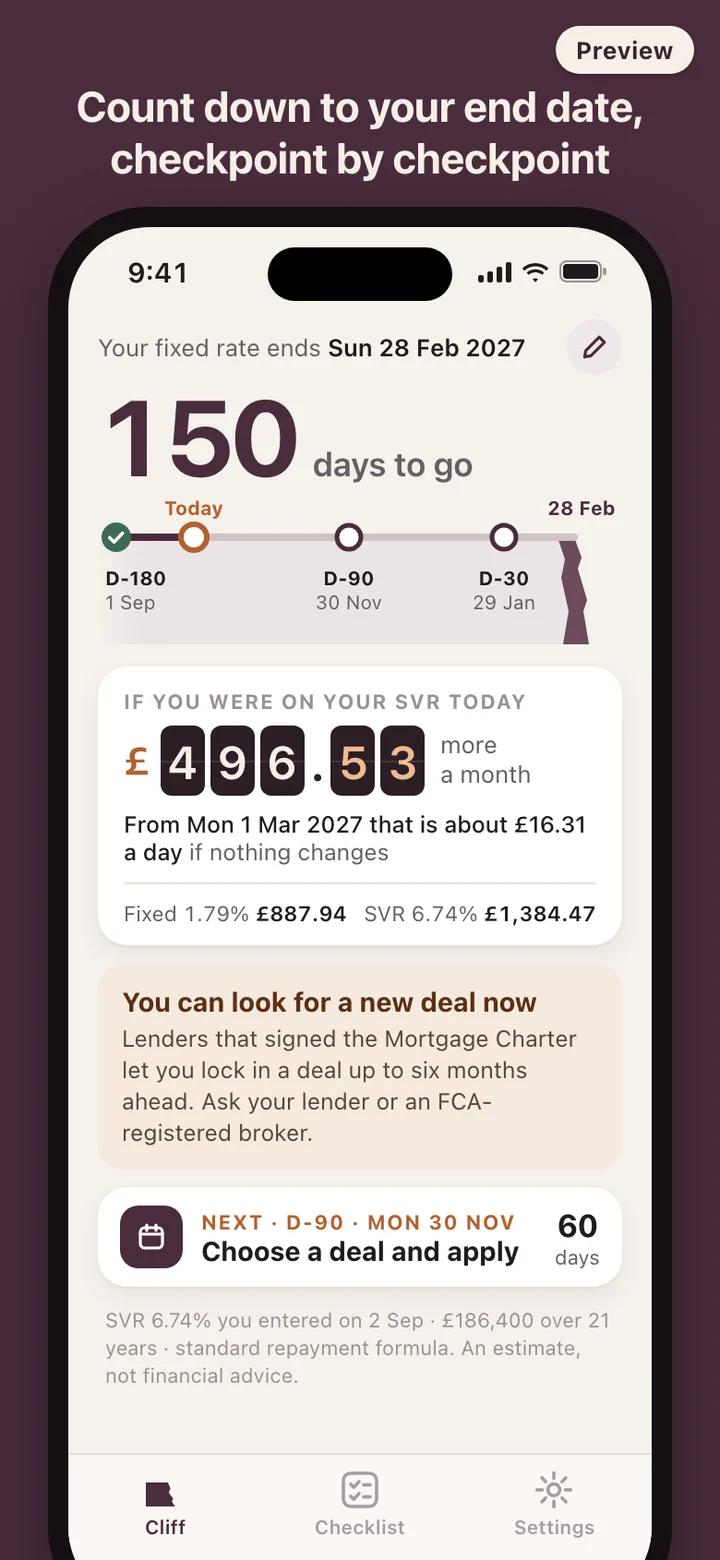
RateCliff works out two monthly payments from the same balance and remaining term: one at your fixed rate and one at the SVR you entered, using the standard repayment formula with interest worked out monthly. The difference is the monthly figure. The daily figure is that difference times 12, divided by 365.25. For an interest-only mortgage it uses balance times rate divided by 12 instead. A How it's calculated page in Settings lists the formula, the assumptions and every number you typed.
The SVR is the one number the app will not guess. Each lender sets its own, and an average says little about yours: the Bank of England's average quoted revert-to rate was 6.58% in August 2026, and it changes from month to month. You copy your lender's figure from its website or your statement, the counter shows that rate and the date you entered it on the same screen, and after 90 days the app asks you to check it is still current. Your lender's own figure can differ by a few pounds depending on how it charges interest, so the counter is labelled as an estimate.
Nothing ticks by the second. The counter changes once a day, when the date changes, and every figure that shows a cost has the next step printed beside it.
Six months, three checkpoints
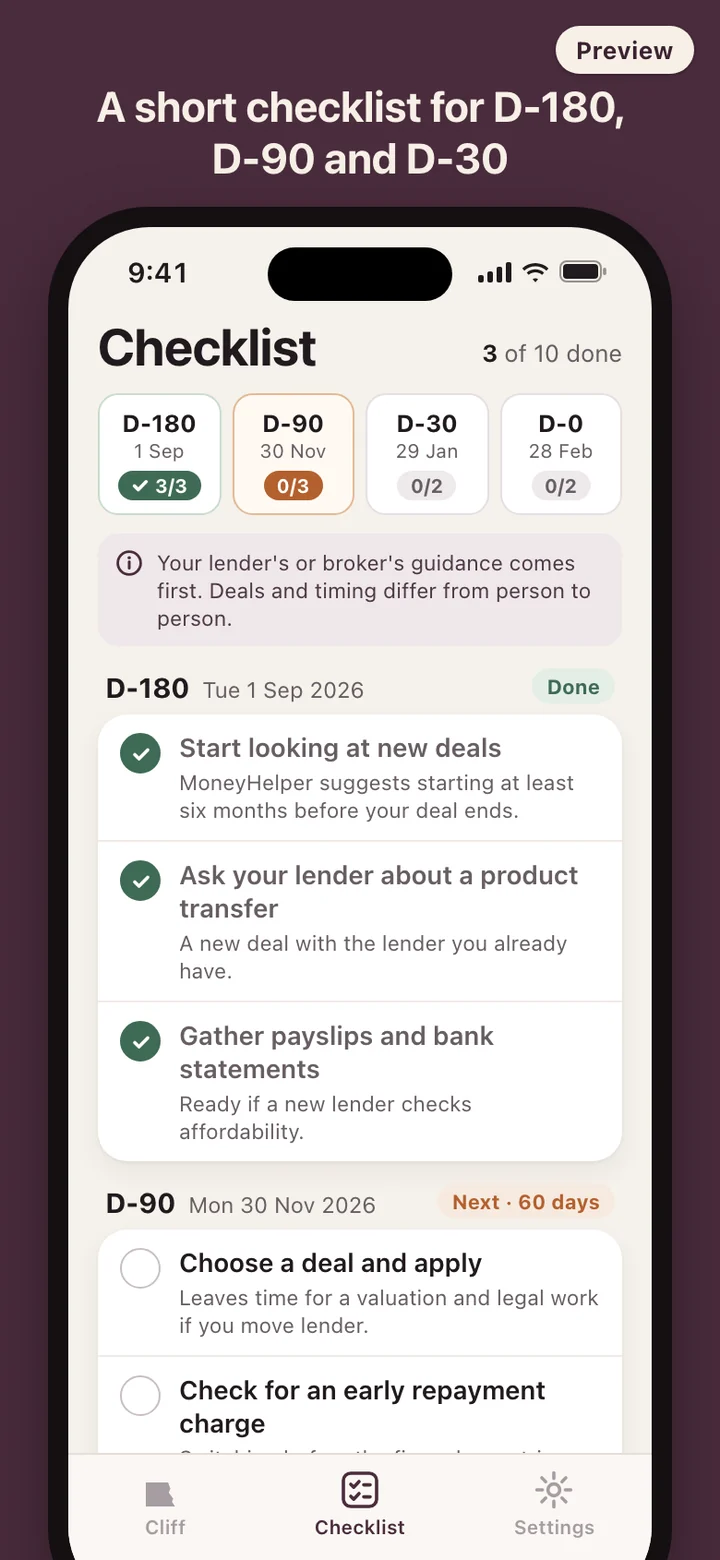
Checkpoints are counted back from your end date. D-180 is where MoneyHelper suggests you start shopping around, and it is also when you can usually act: lenders that signed the government's Mortgage Charter let customers lock in a new deal up to six months before a fixed rate ends and ask for a better like-for-like deal until it starts, according to the FCA. D-90 is the app's marker for choosing a deal and applying. D-30 is the last check that the new rate starts the day after the old one ends.
Reminders arrive at each checkpoint, a week before the end date and on the day itself. They are worded so nothing private shows on a locked screen: no balance, no rate, no amount. Change any number later, the end date included, and the countdown, the counter, the checkpoints and the reminders are all worked out again, with your ticks kept.
If your fix has already ended
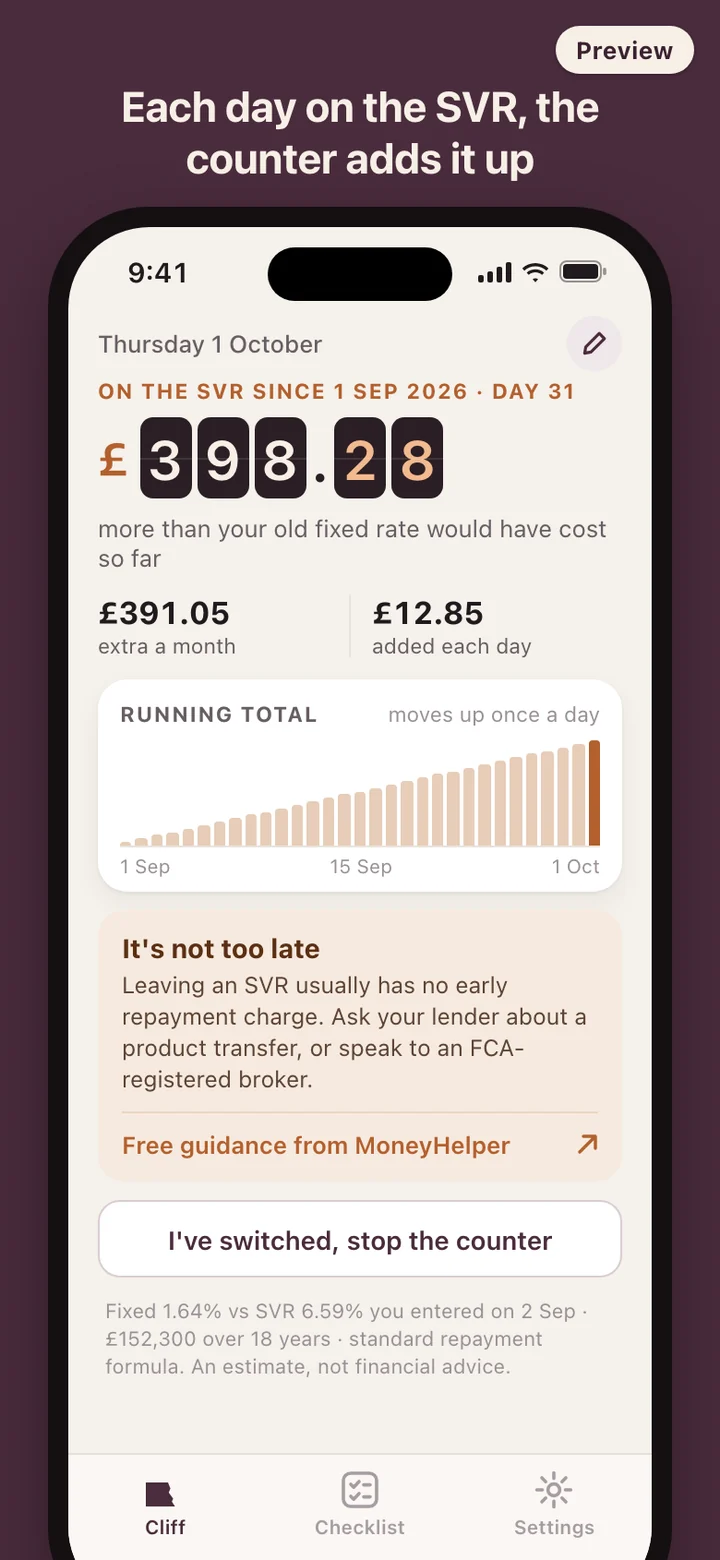
Not everyone notices before the first higher payment, and the app is built for that too. Enter an end date in the past and RateCliff opens a different home screen. The counter shows the real total since the end date and moves up once a day, and the checkpoints are replaced by a shorter track that starts today: look for a deal, get an offer, switch.
The tone stays level. MoneyHelper notes there are usually no penalties for leaving an SVR, and the card under the counter says it is not too late, with the next step and a link to MoneyHelper's free guidance that opens in your browser. When you have switched, mark it done and the counter stops where it is.
What RateCliff leaves out
It does not look up rates, compare deals, rank lenders or pass you to a broker, and it has no field for a phone number or an email address. The only comparison it makes is your fixed rate against your own lender's SVR. There is no account and no server, the app sends nothing over the network, and there is no analytics code inside it. One setting deletes everything, scheduled reminders included.
RateCliff is a calculation and planning tool. It is not financial advice and does not recommend any lender, broker or mortgage deal. Before you decide, talk to your lender, an FCA-registered mortgage broker or adviser, or MoneyHelper, which gives free, impartial guidance.