Where retirement prep lives today
Most people a year out from retiring have three things going at once. A countdown app or a calendar entry that says how many days are left. A packet from HR, or a note to ask for one. And a vague worry about Medicare, usually some version of "I think I have to do something around my birthday."
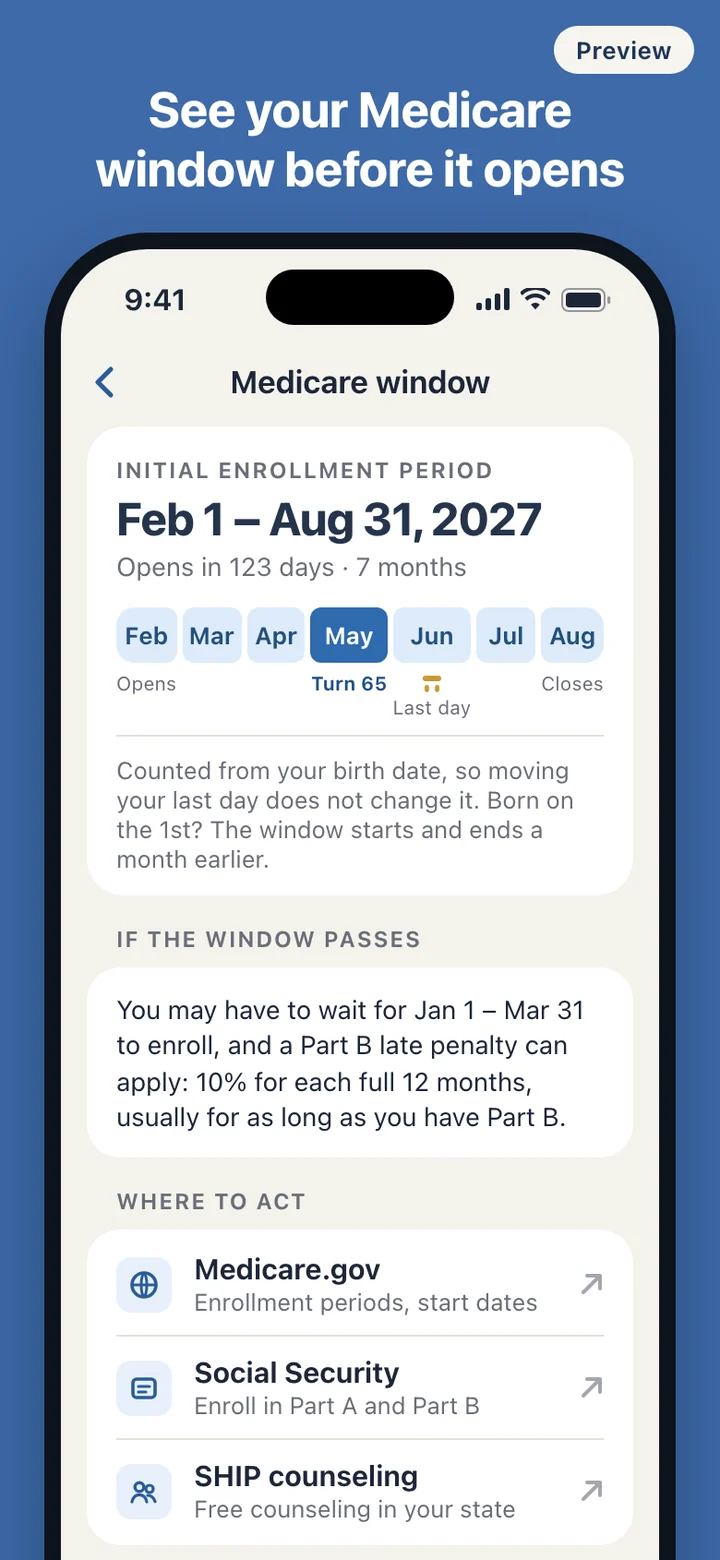
None of these talk to each other. The countdown knows the date but not what is due before it. The HR packet knows the forms but not your date. And the Medicare question runs on a different clock entirely: the enrollment window is set by the month you turn 65, not by your last day at work, so anyone who retires at 63, or keeps working until 67, has two different dates to watch. Look for help online and much of what comes back is run by insurers and brokers, many of them asking for a phone number before they explain anything.
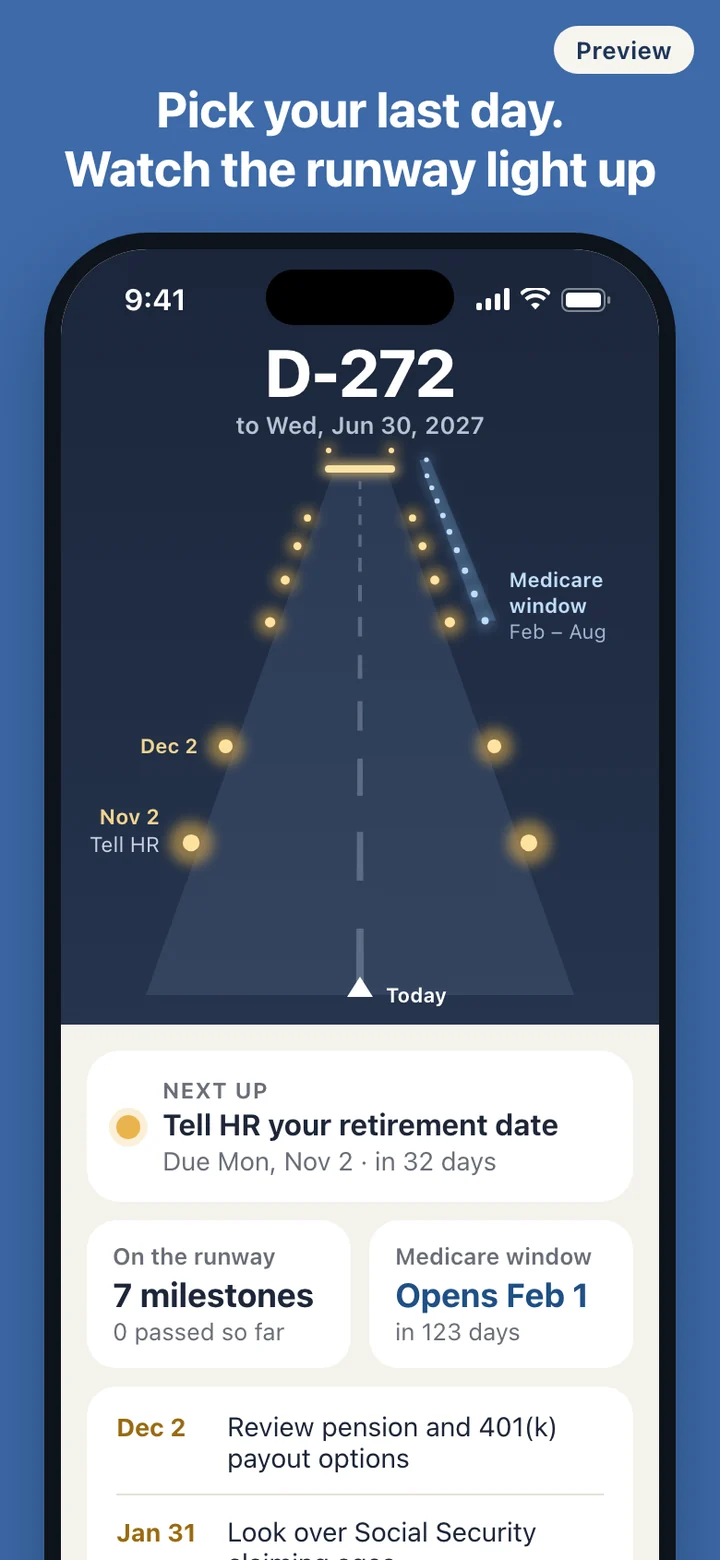
RetireRunway puts the two clocks on one screen and keeps them apart. Your retirement date drives the checklist. Your birth date drives the Medicare window. Each one moves only when its own date changes.
Two dates, two clocks
Setup is one screen: the day you plan to retire. A birth date is optional, and everything else works without it. You can also start with a rough guess and fix it later, or enter a date that has already passed if you retired last month and still have loose ends.
Retirement dates move. When yours does, edit it and the runway is recalculated: every remaining milestone gets a new due date, everything you already checked stays checked, and the Medicare window does not budge, because it never depended on your last day at work. Change your birth date and only the window is recalculated.
The window follows the published rule: seven months, starting three months before the month you turn 65. Born on the 1st, and it starts four months before and ends two months after. If you retire well before 65, the window appears as a note further down the runway. If you are already past it, or still working with job-based coverage after 65, a card explains the Special Enrollment Period and the January to March General Enrollment Period in plain words, without deciding whether either applies to you.
A morning with the runway
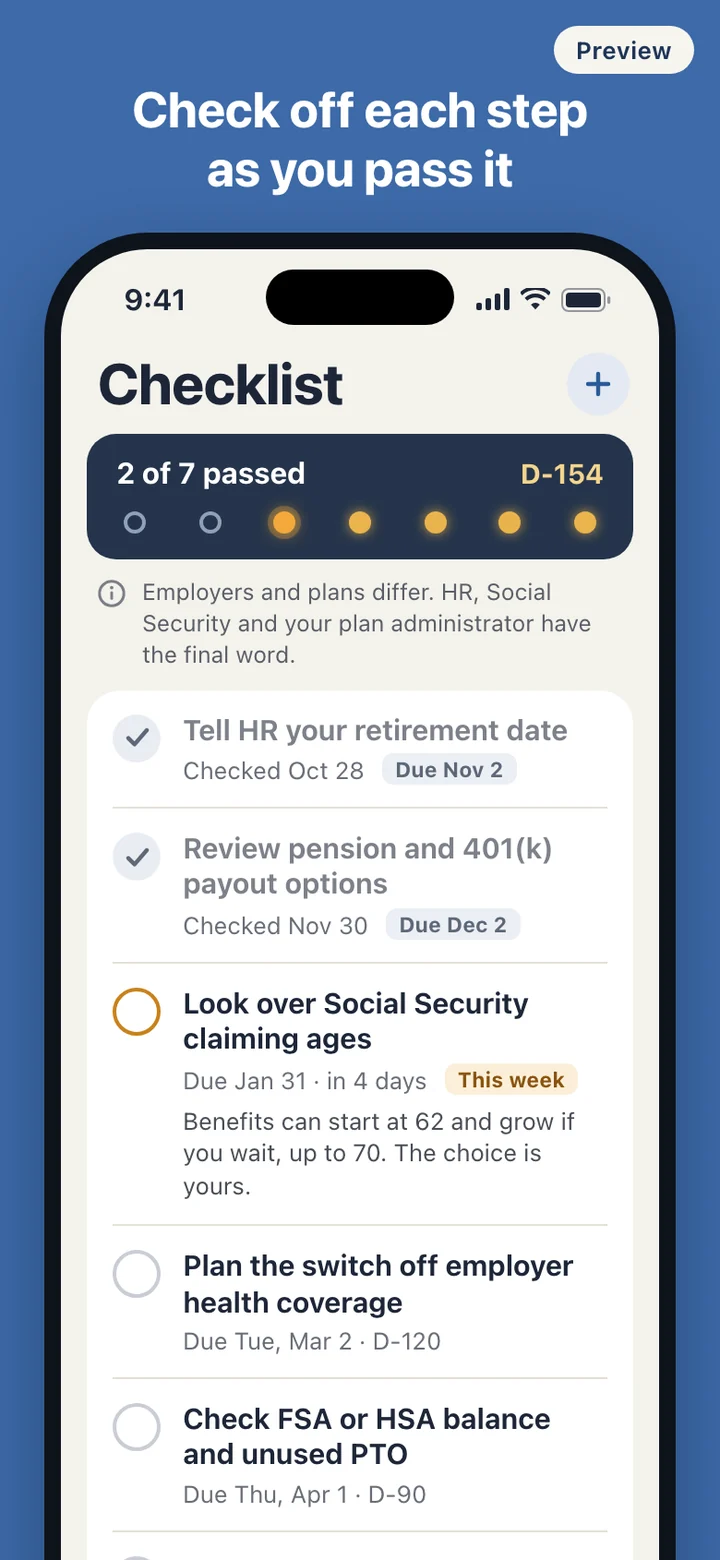
Open the app and the countdown is the first thing you read, large enough to see without reading glasses. Under the runway is the next task and its due date, such as telling HR your date by November 2. Milestones due this week turn a warm amber. A milestone you are behind on dims and shows how many weeks ago it was due, with no red alarms, because retirement plans slip and that is normal.
Some steps are yours alone, like returning a work laptop or booking a call with a former employer's pension office. Add them with a title and either a date or a number of days before or after retirement, and they join the runway as lights like any other.
Reminders are optional and arrive for upcoming due dates, for the Medicare window opening and closing, and on the day itself. They are worded so that a lock screen does not show your age or birth date; the details are inside the app. On the day you retire the runway plays its takeoff, and anything still left for after, such as confirming your first pension payment, stays on screen until it is done.
Text follows the size you set on your phone, contrast is high, and buttons are big enough for a thumb that is not in a hurry.
Neutral on purpose
RetireRunway does not recommend, compare or sell Medicare plans, Medigap policies or Medicare Advantage plans, and it does not connect you to an agent or broker. There is no field anywhere for a phone number or email address. Every Medicare card ends with official places to act: Medicare.gov, Social Security, and the State Health Insurance Assistance Program in your state, which offers free one-on-one counseling.
It also does not tell you when to claim Social Security. The checklist states what Social Security itself publishes, that benefits can start as early as 62 and grow if you wait, up to age 70, and leaves the decision with you. It does not estimate benefits, premiums or taxes, and it is not linked to Social Security, Medicare or your employer.
There is no account and no server. Your retirement date, birth date and notes stay on the phone, and Settings has a single control that deletes all of it.
RetireRunway organizes your own dates and public information. It is not financial, tax, legal or insurance advice, and it does not decide whether you are eligible for anything. Social Security and Medicare confirm your enrollment dates and costs: Social Security at 1-800-772-1213, Medicare at 1-800-MEDICARE. Your state's SHIP offers free, unbiased Medicare counseling, and your HR office and plan administrator have the final word on your employer's benefits.