A sticker book that starts from your camera roll
A sticker book is a simple object: pages you can stick to and peel from, and a pile of stickers that get moved around for years. Puffy stickers, the domed kind with a shiny top that catches the light, are usually the ones people hold back for trading. The limit has always been the shop shelf. You collect what someone else printed, and when a sheet sells out, that design is out of reach.
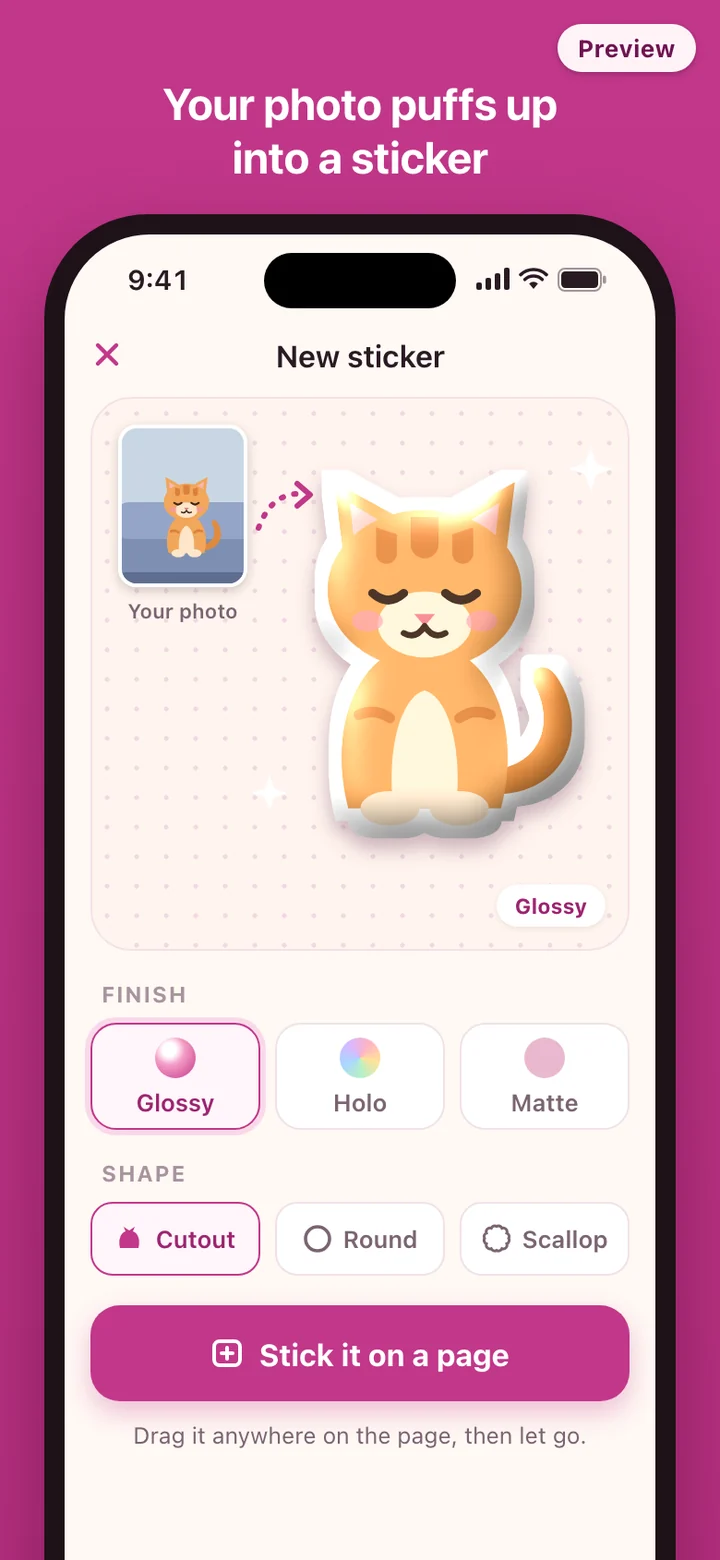
SealPop starts from the pictures you already have. The cat asleep on the sofa, a melon soda from Saturday, the keychain from the claw machine, one tulip from the park. Any of them can become a sticker with a border and a dome, and it is yours in a way a printed sheet never is, because nobody else took that photo.
From photo to sticker
- Pick a photo. If you gave SealPop access to only some of your photos, it works with those.
- The subject is cut out on the phone. If the outline misses, one tap switches to a round or scalloped cut, the shapes many printed stickers come in, and the white border stays either way.
- Choose a finish: glossy, holo with a rainbow sheen, or matte for contrast next to the shiny ones. Then pick a size for the page.
- Drag the sticker onto a page and let go. Motion, a haptic tap and a sound arrive together, so the sticker feels pressed down rather than placed.
A book that stays on your phone
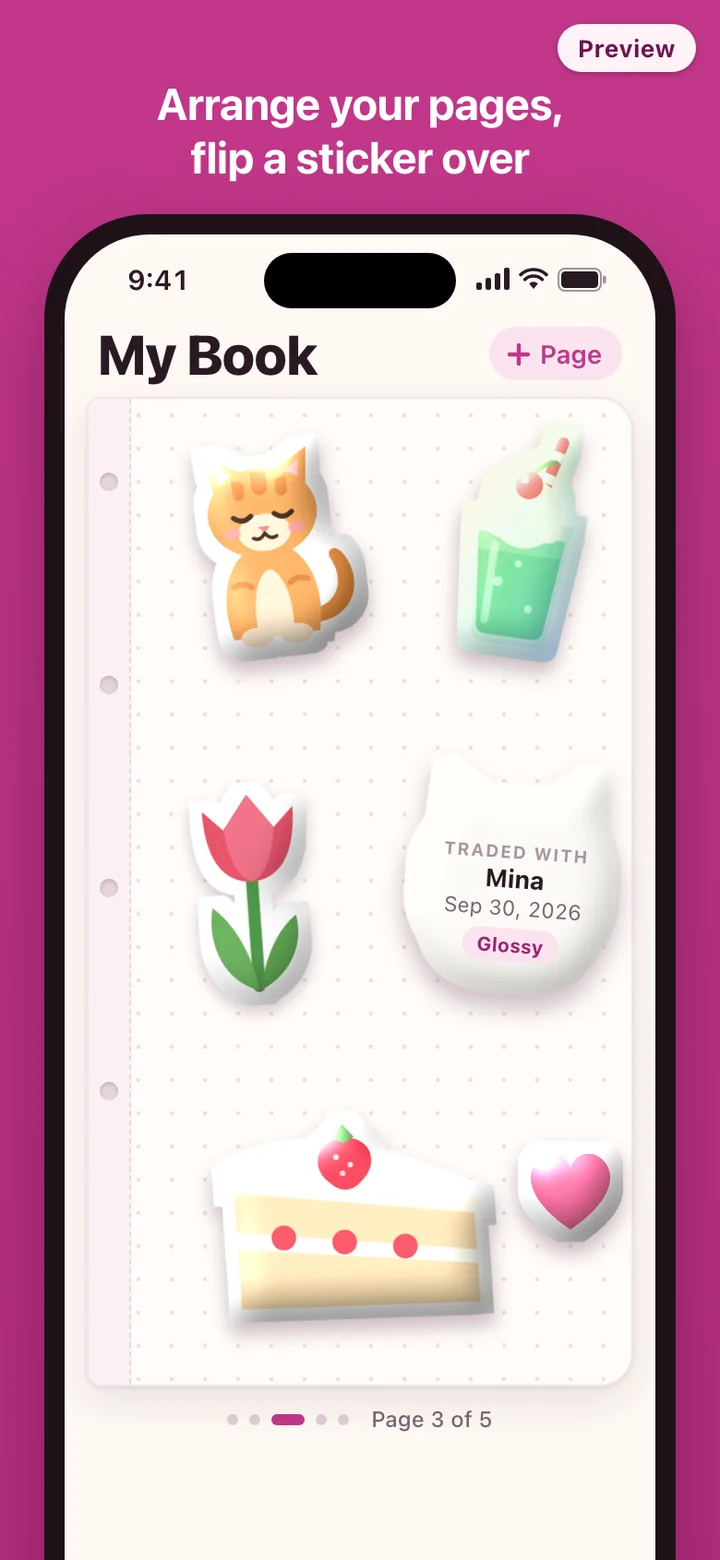
Making stickers and filling pages needs no account and no connection. The cutout, the border and the shine are all worked out on the device, so nothing is sent anywhere while you make a sticker. Sticker images are kept as files on your phone, and the book remembers where each one sits, at what angle and at what size.
The first time you open SealPop, a demo book is already there with a few sample stickers on its first page, so you can see what a finished page looks like before you choose a photo. The samples are original drawings made for the app, not characters from a show or a brand.
There is no copy of your book on a server. That keeps your photos private, and it also means the book lives on the phone you made it on.
How a trade works
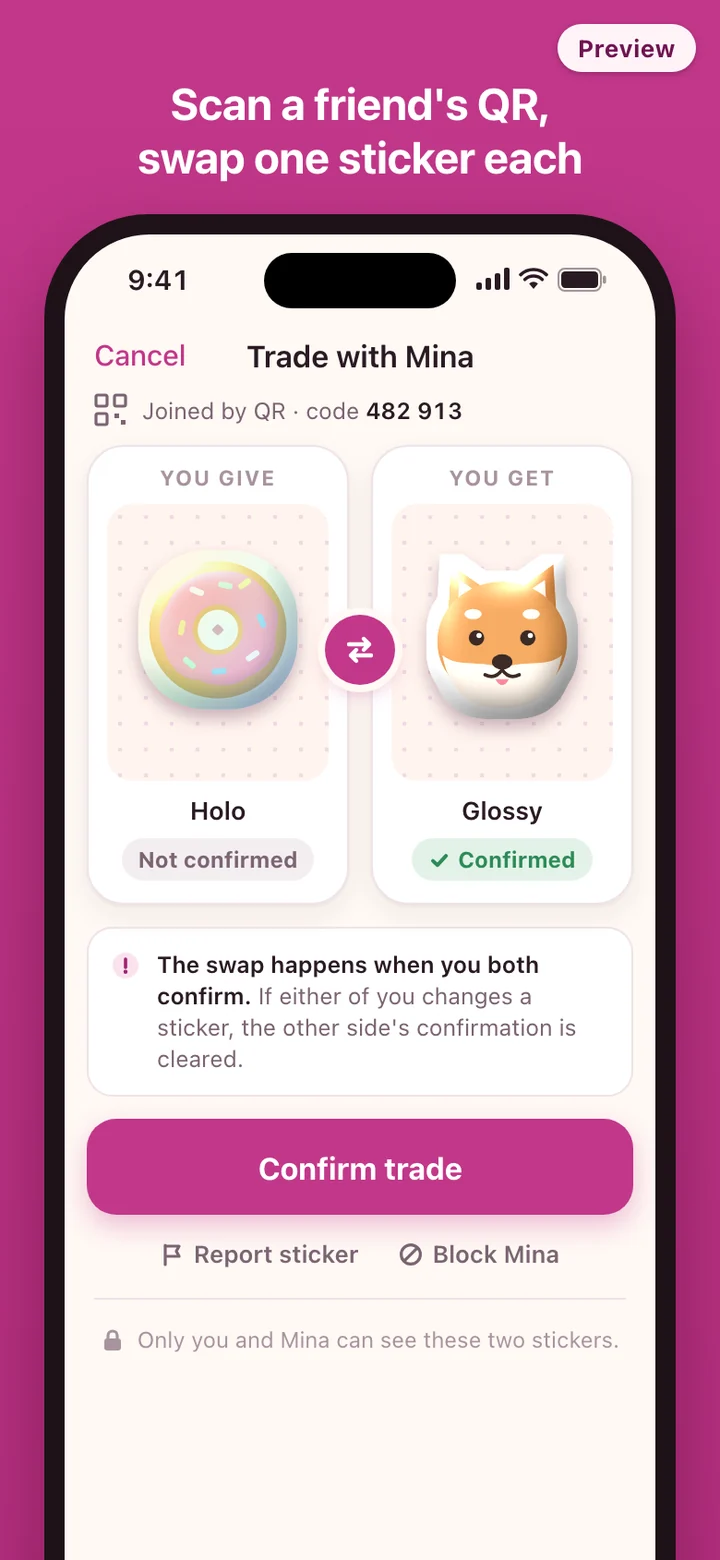
Trading is the one part that goes online, and the first time you trade, SealPop asks you to sign in with Google or Apple. It is also the only time a photo leaves your phone. The single sticker you offer is uploaded so your friend can see it, and only the two people in that trade can open it.
One person starts a trade and gets a QR code with a six-digit code under it. The other scans it or types the code in. Codes are short-lived, so an old one cannot be used later. Each of you picks a sticker and both offers appear on both screens. If either person changes their sticker, the other side's confirmation is cleared, so nobody can switch at the last second. When both sides confirm, the stickers change hands.
Traded sticker images are deleted from the server after 30 days; the one you received is already saved on your phone by then. A sticker that has been reported is kept until the report is handled. If you get something you did not want, report it from the trade and block that person, and a blocked account cannot join your trades again. Deleting your account removes your trade history and uploaded images from the server, while your sticker book stays on your phone.
What SealPop leaves out
No public feed, no browsing other people's books, no matching with strangers. A trade only starts from a code that someone shows you. There is no chat and no text box anywhere in a trade, so the only thing two people send each other is one sticker each.
No built-in characters. Every sample sticker is original art, and the stickers you make come from your own photos. SealPop does not print anything either; the stickers live in the app.
SealPop is a general app, not an app made for children. Face-to-face codes, no chat, and report and block narrow who can send a picture, but they do not replace a parent knowing who a child trades with.