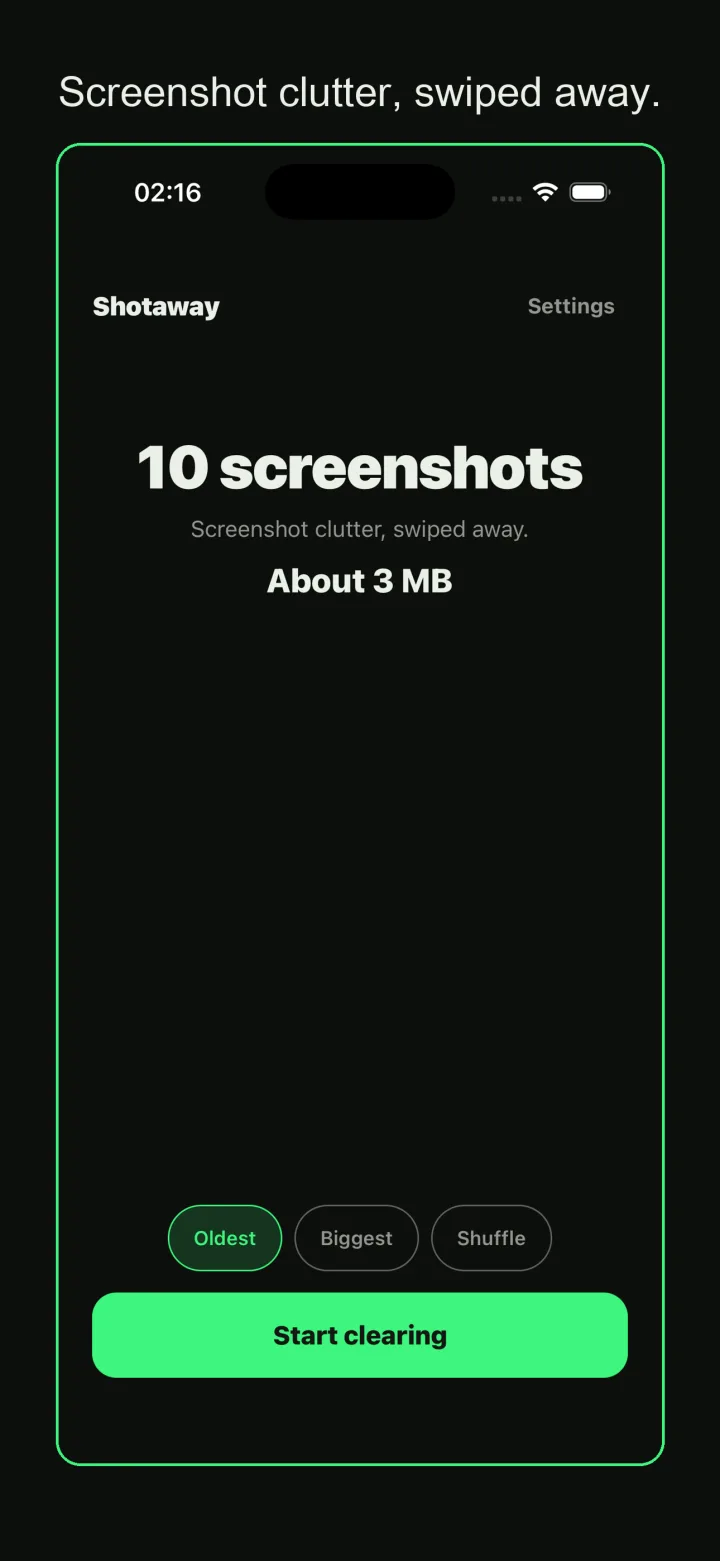
See the count before you start
The home screen shows how many screenshots you have and roughly how much space they take. Below it are three sort choices, Oldest, Biggest, and Shuffle, and a single Start clearing button.
Utilities · for anyone whose photo library is full of old screenshots

Shotaway is a screenshot cleaner for people whose photo library has turned into a wall of boarding passes, order confirmations, and forwarded chats. It reads only the Screenshots album, shows each one as a card, and lets a flick of your thumb decide whether it stays or goes. Nothing is deleted while you swipe; you get one review screen at the end and one system confirmation, then the whole batch goes at once. The app makes no network requests, has no account, and shows no ads.
The home screen shows how many screenshots you have and roughly how much space they take. Below it are three sort choices, Oldest, Biggest, and Shuffle, and a single Start clearing button.
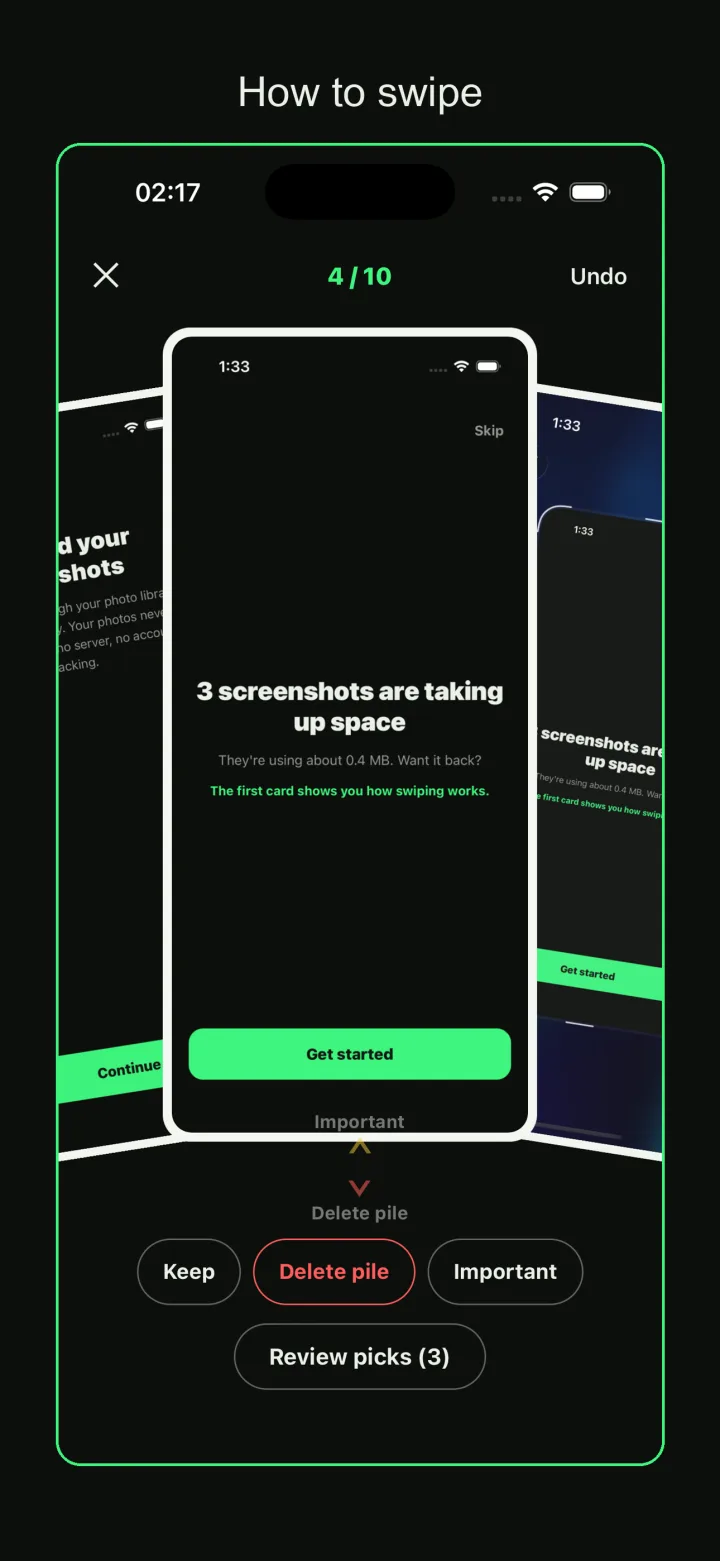
Cards come up one at a time with a counter like 4 of 10 at the top and Undo in the corner. Flick down to add the screenshot to the delete pile, swipe left to keep it, swipe up to mark it important. Buttons under the card do the same if you would rather tap. Review picks shows how many are waiting.
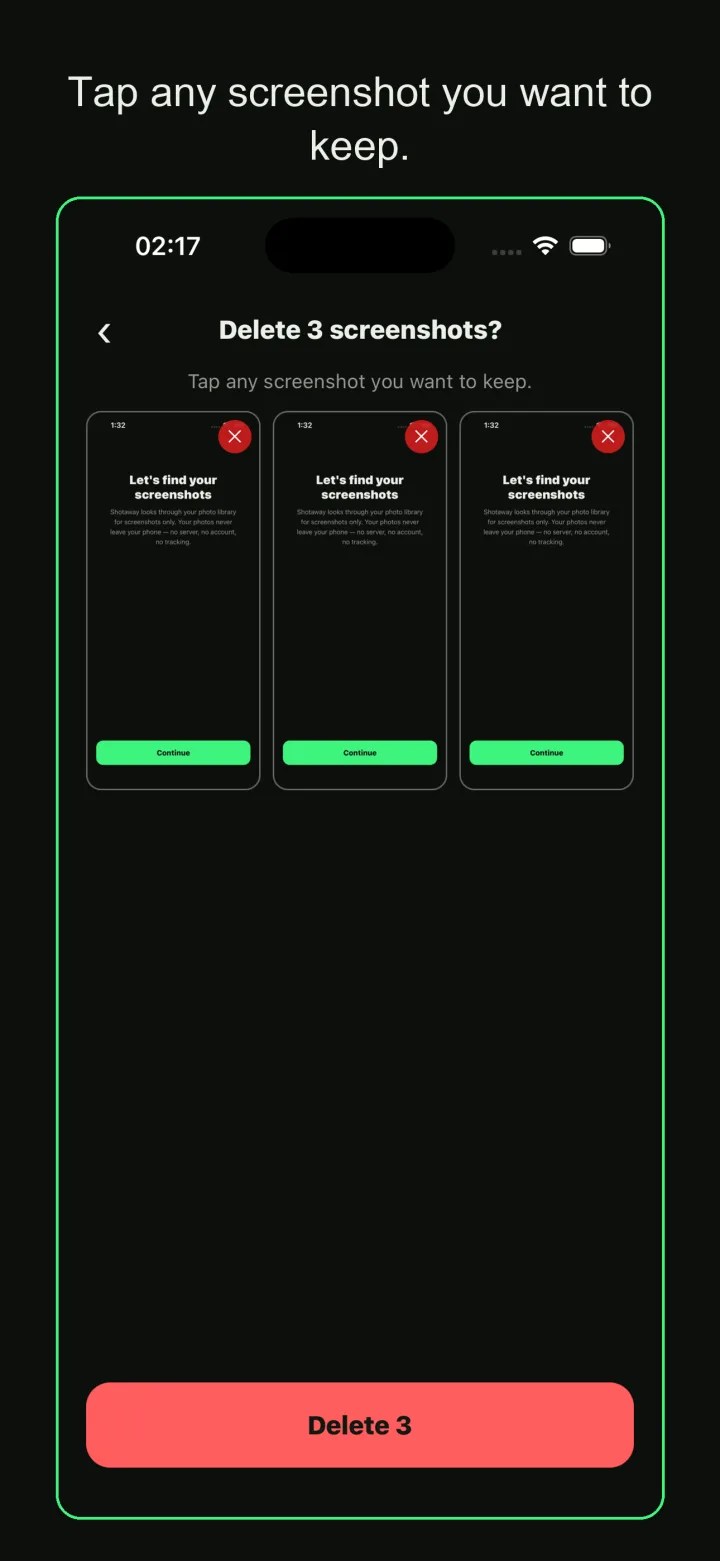
The review screen lists everything in the delete pile as a grid and asks you to tap any screenshot you want to keep. A red Delete button at the bottom shows the final count. After that, the system asks once, and the batch is removed.
Shotaway reads the Screenshots album and nothing outside it. Vacation photos, camera shots, and saved images from other apps never enter the deck, so there is no way to swipe away something you meant to keep forever. Photo access is used for two things only: reading the screenshots, and deleting the ones you confirmed.
Before you begin, the home screen tells you how many screenshots you have and about how much space they take. For most people that number is the whole reason to start.
Every card is a single screenshot. Flick down and it joins the delete pile. Swipe left and it stays, and the next card comes up. Swipe right and the last action is undone. Swipe up and the screenshot is starred as important, for the ones you actually want to find again. After a handful of cards the motions become automatic and you stop reading the labels.
If you prefer tapping, the same four choices sit under the card as buttons: Keep, Delete pile, Important, and Undo at the top.
While you swipe, nothing is removed from your phone. Delete candidates collect in the background. When you finish, or whenever you tap Review picks, you get a grid of everything in the pile. Tap any thumbnail to pull it back out. Press the delete button and the operating system shows its own confirmation dialog one time. Only after that confirmation does the batch actually go.
This is the difference from deleting in the photo app: there is no dialog per image and no surprise. Once you confirm the system dialog, the screenshots are gone right away, which is exactly why the review screen comes first.
Oldest first is the default, because old screenshots are almost always done being useful. If you are out of storage right now, switch to Biggest and the freed space climbs after only a few cards. Shuffle is for when you want to see a bit of everything.
The app remembers where you stopped. Do twenty cards on the train and twenty more at night, and you never see the same screenshot twice. When a batch finishes, a result card reads N deleted and N MB freed, keeps a running total since you started using the app, and can be shared as an image.
Shotaway makes no network requests at all. There is no server, no account to create, no analytics service, and no ads, so there is no path for a screenshot to leave your device. The app interface is available in 45 languages.
No. Anything outside the Screenshots album is never loaded into the deck.
Yes. Swipe right to undo, or remove it from the grid on the review screen before you confirm.
Only after you press delete on the review screen and confirm the system dialog. Until then nothing is removed.
No. The app makes no network requests, so there is nowhere for them to go.
No account, no ads, and the app is free.
Pick the channel you use.



