After TV Time
TV Time announced on July 1, 2026 that its app and website would close, and the service stopped after July 15, 2026. Its owner, Whip Media, said personal data would be deleted once it ended. Before that date, users could request a copy of their data through a self-service privacy export. Many people did, and now hold a ZIP file full of their viewing history with nothing on their phone that opens it.
ShowShelf starts from that file. It is not a social network and it does not try to rebuild one; it is a shelf of the series you watch and a record of which episodes you have seen. ShowShelf is not affiliated with TV Time or Whip Media.
If you never downloaded the export, there is nothing for any app to read. TV Time's copy of your history was deleted with the service, so ShowShelf cannot recover an account. You can still start a fresh shelf by searching for a show and adding it.
What the import reads
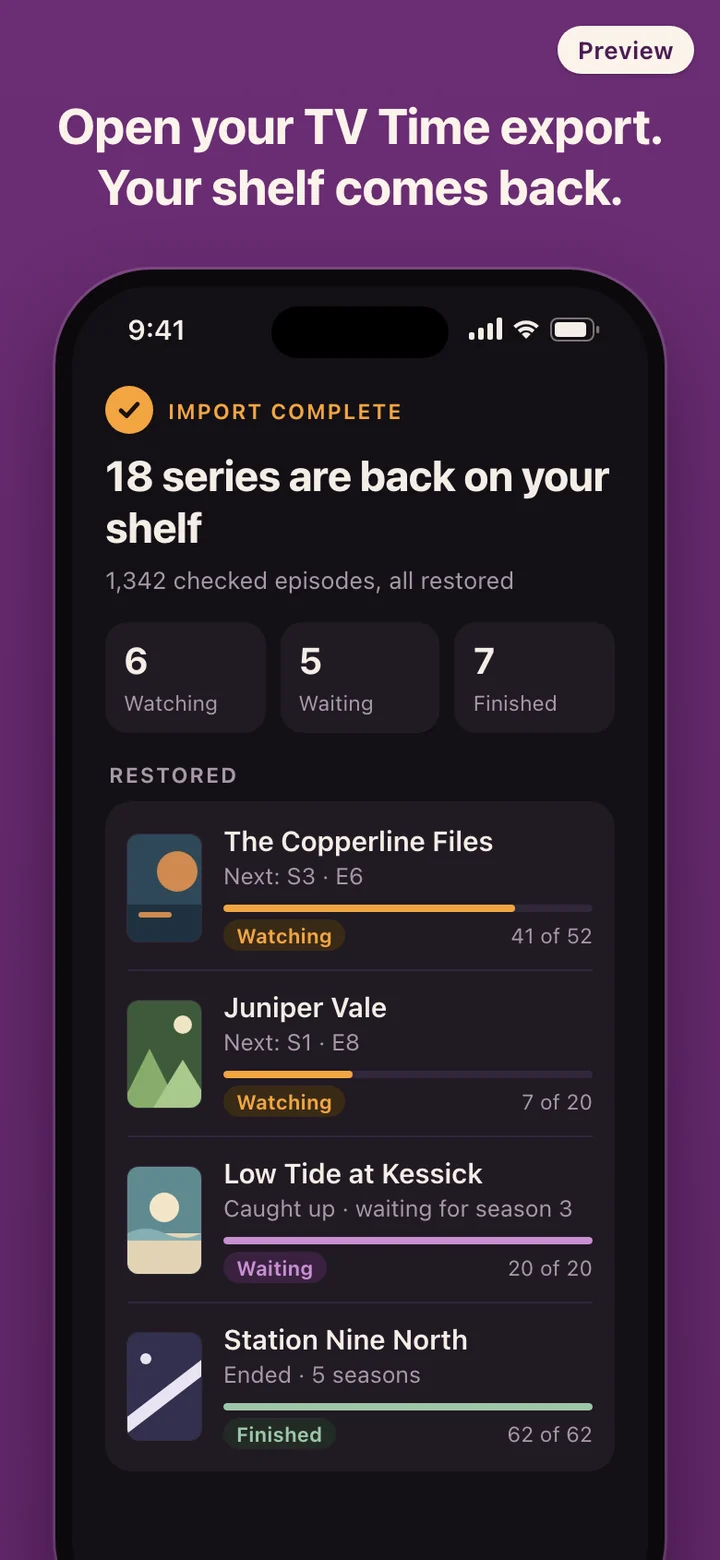
TV Time's export arrived as a ZIP archive of CSV files, often protected by a password that TV Time emailed separately. ShowShelf accepts the archive as it came: choose it from Files, enter the password if asked, and the import runs on the phone. Nothing is uploaded to a ShowShelf server, because there is no ShowShelf server.
The import looks for the series you followed and the episodes you marked as watched, then matches each show against TMDB so the shelf has season lists and episode titles. When it finishes you see how many series and episodes came back, and each series lands under Watching, Waiting or Finished.
A plain CSV works as well. If you kept your own list in a spreadsheet, a file with the show title, season number and episode number on each row is enough to check those episodes off in bulk.
Some parts of a TV Time export have no place on a shelf. Comments, reactions and episode ratings are left behind, and movies are skipped because ShowShelf tracks series.
How it fits into a week of watching
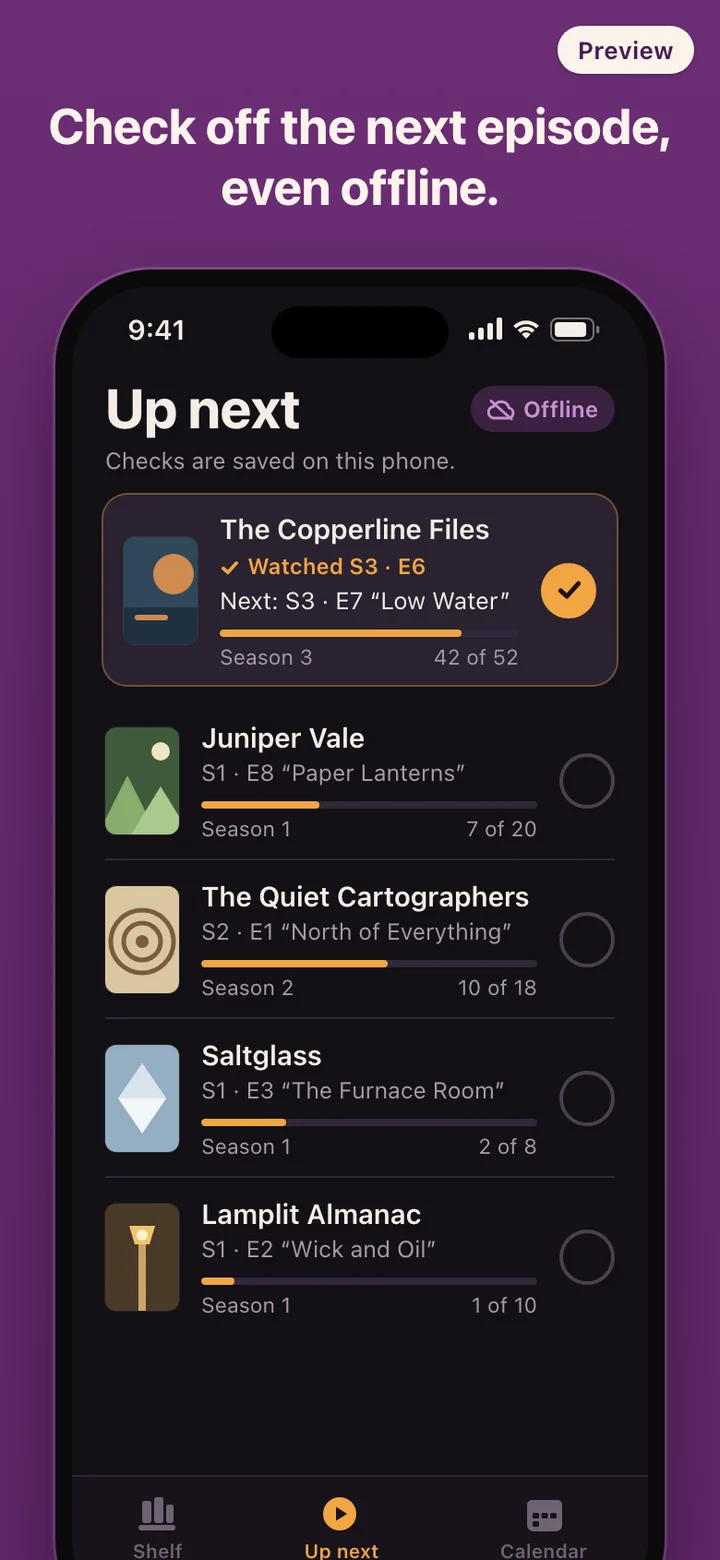
On a weeknight you open Up Next, see that you are on season 3, episode 6 of a crime drama and episode 8 of a slower family series, and pick one. When the credits roll you tap the circle. The row now shows episode 7, and the progress count goes up by one.
Catching up on an old show after a binge weekend? Open the series, go to the season, and mark the whole season as watched in one move instead of tapping ten episodes. Each season keeps its own episode list, so you can still uncheck the one you skipped.
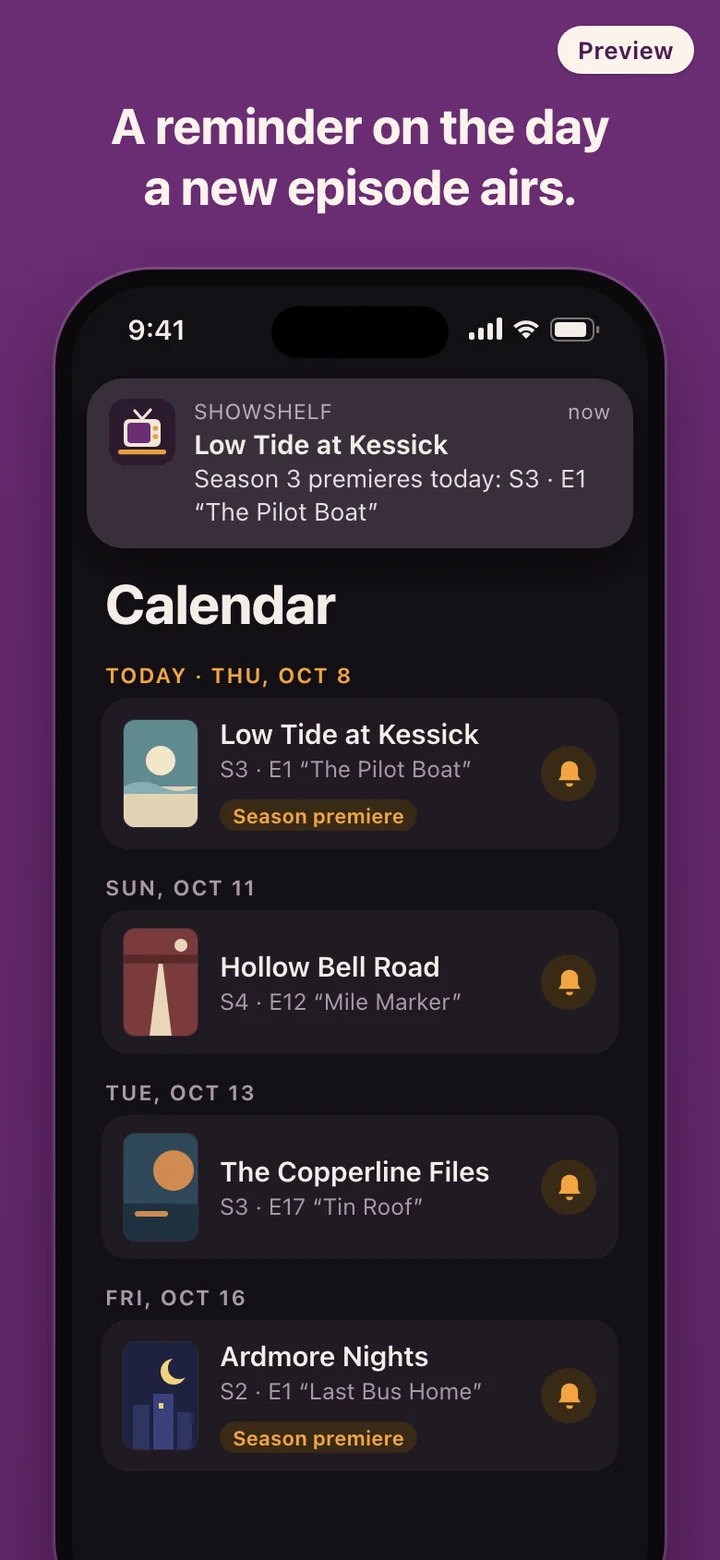
When you are fully caught up, the series moves to Waiting. It stays there quietly until TMDB lists a new episode, and on that day your phone tells you. Shows that have ended and that you finished sit under Finished, out of the way of what you are watching now.
Show details and air dates
Posters, season lists, episode titles and air dates come from TMDB, The Movie Database, and are kept in a cache on the phone. That cache is why checking episodes works without a connection. Adding a new show, or refreshing the calendar for newly announced episodes, needs the internet.
TMDB records an episode's original air date on the network where the show first aired. A streaming release that goes live late in the evening in one country can be listed under a different day somewhere else, so treat the reminder as the day to look, not as a guaranteed hour.
ShowShelf uses TMDB and the TMDB APIs but is not endorsed, certified, or otherwise approved by TMDB.
What it deliberately leaves out
Marking an episode as watched is one tap and nothing else. ShowShelf never asks you to rate the episode, write a review, pick a favorite character, or react before it lets you move on. One longtime TV Time user, commenting on the shutdown news, said they had left when the app started asking for a review of every episode they marked as watched.
There is no feed, no friends list, no comments section and no public profile. There is also no account, so there is no password to forget and no email address to hand over. ShowShelf does not stream anything and does not tell you which service carries a show; it only remembers where you are.