Notes that belong to you, not to a feed
Most people who want to remember a bottle end up with a camera roll full of labels and no record of which ones they liked, or a notes file that never has the vintage in it. Many drink apps solve the memory problem by turning it into a social one: check-ins, followers, badges, and an average score from strangers sitting above your own opinion.
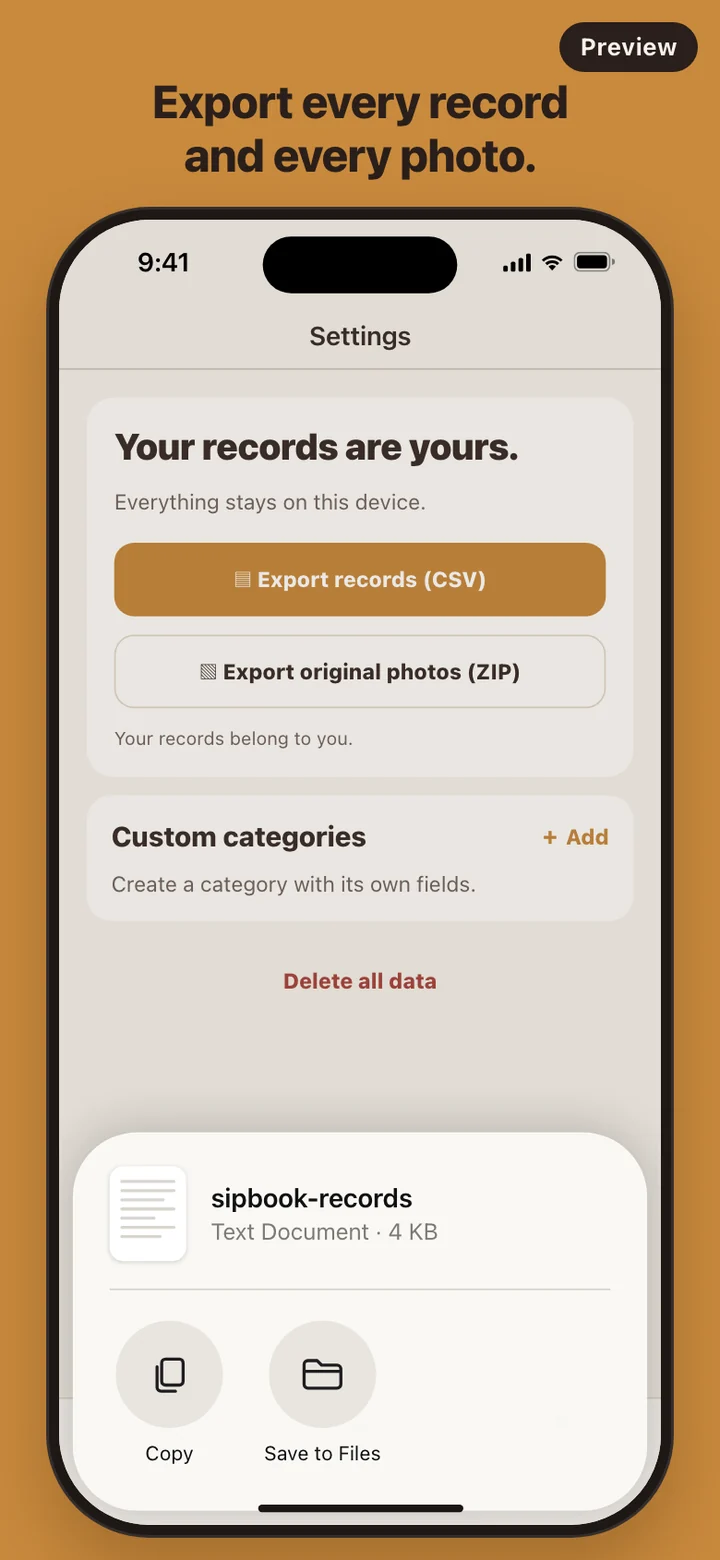
Sipbook goes the other way. It keeps the part that matters to you, a photo of the label and your own verdict, and drops the rest. There is no profile, no follower list, no public rating, and no community tab. It also treats your history as yours to take with you. Some apps charge for that: Untappd, for one, lists exporting your check-in history among the features of its paid Insiders tier. In Sipbook, export sits at the top of Settings. Sipbook is not affiliated with Untappd.
What goes into a record
The save screen asks for very little. Category is a row of chips: Wine, Beer, Whiskey, Coffee, Sake, and Other. Rating is ten chips from 0.5 to 5.0 in half steps. Would I have it again? has three answers, Yes, Maybe, and No. Tap Optional details to type a name or a tasting note right away; skip it and the card shows your rating where the name would be.
The rest can wait. Open a card later to add the price, the place, and the date, change your Yes, Maybe, or No, and fill in fields that fit the category: vintage, grape, and region for wine; style and ABV for beer; distillery, age, and ABV for whiskey; origin, roast, and process for coffee; brewery, polishing ratio, and type for sake.
For anything the list does not cover, such as tea, cider, or mead, add a custom category in Settings and give it your own text, number, or year fields. It gets its own shelf, its own filters, and its own columns in the CSV. Delete that category later and its records stay, filed under Other.
Finding a bottle again
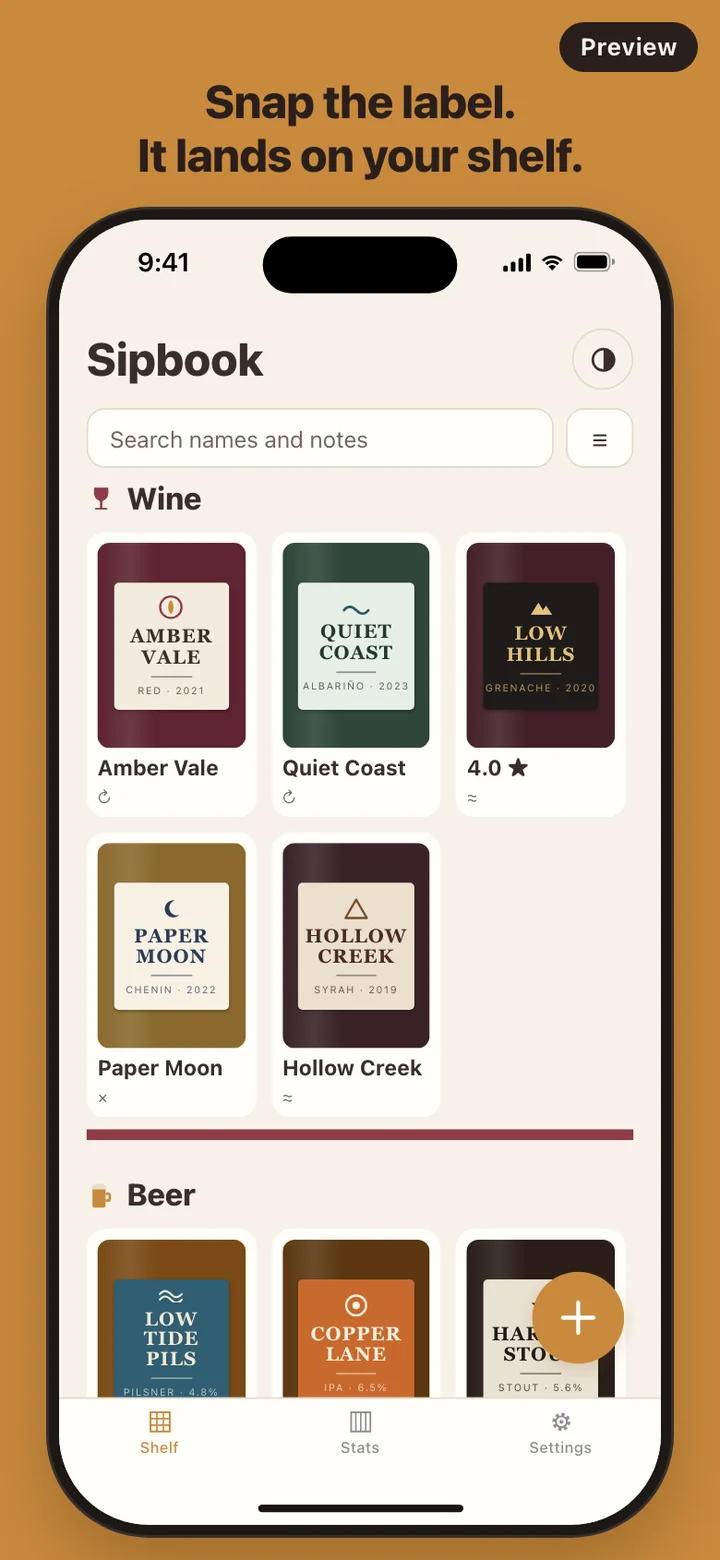
The shelf groups cards by category with the newest first, or by rating if you flip the sort. Search looks through names and notes. The filter panel narrows the shelf by category, by minimum rating (3+, 4+, or 4.5+), and by your Yes, Maybe, or No, and once a category is picked, by its own fields, so every wine with Grenache in the grape field is one filter away.
Stuck choosing between bottles you already know? Shake the phone while the shelf is on screen. Sipbook picks one of the bottles you marked Yes and shows it under the line How about this one today?. It only draws from your Yes bottles, and if you have none yet it says so instead of offering something you did not like.
On iPhone, a home screen widget shows your latest label along with this month's count and your total.
Where your records live
Everything stays on the phone. Each label photo is copied into the app's own storage, and the rest of the record is saved in the app's local storage beside it. There is no account, no server, and no analytics SDK, and none of the features make a network request, so the app behaves the same in a cellar with no signal. The camera and photo library are used only for label photos, and the motion sensor only listens while the shelf is open, for the shake.
Delete all data in Settings removes records, photos, and custom categories from the device, and it offers a CSV export first so you can keep a copy. There is no cloud sync, which also means there is nothing to sign out of.
What Sipbook leaves out on purpose
There is no label scanner, no barcode lookup, and no built-in wine or beer database. You photograph the label and type a name if you want one, which keeps the app offline and means the shelf holds only what you actually wrote down. There are no streaks, reminders, or badges either.
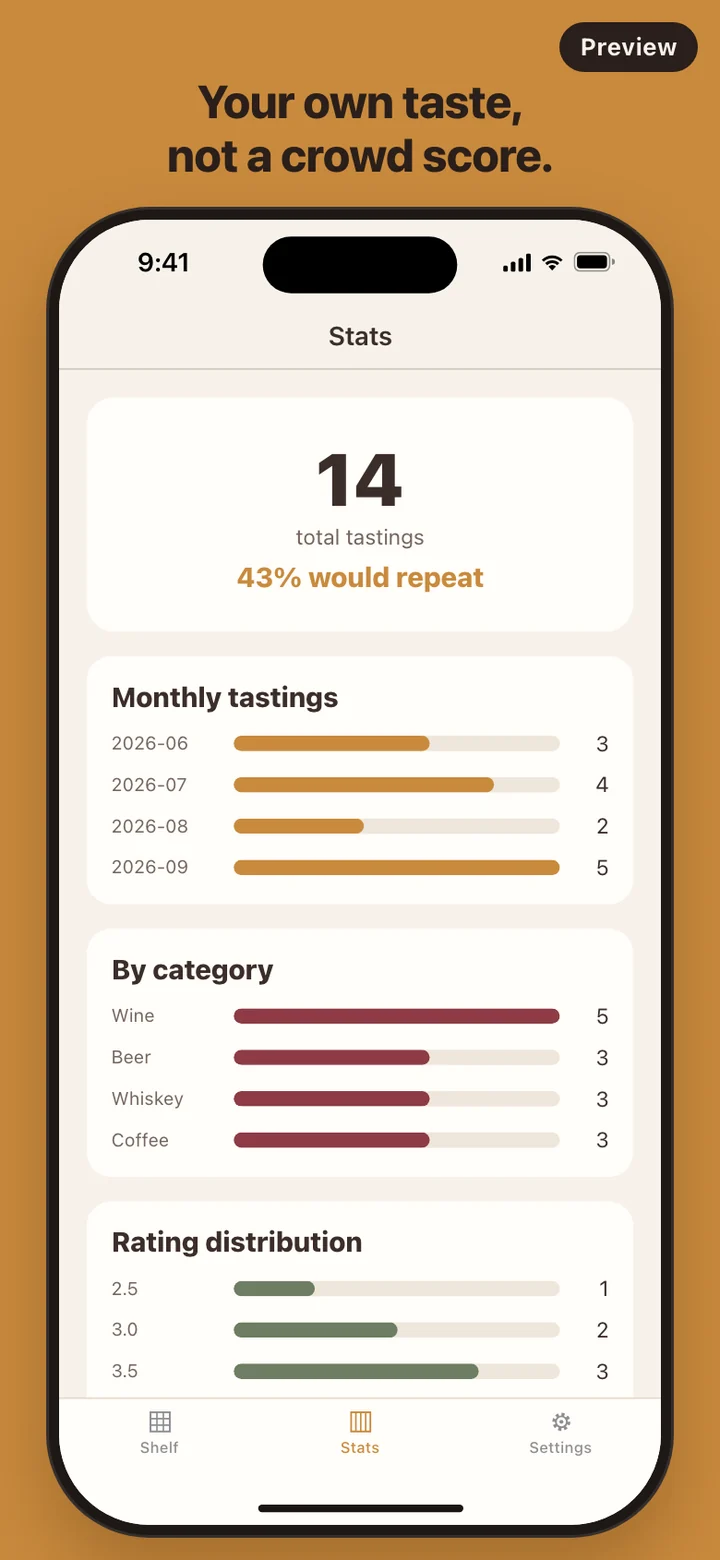
Sipbook is a tasting journal, not an alcohol tracker. It does not set limits or goals or give health advice, and the only suggestion it ever makes comes from bottles you already marked Yes. Coffee sits on the same shelves as wine and whiskey, and the stats count tastings, nothing more.