The same text, every sitter night
Most parents keep babysitter information in three places at once. There is a note on the fridge from the first time a sitter came, a long text you retype or forward before each evening out, and the rest lives in your head. The fridge note still says size 3T. The forwarded text skips the allergy because you were rushing. And when the sitter calls at 8:40 asking for the pediatrician's number, you are scrolling through contacts at a restaurant table.
SitterCard replaces the three places with one card per child that you correct when something changes. New shoe size, new backup number, a nap that moved to one o'clock: edit the card on your phone and the watch has the new version the next time you look. Sitter-finding services handle the hiring. What the sitter needs once they walk through the door is still a parent's job, and that is the only job this app does.
Why the allergies are at the top
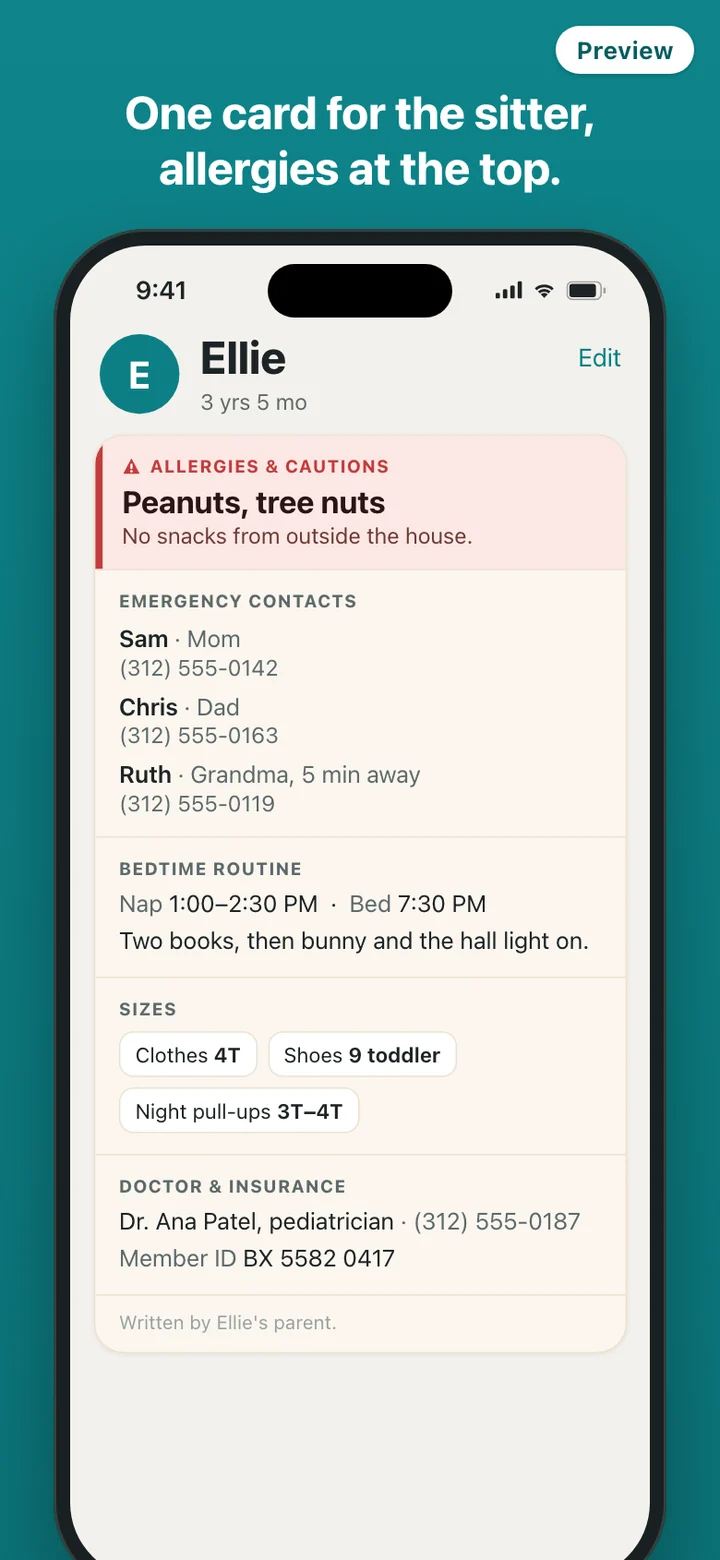
The order of a card is fixed, and it follows what a sitter needs first rather than what is easiest to type: allergies and cautions, then emergency contacts, then the bedtime routine, sizes, doctor and insurance, and a free note. The allergy part is the only place the app uses red, so it stays the first thing anyone sees on the phone, on the watch and on the shared copy.
Everything on the card is free text in your own words. SitterCard does not offer a list of allergens to pick from, does not rate how serious anything is, and adds no instructions of its own. Every card and every shared copy carries a short line saying it was written by a parent, because that is exactly what it is.
On your wrist, or one tap from your lock screen
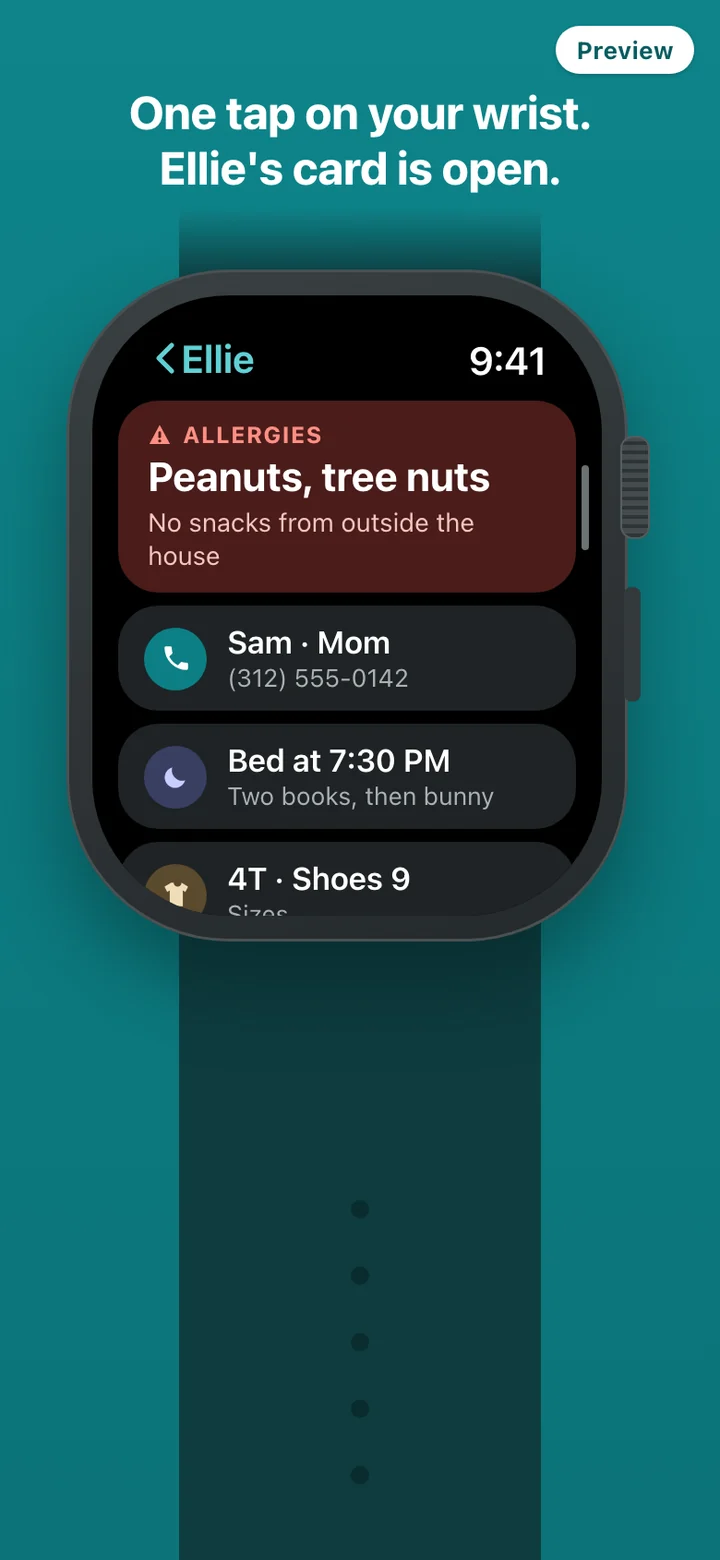
The Apple Watch is where the card is quickest to reach. It is a reading surface only: you edit on the phone, and the watch shows the saved card. It reads from a copy stored on the watch, so there is no loading spinner and no need for the phone to be nearby.
No watch? Add the SitterCard widget to your lock screen or home screen and the card is one tap away there instead. The widget and the watch tile both show only your child's name or initial, never an allergy or a phone number, because a lock screen is visible to anyone standing next to you. If you turn on the Face ID lock, the card on the phone opens only after Face ID or your passcode. The lock is off until you choose it, and the app suggests it once, after your first card.
What the sitter actually receives
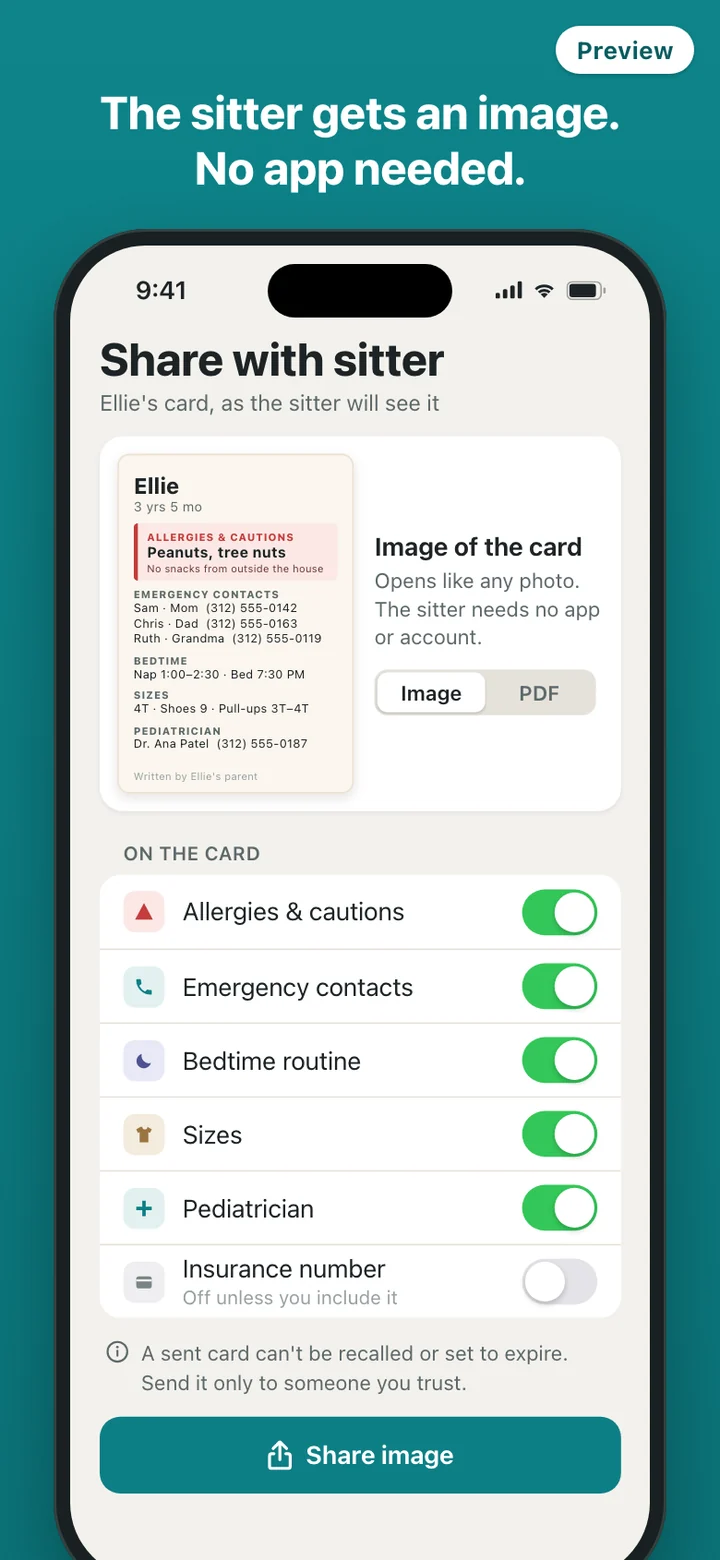
There is no link and no web page. SitterCard has no server, so sharing means your phone draws the card as an image or a PDF, laid out to be read on a small screen or printed, and hands that file to your phone's share sheet. You send it by text or a messenger app, and the sitter opens it like any other picture.
Once sent, that file is a copy on someone else's phone. It does not expire, it cannot be pulled back, and anyone the sitter shows it to can read it. SitterCard says this plainly in a confirmation before every share instead of pretending otherwise. The real protection is choosing what goes out: each part of the card has its own switch, and the insurance number is off by default.
Kept on your phone, on purpose
A child's allergies and medical numbers are about as sensitive as information gets, so SitterCard keeps them on your iPhone and, if you have one, your Apple Watch. There is no account to create, no cloud copy, no analytics, and the app makes no network requests at all. The only permission it asks for is Face ID. There is no photo feature, so no picture of your child is ever part of a card.
For a new phone, export a backup file and import it on the new one; the app reminds you that the backup holds the same sensitive details as the card. Delete all data in Settings removes the cards from the phone, the copy on the watch, the widget and any shared images still in the app's cache, and leaves the app as it was on day one.
What it deliberately leaves out
SitterCard does not find, rate or pay sitters, and the sitter never needs an account. There is no chat, no location sharing, no check-ins and no reminders. It does not include first-aid content or a list of allergens to choose from. It holds the facts you wrote and hands them over.
SitterCard is a record-keeping tool. The allergy, health and contact details on a card are whatever a parent typed in; the app does not give medical advice, check allergies, or tell anyone what to do in an emergency. If your child has an allergy plan from their doctor, give the sitter that plan too.