Why a report card instead of another text
Most solo sitters already send updates. A photo and "all good!" in a text thread, a note left on the kitchen counter, a printed form, a spreadsheet filled in at night. Each of those works for one visit. Across a week of visits for six clients, the details scatter: which thread says the tablet was given, when the dog last had a soft stool, how many walks the Parkers owe for this month.
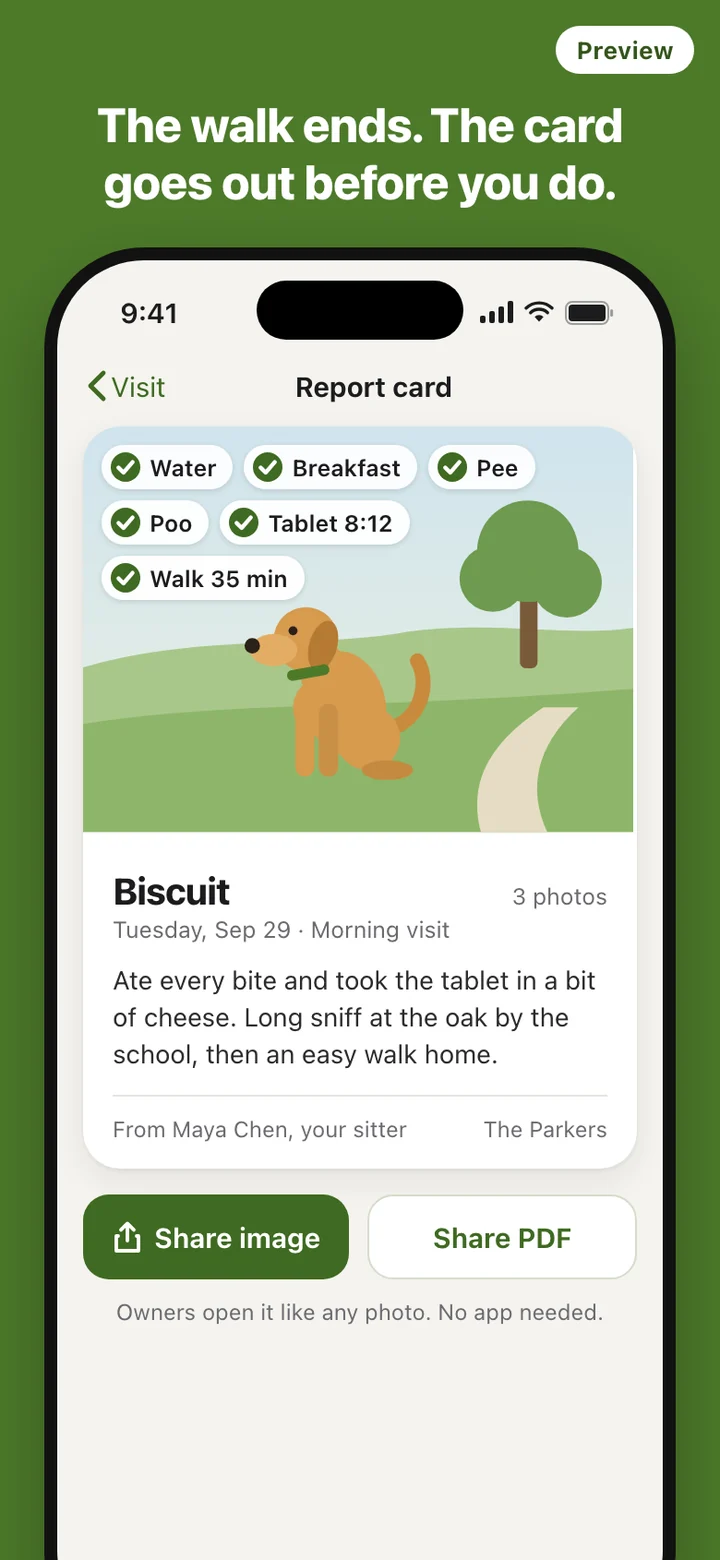
A report card fixes the shape. Every visit produces the same card with the same parts in the same order, so an owner can glance at it between meetings and see water, food, toilet, medication and walk at once, with the photo on top. The same ticks stay on your phone, which is exactly what you want when an owner asks what happened last Tuesday.
A visit, start to finish
- Open Today. The visits you have added for today are listed, each with the pet's name and the client.
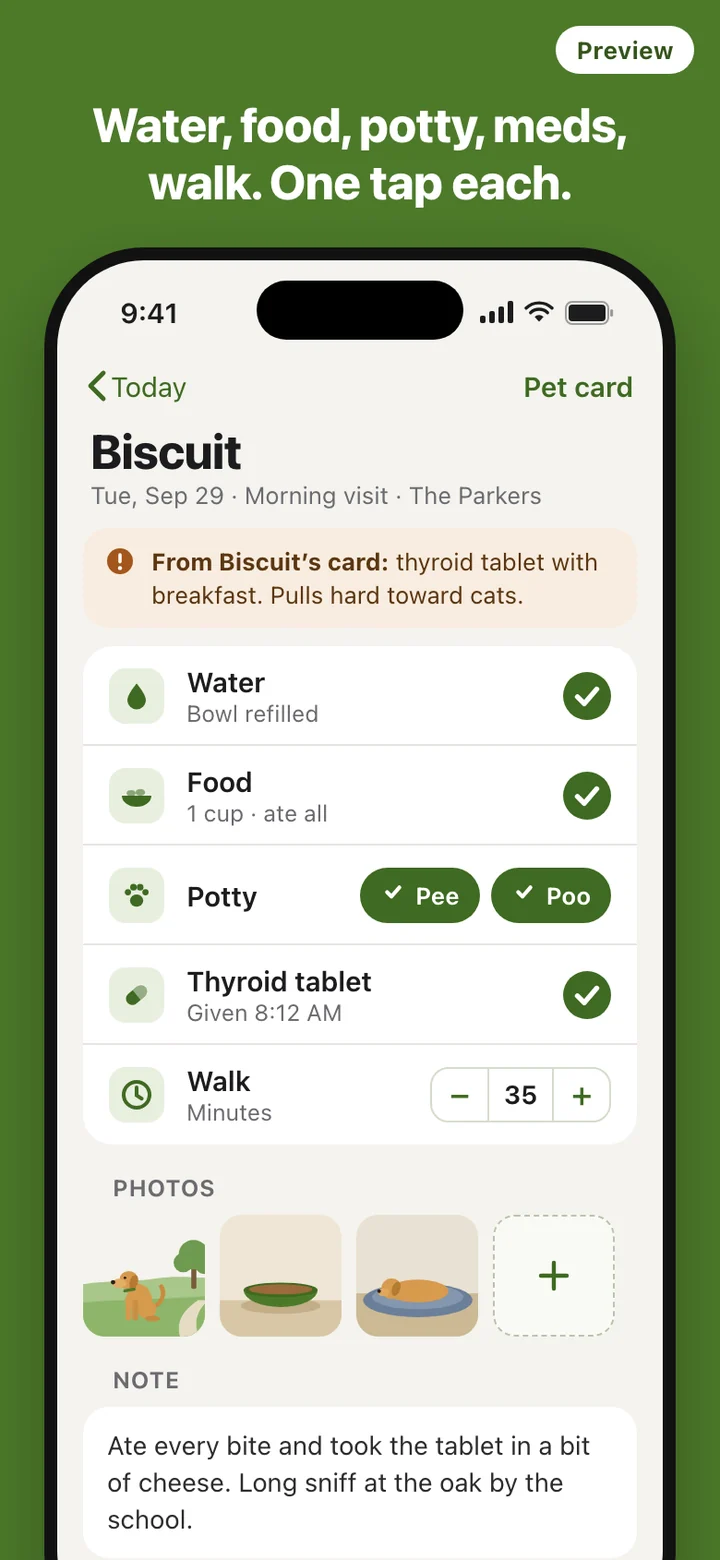
- Tap a visit. The notes from the pet's card come first: how much food, which medication, the habit of lunging at cats.
- Tick as you go. Water, food, pee, poo and medication are single taps, walk length is a minute counter, and photos come from the camera or your library.
- Make the card and share it as an image or a PDF. The visit is now counted in the month ledger, so there is nothing to write up later.
Client and pet cards
Each client has a card with their contact details and their pets, and each pet has its own card: feeding amounts, medication, habits worth knowing, and the name and phone number of the vet. These are the things a sitter otherwise keeps in a notes app, a screenshot of an old message, or memory.
Addresses and entry details such as door codes stay on your phone and are not printed on report cards. A report card is something an owner may forward to a partner or a family group chat, and the way into their house does not belong in it.
The month, added up
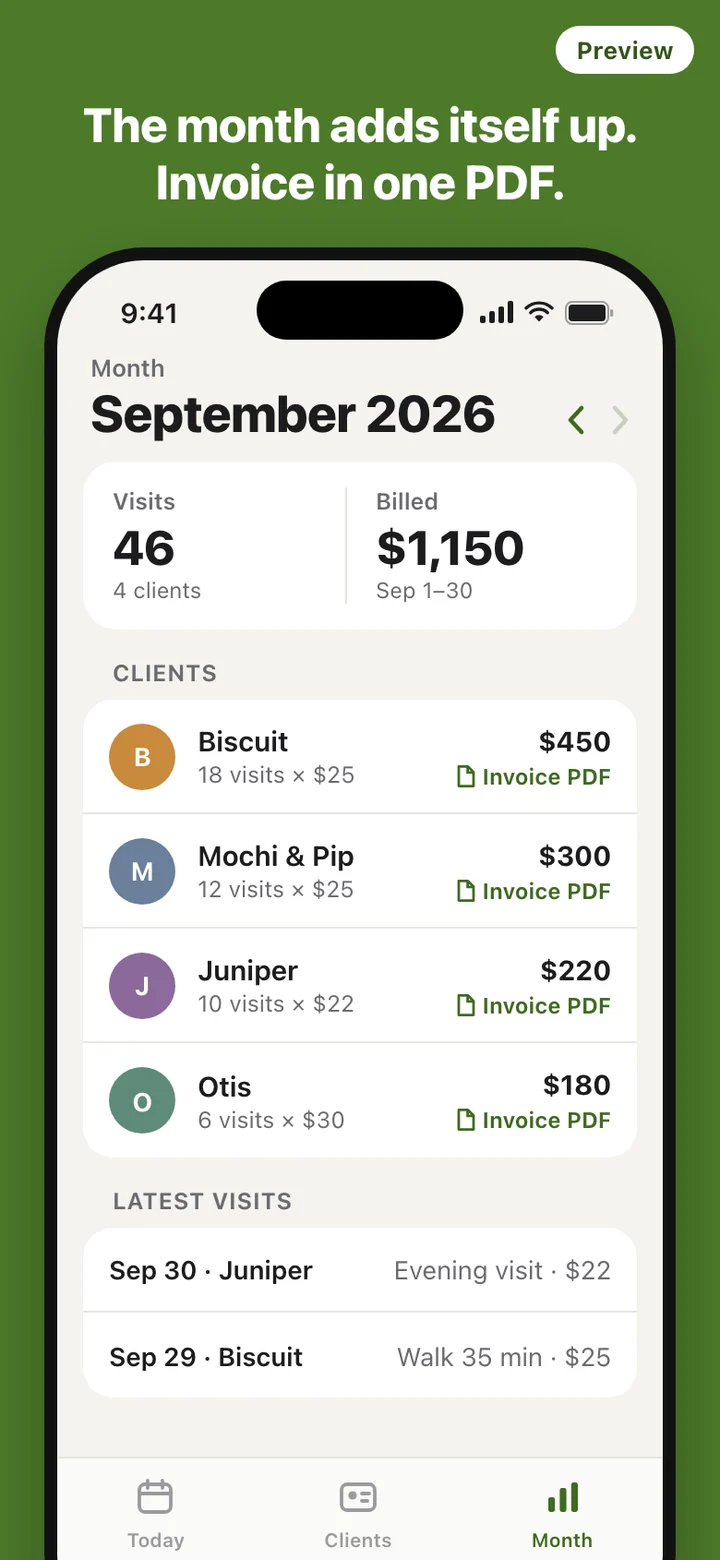
The Month tab counts every logged visit by client: how many visits, at what rate, and the total. You can step back through earlier months. When it is time to bill, make an invoice PDF for a client from that month's visits and send it yourself.
This replaces the end-of-month scroll through your camera roll and messages to count walks. Because the invoice is built from visits you logged on the day, a question about a charge can be answered with the date of the visit and the report card you sent that morning.
For licensed dog home boarders in England
Running dog home boarding as a business in England needs a licence from the local council under the Animal Welfare (Licensing of Activities Involving Animals) (England) Regulations 2018. The statutory guidance for inspectors, published on GOV.UK, asks for each dog to be monitored every day: food and water intake, behaviour and any change in it, whether the dog has passed faeces and urine, and anything unusual. It also asks licence holders to keep records for at least three years, to be able to show them to an inspector in a legible form, and to back up electronic records.
SitterLog includes a home boarding daily record for each dog in your care, covering health, behaviour and feeding, and it exports those records as a PDF that you can file and show at an inspection. SitterLog keeps no copy on a server, so the PDFs you export are also your backup.
What SitterLog leaves out
There is no GPS tracking and no live map of the walk; walk length is the minutes you enter. There is no booking calendar for clients, no client portal, no payment processing and no staff scheduling. Those belong to software for pet care companies with a team, and SitterLog is built for one sitter with one phone.
It is not a marketplace either. It does not find you clients and nobody rates you inside it. There is no account to create, and your client list, notes, visit records and photos are not uploaded anywhere. What leaves the phone is what you choose to share: report cards and invoice PDFs.
SitterLog is a record-keeping tool. It does not give veterinary or legal advice. A ticked medication row is a record of what you gave, not guidance on what to give, and keeping records in SitterLog does not by itself meet the conditions of a home boarding licence. Your local council decides what your licence requires.