Bins, labels and a running count in your head
Most families with young kids store clothes the same way. A dresser holds what fits now, and a stack of bins in a closet, the garage or under a bed holds everything else. The bins get labels like 18M or 3T winter, and the real inventory lives in one parent's memory.
That works until it does not. A cold week arrives right after a growth spurt and the 3T coat is not where you thought. A cousin drops off two bags of hand-me-downs and they sit unsorted for a month. You find nine 2T pajama sets and no 3T pants at all. A notes list or a spreadsheet helps for a while, but neither one knows which size your child is about to grow into.
How the next-size estimate works
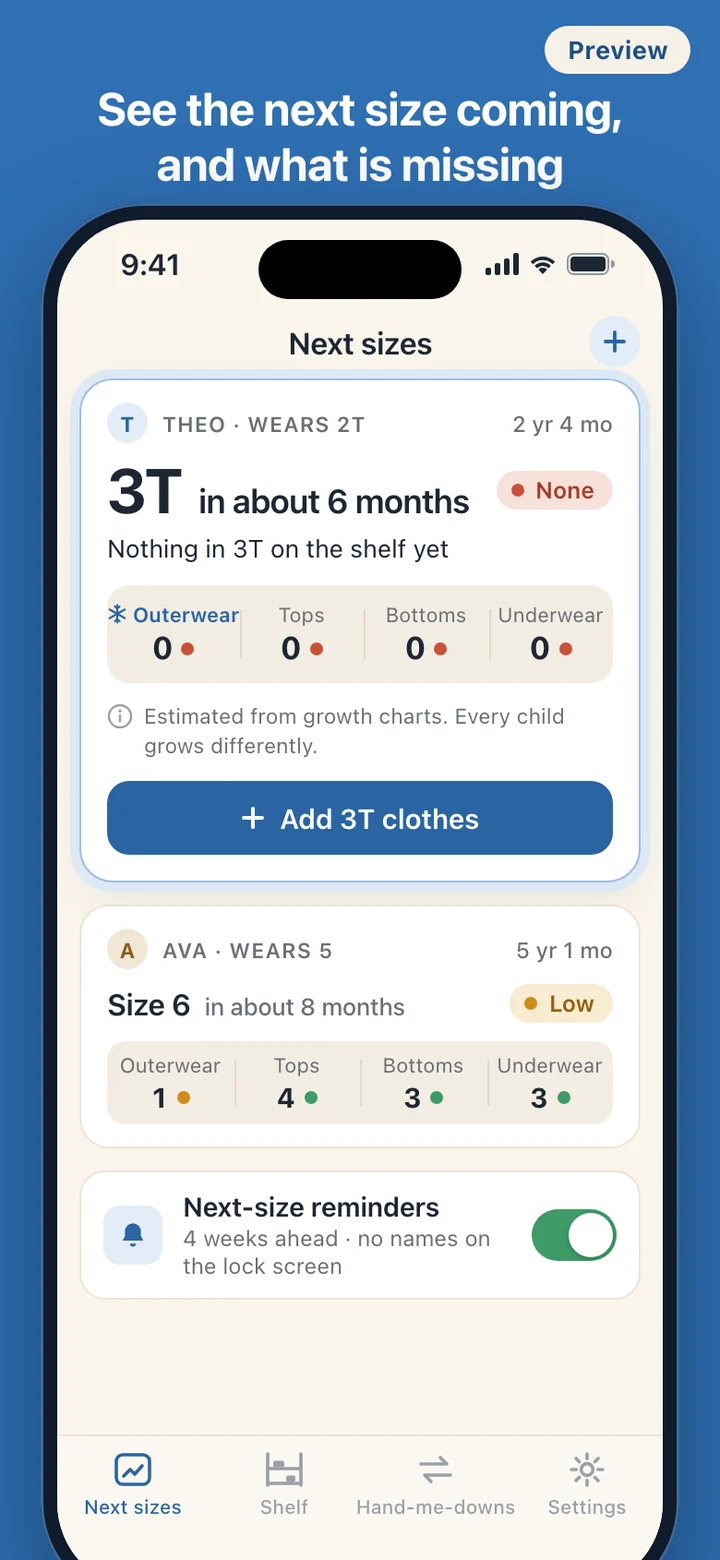
SizeShelf asks for very little: the child's birth month, the size they wear now and, if you have noticed it, whether they tend to grow faster or slower than most. From that it reads published child growth charts and places the next size as a range of time, such as in about 6 months. It does not invent its own growth formula, and it never shows a single exact date. For ages the charts do not cover, the card says it has no estimate instead of guessing.
The estimate is then set against what is on the shelf in that size, category by category. Zero pieces shows as none, one or two as low, three or more as ready. If the next size is likely to arrive in winter and there is no coat in that size, that gap is listed first. Tap a short category to jump straight to that size on the Shelf.
Reminders are optional. Turn them on, choose how many weeks ahead you want to hear, and the phone will tell you when it is time to check the next size. The lock screen text is one neutral line for everyone and never shows a child's name, a size or anything about growth.
Putting a closet in, one bin at a time
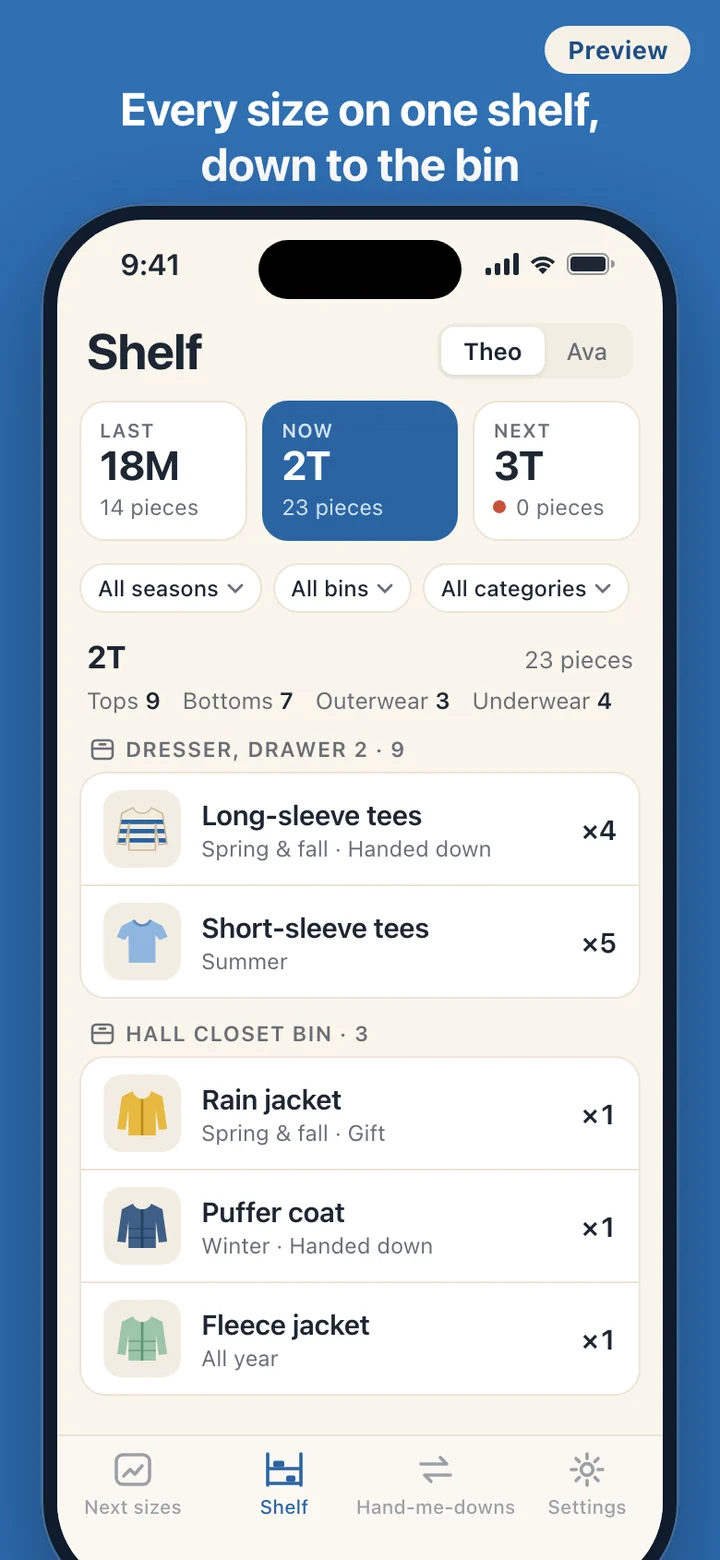
The usual way in is sitting on the floor next to an open bin. Each piece gets a size, a category (tops, bottoms, outerwear, underwear, shoes or other), a season (spring and fall, summer, winter or all year), the bin it goes back into and a quantity. A photo and a note are optional, and skipping the photo is the fast path, not a fallback.
After you save, the last size, category and bin stay filled in, so ten 2T tops from the same drawer take ten short entries instead of ten blank forms. Each piece can also say where it came from: purchased, handed down or a gift.
Before another pack of 2T leggings comes home, filter the Shelf to 2T and bottoms. The count is right there, along with the bins they are in.
Sizes the way your labels print them
In the US that means month sizes such as 0-3M and 18M, then toddler sizes 2T, 3T and 4T, then kids' sizes 5, 6 and up. SizeShelf also knows the centimeter-based sizes used in Europe and Japan and the numbered sizes used in Korea, and you choose the system in Settings.
When a piece carries a label from another system, the app shows an approximate match, such as 90 ≈ 2T, with a reminder that brands cut differently. Where there is no sensible match it shows none, rather than forcing one.
Hand-me-downs, in both directions
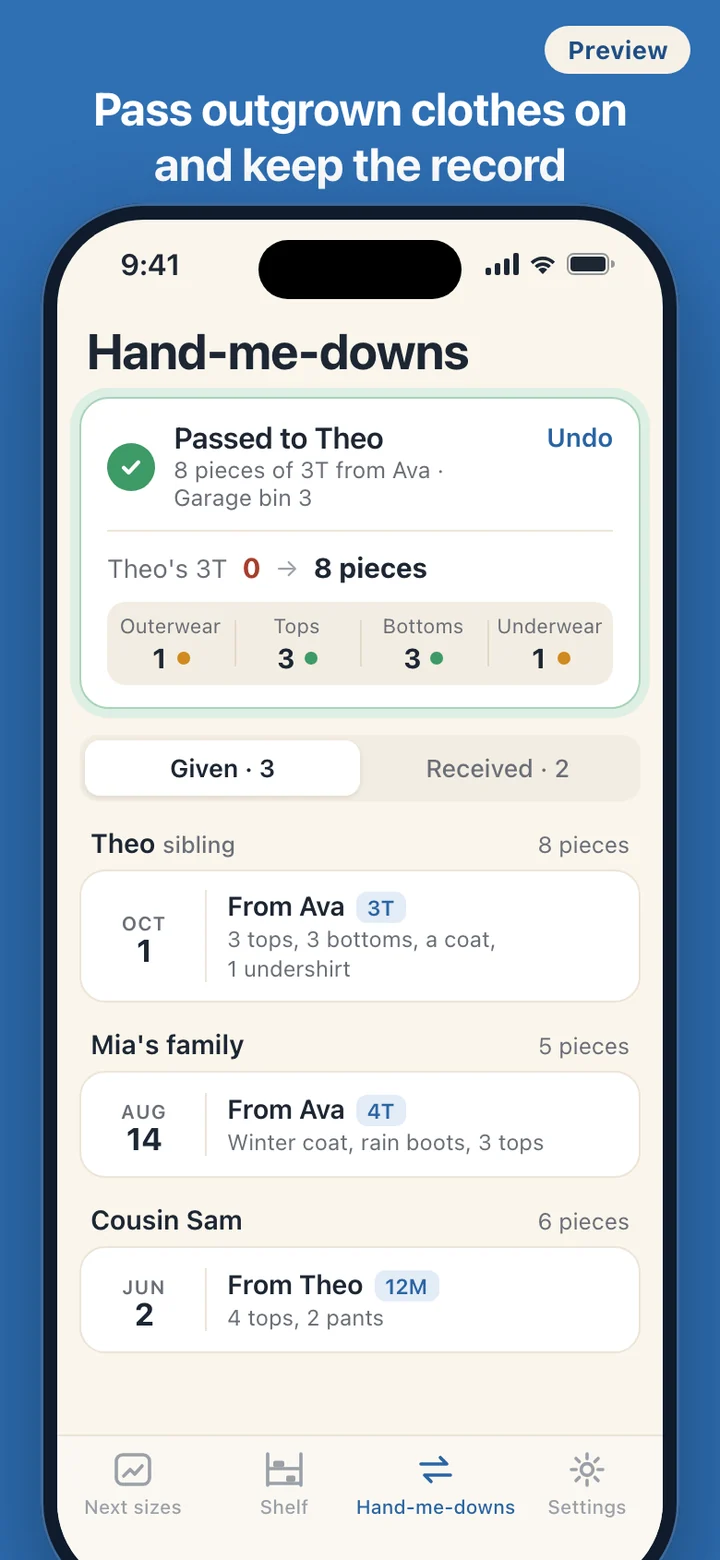
Kids' clothes rarely have one owner. They come in from cousins, neighbors and friends, and they go out again to a younger sibling or another family. The hand-me-down ledger keeps both sides: what went to whom and when, grouped by person, and what came in from whom.
When a child sizes up, you confirm the new size and the old size's pieces are offered for sorting. Select a batch and choose pass down, keep as a keepsake, or let go, and the Shelf and the next-size card update together. Passing to a younger sibling who is already in SizeShelf moves the clothes to that child's shelf, so an older child's 3T bin becomes a younger child's next size.
None of this asks for more than a record. There are no thank-you reminders, no share cards and no social features, and receivers are typed in by hand, so the app never asks for your contacts. Every entry can be edited, and undoing a hand-off puts the pieces back on the shelf they came from.
What SizeShelf leaves out
SizeShelf is an inventory, not a growth tracker. It does not record height or weight, plot percentiles or comment on how a child is growing. It is not a catalog either: there are no product links, no resale listings and no suggestions about what to get next.
There is no account and no server. The app makes no network requests and asks for two permissions only: photos, when you add a picture to a piece, and notifications, when you turn reminders on. Saying no to either changes nothing else. Photos are copied into the app's own storage. You can export everything except the photos to a JSON file through the share sheet and restore it on a new phone, and Settings has one option that deletes all data, photos and scheduled reminders included.
SizeShelf is a record-keeping tool for clothes. Its next-size timing is a rough estimate based on population growth charts, not a measurement or an assessment of your child's growth or health. Questions about how your child is growing belong with your pediatrician.