The phone is the last thing you put down
Most nights end the same way. You are in bed, the lights are off, and one more video turns into forty minutes. The usual fixes are rules aimed at yourself: a screen-time limit you tap past, a bedtime alarm you dismiss, a sleep tracker that hands you a grade the next morning. A rule is easy to argue with at 11:40 pm.
Sleeppet tries a softer reason. There is a small bunny on your phone that cannot fall asleep until you say good night. Putting the phone down becomes something you do for it, and the morning becomes the moment you find out how it is doing.
One evening, start to finish
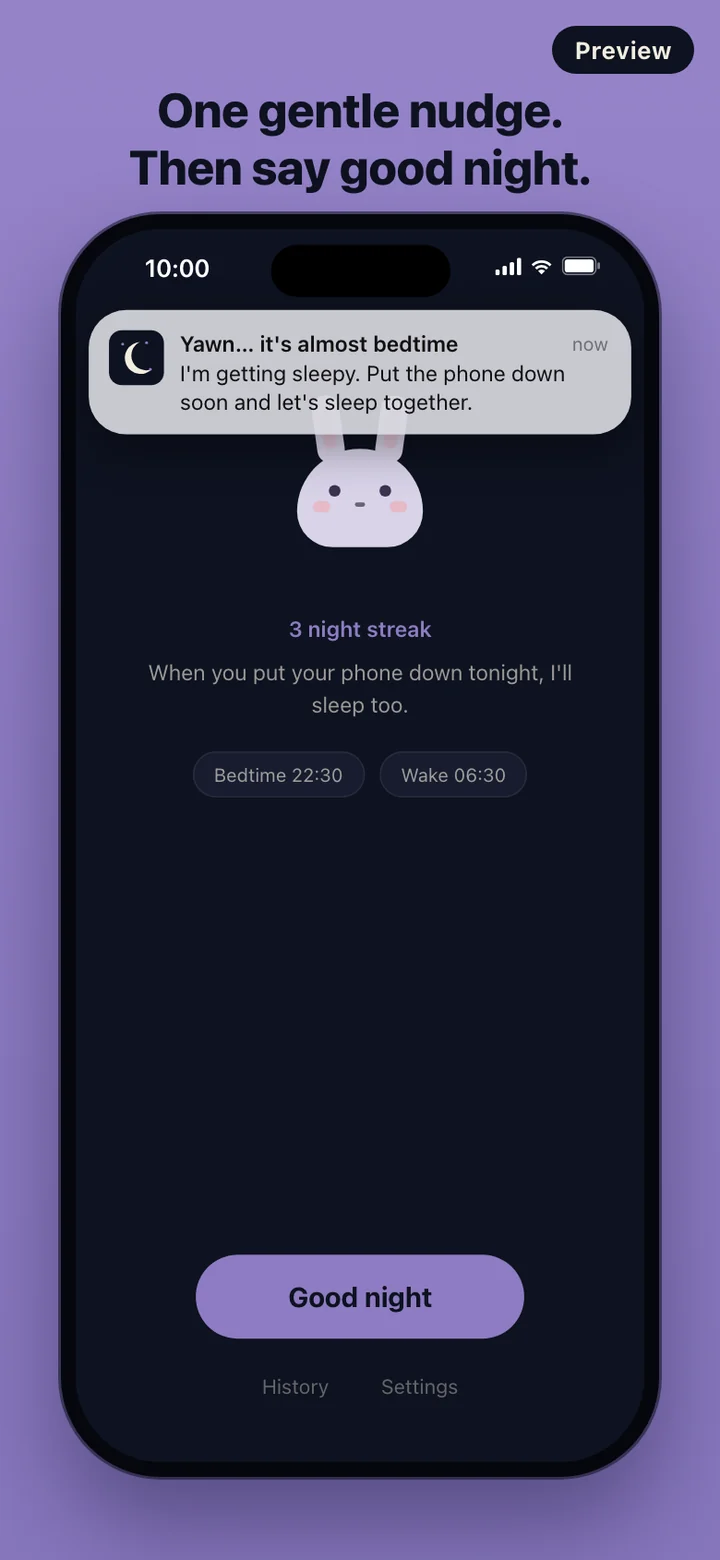
The first time you open the app it asks two questions: when you want to sleep and when you want to wake up, each set in 30-minute steps. Then it offers one reminder before bed. You can say Not now, and everything else still works.
If you turned the reminder on, it arrives 30 minutes before your bedtime. The home screen shows the bunny, your streak, and your bedtime and wake time as two small chips, with one large Good night button at the bottom. Tap it and the app switches to the sleep screen: darker background, dimmed text, the bunny breathing slowly under its blanket, and the time you said good night.
Leave the phone on that screen or close the app; the night keeps counting either way, and the phone locks as it normally would. In the morning, tap I'm awake or just open the app, and the morning screen takes over.
What the morning number means
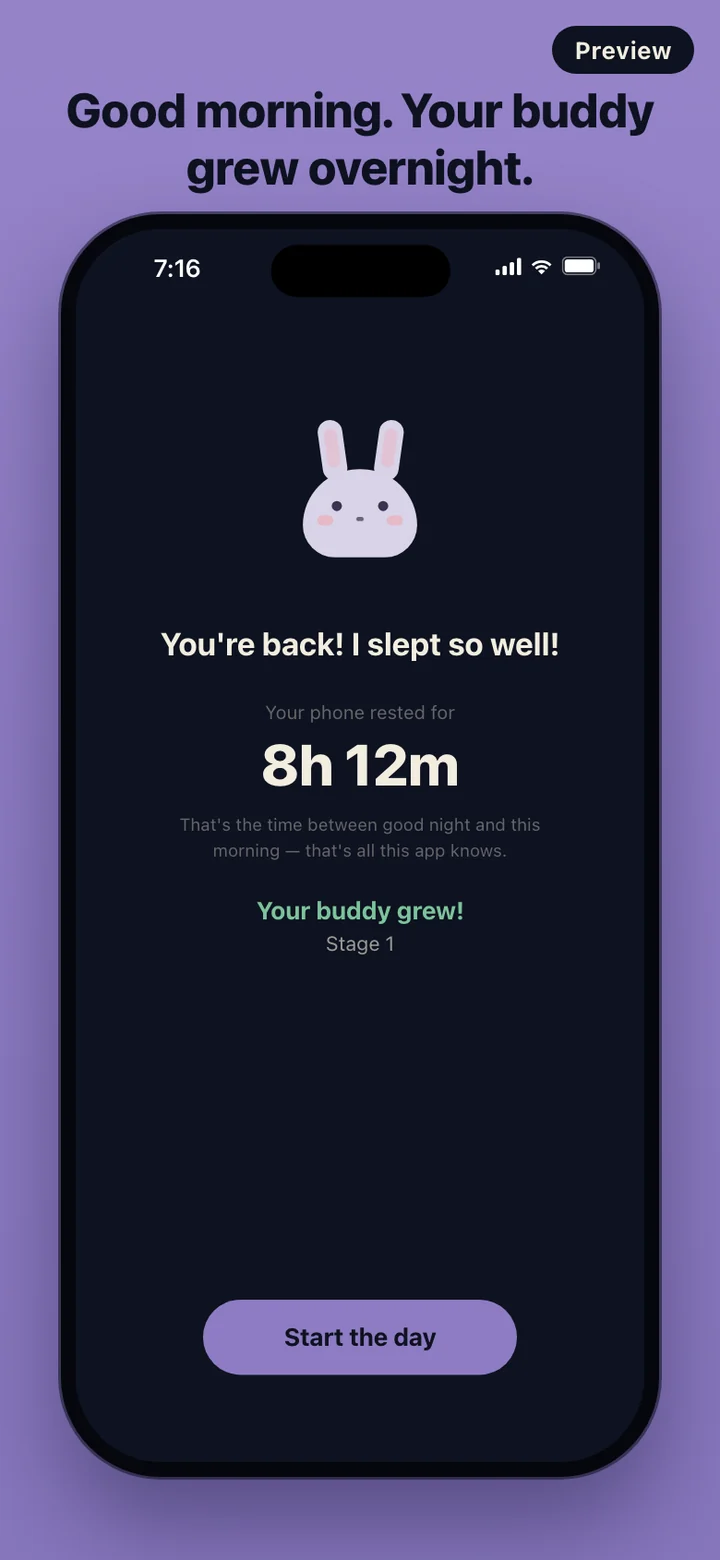
Sleeppet knows two moments: when you tapped Good night and when you came back. The time between them is shown as Your phone rested for, with a line underneath saying that this is all the app knows. It is not your sleep time. Lying awake, reading a paper book, or getting up for water all count the same, because the app is not watching any of it.
That honesty is deliberate. There are no sleep stages, no quality percentage, and no score to beat. The number is a plain record of how long the phone stayed out of your hands.
Growing, a night at a time
A night counts once the phone has rested for a few hours. Counted nights add up, and the bunny moves through stages, drawn a little larger each time. The first counted night brings Stage 1, and the later stages take more nights.
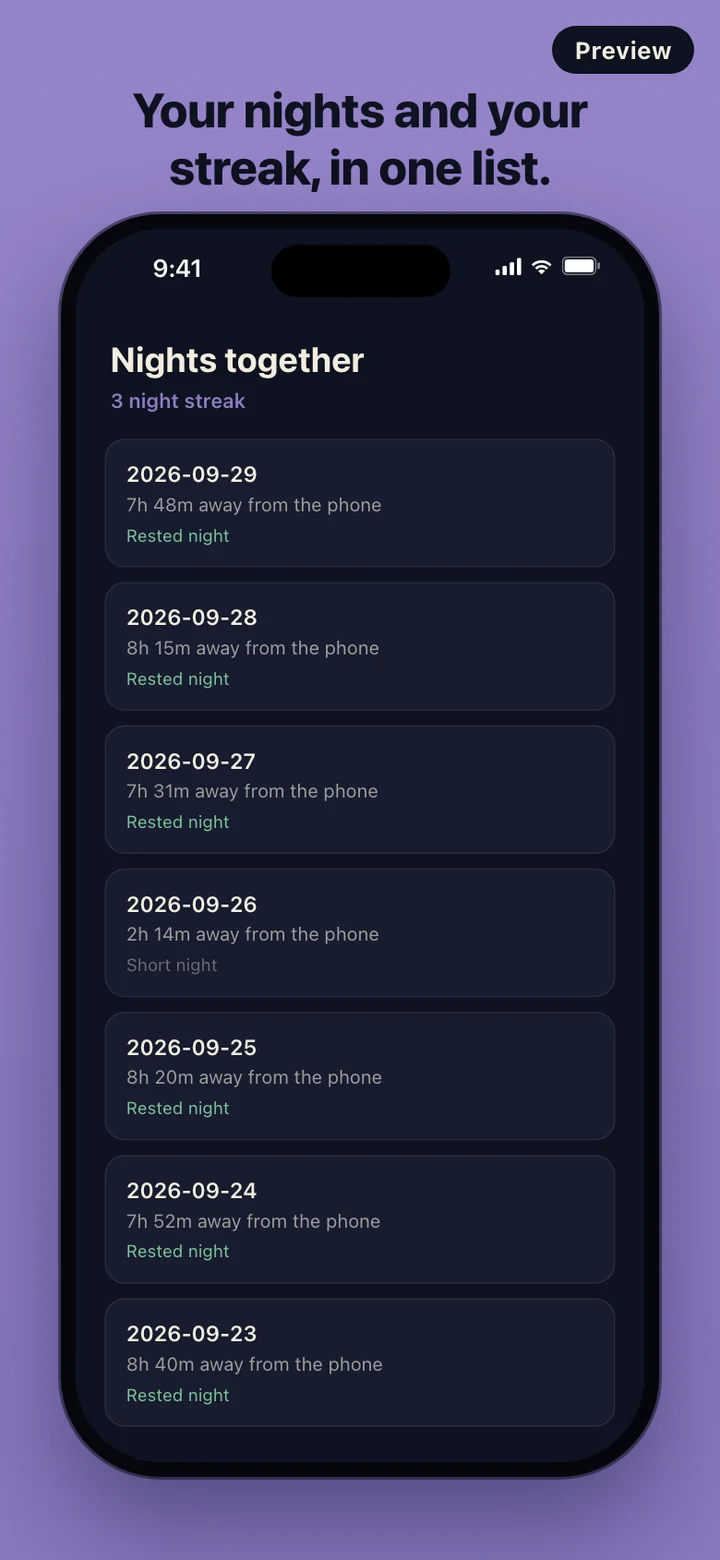
Nights that are too short are still saved. The morning screen says it was a short night with no growth this time, and that every night is a fresh start. Counted nights in a row form a streak, and last night's rest still shows in this morning's streak, so it never looks broken when you wake up.
Your nights stay on this phone
There is no account and no server. Sleeppet makes no network requests and carries no analytics or ad SDK, so your bedtimes and nights are stored only on the device. The wind-down reminder is a local notification scheduled by the phone itself.
Settings has a Delete all data button. It erases every night and the bunny's growth from the device and takes you back to the first screen. Because nothing was ever uploaded, there is no copy left anywhere else.
What it leaves out on purpose
Sleeppet does not use the microphone, motion sensors, a wearable, or health data. It does not notice when you plug in the charger; you start the night with the Good night button. It is not an alarm clock either: the wake time you choose is shown as part of your plan, so keep using the alarm you already trust. There are no friends, feeds, or leaderboards, and the bunny never scolds you for a late night.
Sleeppet is a bedtime routine companion, not a medical device. It does not measure, diagnose, or treat sleep problems. If trouble sleeping goes on for weeks, talk to a doctor.