The highlighter, on your phone
Anyone who stitches from a printed chart knows the routine. You highlight the squares you have finished, and every time you sit back down you hunt for where you stopped among thousands of tiny symbols. A full-coverage piece can take months, so that hunt happens again and again. Stitchkeep keeps the chart you already own on your phone and remembers every square you have marked.
It is a tracker, not a pattern maker and not a pattern shop. You bring the chart. A small practice chart, a mushroom drawn for the app, is already in the library on first launch, so you can try marking before you photograph anything.
Getting a chart in
There are four ways in. Scan a Chart opens the camera: lay the paper flat and take a photo. Choose from Photos uses a picture you already took, and Open a PDF lets you pick a page from a chart file you bought, one page at a time. Set Grid Manually skips detection altogether, which is often quickest when the stitch count is printed on the chart.
For photos and PDF pages, Stitchkeep looks for the grid on the device. It counts rows and columns, groups squares that carry the same printed symbol, and shows the grid laid over your photo with a handle at each corner. You check it against the chart, drag a corner if something is off, and start.
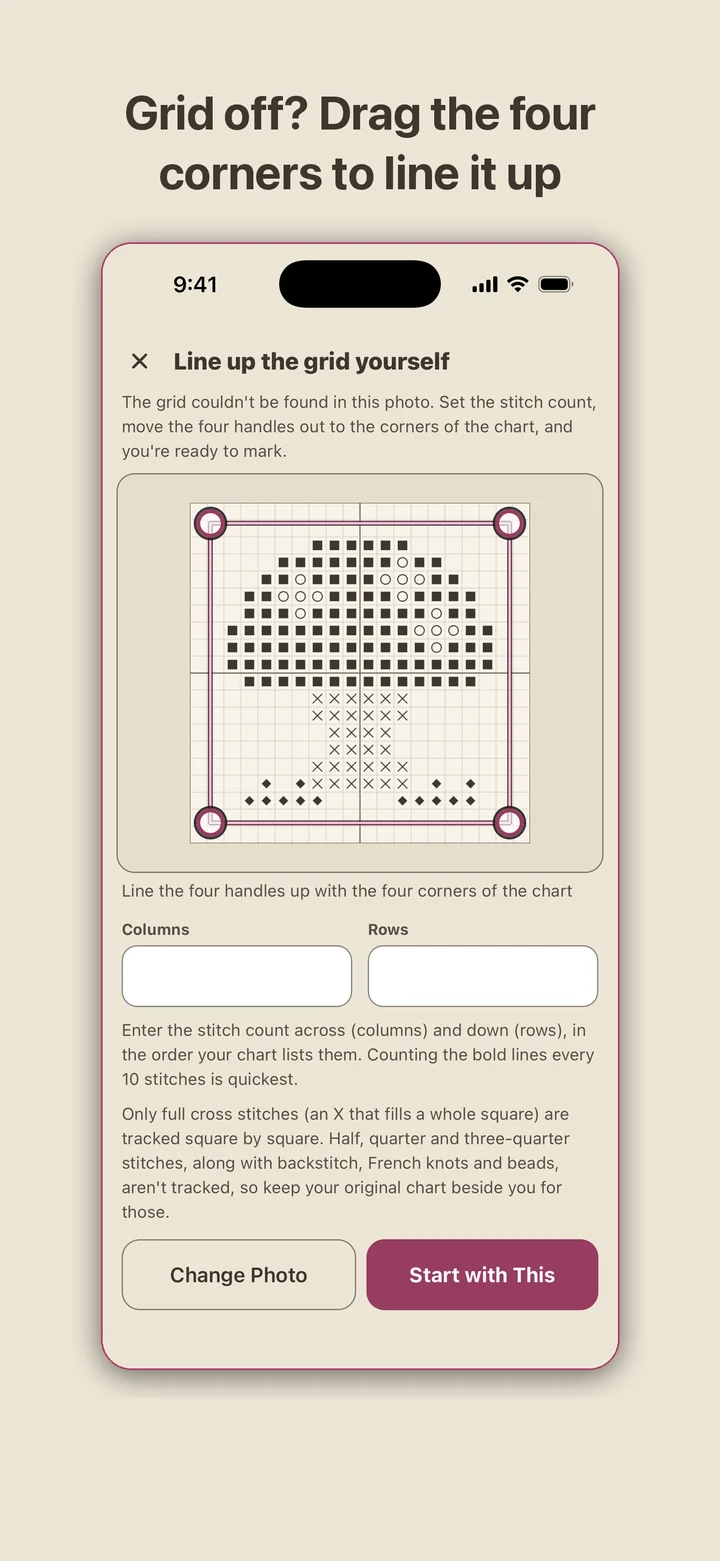
When a photo won't read cleanly, the next screen simply asks for the stitch count across and down and gives you four handles to drag onto the chart's corners. The handles also straighten a photo taken at a slight angle. A chart set up this way gets the same marking, progress, undo and finish estimate as any other.
You can come back to a chart later to move the handles, change the stitch count, try detection again or swap the photo. Before a new stitch count is applied, the app tells you how many of your marked stitches will be kept.
Marking stitches
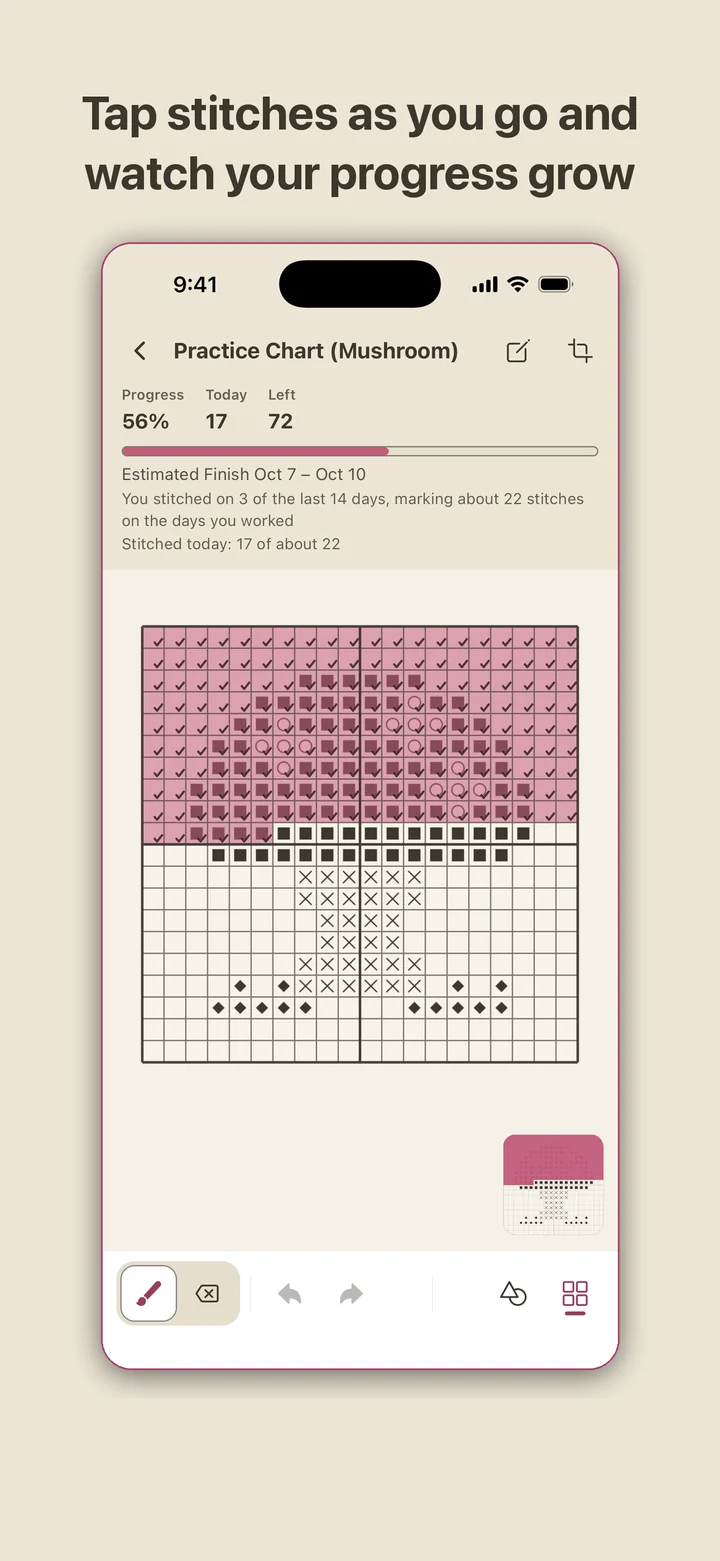
One finger marks. Tap a square, or drag along a row and every square under your finger fills in. Two fingers move the chart and pinch to zoom, and the chart holds still while you mark, so a drag doesn't turn into a scroll. Marked squares stay see-through, which means the printed symbol underneath is still readable when you go looking for a mistake.
Each square you pass gives a light haptic tap, which you can switch off in Settings. The eraser clears squares marked by mistake, and Undo takes back a whole stroke in one step, with Redo beside it. Across the top you see progress, today's count and stitches left. An overview in the corner shows the marked area and where you are, which matters on a big chart.
Gridlines can be hidden while the bold line every ten stitches stays. Light and dark appearance follow your device, or you can pick one. When the last square is marked, the chart is flagged as finished.
One symbol, one thread
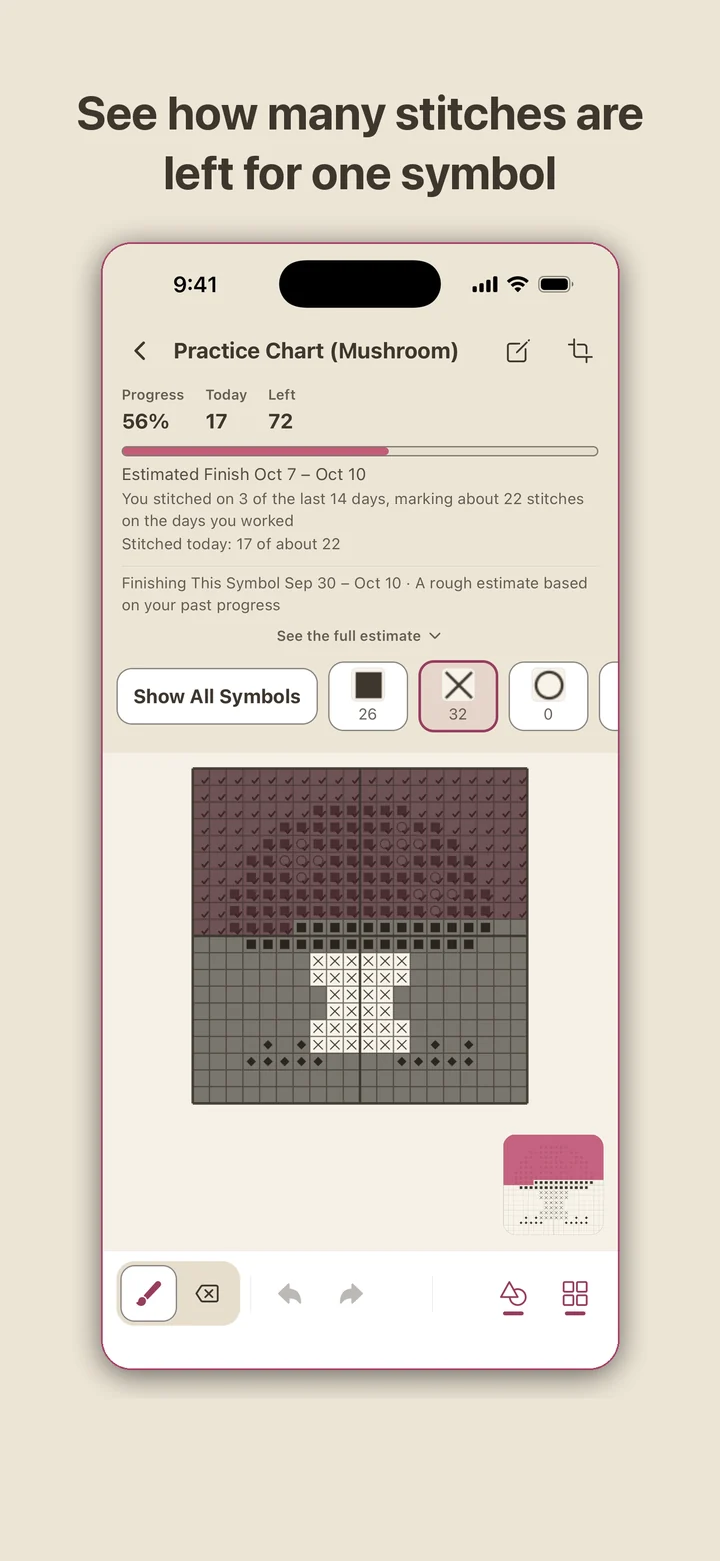
Many stitchers work cross country: one color of floss in the needle, every square of that symbol, then the next color. Open the symbol bar and pick a symbol, and only its squares stay sharp while the rest of the chart dims. Each symbol shows how many of its stitches are left.
Picking a symbol also gives you a date range for finishing that color. The earlier end assumes you stitch only that symbol from now on; the later end assumes you keep mixing colors the way you have been.
Stitchkeep does not read thread numbers or your chart key. It only knows which squares share a symbol, and your paper key already says which floss that is. If symbols could not be sorted on a chart, as on one set up by hand, the symbol bar simply does not appear and you follow the symbols in the background photo.
Your works in progress
Every chart is a card in My Charts with a small progress map, the percentage, stitches left, what you marked today and the finish estimate. The chart you worked on most recently sits at the top, finished pieces carry a Finished badge, and each card keeps a name and notes for thread numbers, fabric count or anything else worth remembering.
Once you have stitched on two or more days, a finish estimate appears. It looks at the last 14 days, counts the days you actually stitched and the usual number of stitches on those days, and gives a date range rather than a single day, with those numbers printed beside it. Nothing turns red and nothing tells you that you are behind.
If the app closes while a chart is open, the next launch goes back to that chart at the same zoom and position, with the same symbol picked. A home screen widget in small and medium sizes keeps the current chart's percentage and stitches left in view; the medium one adds today's count and the finish range, and tapping it opens that chart.
What it tracks, and where your charts live
Stitchkeep tracks full cross stitches, the X that fills a whole square, square by square. Half, quarter and three-quarter stitches, backstitch, French knots and beads don't fit that model, so they aren't tracked. Keep your original chart beside you for those.
Chart photos and every stitch you mark are kept on the phone. There is no account and no server, detection runs on the device, and the app sends nothing over the internet. The only thing that leaves is a backup file you create yourself in Settings, which you can restore later on a new phone. Delete All Data removes every chart, photo and record at once.
There is no way to share or post a chart from inside the app, by design. Stitchkeep is a tracker for charts you own, the same job a highlighter does on paper.