The half hour after the alert
Official warnings already go out by phone, radio and TV. What happens next is still done by hand. Someone posts "Is everyone okay?" in the family group chat, a few people answer, a few are driving or asleep or out of signal, and the person who lives far away keeps refreshing the thread and calling numbers that do not pick up. Nobody can tell at a glance who has answered and who has not.
KinPing takes over only that part. It does not try to be another alert app, and it does not watch where everyone is all year. It waits for a public alert that touches a place your family lives, asks everyone the same question at the same moment, and puts the answers on one screen.
How a check-in starts
KinPing's server collects official public alert feeds on a schedule and matches each alert against the areas your family members picked. Each member's area is a coarse area code, the kind alerts are issued for, not a street address. Your phone works out that code from your location on the device, or you choose it from a list, and only the code goes to the server.
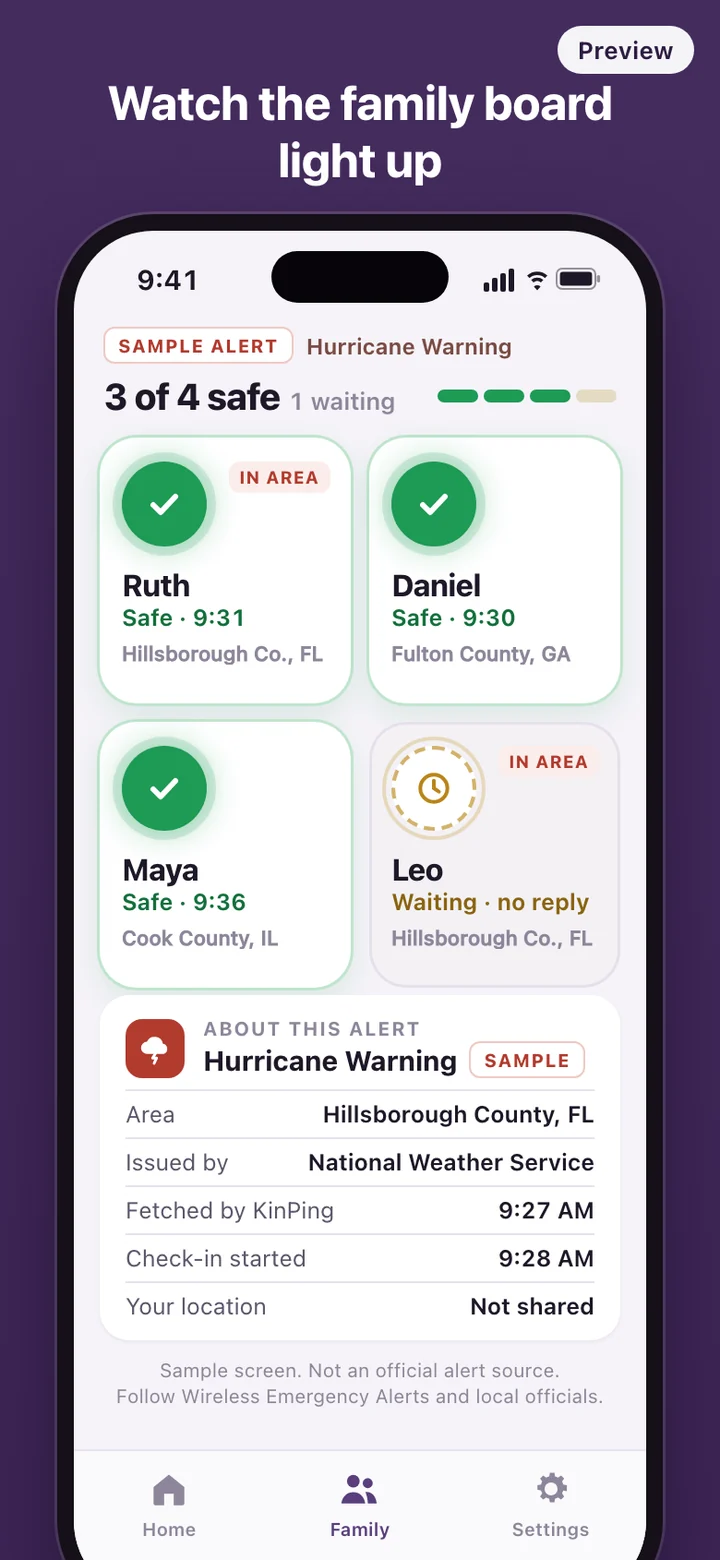
When an alert covers a member's area, KinPing opens a check-in for the whole family and sends everyone a notification. The person inside the alert area gets a message written for them; everyone else is told whose area is affected. The same alert never opens two check-ins, and low-severity advisories do not open one at all, so a routine notice does not wake the family.
KinPing never writes its own alerts. Each alert card names the issuing agency and the time KinPing fetched it, so you can see exactly where the information came from and how fresh it is.
Reading the board
The board is one card per person. Waiting cards sit dim and slowly blink. Safe is green with a check mark, Need help is red with its own icon, and every state is shown with an icon as well as a color, so it reads the same for someone who is colorblind. If the family is larger than the screen, the cards shrink into a tighter grid rather than scrolling off the bottom.
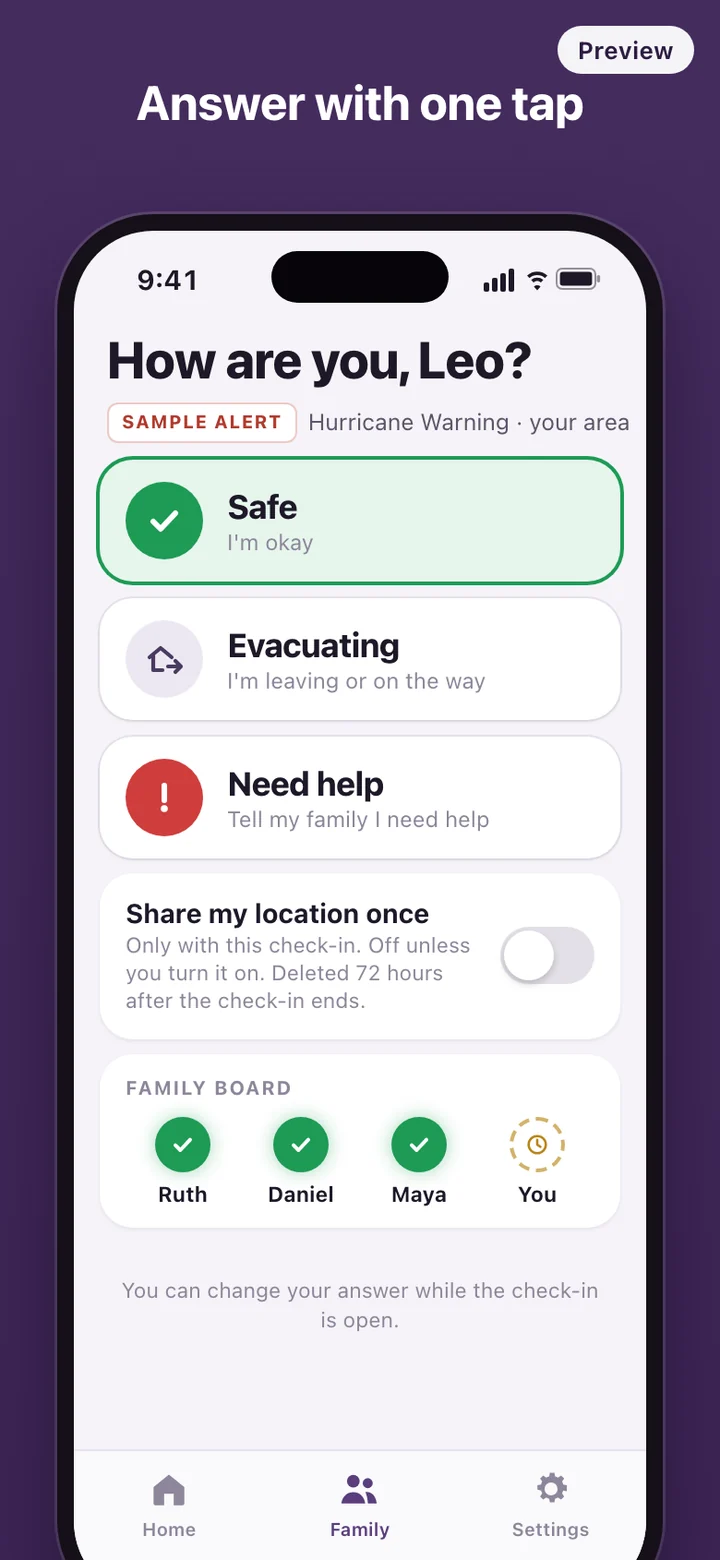
While a check-in is open and the board is on screen, it refreshes every few seconds. Status answers are presets only. There is no chat thread to scroll back through, which is the point: in a stressful hour, a row of green cards says more than a hundred messages.
Try it on a calm day
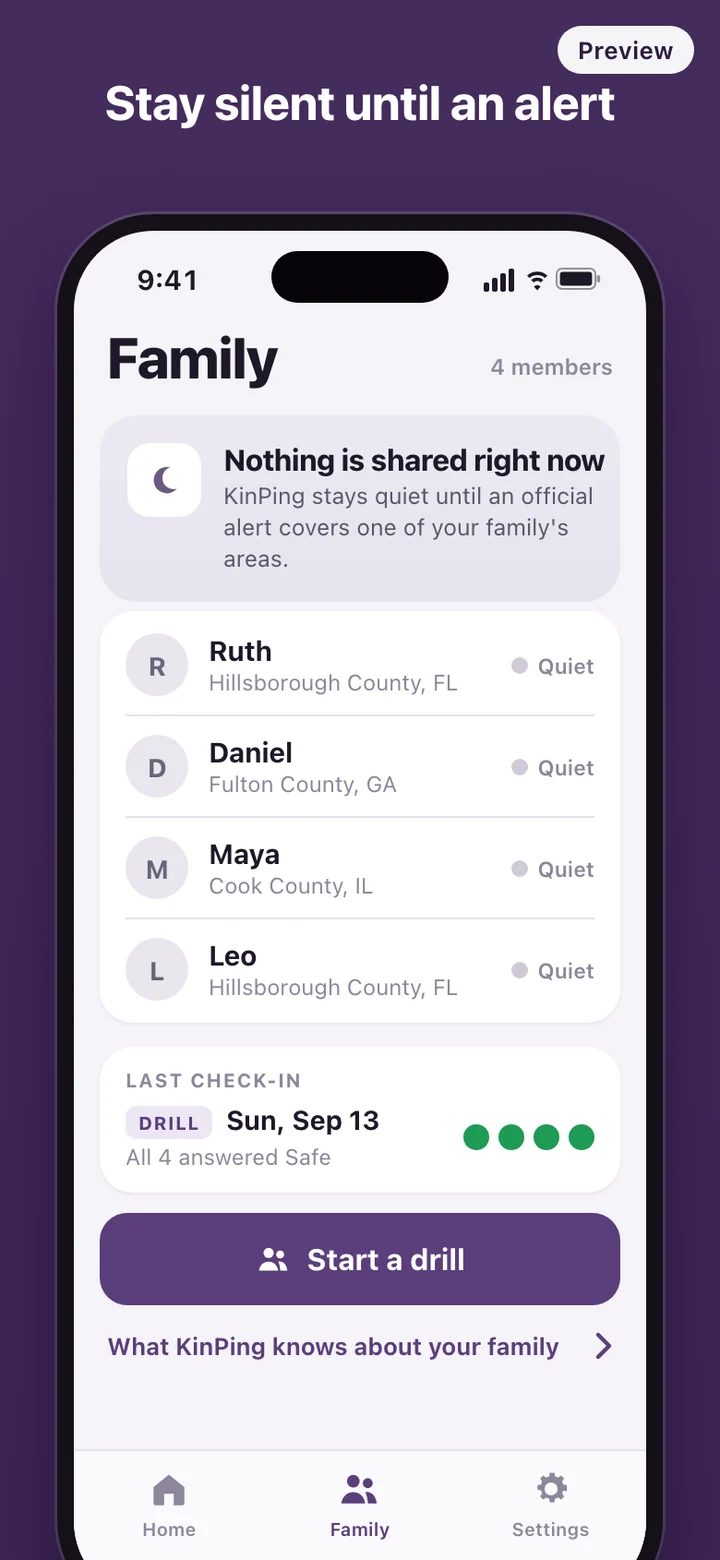
Real alerts are rare, and nobody wants their first look at the board to be during a storm. Anyone in the family can start a drill. It sends the same check-in request and lights the same board, and the word Drill appears on every screen and notification so no one mistakes it for a real alert. A short cooldown keeps drills from being sent over and over.
A drill is also the easiest way to get a parent or grandparent comfortable with the one tap they will need later. Past check-ins, drills included, stay in a history list with the alert summary and how everyone answered.
Silent between alerts
Many family location apps share where everyone is all day. KinPing is built the other way around. Between alerts the server holds your account, a display name, your area code, a push token for notifications and past check-in answers. It holds no coordinates, and the app does not poll the server for the board.
Location appears only when you switch it on while answering a check-in. That position is shared once with that event and erased 72 hours after the event ends; the history keeps statuses only. The app counts anonymous usage events without storing device identifiers or IP addresses. You can delete your account and your answers from inside the app.
What it deliberately leaves out
There is no emergency calling, no SOS button and no contact with dispatchers. There is no live map, no driving reports and no free-text messages. KinPing does not create or forecast alerts. Checking the alerts for your own area needs no account; a Google or Apple sign-in is asked for only when you create a family or join one with an invite code.
KinPing is a family check-in tool, not an emergency alert system, and it is not affiliated with any government agency. Official warnings come through Wireless Emergency Alerts, the National Weather Service and your local officials; keep them turned on and follow their instructions. KinPing may hear about an alert later than your phone does, and its notifications can be delayed or not delivered. If you or someone else is in danger, call 911 or your local emergency number.