The same three chores every round
Tanda, arisan, altın günü, pardna, susu: the name changes from country to country, but the circle works the same way. Everyone puts in the same amount each round, one member receives that round, and it keeps going until everyone has had a turn. Whoever organizes it ends up doing three things every time. They note who has put in, settle whose turn it is, and tell the group.
Tandalo does those three things on the organizer's phone. It is a ledger, not a bank. Money changes hands the way your circle already handles it, and the app only records that it happened.
One table for the whole circle
The circle screen is a grid with members down the side and rounds across the top. Tap a cell and choose Full, Partial, or Not recorded yet. A partial entry takes an amount and an optional note, and a cell marked by mistake goes back to not recorded. Each round has a total along the bottom, the Members tab shows a running total per person, and a small ribbon marks who received each round.
A cell nobody has filled in simply stays gray. There is no red and no list singling anyone out. Full cells carry a check and partial ones carry ½, so the state never depends on color alone.
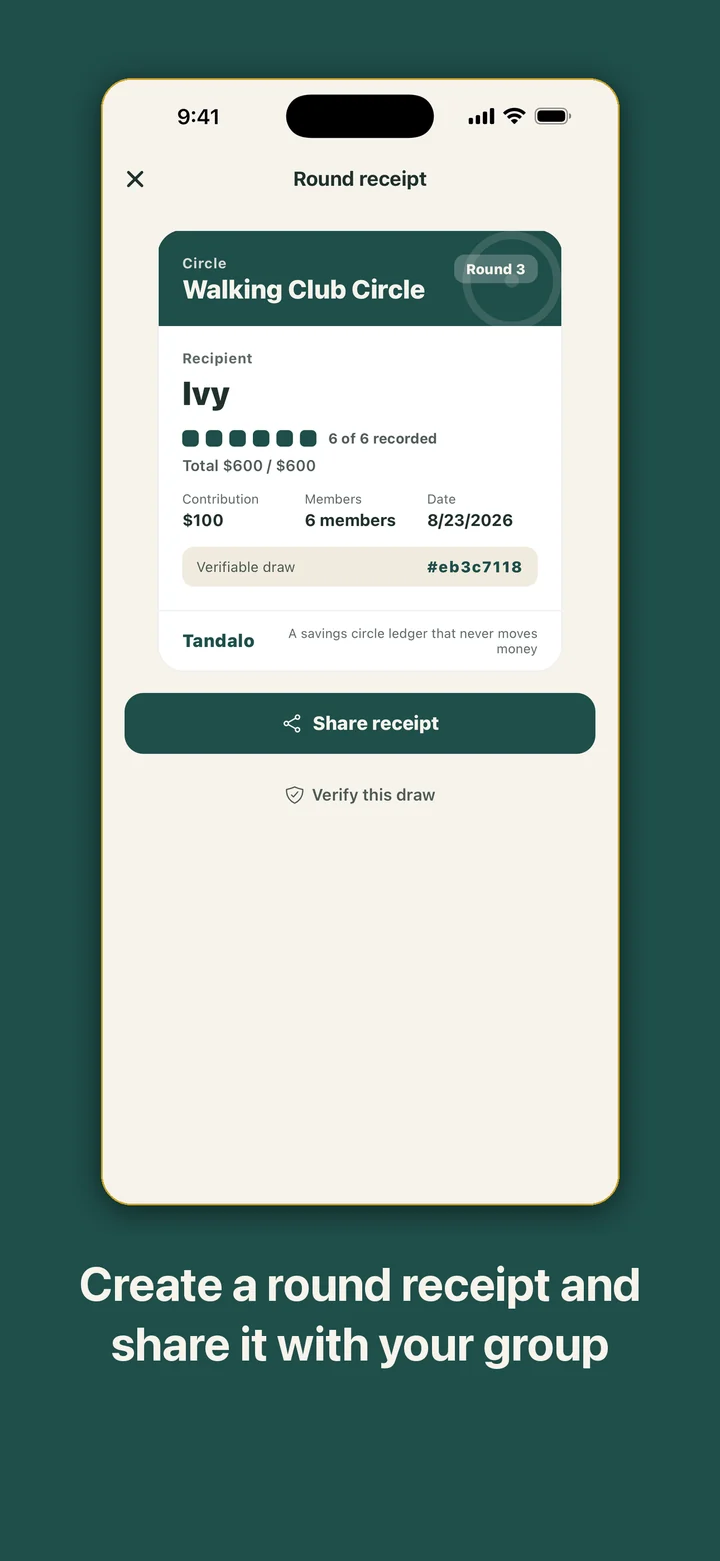
Closing a round asks you to confirm the recipient and then opens that round's receipt. After the last round the circle shows Circle complete.
Set the order, or draw each round
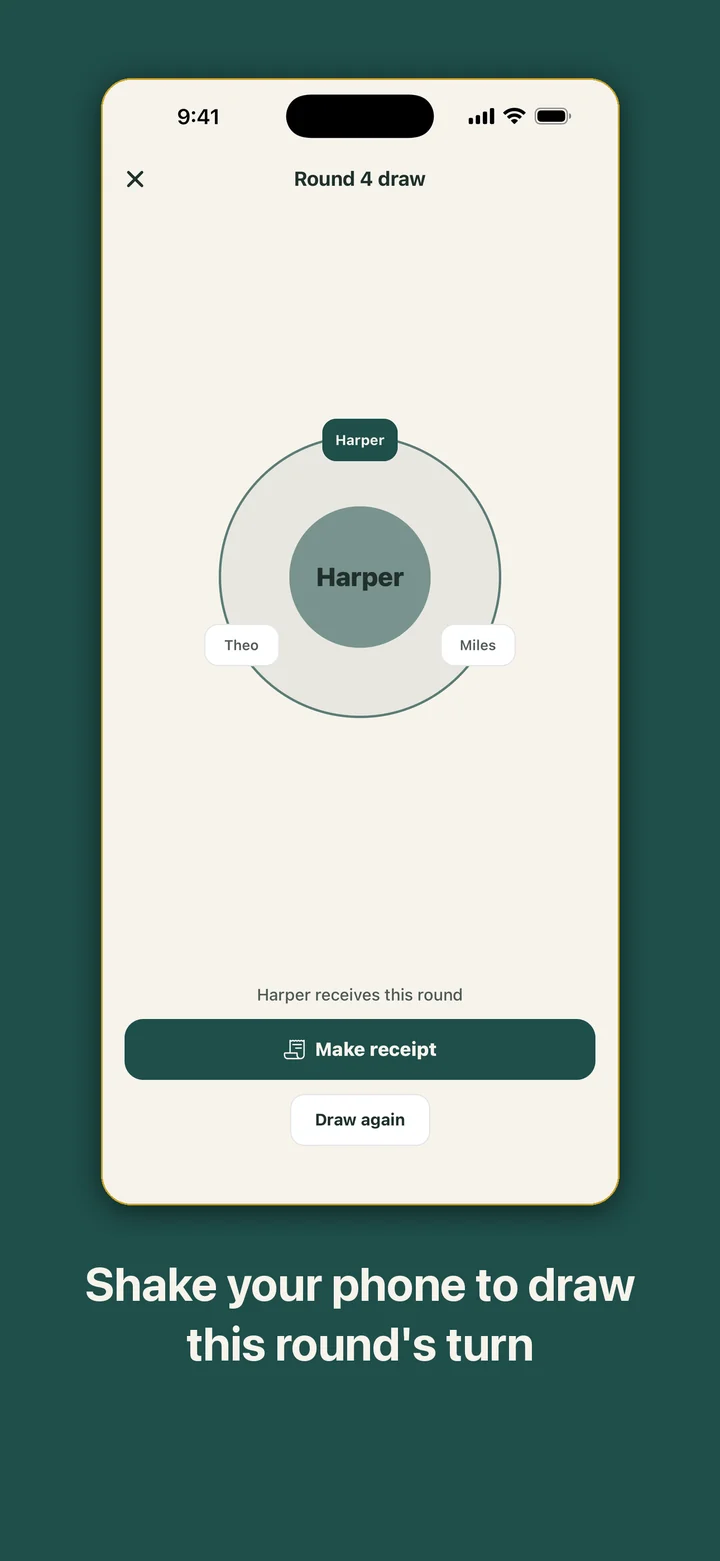
You choose how turns work when you create a circle. With Set the order up front, the next name is always shown on the circle screen, and the Members tab lets you move people up or down while turns already received stay put. With Draw each round, you shake to draw on the day, and anyone who has already received drops out of the next draw automatically.
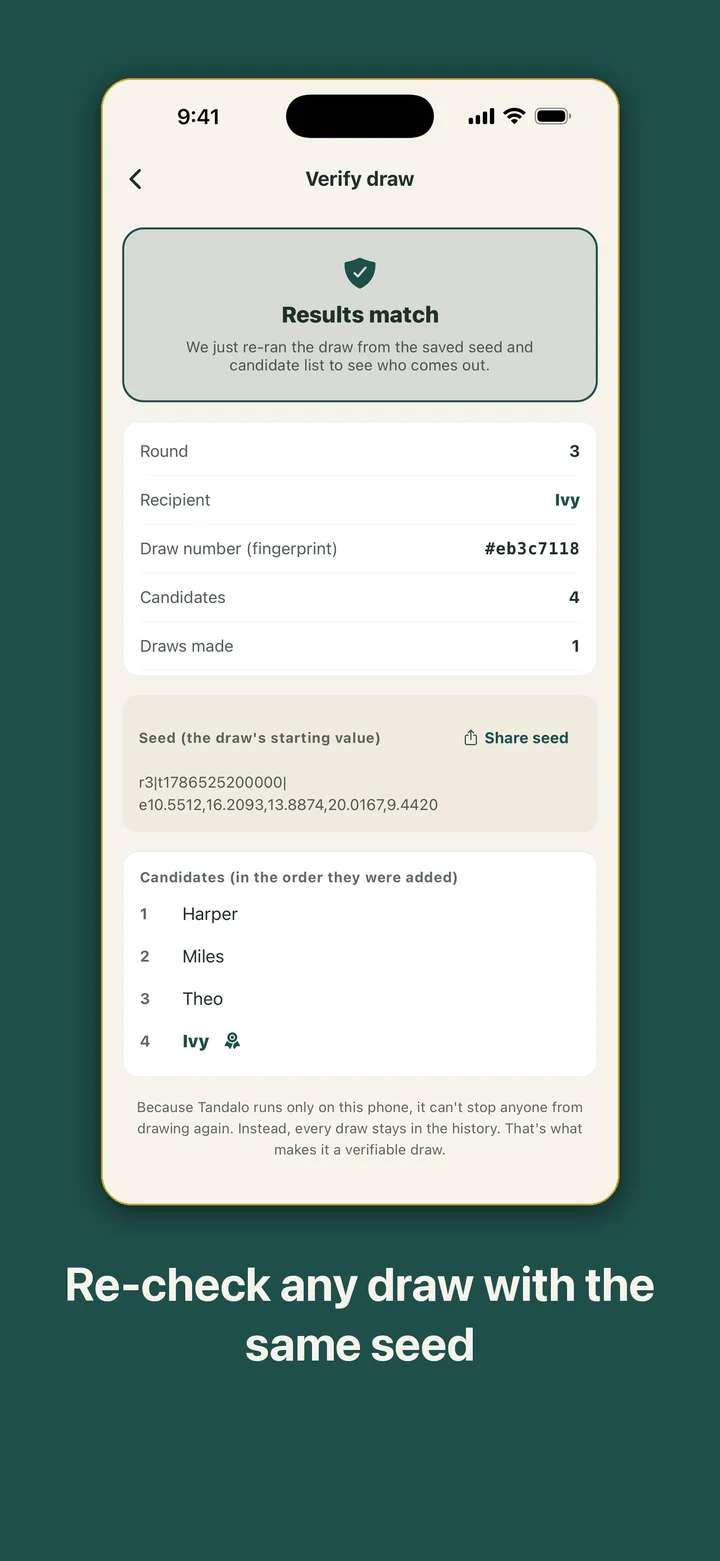
The History tab lists each closed round with its recipient and date, and any past receipt opens again from there. A round closed from a preset order says so on its receipt instead of showing a draw that never happened.
tanda, arisan, altın günü, or a plain circle
Creating a circle starts with a style: tanda, arisan, altın günü, or Circle for everything else. The style sets the accent color and card pattern and suggests the schedule and turn order that tradition usually follows. A tanda starts at every two weeks with a set order, an arisan at monthly with a draw each round. You can change any of it, and any style can be picked whatever language your phone uses.
Then you add a circle name, the members, the contribution, and a schedule of weekly, every two weeks, or monthly. Members are typed in by hand, so the app never asks for your contacts. The number of rounds follows the number of members, and you can set it yourself.
An altın günü keeps its ledger in grams of gold. Type in a price per gram and a reference value appears beside the gold collected so far, with a footnote giving the date of the price you entered. With no price, it just says No price entered yet.
Tandalo is a record-keeping tool. It does not hold, collect, or send money, and the gold reference value is only the grams multiplied by a price you typed in yourself. It is not a market quote or financial advice.
Reminders that name no one
Turn on round reminders for a circle, pick the hour, and this phone gets a notification on the circle's own schedule. It shows the circle name and "The next round is coming up," never a member's name or an amount, because a lock screen is something other people see. Notification permission is asked only when you switch reminders on.
For the members there are note cards: three gentle messages to choose from, previewed as a card and shared through the share sheet. The card never says who hasn't been marked yet, and Tandalo never sends anything on its own.
A small home screen widget, on iPhone and Android, shows the nearest active circle's name with the days until its next round and the round number. It shows no member names and no amounts.
It stays on the organizer's phone
Member names, contribution records, and every draw are saved on this phone only. There is no account, no server, and no analytics service. The app makes no network requests, so it works the same offline. The only things that leave the phone are the receipts, note cards, and seeds you choose to share.
The first launch opens on a sample circle of six members with round 3 of 6 in progress, plus a short tour you can skip. You can run a draw there before setting up anything of your own, and delete the sample when you're done. Settings has Delete all data, which, after one confirmation, erases every circle, ledger, draw history, and saved receipt image and brings back the sample circle. It also lets you choose a light, dark, or system display mode.