The daily sheet, as it is done now
Most childminders and nannies already send something home at the end of the day. Some fill in a printed daily sheet, the kind sold as printable templates on Etsy. Others type a long message to each parent at 5:25 with a baby on one hip, or post photos and notes into a family chat as the day goes.
Each of these works until it doesn't. A paper sheet goes home in a bag and gets lost, and the nap you meant to write down at 2:15 becomes a guess at 5:15. Typed messages change shape from day to day and child to child. Photos land in one thread and the nap and diaper notes in another, and the parent has to piece the day together from both.
Center platforms such as brightwheel and Procare are built for nurseries with several rooms and staff, and they reach families through their own parent app. One adult looking after a few children at home needs much less than that: a quick way to note the day and a clean page to hand over at the door.
One tap at a time, one page at the end
Set up a card for each child once, with their name, allergies and parent contacts. TinyReport holds one to six children, which fits a home daycare, a childminder's group or a nanny share.
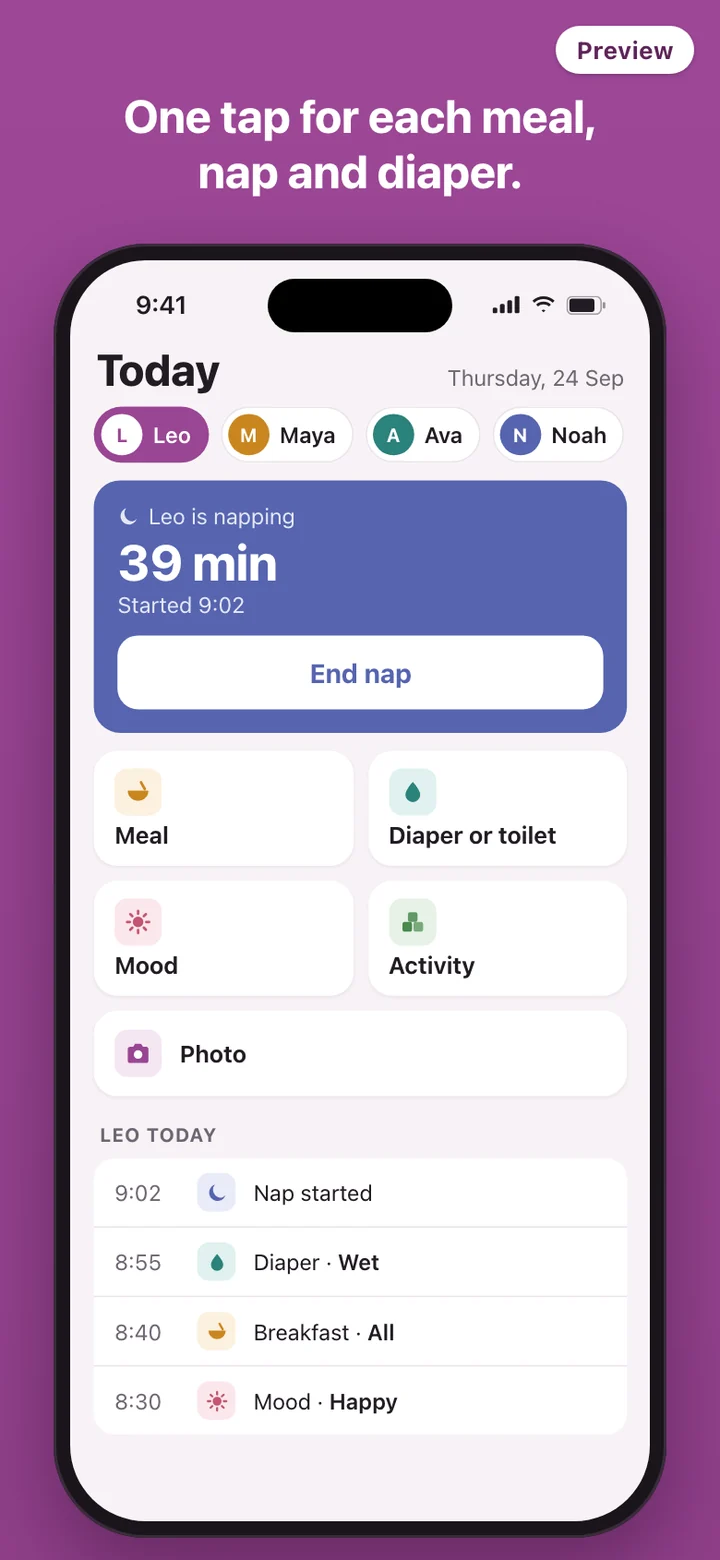
During the day, the Today screen shows a row of large buttons for whichever child you pick. Breakfast went down well: tap the meal and choose how much was eaten. The nap starts at 12:40: tap. She wakes at 2:15: tap again. A wet diaper, a trip to the toilet, a happy morning, painting at the kitchen table, a photo of the finished painting. Each tap records the time, so you never rebuild the day from memory.
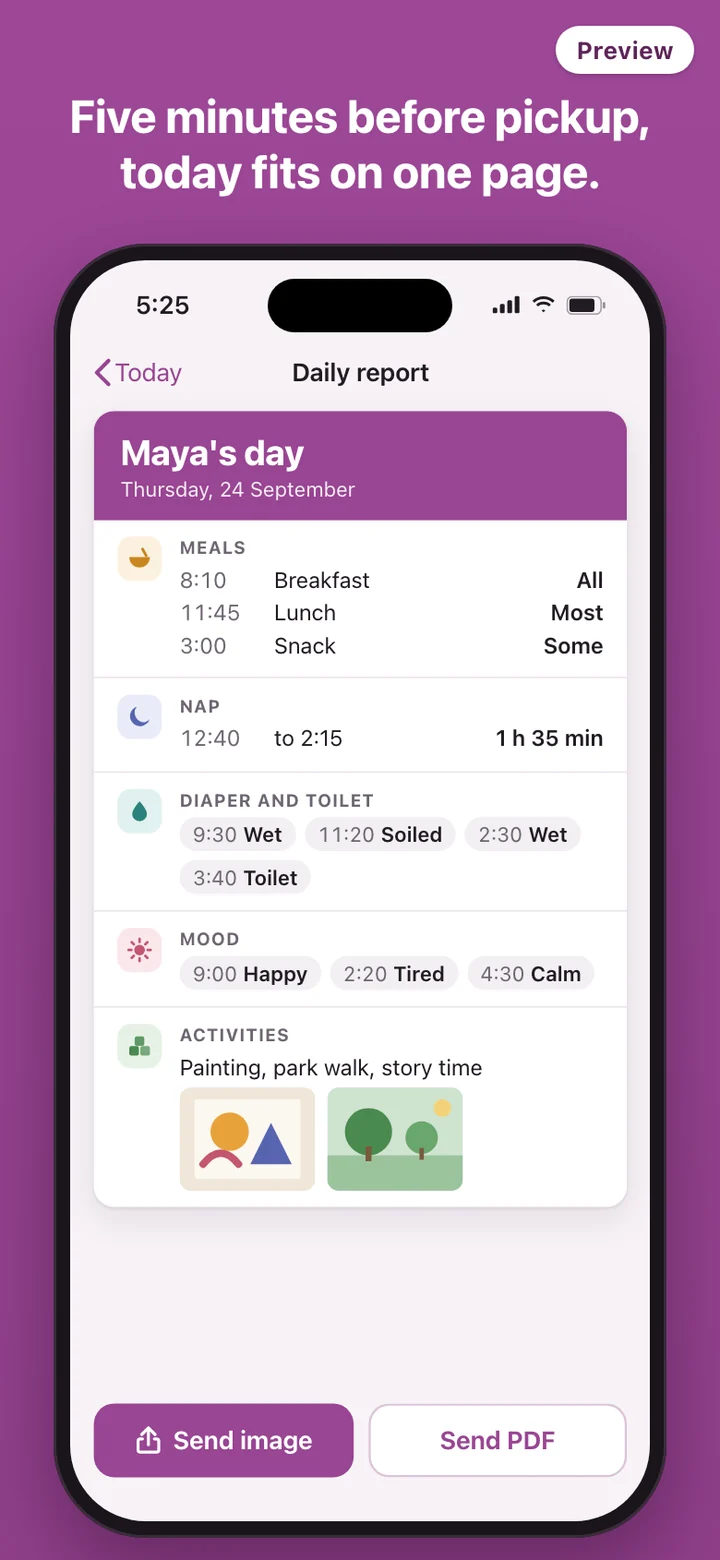
Five minutes before pickup, open the report. The child's day sits on a single page: meals with amounts, naps with start and end times and their length, each diaper change or toilet trip, mood, activities and photos. Read it over, then send it.
What parents get
Parents receive an ordinary picture or a PDF, sent the way you already reach them, through your usual messaging app or email. They do not install anything, create an account, or type an invite code. The page opens on any phone, and they can save it, print it or forward it to the other parent or a grandparent.
The page follows the same layout every day, so parents learn where to look. Nap times sit in the same place on Monday and on Friday, and a parent can tell in a few seconds whether lunch went well or the afternoon was a tired one.
Photos stay on your phone
Daily reports are full of other people's children. TinyReport has no server, so the child cards, the day's taps and the photos you add are stored in the app on your phone and are never uploaded by TinyReport. There is no account to sign into, no cloud gallery of children's photos, and no parent portal holding a copy of every day.
TinyReport sends nothing anywhere on its own. A report leaves the phone only when you send it, as one image or PDF to the parent you picked. Childminders in England have to be able to explain to parents how phones and cameras are used in their setting; being able to say that report photos stay on your phone and go only to that child's family makes the conversation short.
The Friday PDF
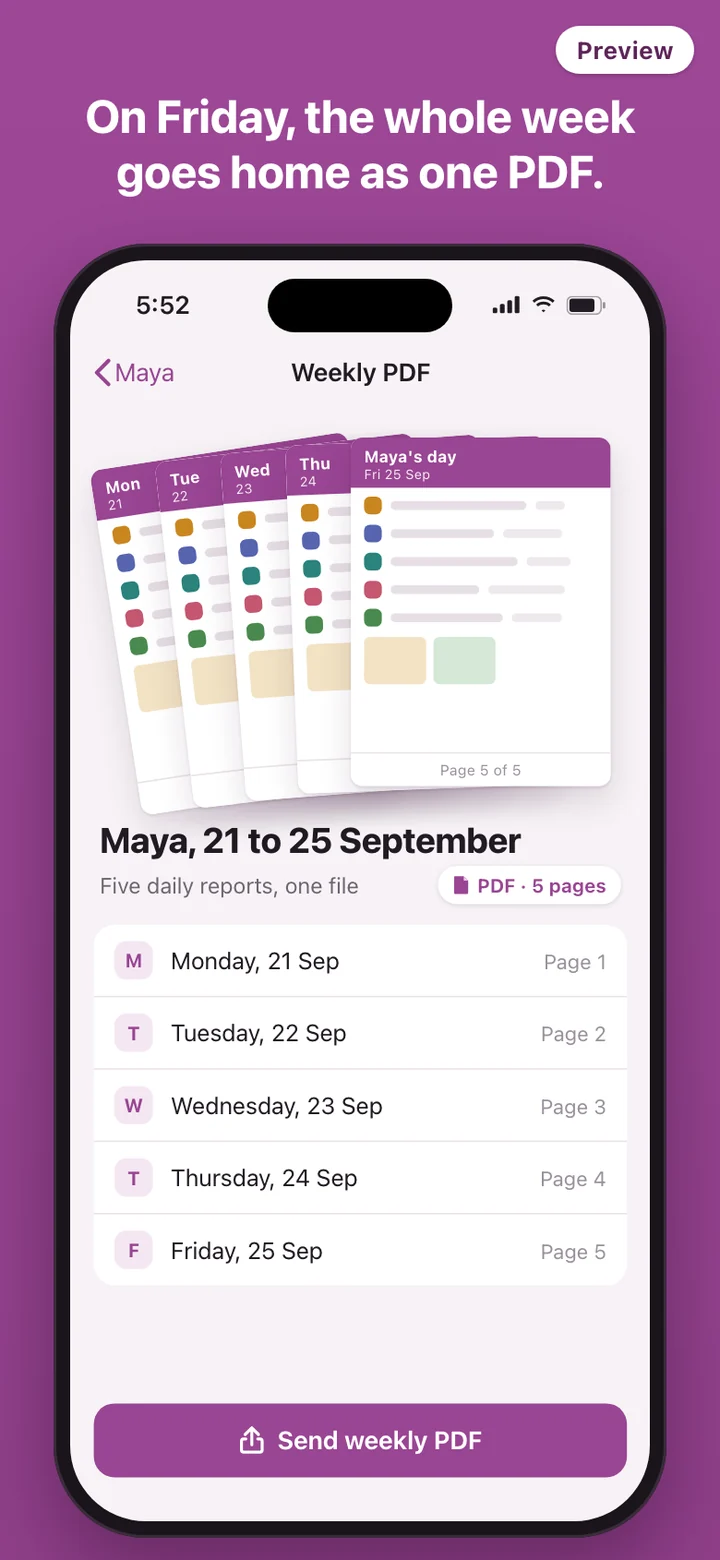
At the end of the week, TinyReport puts one child's daily reports into a single PDF. Some parents want a record they can file away. Some providers like to keep a copy of what went home. Either way it is one file per child per week instead of a camera roll full of screenshots.
What it deliberately leaves out
TinyReport is a daily report and nothing more. There is no billing or invoicing, no sign-in and sign-out register, no chat with parents, no staff logins, and no learning journal or development tracking. It does not keep the accident, medication or attendance records that your licensing rules may require, so keep those the way your regulator expects.
TinyReport is a tool for writing daily notes to parents. It does not check compliance with your state's child care licensing rules, the EYFS in England, or any other regulation, and it does not give health or safety advice. Requirements differ from state to state and country to country, and your licensing agency or regulator has the final word.