Where return deadlines usually slip
Most purchases come with two clocks. The store gives you a window to bring the thing back, and the maker promises to fix it for some time after that. Neither clock is written anywhere you look. The return window is on the back of a receipt in a drawer or in an order email under a hundred newer ones, and the warranty length is in a leaflet that went out with the box.
So the usual system is memory plus good intentions: a calendar entry you meant to add, a note on the fridge, a box left by the door as a hint. It holds until a week gets busy. Then the headphones that pinch or the blender that rattles stays in the house, because the last day passed on a Tuesday nobody noticed.
What you enter, and what it suggests
The only required field is the name. The purchase date starts at today and steps back a day at a time if you are logging something from last week. Pick where you bought it from four kinds of store, Online store, Retail store, Warehouse store or Department store, or type the store's name yourself. Then pick a category: Electronics, Large appliance, Small appliance, Furniture, or Clothing and accessories.
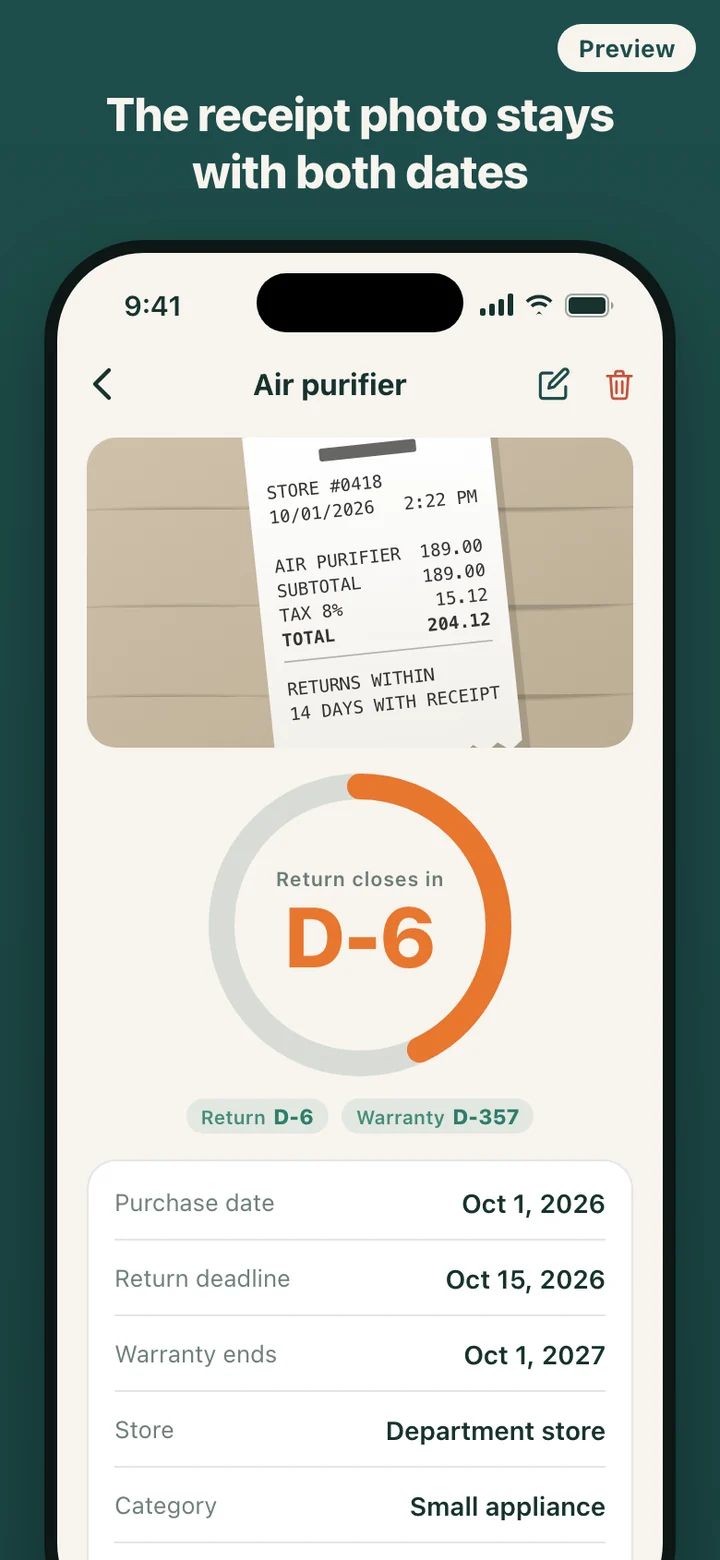
Choosing a store type fills in a suggested return window, and choosing a category fills in a suggested warranty length. Both carry a Reference tag and both are yours to change: tap 7, 14 or 30 days or step to any number up to 365, and tap 12, 24 or 36 months or step to any length up to ten years. For clothing it leaves the warranty for you to enter. Either deadline can be set to Not tracked. Add a photo of the receipt or the product from the camera or your library, and a free-text price note if you want one.
Suggestions, not promises
Return windows are set by each seller and warranties by each manufacturer, and both vary by store, by product and by country. Warrantime cannot know your store's policy, so its numbers are only a starting point. Every suggestion is labeled as one, the item page repeats that your receipt and the seller's policy come first, and whatever you enter is what the countdown uses.
A saved item keeps the dates you confirmed, and changing them later is an edit, not a reset. Deadlines are counted in calendar days on your phone's own date. On the deadline day itself the badge reads D-DAY and the item still counts as open. A warranty measured in months ends on the same day of the month, or on the month's last day when that date does not exist.
Reminders that arrive on the right morning
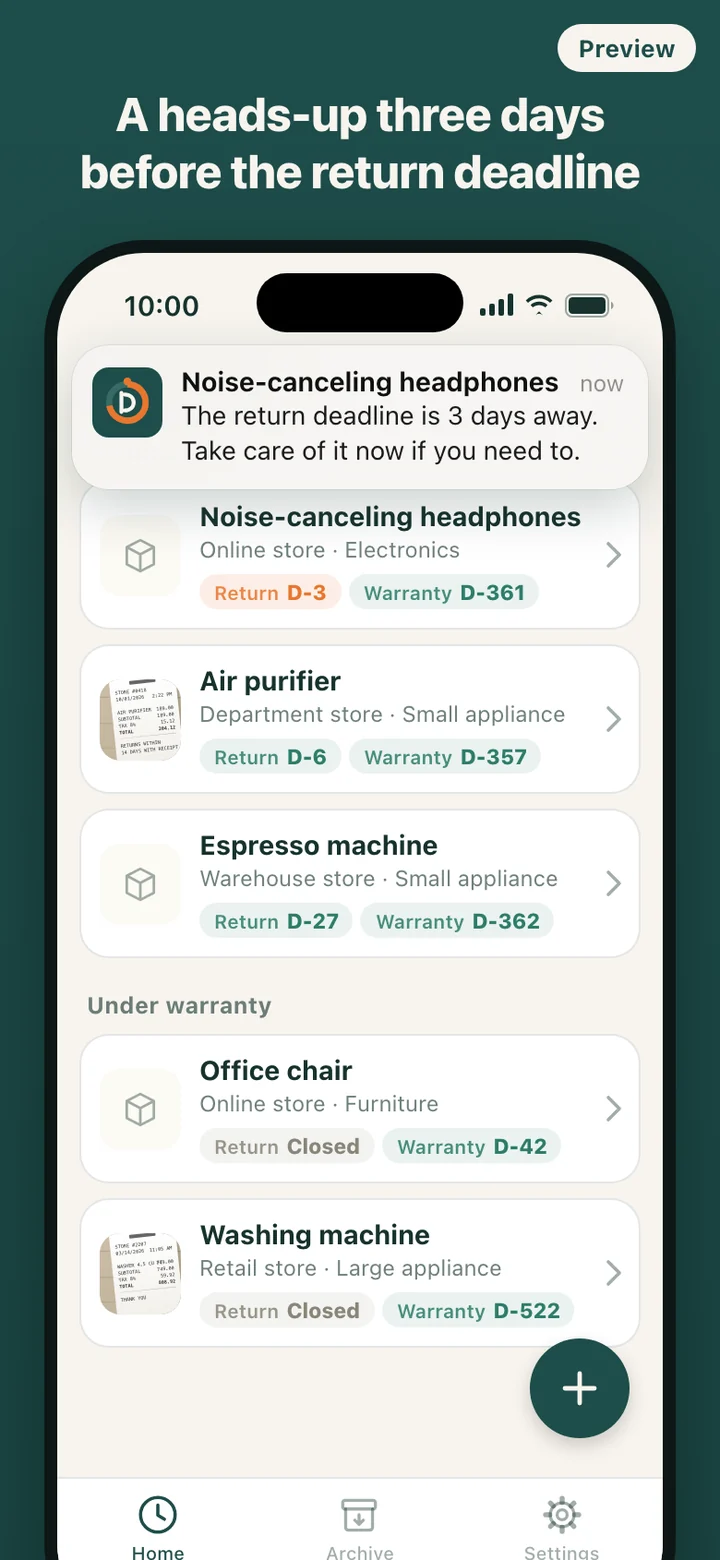
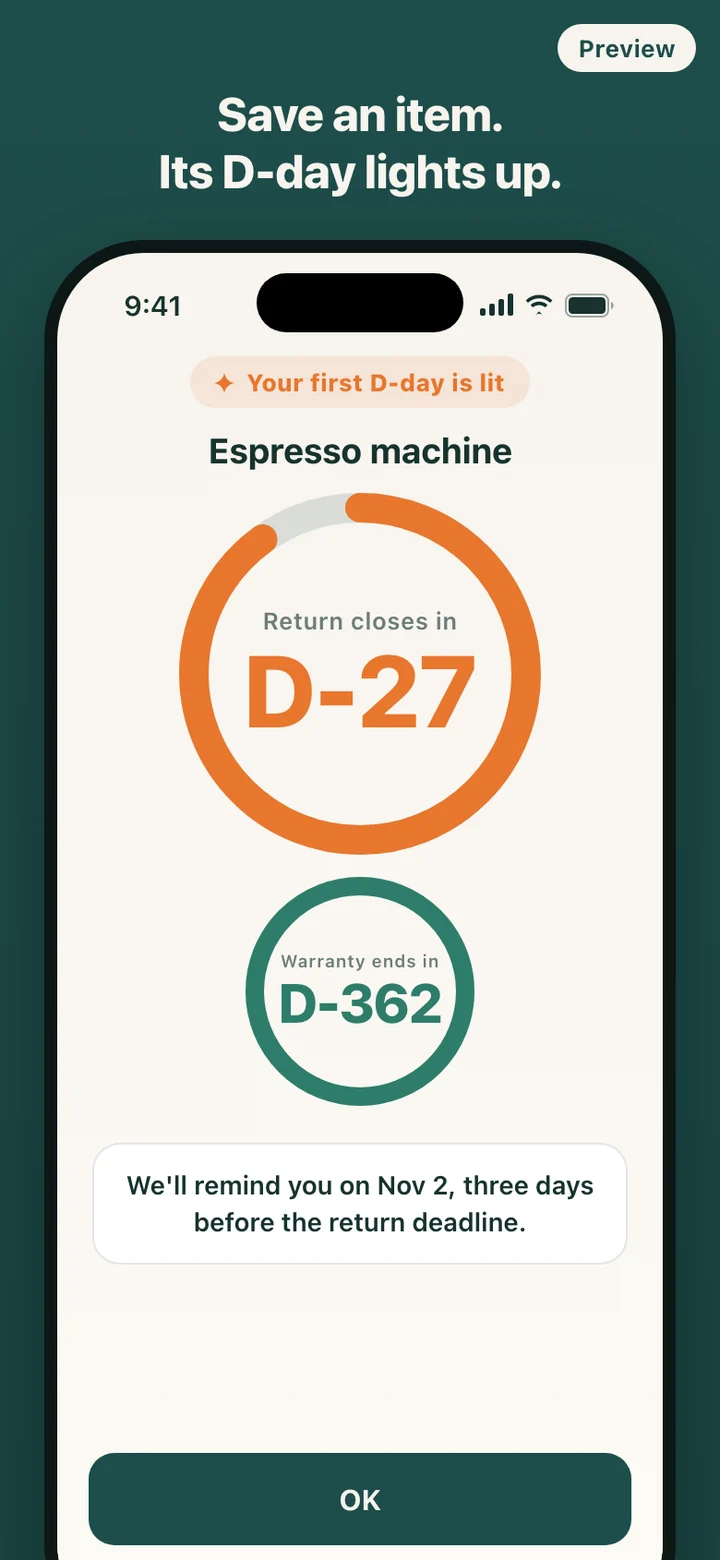
Two reminders are on by default for every new item: three days before the return deadline and 30 days before the warranty ends. You can add one the day before the return deadline, one on the deadline day, and one seven days before the warranty ends, either for a single item on its page or as the default for new items in Settings. Reminders arrive at 10 a.m. local time.
Permission to send notifications is requested only after you save your first item, at the moment the app confirms the reminder date. If you decline, every countdown in the app still works and the item page notes that reminders are off. Behind the scenes Warrantime keeps the 48 nearest reminders queued on the phone and rebuilds that queue each time you open it, so a long list of purchases does not crowd out the next deadline.
From returnable to archived
The home screen has two groups. Returnable holds anything still inside its return window, soonest deadline first. When the window closes, the item moves into Under warranty on its own, and when the warranty ends it goes to the Archive tab. Nothing runs in the background to do this; the app works out each item's state from today's date whenever you look.
The first time you open it there is a sample item, a pair of Bluetooth earbuds bought four days earlier and marked Example, so you can see a live countdown before entering anything. Delete it like any other item.
What it deliberately leaves out
Warrantime does not scan receipts, read your email or connect to any store. You type what you bought, and a name is enough to start. There is no account, no cloud copy and no sync, and the app makes no network requests. Records and photos live only on this phone, which also means there is no backup to restore if the phone is lost. Delete all data in Settings clears items, photos and scheduled reminders in one step and returns the app to its first-run state.
It also stays out of disputes. It does not say whether a store has to take something back, rate retailers, or coach you through a refund.
Warrantime is a record-keeping and reminder tool. The return and warranty periods it suggests are reference values; the terms on your receipt, the seller's policy, the manufacturer's warranty and the law where you live decide what actually applies. It does not give legal advice.