A season with a first day and a last day
Wintra treats a Winter Arc as a season, not as a habit list that runs forever. The official season runs from October 1 to December 31, which is 92 days. The app cuts it into 13 chapters of seven days, and the last chapter stretches to eight so no day is left over.
Outside the season you do not have to wait. Open the app in March and it starts a custom 92-day arc from that day, with the same chapters, the same line and the same report. Pick one of three templates, Glow Up, Discipline or Study, rename any track to match what you are actually doing, and add your own until you have five.
Plenty of people plan an arc in a Notion template or a notes app. That holds up until week three, when you are counting days by hand to work out which week you are in, and an empty row for a missed day starts to look like failure. Wintra does the calendar math, including the autumn clock change, and keeps a missed day neutral.
About a minute a day
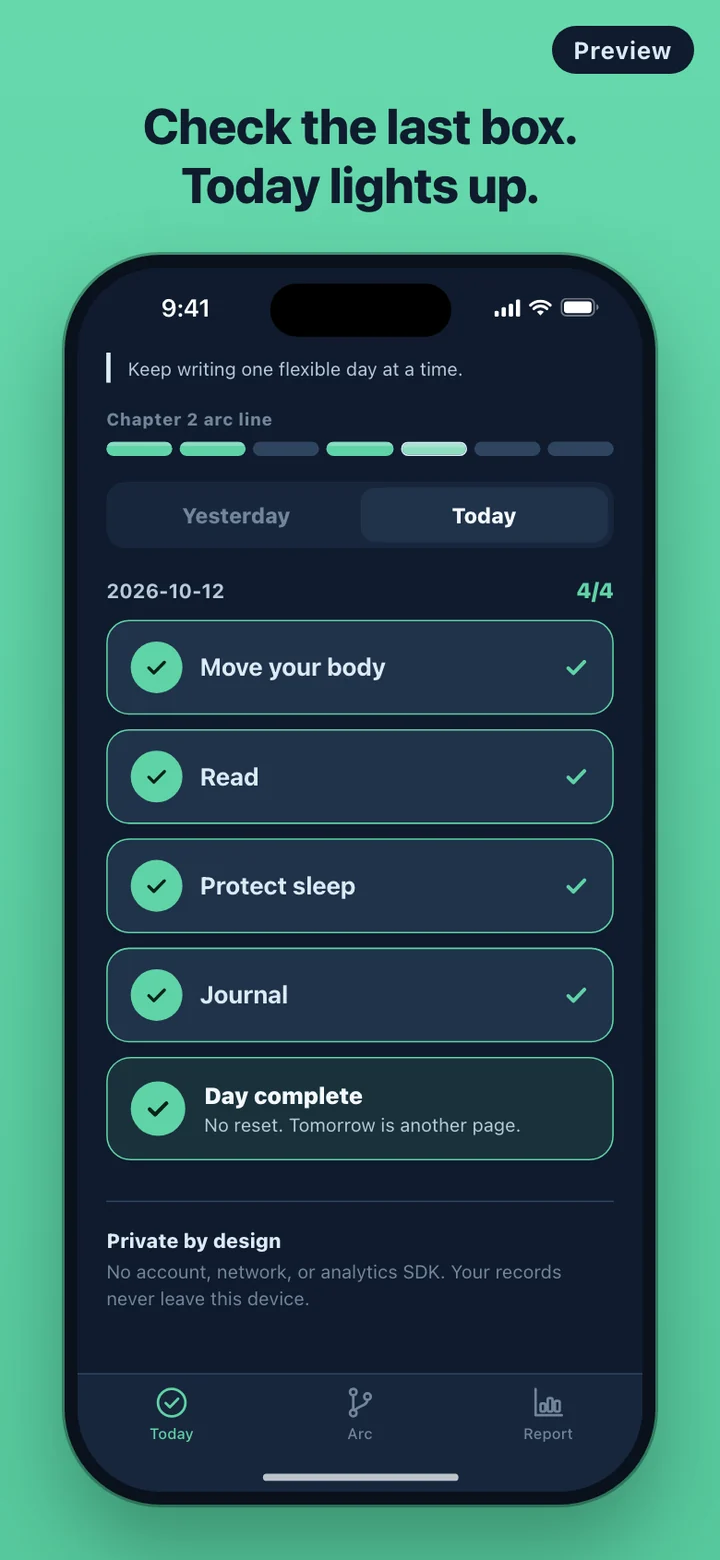
The first thing you see is today's checklist, already filled with a template's tracks. One short card explains how it works and can be skipped. There is no sign-in screen because there is no account to create.
Tap a track when you have done it. When every track for the day is checked, a Day complete stamp appears with the line "No reset. Tomorrow is another page." and today's segment on the chapter strip lights up. Days you missed in this chapter stay a quiet gray, never red. The Yesterday tab lets you fix a check you forgot, but nothing further back, so the record stays honest.
If you want a nudge, switch on the daily reminder in Manage arc and set a time. Wintra schedules one local notification and skips it on days you have already completed. It asks for notification permission only when you turn the reminder on.
Thirteen chapters on one line
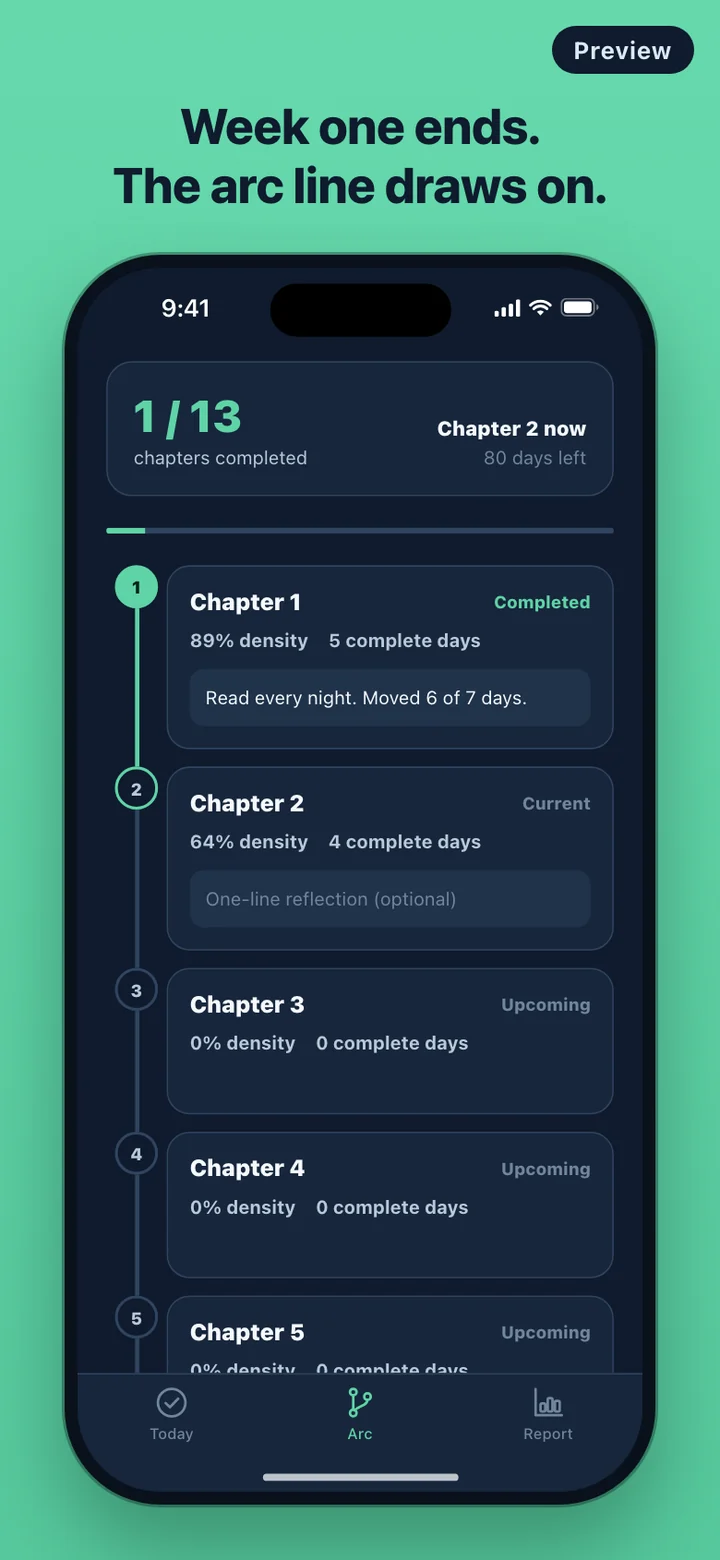
The Arc tab draws the season as a vertical line of 13 chapter nodes. At the top sit three numbers: how many chapters are complete, which chapter you are in now, and how many days are left. As each week passes, its node fills in and the line to the next chapter is drawn.
A chapter completes on schedule, not on merit. A week where you checked half your tracks still closes. It just shows a lower density, meaning the share of possible checks you made, and fewer complete days. That is on purpose: the story keeps moving through a rough week, and you can still see the rough week for what it was.
Joining in November
Install Wintra after October 1 and your arc joins the official season where it is. Start on November 1 and you begin in Chapter 5 with 60 days left. Chapters 1 to 4 are marked Before you joined and stay locked, with nothing filled in for time before you were there. Your report counts from the day you joined, so weeks you could not have checked do not drag your numbers down.
If fewer than 14 days of the season remain when you first open the app, it starts a custom 92-day arc from that day instead, so a late start still gets a full arc.
Report, share card and widget
The Report tab works from day one, not only at the finale. It shows total checks, complete days, current streak and longest streak, plus a bar for each track with its checks out of possible days. Streaks are counted, but as two numbers among several rather than something to protect.
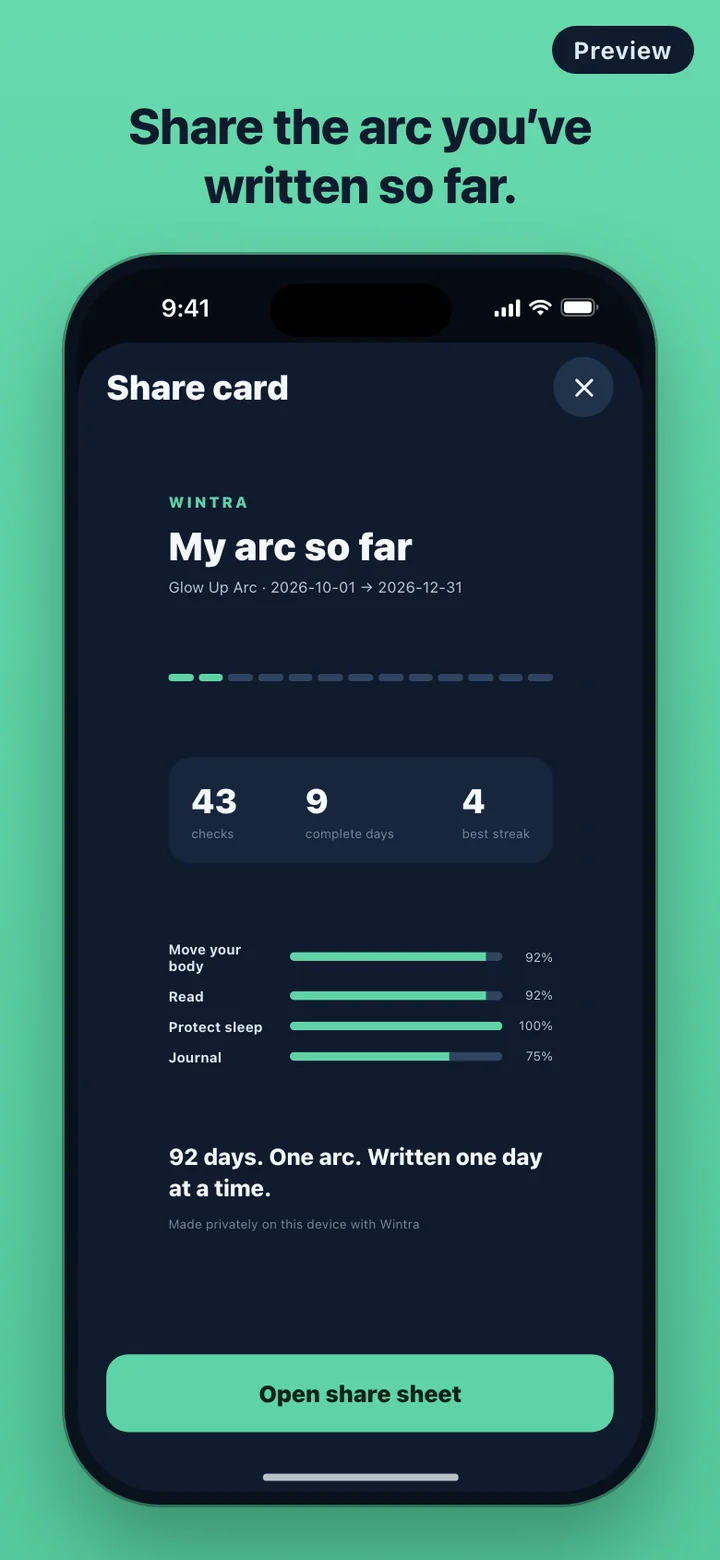
Share my arc renders a 1080 by 1920 card with your arc's dates, the 13-segment line with every chapter you have checked in lit, total checks, complete days, best streak and each track's percentage, then hands it to the share sheet. When the arc ends, the same card reads My completed arc.
On iPhone there is a home screen widget in small and medium sizes. It shows days left, today's progress such as 2/4 today, and the 13-segment chapter line, and the medium size adds which chapter you are in.
What Wintra leaves out
There is no timer, no stopwatch and no mascot. Wintra is a daily checklist and a season line, and it never measures minutes. It does not prescribe workouts, diets or sleep targets either; a track means whatever you decide it means.
It has no account, no server and no analytics SDK, and it makes no network requests, so it behaves the same in airplane mode. Your checks, reflections and settings are stored on the phone. Manage arc has a Delete all data button that removes them and returns the app to its first, ready-to-check state.